
1. Introduzzjoni
The Sony WH-1000XM6 are over-ear wireless Bluetooth headphones designed to provide an immersive audio experience with advanced noise-cancelling capabilities. This manual provides essential information for the proper setup, operation, and maintenance of your headphones.
Key features include the HD Noise Cancelling Processor QN3, Multi Noise Sensor Technology, High-Resolution Audio support, DSEE Extreme, and a foldable design for portability. The headphones also offer up to 30 hours of battery life and support multipoint connection.
2. X'hemm fil-Kaxxa
Iċċekkja li l-oġġetti kollha huma preżenti fl-imballaġġ:
- Sony WH-1000XM6 Headphones
- Compact Protective Carrying Case
- USB-C Cable
- Dokumentazzjoni (dan il-manwal u gwidi oħra)
3. Prodott Aktarview
The WH-1000XM6 headphones feature a lightweight design with soft, cushioned ear pads and an adjustable headband for comfort during extended listening sessions. The headphones are foldable for easy storage and transport in the included carrying case.
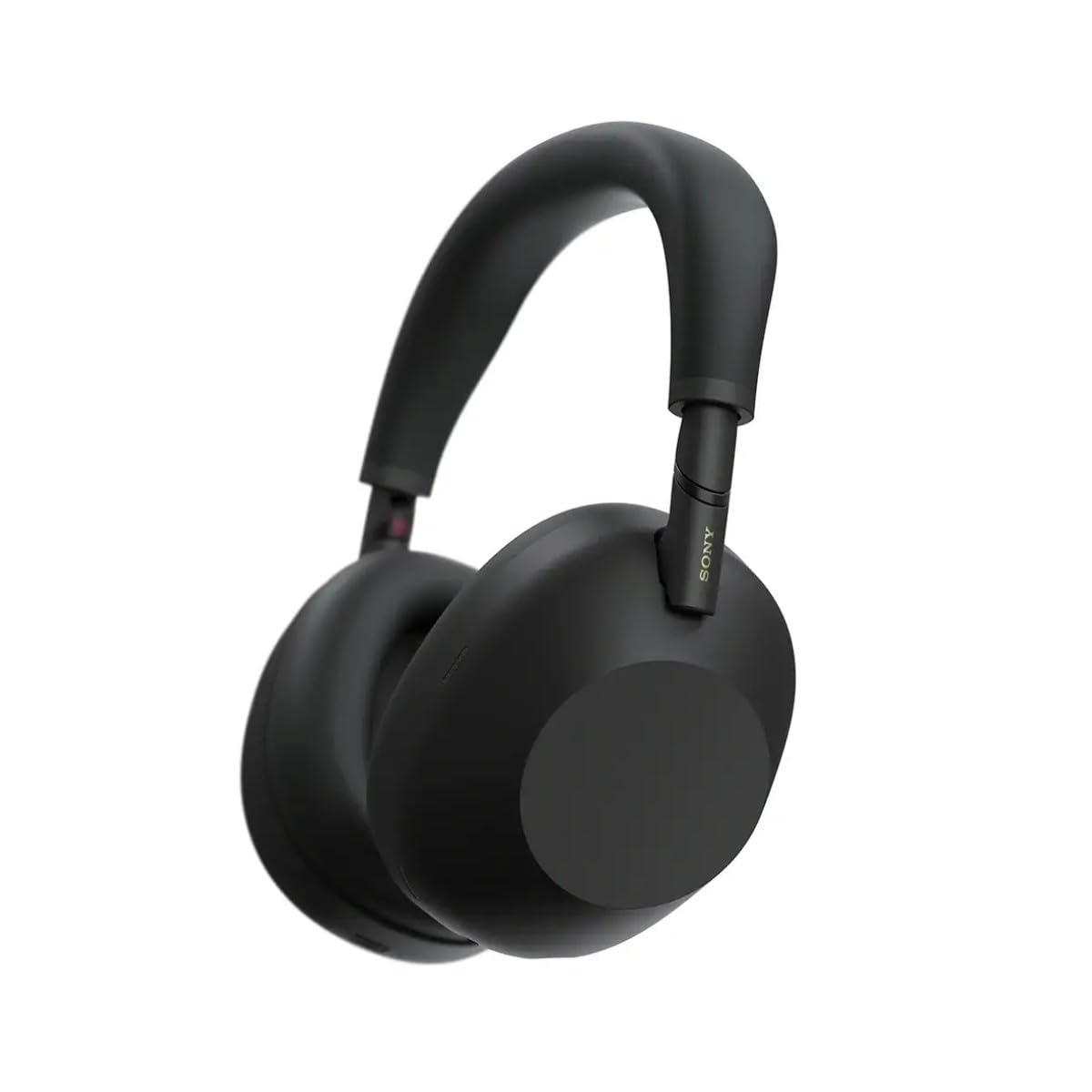
Figura 3.1: Quddiem view of the Sony WH-1000XM6 headphones in black.
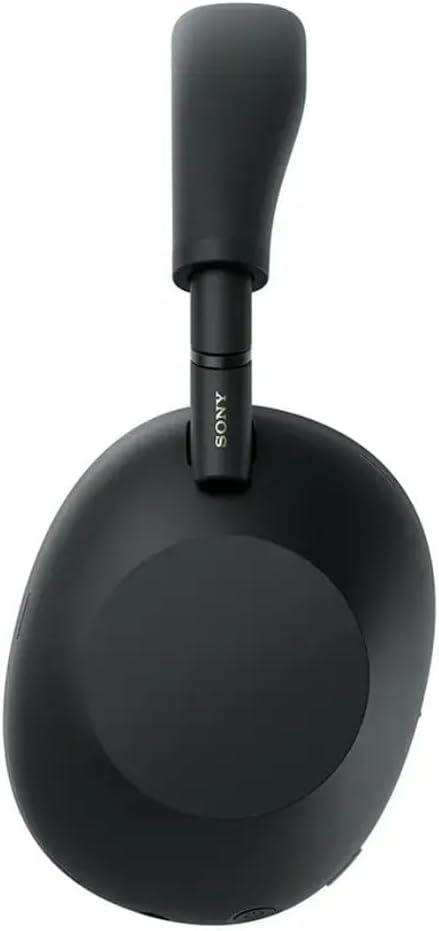
Figura 3.2: Ġenb view of the Sony WH-1000XM6 headphones.

Figure 3.3: WH-1000XM6 headphones stored in their protective carrying case.
4. Setup
4.1. Iċċarġjar tal-Headphones
Before initial use, fully charge the headphones. Connect the supplied USB-C cable to the charging port on the headphones and to a USB power source. A full charge provides up to 30 hours of playback. A quick 3-minute charge can provide approximately 3 hours of playback. The headphones can be used while charging.
4.2. Power On/Off
- Biex tixgħel: Agħfas u żomm il-buttuna tal-qawwa sakemm id-dawl indikatur jixgħel.
- Biex titfi: Agħfas u żomm il-buttuna tal-qawwa sakemm id-dawl indikatur jintefa.
4.3. Tqabbil tal-Bluetooth
To connect your headphones to a Bluetooth device:
- Kun żgur li l-headphones huma mitfija.
- Press and hold the power button for approximately 7 seconds until the indicator light flashes blue rapidly and a voice guidance announces "Bluetooth pairing mode."
- Fuq l-apparat tiegħek (smartphone, tablet, kompjuter), attiva l-Bluetooth u fittex apparati disponibbli.
- Select "WH-1000XM6" from the list of detected devices.
- Once connected, the indicator light will flash slowly, and a voice guidance will announce "Bluetooth connected."
4.4. Sony | Headphones Connect App
Download the Sony | Headphones Connect app from your device's app store. This app allows you to customize sound settings, manage noise cancellation, update firmware, and access additional features for your WH-1000XM6 headphones.
5. Istruzzjonijiet Operattivi
5.1. Noise Cancelling and Ambient Sound Mode
The WH-1000XM6 features advanced noise cancellation powered by the HD Noise Cancelling Processor QN3 and Multi Noise Sensor Technology. The Auto NC Optimizer adapts to your environment for optimal performance.
- Kanċellazzjoni tal-Ħsejjes: Inaqqas l-istorbju ambjentali għal esperjenza ta' smigħ immersiva.
- Modalità tal-Ħoss Ambjentali: Allows you to hear surrounding sounds while listening to music, enhancing situational awareness. The Auto Ambient Sound Mode adjusts the level based on your environment.
- Modalità ta' Attenzjoni Mgħaġġla: Cover the right earcup with your hand to instantly lower music volume and allow ambient sound in, useful for quick conversations.
5.2. Daqq tal-Awdjo
The headphones feature 30mm driver units, support High-Resolution Audio, and include DSEE Extreme for upscaling compressed digital music files. Audio playback can be controlled via the touch panel on the right earcup:
- Play/Pawsa: Tektek darbtejn il-pannell tat-touch.
- Track li jmiss: Swipe 'l quddiem.
- Track preċedenti: Swipe lura.
- Volum 'il fuq: Swipe 'l fuq.
- Volum 'l isfel: Swipe 'l isfel.
Ippersonalizza l-professjonist tal-ħoss tiegħekfile using the 10-band equalizer in the Sony | Headphones Connect app.
5.3. Funzjonijiet ta' Sejħa
The WH-1000XM6 features 6 AI-powered beam-forming microphones and AI Noise Reduction for clear call quality, even in noisy environments.
- Tweġiba/Tmiem Sejħa: Tektek darbtejn il-pannell tat-touch.
- Irrifjuta Sejħa: Press and hold the touch panel.
- Mikrofonu Mute: Double-press the ANC button during a call.
5.4. Konnessjoni b'ħafna punti
The Multipoint Connection feature allows you to connect the headphones to two Bluetooth devices simultaneously. This enables seamless switching between devices, such as a smartphone and a laptop, without needing to manually reconnect.
5.5. Adaptive Sound Control
Adaptive Sound Control automatically detects your activity (e.g., sitting, walking, traveling) and adjusts the noise cancellation or ambient sound settings accordingly. This feature can be configured via the Sony | Headphones Connect app.
5.6. Specialized Audio Features
- 360 Upmix for Cinema: Transforms stereo content into an immersive surround sound experience.
- Game EQ: Enhances clarity and detail in gaming audio.
- Personalized Spatial Sound: Available through the app for an optimized listening experience.
6. Manutenzjoni
6.1. Tindif
- Imsaħ il-headphones b'ċarruta ratba u niexfa.
- Tużax alkoħol, benżin, thinners, jew kimiċi oħra tat-tindif, għax jistgħu jagħmlu ħsara lill-finitura.
- Clean the ear pads and headband gently to remove any buildup.
6.2. Ħażna
When not in use, store the headphones in their compact protective carrying case to prevent damage from dust, scratches, and impacts. Avoid storing in direct sunlight or in excessively hot or humid environments.
7 Issolvi l-problemi
If you encounter issues with your WH-1000XM6 headphones, try the following steps:
- Ebda Qawwa: Kun żgur li l-headphones huma ċċarġjati. Qabbadhom ma' sors ta' enerġija billi tuża l-kejbil USB-C.
- Ebda Ħsejjes: Check the volume level on both the headphones and the connected device. Ensure the headphones are properly paired via Bluetooth.
- Kwalità tal-Ħoss Fqira: Verify that the audio source is of good quality. Try moving closer to the connected device to avoid interference. Check equalizer settings in the Sony | Headphones Connect app.
- Kwistjonijiet ta' Tqabbil tal-Bluetooth: Ensure the headphones are in pairing mode. Turn off and on Bluetooth on your device. Delete the headphones from your device's Bluetooth list and attempt to pair again.
- It-Tħassir tal-Istorbju Mhux Effettiv: Ensure the headphones are properly seated on your ears. Use the Auto NC Optimizer feature via the app.
- Headphones Unresponsive: Perform a factory reset if available (refer to the Sony | Headphones Connect app or Sony support webis-sit għal struzzjonijiet speċifiċi).
For further assistance, refer to the Sony | Headphones Connect app or the official Sony support websit.
8. Speċifikazzjonijiet
| Brand | Sony |
| Isem tal-Mudell | WH-1000XM6 |
| Kulur | Iswed |
| Tqegħid tal-widnejn | Fuq il-widnejn |
| Teknoloġija tal-Konnettività | Mingħajr fili (Bluetooth 5.1) |
| Kontroll tal-Ħoss | Kanċellazzjoni Attiva tal-Ħoss |
| Tip ta' Sewwieq Awdjo | Sewwieq Dinamika |
| Rispons ta' Frekwenza | 20 Hz - 40,000 Hz |
| Impedenza | 48 Ohms |
| Ħajja Medja tal-Batterija | 30 Sigħat |
| Ħin tal-Ħarġ tal-Batterija | 3 minuti għal sagħtejn ta' daqq |
| Piż tal-oġġett | 250 Gramm |
| Materjal | Aluminum (Enclosure) |
| Tip ta' Kontroll | Voice Control, App |
| Livell ta 'Reżistenza għall-Ilma | Mhux Reżistenti għall-Ilma |
9. Garanzija u Appoġġ
Għal informazzjoni dettaljata dwar il-garanzija, jekk jogħġbok irreferi għall-karta tal-garanzija inkluża mal-prodott tiegħek jew żur is-sit uffiċjali tal-appoġġ ta' Sony. website. For technical support, product registration, or service inquiries, please contact Sony customer service or visit their online support resources.