1. Introduzzjoni
Thank you for choosing the Generic M100 Clip on Ear Headphones. These open-ear earbuds are designed to provide a comfortable audio experience with advanced features. This manual will guide you through the setup, operation, and maintenance of your new headphones.
Karatteristiċi ewlenin:
- Teknoloġija tal-Konduzzjoni tal-għadam: Delivers sound through cheekbones, maintaining environmental awareness.
- Touch Screen LCD: Intuitive control for music and calls.
- Bluetooth 5.4: Fast and stable wireless connection.
- Kanċellazzjoni tal-Ħsejjes: Minimizes background noise for clear audio.
- Reżistenti għall-Ilma u l-Għaraq: Durable design for active use.
2. Prodott Aktarview
The M100 Clip on Ear Headphones come with a charging case that features an LCD touch screen. The package includes the M100 Clip on Ear Headphones themselves.

Image: The M100 Clip on Ear Headphones shown with their charging case, highlighting the sleek design.

Image: Close-up of the M100 charging case's LCD touch screen, displaying various control options.
3. Setup
3.1 Iċċarġjar tal-Headphones u l-Kaxxa
Before first use, fully charge the headphones and the charging case. The charging case has a capacity of 500mAh, and each headphone has a 30mAh capacity. A full charge for the headphones typically takes 1 hour, providing approximately 5 hours of battery life.
- Place the headphones into the charging case. Ensure they are correctly seated to initiate charging.
- Connect the charging case to a power source using a compatible USB-C cable (not always included).
- The LCD screen on the charging case will display the charging status.

Image: Diagram illustrating the ultra-long battery life of the M100 headphones, showing headphone usage time (4-5h), shutdown standby time (2000h), and charging time of charging case (2-3h).
3.2 Tqabbil tal-Bluetooth
The M100 headphones utilize Bluetooth 5.4 for a stable and efficient connection.
- Iftaħ il-kaxxa tal-iċċarġjar. Il-headphones jidħlu awtomatikament fil-modalità ta' tqabbil.
- On your device (e.g., smartphone, tablet), go to Bluetooth settings.
- Fittex għal available devices and select "M100" from the list.
- Once connected, the LCD screen on the case may indicate a successful pairing.
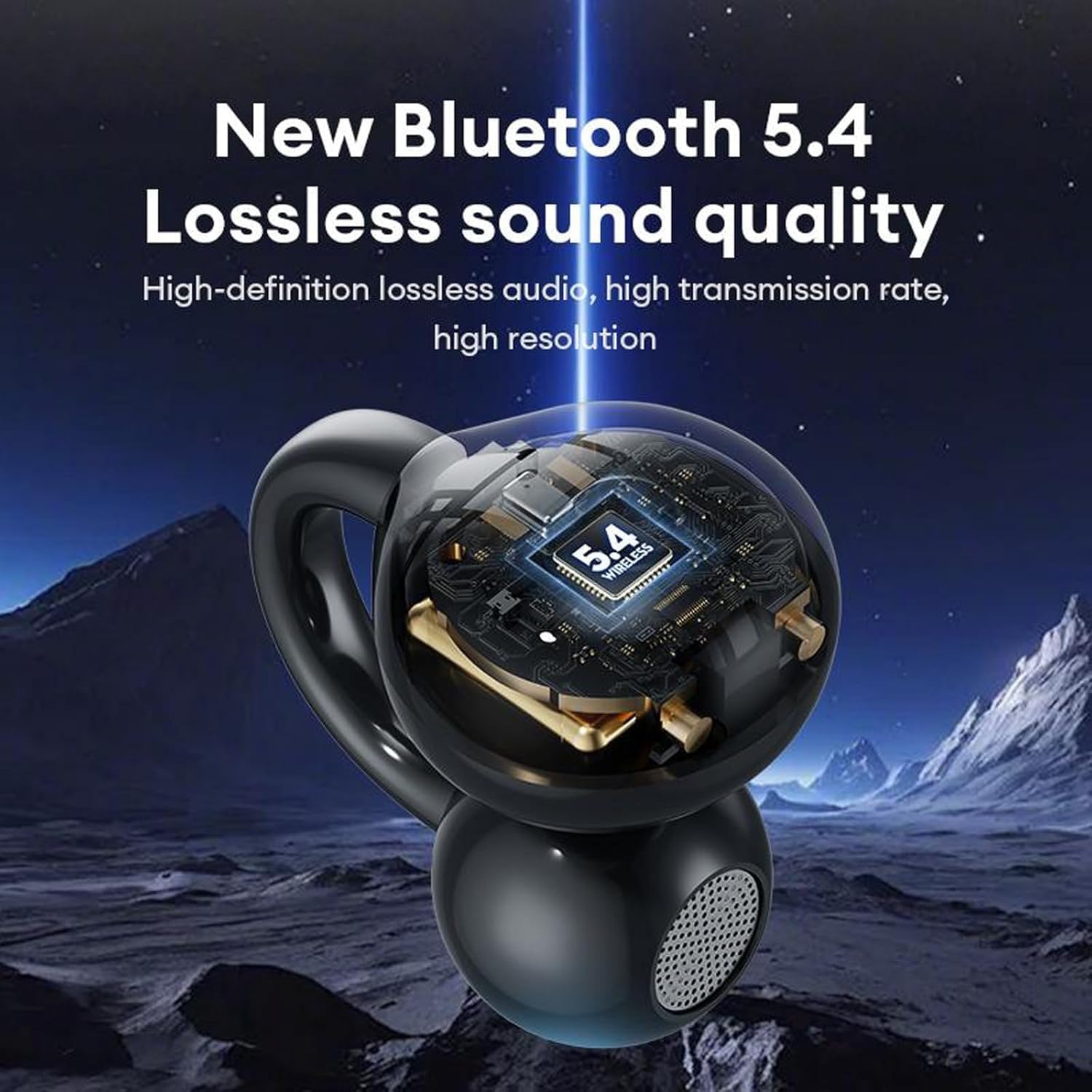
Image: A visual representation of the M100 headphone's internal structure, highlighting the Bluetooth 5.4 chip for lossless sound quality.
4. Istruzzjonijiet Operattivi
4.1 Kontrolli Bażiċi tal-Messaġġ
The M100 headphones feature touch-sensitive controls on each earbud.
- Play/Pawsa: Ikklikkja waħda fuq kwalunkwe earbud.
- Kanzunetta li jmiss: Double click on the right earbud.
- Kanzunetta ta' qabel: Ikklikkja darbtejn fuq il-earbud tax-xellug.
- Volum 'il fuq: Three clicks on the right earbud.
- Volum 'l isfel: Three clicks on the left earbud.
- Tweġiba/Tmiem Sejħa: Double click on either earbud.
- Irrifjuta Sejħa li Deħlin: Agħfas fit-tul għal żewġ sekondi fuq kull earbud.
- Attiva l-Assistent tal-Vuċi: Agħfas fit-tul fuq kwalunkwe earbud.

Image: A diagram illustrating the various touch operations for the M100 headphones, including song switching, call management, volume control, and voice assistant activation.
4.2 LCD Touch Screen Functions
The charging case's LCD touch screen provides additional control and information.

Image: A grid of icons and screens demonstrating the various functions accessible via the M100's LCD touch screen, such as music control, volume, noise reduction, equalizer, alarm, screen brightness, language, wallpaper, find headphones, time settings, flashlight, and camera features.
- Kontroll tal-Mużika: Play, pause, skip tracks directly from the screen.
- Kontroll tal-Volum: Aġġusta l-volum tal-awdjo.
- Modalità ta' Tnaqqis tal-Ħsejjes: Toggle between noise reduction and transparency modes.
- Modalità Equalizer: Select different audio equalizer presets.
- L-issettjar ta' l-allarm: Issettja allarmi.
- Aġġustament tal-luminożità tal-iskrin: Modify the screen's luminosity.
- Bdil tal-Lingwa: Ibdel il-lingwa tal-wiri.
- Wallpaper Switcher: Customize the screen background.
- Sib Headphones: Locate misplaced earbuds (if supported).
- Settings tal-ħin: Aġġusta d-data u l-ħin.
- Funzjoni tal-flashlight: Activate a small light.
- Karatteristiċi tal-kamera: Potentially control a connected device's camera (functionality may vary).
4.3 L-Ilbies tal-Headphones
The M100 headphones are designed for open-ear wear, providing comfort and situational awareness.
- Gently clip each earbud onto your ear, ensuring the sound outlet is positioned near your ear canal without blocking it.
- Adjust for a secure and comfortable fit. The bone conduction technology allows sound to transmit effectively without needing to be inserted into the ear canal.

Image: A composite image detailing the M100's features, including high-resolution sound quality, noise reduction, open-ear design, HD Voice, and Bluetooth 5.4 version.
Vidjo: Wirja uffiċjali tal-vidjo tal-prodottasing the M100 Clip on Ear Headphones, demonstrating their design and smart screen touch functionality.
5. Manutenzjoni
5.1 Tindif
Regular cleaning helps maintain the performance and longevity of your headphones.
- Uża drapp artab, niexef u mingħajr suf biex timsaħ il-headphones u l-kaxxa tal-iċċarġjar.
- Tużax prodotti tat-tindif li joborxu, solventi, jew sprejs tal-ajrusol.
- Evita li tidħol l-umdità fi kwalunkwe fetħiet.
5.2 Reżistenza għall-Ilma u l-Għaraq
The M100 headphones are designed to be waterproof and sweatproof, making them suitable for sports and outdoor activities.

Image: A visual demonstrating the waterproof and sweatproof capabilities of the M100 headphones, showing them in a water environment.
- While resistant to water and sweat, they are not intended for submersion.
- Kun żgur li l-port tal-iċċarġjar ikun niexef qabel ma tiċċarġja biex tevita l-ħsara.
5.3 Ħażna
Aħżen il-headphones fil-kaxxa tal-iċċarġjar tagħhom meta ma tkunx qed tużahom biex tipproteġihom u żżommhom iċċarġjati.
6 Issolvi l-problemi
If you encounter issues with your M100 headphones, refer to the following common solutions:
| Problema | Soluzzjoni Possibbli |
|---|---|
| Il-headphones mhux qed jitqabbdu |
|
| L-ebda ħoss |
|
| Kwistjonijiet ta' ċċarġjar |
|
| Il-kontrolli tal-mess ma jirrispondux |
|
7. Speċifikazzjonijiet
Key technical specifications for the M100 Clip on Ear Headphones:
- Isem tal-Mudell: M100 Clip on Ear Headphones
- Teknoloġija tal-Konnettività: Wireless (Bluetooth)
- Verżjoni Bluetooth: 5.4
- Tip ta' Driver Awdjo: Sewwieq tal-Konduzzjoni tal-Għadam
- Metodu ta' Kontroll: Mess
- Kontroll tal-Ħsejjes: Kanċellazzjoni Attiva tal-Ħoss
- Livell ta' Reżistenza għall-Ilma: Waterproof
- Ħajja tal-batterija: 5 Hours (Headphones)
- Ħin tal-Iċċarġjar: 1 Hour (Headphones)
- Kapaċità tal-Każ tal-Iċċarġjar: 500mAh
- Kapaċità tal-headphone: 30mAh
- Materjal: Plastic Or Silicone
- Apparati Kompatibbli: Cellphones
- Komponenti Inklużi: M100 Clip on Ear Headphones
8. Garanzija u Appoġġ
Għal informazzjoni dwar il-garanzija u appoġġ għall-klijenti, jekk jogħġbok irreferi għad-dokumentazzjoni pprovduta max-xiri tiegħek jew ikkuntattja lill-bejjiegħ bl-imnut. Żomm il-prova tax-xiri tiegħek għal kwalunkwe talba ta' garanzija.


