
1. Prodott Aktarview
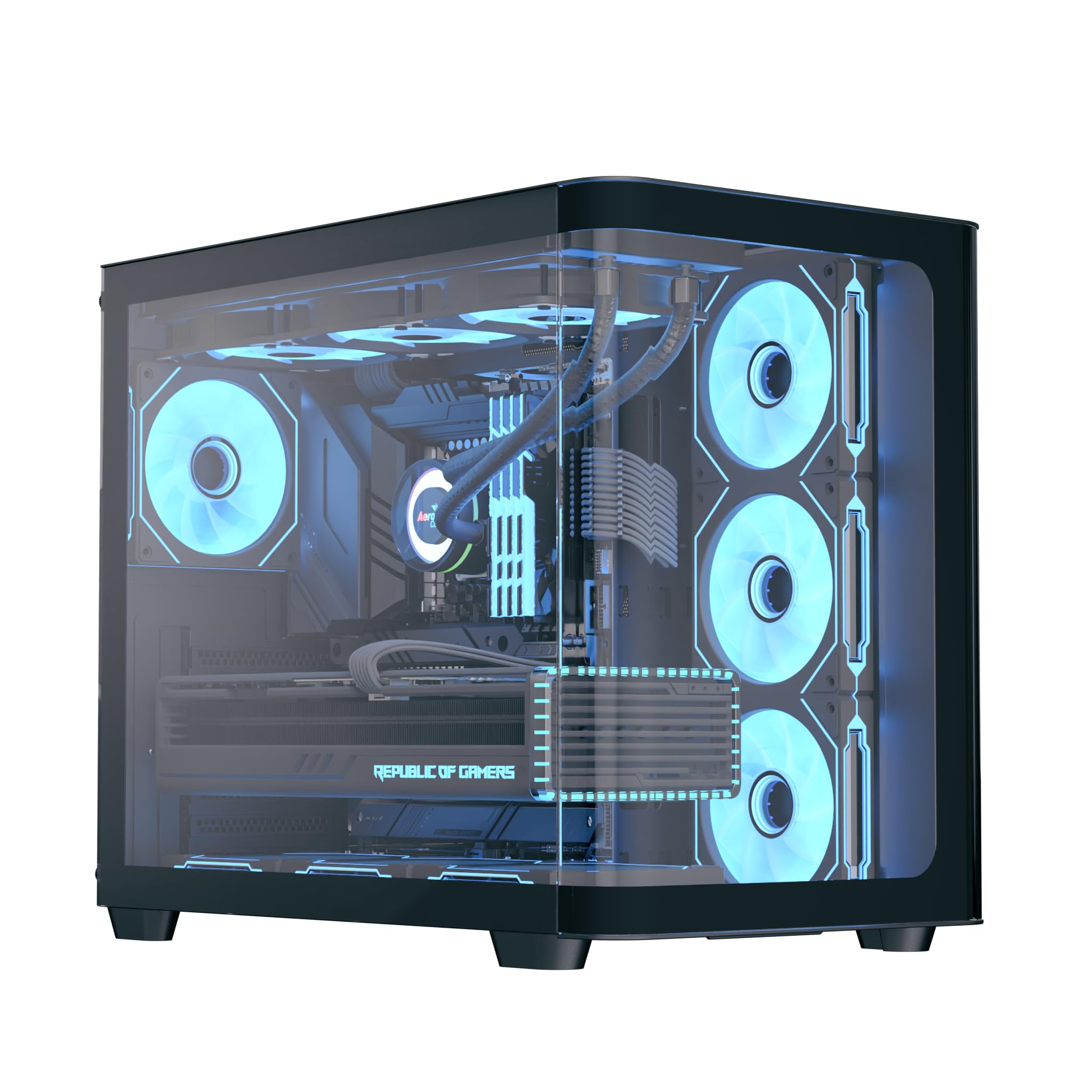
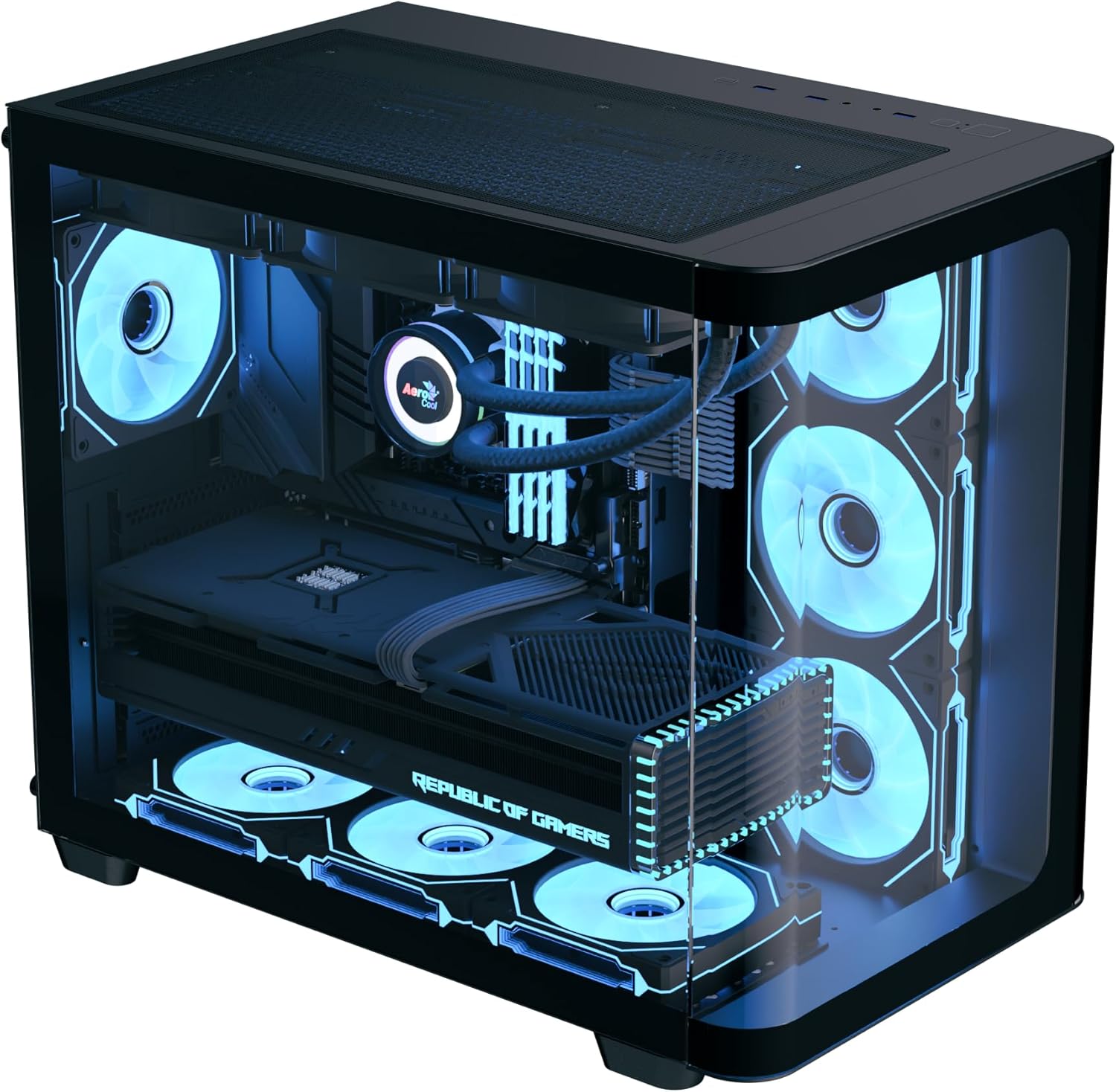
The AeroCool P500C is a mid-tower PC case designed with a dual-chamber layout. It features full tempered glass panels on the front and side, providing a clear view of internal components. The case includes four pre-installed ARGB fans, with three reverse-blade fans on the side and one standard fan at the rear, all featuring a "mirage" infinity mirror lighting effect. This case supports various cooling configurations, including air and liquid cooling systems up to 360mm radiators. It is compatible with ATX, micro-ATX, and mini-ITX motherboards, and accommodates high-end graphics cards up to 450mm in length and CPU coolers up to 162mm in height. Storage options include three SSD slots and two HDD drive bays. For ease of maintenance, the case is equipped with magnetic dust filters on the top and bottom.
2. Karatteristiċi ewlenin
- Mid-tower dual chamber design with full tempered glass front and side panels.
- Four pre-installed ARGB fans: three 12cm reverse-blade fans on the side and one 12cm fan at the rear.
- "Mirage" infinity mirror lighting effect on all included fans.
- Extensive cooling support for radiators up to 360mm (top and bottom) and up to 10 total fan slots.
- Compatibility with high-end graphics cards up to 450mm in length.
- Supports ATX, micro-ATX, and mini-ITX motherboards.
- Includes a 4-port PWM ARGB fan hub for centralized control.
- Equipped with top and bottom magnetic dust filters for easy maintenance.
3. Kontenut tal-Pakkett
Jekk jogħġbok ivverifika li l-komponenti kollha huma preżenti fil-pakkett:
- AeroCool P500C Mid-Tower PC Case
- Four pre-installed 12cm ARGB fans (3 reverse-blade, 1 standard)
- 4-port PWM ARGB fan hub
- Accessory box with screws, standoffs, and cable ties
- Manwal għall-Utent (dan id-dokument)
4. Setup u Installazzjoni
This section provides general guidelines for installing components into your AeroCool P500C PC case. Always refer to the specific manuals for your motherboard, power supply, and other components for detailed installation instructions.
4.1 Tħejjija tal-Każ
- Neħħi l-Panewijiet tal-Ġnub: Carefully remove the tempered glass side panel(s) by unscrewing the thumb screws and gently sliding them off. Place them on a soft, flat surface to prevent scratches.
- Kaxxa tal-Aċċessorji: Locate the accessory box inside the case, which contains all necessary screws and mounting hardware.
4.2 Installazzjoni tal-Motherboard
- Installa Standoffs: Ensure the correct standoffs are installed for your motherboard form factor (ATX, micro-ATX, mini-ITX). The P500C typically has pre-installed standoffs for ATX. Adjust as needed.
- Installa l-I/O Shield: If your motherboard requires a separate I/O shield, install it into the rear opening of the case before mounting the motherboard.
- Immuntar tal-Motherboard: Carefully align your motherboard with the standoffs and I/O shield, then gently lower it into place. Secure it with the provided screws.
4.3 Installazzjoni ta' Apparat ta' Ħażna
The P500C supports three SSDs and two HDDs.
- SSDs ta' 2.5": Mount 2.5" SSDs onto the dedicated SSD trays, typically located behind the motherboard tray or in the PSU shroud area. Secure with screws.
- HDDs ta' 3.5": Install 3.5" HDDs into the drive bays, usually found in the lower chamber. Slide the drives into the trays and secure them.
4.4 Installazzjoni tal-Karta tal-Grafika (GPU)
Il-kaxxa tappoġġja karti grafiċi sa 450mm fit-tul.
- Neħħi l-Għotjien tas-Slott tal-PCIe: Remove the necessary PCIe slot covers from the rear of the case corresponding to your GPU's size.
- Daħħal il-GPU: Align your graphics card with the PCIe slot on the motherboard and press firmly until it clicks into place. Secure it with screws.

4.5 Installazzjoni tas-Sistema tat-Tkessiħ
The P500C supports up to 360mm radiators at the top and bottom, and a total of 10 fans.
- Radjaturi: Mount radiators to the designated top or bottom brackets using the appropriate screws.
- Additional Fans: Install any additional fans in available slots (e.g., front, top, bottom, rear) as needed for optimal airflow.
- Fan Hub: Connect the pre-installed fans and any additional ARGB/PWM fans to the included 4-port PWM ARGB fan hub. Connect the hub to your motherboard's ARGB header and a PWM fan header for control.
4.6 Ġestjoni tal-Cable
Uża l-qtugħ tar-rotta tal-kejbils u l-punti ta' rbit wara t-trej tal-motherboard biex timmaniġġja l-kejbils. Dan itejjeb il-fluss tal-arja u l-estetika.
4.7 Konnessjonijiet tal-Panel I/O ta' Quddiem
Connect the front panel cables (USB, audio, power switch, reset switch, LED indicators) to the corresponding headers on your motherboard. Refer to your motherboard manual for header locations.

5. Istruzzjonijiet Operattivi
- Qawwa Mixgħul: After all components are installed and cables connected, close the side panels. Connect your power supply to a wall outlet and flip the PSU switch to the ON position. Press the power button on the front panel of the case to start your system.
- Kontroll tad-Dawl ARGB: The pre-installed ARGB fans are connected to a 4-port PWM ARGB fan hub. If this hub is connected to your motherboard's ARGB header, you can control the lighting effects using your motherboard's RGB software (e.g., ASUS Aura Sync, MSI Mystic Light Sync, Gigabyte RGB Fusion, ASRock Polychrome Sync).
- Kontroll tal-veloċità tal-fann: The PWM functionality of the fan hub allows your motherboard to control fan speeds based on system temperatures, optimizing cooling performance and noise levels.
6. Manutenzjoni
Manutenzjoni regolari tgħin biex tiżgura prestazzjoni ottimali u lonġevità tal-komponenti tal-PC tiegħek.
- Filtri tat-Trab: The AeroCool P500C is equipped with magnetic dust filters on the top and bottom. Regularly remove and clean these filters to prevent dust buildup inside the case, which can impede airflow and component cooling.
- Tindif Intern: Periodically open the case and use compressed air to remove dust from fans, heatsinks, and other components. Ensure the system is powered off and unplugged before cleaning.
- Ġestjoni tal-Kejbil: Iċċekkja r-rotta tal-kejbil perjodikament biex tiżgura li l-ebda kejbil ma jkun qed jostakola l-fluss tal-arja jew it-tħaddim tal-fann.
7 Issolvi l-problemi
Jekk tiltaqa' ma' problemi, ikkunsidra l-passi komuni li ġejjin għas-soluzzjoni tal-problemi:
- Is-Sistema Mhux Tixgħel:
- Ensure the power supply is properly connected to the wall outlet and the PSU switch is ON.
- Verify all power cables (24-pin ATX, 8-pin CPU, PCIe power) are securely connected to the motherboard and components.
- Iċċekkja li l-kejbil tas-swiċċ tal-enerġija tal-pannell ta' quddiem huwa konness sew mal-header tal-motherboard.
- Il-Fannijiet Mhux Iduru/L-ARGB Mhux Jixgħel:
- Confirm that the fans are properly connected to the fan hub.
- Ensure the fan hub is connected to a power source (e.g., SATA power) and the motherboard's ARGB/PWM headers.
- Check your motherboard's BIOS/UEFI settings or RGB software for fan control and lighting settings.
- Kwistjonijiet ta' sħana żejda:
- Verify that all case fans are spinning and oriented correctly for optimal airflow (intake/exhaust).
- Clean dust filters and internal components to ensure unrestricted airflow.
- Kun żgur li l-apparat li jkessaħ is-CPU u l-fannijiet tal-GPU qed jaħdmu sew.
8. Speċifikazzjonijiet
| Karatteristika | Speċifikazzjoni |
|---|---|
| Brand | AeroCool |
| Tip ta' Każ | Torri tan-Nofs |
| Isem tal-Mudell | P500C |
| Kulur | Iswed |
| Appoġġ tal-Motherboard | ATX, Mikro-ATX, Mini-ITX |
| Fannijiet installati minn qabel | 4 x 12cm ARGB (3 reverse-blade side, 1 rear) |
| Appoġġ tar-radjatur | Up to 360mm (Top, Bottom) |
| Max GPU Tul | 450mm |
| Max CPU Cooler Għoli | 162mm |
| Drive Bays | 3 SSDs ta' 2.5", 2 HDDs ta' 3.5" |
| Portijiet I/O | USB, Audio (specifics not detailed in source) |
| Piż tal-oġġett | 9.12 Kilogrammi |
| UPC | 810189570009 |
9. Garanzija u Appoġġ
The AeroCool P500C PC Case comes with a Garanzija LimitataJekk jogħġbok żomm il-prova tax-xiri tiegħek għal talbiet ta' garanzija.
For technical support, warranty inquiries, or further assistance, please visit the official AeroCool website or contact their customer service department. Contact information can typically be found on the AeroCool webis-sit jew fuq l-imballaġġ tal-prodott.