
1. Introduzzjoni
This manual provides essential information for setting up, operating, maintaining, and troubleshooting your ASUS TUF Gaming F16 (2025) Gaming Laptop. Please read this guide thoroughly to ensure proper use and to maximize the performance and longevity of your device.
2. Kontenut tal-Pakkett
Ivverifika li l-oġġetti kollha huma preżenti fil-pakkett tal-prodott tiegħek:
- ASUS TUF Gaming F16 (2025) Gaming Laptop (Model: FX608JHR-DS74)
- Korda tal-Enerġija u Adapter
- Gwida għall-Utent (dan id-dokument)
If any items are missing or damaged, contact your retailer or ASUS support immediately.
3. Prodott Aktarview
The ASUS TUF Gaming F16 (2025) is a high-performance gaming laptop designed for demanding applications and immersive gaming experiences. It features a 16-inch FHD+ 165Hz IPS-Level 16:10 display, powered by an Intel Core i7 14650HX Processor and an NVIDIA GeForce RTX 5050 Laptop GPU. The system includes 16GB of DDR5 memory and a 1TB PCIe Gen4 SSD for fast loading and multitasking. It operates on Windows 11 Home and incorporates advanced cooling solutions and military-grade durability.
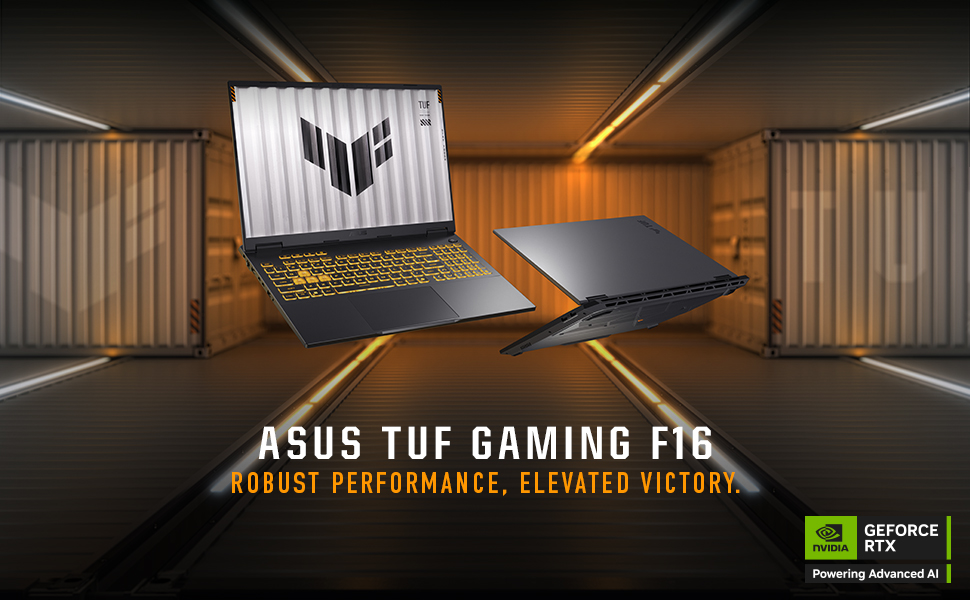
Image: The ASUS TUF Gaming F16 laptop showcasing its core specifications including Windows 11 Home, Intel Core i7 14650HX Processor, NVIDIA GeForce RTX 5050 Laptop GPU, 16GB Memory, and 1TB PCIe 4.0 SSD storage.
4. Setup
4.1 Tixgħel Inizjali
- Oħroġ il-laptop u l-adapter tal-enerġija mill-kaxxa.
- Connect the power adapter to the laptop's ASUS Slim Power Jack.
- Ipplaggja l-korda tad-dawl ġo żbokk tal-ħajt.
- Iftaħ l-għatu tal-laptop u agħfas il-buttuna tal-qawwa, li tipikament tinsab fin-naħa ta' fuq tal-lemin tat-tastiera.
- Segwi l-istruzzjonijiet fuq l-iskrin biex tlesti l-proċess tas-setup tal-Windows 11 Home. Dan jinkludi l-għażla tar-reġjun tiegħek, il-konnessjoni ma' netwerk Wi-Fi, u l-ħolqien ta' kont tal-utent.
4.2 Konnessjoni tal-Periferali
Your ASUS TUF Gaming F16 offers various ports for connecting external devices:

Image: A detailed diagram illustrating the various ports available on both sides of the ASUS TUF Gaming F16 laptop, including USB, HDMI, LAN, and audio jacks.
- Portijiet USB: Connect USB devices such as mice, keyboards, or external storage drives to the USB 3.0 ports or USB3.2 Gen2 Type-A ports.
- Output tal-Wiri: Use the HDMI 2.1 FRL port or the Thunderbolt™ 4 Type-C port (with DisplayPort 2.1 support) to connect external monitors or projectors.
- Konnessjoni tan-Netwerk: For a stable internet connection, plug an Ethernet cable into the RJ45 LAN port. Alternatively, use the integrated Wi-Fi 6E for wireless connectivity.
- Awdjo: Connect headphones or external speakers to the audio jack (Mic-in & Headphone combo).
5. Istruzzjonijiet Operattivi
5.1 Tastiera u Touchpad

Immaġni: Minn fuq għal isfel view of the ASUS TUF Gaming F16 keyboard, highlighting its RGB backlighting, full-size layout with number keys, and large touchpad.
The laptop features an RGB backlit, full-size keyboard with a numeric keypad and a 10% larger touchpad for enhanced navigation. Specific hotkeys are available for quick access to functions like volume control, display brightness, and performance modes.
5.2 Settings tal-wiri

Image: The ASUS TUF Gaming F16 display showcasing its FHD+ resolution, 165Hz refresh rate, 300 nits typical brightness, 100% sRGB color accuracy, 16:10 aspect ratio, and NVIDIA G-Sync technology.
The 16-inch FHD+ (1920x1200) IPS-Level display offers a 165Hz refresh rate and 100% sRGB color coverage. NVIDIA G-Sync technology ensures smooth, tear-free visuals during gaming. Adjust display settings via Windows Display Settings or the NVIDIA Control Panel for optimal performance and visual quality.
5.3 Konfigurazzjoni Awdjo
Experience enhanced audio with Dolby Atmos and Hi-Res Audio support. Configure audio settings through the Windows Sound settings or the dedicated Dolby Access application for personalized sound profiles.
5.4 Ġestjoni tal-Enerġija
Image: The ASUS TUF Gaming F16 laptop highlighting its 90Wh battery, 100W Type-C charging capability, and fast charging technology that reaches 50% in 30 minutes.
The laptop is equipped with a 90Wh battery. It supports 100W Type-C charging and fast charging technology, allowing it to reach 50% charge in approximately 30 minutes. Adjust power plans in Windows settings to optimize for performance or battery life.
6. Manutenzjoni
6.1 Tindif tal-Laptop Tiegħek
- Skrin: Uża ċarruta ratba u mingħajr ħelu dampLaħlaħ bl-ilma jew b'tindif tal-iskrin. Tisprejjax likwidu direttament fuq l-iskrin.
- Tastiera u Chassis: Uża drapp artab u niexef. Għal ħmieġ iebes, neħħi ftit drapp.amp jista' jintuża drapp. Evita kimiċi ħarxa.
- Ventijiet: Periodically use compressed air to clear dust from the cooling vents to maintain optimal airflow.
6.2 Aġġornamenti tas-Sistema
Regularly update your Windows operating system, NVIDIA graphics drivers, and ASUS utilities to ensure optimal performance, security, and compatibility.
6.3 Aġġornamenti tal-Ħażna u l-Memorja

Immaġni: Interna view of the ASUS TUF Gaming F16 laptop, indicating the locations of the dual SSD and RAM slots for potential upgrades, along with the installed 16GB DDR5-5600 MHz Memory and 1TB PCIe 4.0 SSD storage.
The ASUS TUF Gaming F16 is designed with dual SSD and RAM slots, allowing for future upgrades to expand storage or memory capacity. Consult a qualified technician for hardware upgrades to avoid voiding your warranty.
6.4 Sistema tat-tkessiħ

Image: An internal diagram of the ASUS TUF Gaming F16's cooling system, highlighting the 2nd Gen Arc Flow Fans, full-width heatsink, and full-width exhaust vent, designed for efficient heat dissipation while maintaining a quiet 38dB in Performance Mode.
The laptop features 2nd Gen Arc Flow Fans, a full-width heatsink, and a full-width exhaust vent to optimize cooling performance. Ensure these vents are not obstructed during use to prevent overheating.
7 Issolvi l-problemi
- Il-laptop mhux qed jixgħel: Ensure the power adapter is securely connected to both the laptop and a working power outlet. Try a different outlet. If the battery is completely drained, it may take a few minutes to show signs of life after plugging in.
- Problemi bil-wiri (l-ebda immaġni, teptip): Check external monitor connections if applicable. Try restarting the laptop. Update graphics drivers.
- Tnaqqis fil-prestazzjoni: Close unnecessary applications. Check for background processes consuming high resources. Ensure cooling vents are clear. Update drivers and operating system.
- Problemi ta' konnettività tal-Wi-Fi: Restart your router and modem. Check if Wi-Fi is enabled in Windows settings. Update Wi-Fi drivers.
- L-awdjo mhux qed jaħdem: Check volume levels and mute settings. Ensure headphones/speakers are properly connected. Update audio drivers.
Għal problemi persistenti, irreferi għall-appoġġ tal-ASUS websit jew ikkuntattja lis-servizz tal-konsumatur.
8. Speċifikazzjonijiet
| Karatteristika | Speċifikazzjoni |
|---|---|
| Isem tal-Mudell | FX608JHR-DS74 |
| Proċessur | Intel® Core™ i7 Processor 14650HX (5.2 GHz) |
| Karta Grafika | NVIDIA® GeForce RTX™ 5050 Laptop GPU (8 GB Dedicated) |
| Wiri | 16-inch FHD+ (1920x1200) IPS-Level, 165Hz, 16:10 Aspect Ratio, 300 nits, 100% sRGB, NVIDIA G-Sync |
| RAM | 16GB DDR5 RAM |
| Ħażna | SSD PCIe Gen4 ta' 1TB |
| Sistema Operattiva | Windows 11 Home |
| Konnettività bla fili | Wi-Fi 6E (802.11ax) |
| Portijiet | 1x Audio jack (Mic-in & Headphone), 1x USB3.2 Gen2 Type A, 1x USB3.2 Type-C (DisplayPort 1.4, Gsync, Power Delivery 3.0), 1x Thunderbolt™ 4 Type-C (DisplayPort 2.1), 1x HDMI 2.1 FRL, 1x RJ45 LAN port, 3x USB 3.0 Ports |
| Batterija | 90Wh, 100W Type-C Charging, Fast Charging (50% in 30 min) |
| Dimensjonijiet (LxWxH) | 13.94 x 0.7 x 10.59 pulzieri |
| Piż | 9.4 liri |
| Kulur | Jaeger Gray |
9. Garanzija u Appoġġ
9.1 Garanzija Standard
Kull laptop ASUS TUF jinkludi Garanzija standard ta '12-il xahar. This warranty covers manufacturing defects and provides access to expert support, thorough diagnostics, and genuine parts for any necessary repairs. Additionally, a Garanzija ta '90 jum hija pprovduta fuq il-partijiet ta' sostituzzjoni kollha tal-garanzija.
9.2 Protezzjoni minn Ħsara Aċċidentali (ADP)
Offerti tal-ASUS sena ta' Protezzjoni minn Ħsara Aċċidentali (ADP) bla ħlas for new laptops. This protection covers liquid spills, drops, and electrical surges. To activate ADP, you must register your new laptop within 60 days of purchase. This ensures you are covered in case of unforeseen accidents.
9.3 Ikkuntattja l-Appoġġ
Għal assistenza teknika, talbiet għal garanzija, jew aktar informazzjoni, jekk jogħġbok żur is-sit uffiċjali tal-appoġġ tal-ASUS website or contact their customer service department. Keep your product model number (FX608JHR-DS74) and serial number ready when contacting support.