
1. Prodott Aktarview
The Otcboimo 4CH Wireless Smart Switch is a versatile DIN rail mount DIY module designed to integrate traditional household appliances into a smart home automation system. It allows for remote control, timing functions, and voice control compatibility with popular smart assistants.
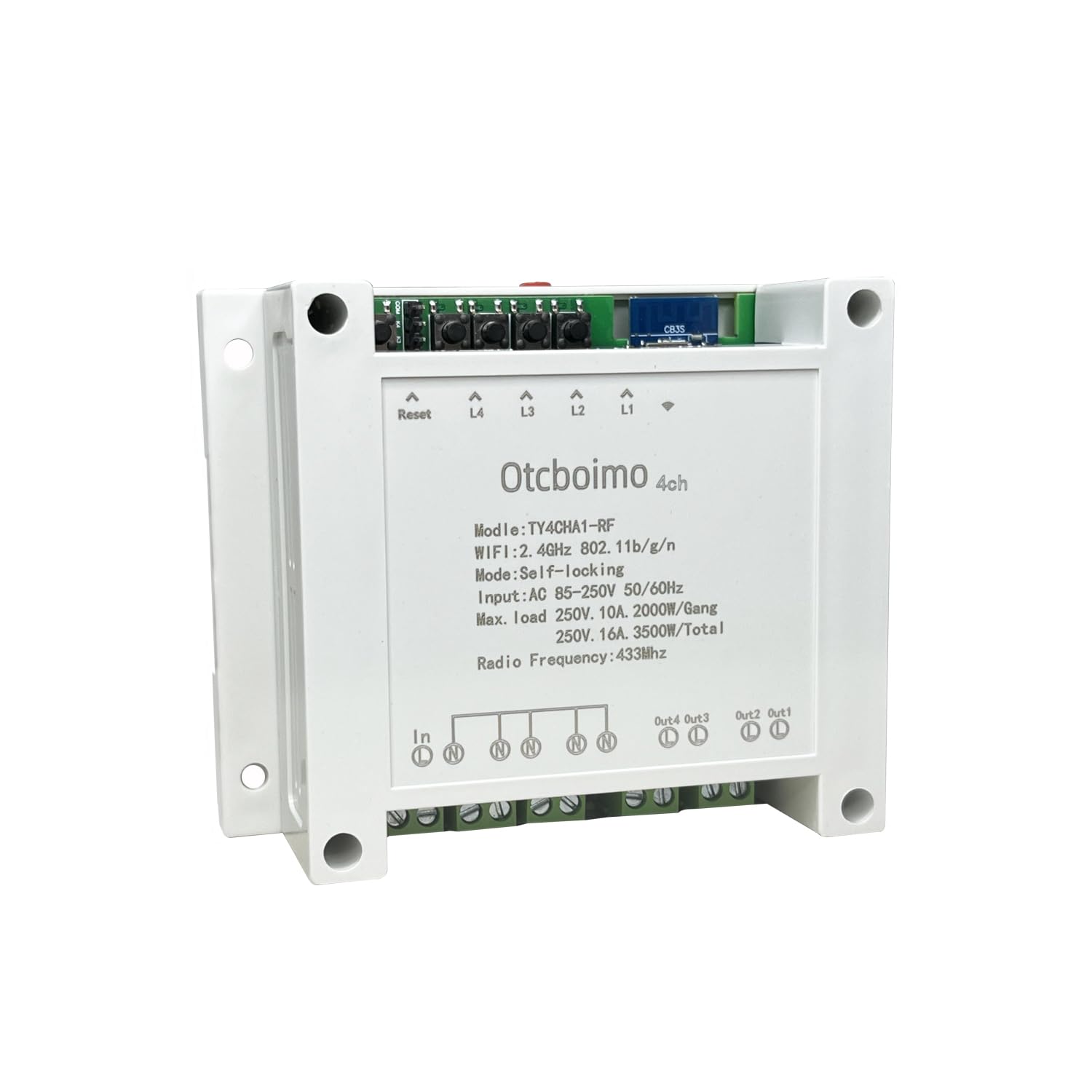
Quddiem view of the Otcboimo 4CH Wireless Smart Switch, showing its compact design and labeling.
2. X'hemm fil-Kaxxa
- 1 x Otcboimo 4CH WiFi Switch
- 1 x Gwida għall-Utent
3. Speċifikazzjonijiet
| Parametru | Valur |
|---|---|
| Voltage | AC90-250V 50 / 60Hz |
| Kurrenti | 10A/gang, 16A/Total |
| Daqs (L x W x H) | 115 x 90 x 40 mm (4.33 x 3.54 x 1.58 pulzieri) |
| Frekwenza tal-WIFI | 2.4G. IEEE 802.11 b/g/n |
| Mekkaniżmu tas-Sigurtà | WPA-PSK/WPA2-PSK |
| Kompatibilità tal-APP | Tuya or Smart Life |
| Vol Operattivtage | 120 Volts |
| Mod ta' Operazzjoni | ON-OFF |
| Tip ta' Kuntatt | Normalment Miftuħ |
| Materjal | Aluminum (Contact Material), ABS (Housing) |

Detailed dimensions and technical parameters of the smart switch.
4. Setup u Installazzjoni
4.1 Dijagramma tal-Wiring
Connect the smart switch in series with the appliance's circuit. The device features an AC 110V input and four independent outputs (Out1, Out2, Out3, Out4) for controlling various appliances. Ensure all connections are secure before powering on the device.

Wiring diagram illustrating the input (L in) and four independent outputs (L out) for connecting appliances.
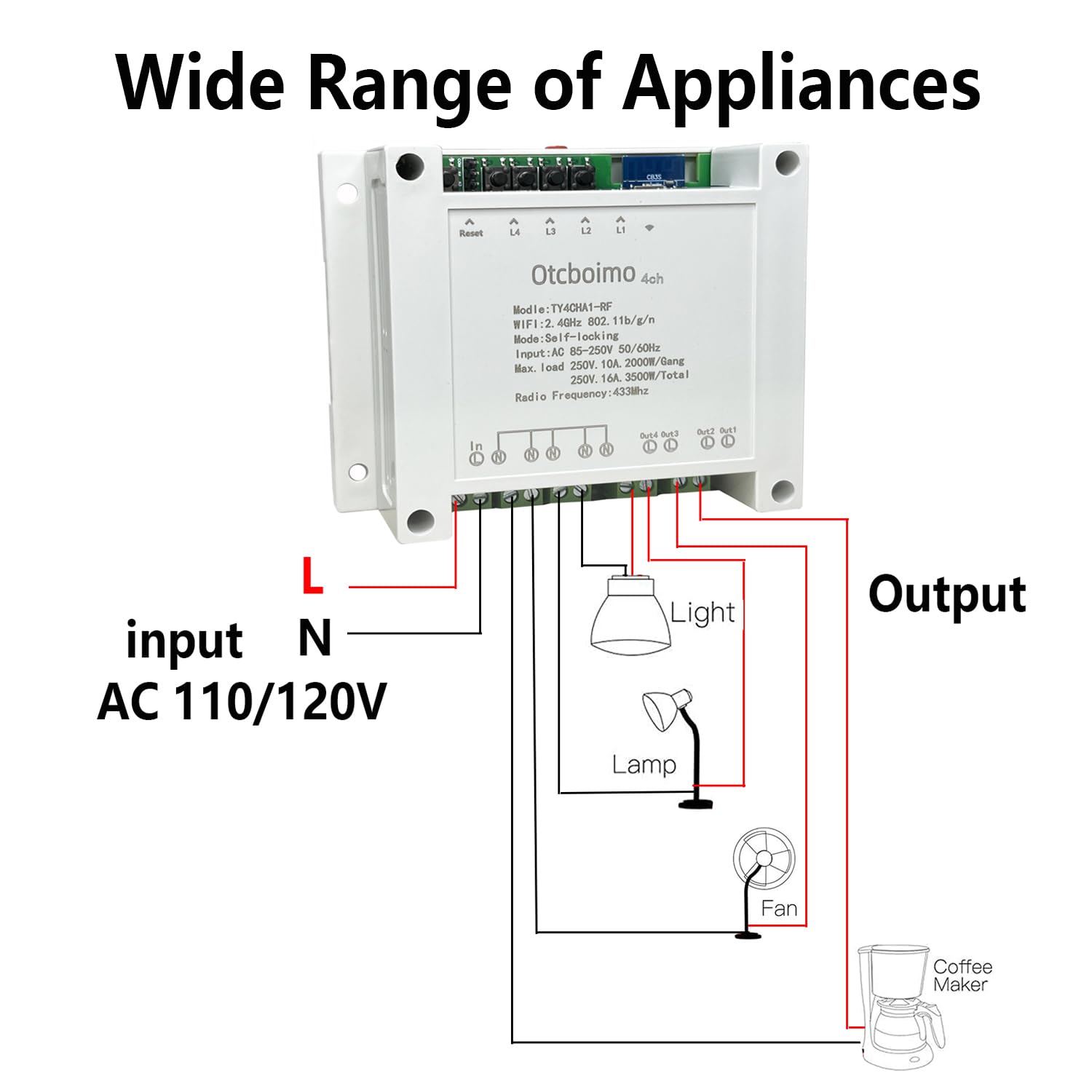
Examples of various household appliances such as lights, lamps, fans, and coffee makers connected to the smart switch outputs.
4.2 Installazzjoni Fiżika
The smart switch supports both DIN rail installation and screw installation. For DIN rail mounting, follow these steps:
- Install the switch into the guide rail.
- Slide it to the right place along the rail.
- Press the mounting brackets until they click into place, securing the device.
The device also has four holes for direct screw mounting if a DIN rail is not used.
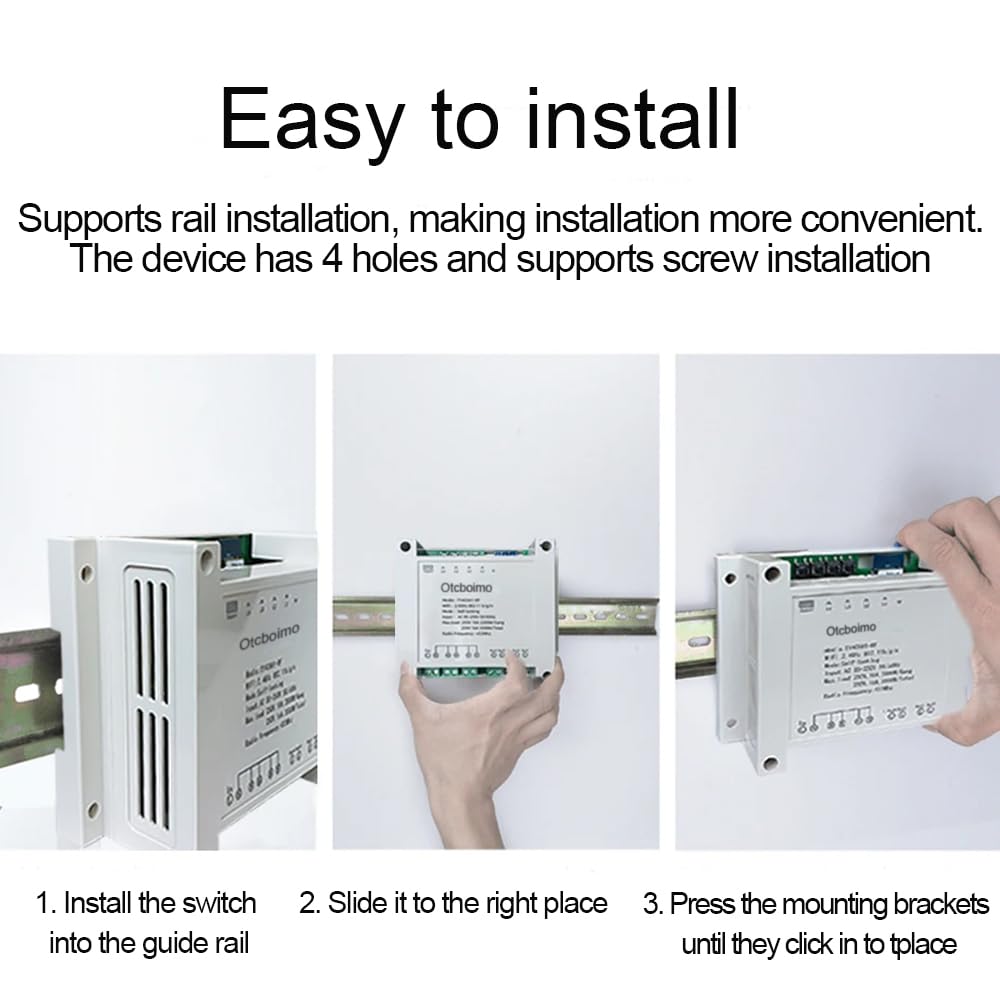
Visual guide for installing the smart switch onto a DIN rail.
5. Istruzzjonijiet Operattivi
5.1 Smart Life / Tuya APP Remote Control
The smart switch can be controlled remotely using the Tuya or Smart Life app on your Android or iOS smartphone. This allows you to turn connected devices on or off from anywhere.
- Download the Tuya or Smart Life app from your device's app store.
- Irreġistra jew idħol fil-kont tiegħek.
- Add the device by following the in-app instructions. The device is automatically identified when adding, simplifying the process.
- Once added, you can control each of the four channels independently.
5.2 Funzjoni tal-Ħin
Set schedules, countdowns, or loop timers for each connected device through the app. This allows for automated control based on your daily habits, such as turning lights on at dusk or off at dawn.

Screenshot demonstrating the timing function interface within the Smart Life/Tuya app.
5.3 Kontroll tal-Vuċi
The smart switch is compatible with Amazon Alexa, Google Home/Nest, IFTTT, and SmartThings. Once integrated, you can use voice commands to control your connected appliances.
- Ensure your smart switch is connected to the Tuya/Smart Life app.
- Link your Tuya/Smart Life account to your preferred voice assistant (e.g., Alexa or Google Home) through their respective apps.
- Use voice commands such as "Alexa, turn on the light" or "Hey Google, turn off the fan."

Illustration of voice control functionality with Amazon Alexa and Google Home.
6. Manutenzjoni
The Otcboimo 4CH Wireless Smart Switch requires minimal maintenance. Keep the device clean and dry. Avoid exposing it to extreme temperatures or humidity. Do not attempt to open or repair the device yourself, as this may void any potential warranty and poses a safety risk.
7 Issolvi l-problemi
- L-apparat mhux qed jikkonnettja mal-Wi-Fi: Ensure your Wi-Fi network is 2.4GHz. If you have a dual-band router that merges 2.4GHz and 5GHz under one SSID, please separate them into two different Wi-Fi networks for compatibility. Check that the Wi-Fi signal strength is adequate where the switch is installed.
- Appliance not responding: Verify that the smart switch is properly wired to the appliance and that the appliance itself is functioning correctly. Check the status in the Tuya/Smart Life app.
- Il-kontroll tal-vuċi mhux qed jaħdem: Confirm that your Tuya/Smart Life account is correctly linked to your voice assistant (Alexa, Google Home). Ensure your voice assistant device is online and properly configured.
- L-apparat ma jirrispondix: Try power cycling the smart switch by disconnecting it from power for a few seconds and then reconnecting. If issues persist, perform a factory reset (refer to the device's reset button, typically a small button labeled 'Reset' on the unit).
8. Garanzija u Appoġġ
Specific warranty information is not provided in this manual. For warranty details, technical support, or further assistance, please contact Otcboimo customer support through the retailer where the product was purchased or refer to the manufacturer's official websit.