
1. Introduzzjoni
The TMEZON H4 Trail Camera is designed for wildlife monitoring, security surveillance, and game tracking. It features 4K video recording, 48MP still image capture, integrated WiFi and Bluetooth connectivity, and a solar panel for extended operation. This manual provides detailed instructions for setting up, operating, and maintaining your camera to ensure optimal performance.
2. Kontenut tal-Pakkett
- TMEZON H4 Trail Camera
- Panel Solari
- Ċinga tal-Immuntar
- Viti tal-Immuntar
- Cable USB
- 64GB SD Card
- Manwal għall-Utent
3. Prodott Aktarview
Familiarize yourself with the main components of your TMEZON H4 Trail Camera.
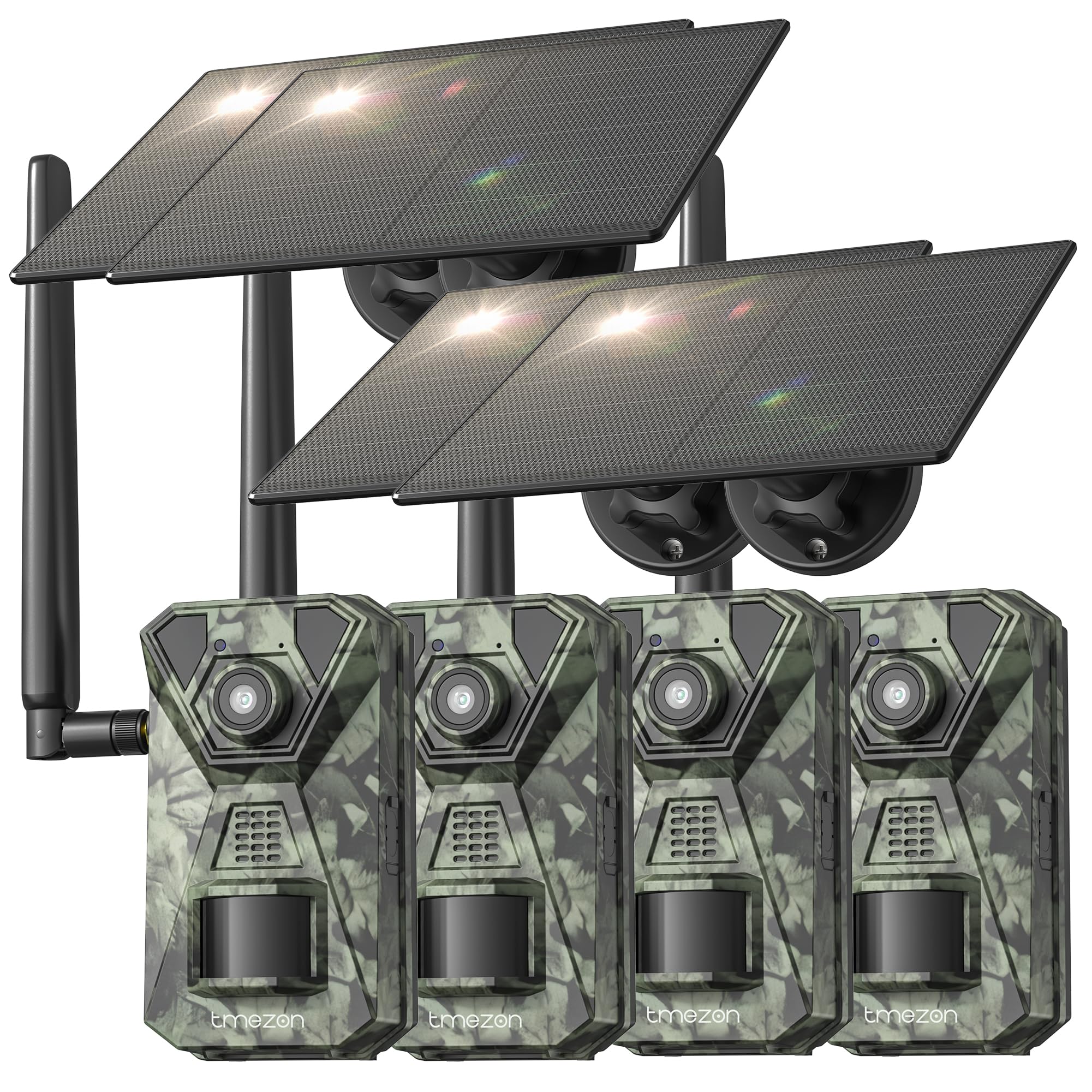
Stampa 1: Quddiem view of the TMEZON H4 Trail Camera, showing the lens, PIR sensors, and integrated solar panel. This image illustrates the compact, camouflage design suitable for outdoor environments.
Komponenti tal-Kamera:
- Lenti: Jiġbor immaġini u vidjows.
- Sensuri PIR: Passive Infrared sensors detect motion.
- LEDs IR: LEDs infra-aħmar għal viżjoni bil-lejl.
- Skrin LCD: For menu navigation and viewing captured media.
- Buttuni tal-Kontroll: Innaviga l-menus u s-settings.
- Slot tal-Kard SD: Insert the provided 64GB SD card.
- Port USB: Għall-konnessjoni ma' kompjuter.
- Port tal-Enerġija Esterna: For connecting the solar panel or external power source.
- Kompartiment tal-batterija: Holds 8 AA batteries (not included) for backup power.
4. Setup
4.1. Battery and Solar Panel Installation
- Iftaħ il-kompartiment tal-batterija fuq il-kamera.
- Insert 8 new AA batteries (alkaline or rechargeable NiMH recommended) according to the polarity indicators. These batteries serve as a backup to the solar panel.
- Connect the solar panel cable to the camera's external power port. Ensure the solar panel is positioned to receive maximum sunlight.
4.2. Inserzjoni tal-Kard SD
- Locate the SD card slot on the side or bottom of the camera.
- Insert the provided 64GB SD card with the metal contacts facing the correct direction until it clicks into place.
- To remove, push the card in gently until it springs out.
4.3. Immuntar tal-Kamera
- Use the included mounting strap to secure the camera to a tree or pole. Thread the strap through the slots on the back of the camera and tighten.
- Alternatively, use the mounting screws to attach the camera to a wall or other flat surface.
- Position the camera at a height of 3-6 feet (1-2 meters) and aim it towards the desired monitoring area. Ensure no obstacles block the PIR sensors.
4.4. App Download u Pairing
- Download the official TMEZON app from your smartphone's app store (iOS or Android). Fittex għal "TMEZON Trail Camera" or scan the QR code provided in the quick start guide.
- Ippermetti Bluetooth fuq l-ismartphone tiegħek.
- Ixgħel il-kamera.
- Open the TMEZON app, select "Add Device," and follow the on-screen instructions to connect via Bluetooth.
- Once connected via Bluetooth, the app will prompt you to connect to the camera's WiFi network for faster data transfer and live view.
5. It-tħaddim tal-Kamera
5.1. Ixgħel/Itfi u Għażla tal-Modalità
- MITFI: Itfi l-kamera.
- SETUP: Enter setup mode to configure settings, view photos/videos, or connect to the app.
- FUQ: Activate the camera for monitoring. The camera will enter monitoring mode after a short countdown.
5.2. Navigazzjoni tal-Menù u Settings
In SETUP mode, use the control buttons to navigate the menu on the LCD screen. Press the 'MENU' button to access settings. Key settings include:
- Modalità: Select Photo, Video, or Photo+Video (Hybrid).
- Riżoluzzjoni tar-Ritratti: 48MP, 30MP, 20MP, etc.
- Riżoluzzjoni tal-vidjo: 4K, 2.7K, 1080P, 720P.
- Sensittività PIR: High, Medium, Low. Adjust based on environment to avoid false triggers.
- Intervall PIR: Dewmien fil-ħin bejn id-detezzjonijiet.
- Time Lapse: Capture images at set intervals regardless of motion.
- Data u Ħin: Issettja d-data u l-ħin kurrenti.
- Format SD Card: Ħassar id-dejta kollha fuq il-karta SD. Caution: This will delete all files.
5.3. Remote Monitoring via App
Once connected to the TMEZON app:
- View foo ħajtage mill-kamera.
- Adjust camera settings remotely.
- Browse and download captured photos and videos to your smartphone.
- Receive notifications for detected motion (if 4G LTE cellular transmission is enabled and configured).
6. Manutenzjoni
6.1. Tindif
- Wipe the camera lens and PIR sensors with a soft, dry cloth to remove dust or smudges.
- Ensure the solar panel is clean for efficient charging.
- Tużax tindif jew solventi li joborxu.
6.2. Ħażna
- If storing the camera for an extended period, remove the AA batteries.
- Aħżen il-kamera f'post frisk u niexef 'il bogħod mix-xemx diretta.
7 Issolvi l-problemi
- Il-kamera ma tixgħelx: Check battery installation and charge level. Ensure solar panel is connected and receiving sunlight.
- Kwalità fqira tal-immaġni/vidjow: Clean the lens. Ensure sufficient lighting or proper night vision settings. Check resolution settings.
- L-ebda skoperta ta' moviment: Adjust PIR sensitivity (High for sparse areas, Low for busy areas). Ensure PIR sensors are not obstructed. Check PIR interval settings.
- Żball fil-karta SD: Format the SD card in the camera's settings. If the issue persists, try a different compatible SD card.
- Problemi bil-konnessjoni tal-app: Ensure Bluetooth and WiFi are enabled on your phone. Restart both the camera and the app. Ensure the camera is in SETUP mode for initial pairing.
- Il-pannell solari mhux qed jiċċarġja: Ensure the solar panel is clean and positioned to receive direct sunlight. Check the connection cable.
8. Speċifikazzjonijiet
| Isem tal-Mudell | H4 |
| Riżoluzzjoni Għadha Effettiva | 48 MP |
| Riżoluzzjoni tal-Vidjo Effettiva | 4K |
| Teknoloġija tal-Konnettività | Wireless (WiFi, Bluetooth, 4G LTE) |
| Sors tal-Enerġija | Solar Powered, 8x AA Battery Backup |
| Tip ta' Memorja Flash | SD Card (64GB included, max 64GB supported) |
| Medda tal-Viżjoni Lejl | 65 Saqajn |
| Trigger Veloċità | 0.2s |
| Angolu ta 'Sejbien PIR | 120° |
| Klassifikazzjoni li ma jgħaddix ilma minnha | IP66 |
| Dimensjonijiet tal-oġġett | 4 x 3.5 x 6 pulzieri |
| Materjal | Metall, plastik |
9. Garanzija u Appoġġ
TMEZON products come with a standard manufacturer's warranty. For detailed warranty information, technical support, or service inquiries, please refer to the warranty card included in your package or visit the official TMEZON website. You can also contact customer support through the TMEZON app or the contact information provided on the product packaging.