
1. Introduzzjoni
Thank you for choosing the Inwa MZ-320 Outdoor Bluetooth Speakers. This manual provides essential information for the safe and efficient use of your speakers. Please read it thoroughly before operation and retain it for future reference.
The Inwa MZ-320 speakers are designed for outdoor use, featuring IPX5 waterproofing, beat-driven light shows, and the ability to link up to 100 speakers wirelessly for an immersive audio experience.

Image 1.1: Two Inwa MZ-320 Outdoor Bluetooth Speakers.
2. Kontenut tal-Pakkett
Jekk jogħġbok iċċekkja l-pakkett għall-oġġetti li ġejjin:
- Inwa MZ-320 Outdoor Bluetooth Speaker (2 units)
- Power Cable (2 units)
- Manwal għall-Utent (dan id-dokument)
3. Prodott Aktarview
The Inwa MZ-320 features a robust design suitable for various environments. Key components include:
- Full-range Drivers: Two 3-inch drivers for clear audio output.
- Bass Radiators: Two passive bass radiators for enhanced low-frequency sound.
- Panel tal-Kontroll: Located at the base for power, Bluetooth, light, and volume adjustments.
- Port AUX IN: Għal konnessjonijiet awdjo bil-fili.
- Manku integrat: Għall-portabbiltà.

Image 3.1: Internal speaker components, including drivers and bass radiators.

Image 3.2: Sound output and bass radiation plate design.
Funzjonijiet tal-Panew tal-Kontroll

Immaġni 3.3: Dettaljata view of the control panel with button descriptions.
- Buttuna tal-Qawwa: Agħfas u żomm biex tixgħel jew titfi l-ispiker.
- Bluetooth/Connect Button: Press to enter Bluetooth pairing mode. Press and hold to disconnect current Bluetooth device.
- Buttuna Ixgħel: Agħfas biex tiċċikla bejn il-modi tad-dawl.
- Color Timer Button: Press to set light duration (2H, 4H, 6H, 8H).
- Set Up the Host (TWS Pairing) Button: Used for linking multiple speakers.
- Buttuni tal-Volum (+/-): Agħfas biex taġġusta l-volum.
4. Setup
4.1 Iċċarġjar tal-Ispeaker
Before first use, fully charge the speaker. Connect the provided power cable to the speaker's charging port and a suitable power source. The charging indicator will show the charging status.
4.2 Power On/Off
- Biex Tixgħel: Agħfas u żomm il-buttuna tal-Qawwa sakemm id-dawl indikatur jixgħel.
- Biex Tifi: Agħfas u żomm il-buttuna tal-Qawwa sakemm id-dawl indikatur jintefa.
4.3 Tqabbil tal-Bluetooth
- Kun żgur li l-kelliem ikun mixgħul.
- Press the Bluetooth/Connect button to enter pairing mode. The Bluetooth indicator will flash.
- Fuq l-apparat tiegħek (smartphone, tablet, eċċ.), attiva l-Bluetooth u fittex apparati disponibbli.
- Select "Inwa MZ-320" from the list.
- Ladarba jkun konness, l-indikatur tal-Bluetooth jieqaf iteptep u jibqa' mixgħul fiss.
4.4 Linking Multiple Speakers (TWS Function)
The Inwa MZ-320 speakers support wireless linking for a stereo or multi-speaker setup.

Image 4.1: Multiple speakers linked for an outdoor audio system.
- Ixgħel l-ispikers kollha li tixtieq tgħaqqad.
- Pair one speaker to your Bluetooth device as described in section 4.3. This will be the primary speaker.
- On the primary speaker, press the "Set Up the Host" button.
- On the secondary speakers, press the "Set Up the Host" button. They will automatically search for and connect to the primary speaker.
- Once connected, all linked speakers will play audio from your device.
5. Operazzjoni
5.1 Daqq tal-Awdjo
After successful Bluetooth pairing, play audio from your connected device. Use the volume buttons on the speaker or your device to adjust the sound level.
5.2 Light Show Functions
The speakers feature a beat-driven light show.
- Agħfas il- Ixgħel button to cycle through various light modes and colors.
- Agħfas il- Color Timer button to set a timer for the lights (e.g., 2 hours, 4 hours).

Image 5.1: Speaker displaying dynamic light effects during use.
5.3 Input AUX
For devices without Bluetooth, use the AUX IN port.

Image 5.2: Connecting an audio device via AUX IN port.
- Connect one end of a 3.5mm audio cable (not included) to the speaker's AUX IN port.
- Qabbad it-tarf l-ieħor mal-output tal-awdjo tat-tagħmir tiegħek.
- L-ispiker jaqleb awtomatikament għall-modalità ta' input AUX.
6. Manutenzjoni
6.1 Impermeabilizzazzjoni
The Inwa MZ-320 speakers are IPX5 waterproof, meaning they are protected against low-pressure water jets from any direction. They are suitable for outdoor use in light rain or splash environments.
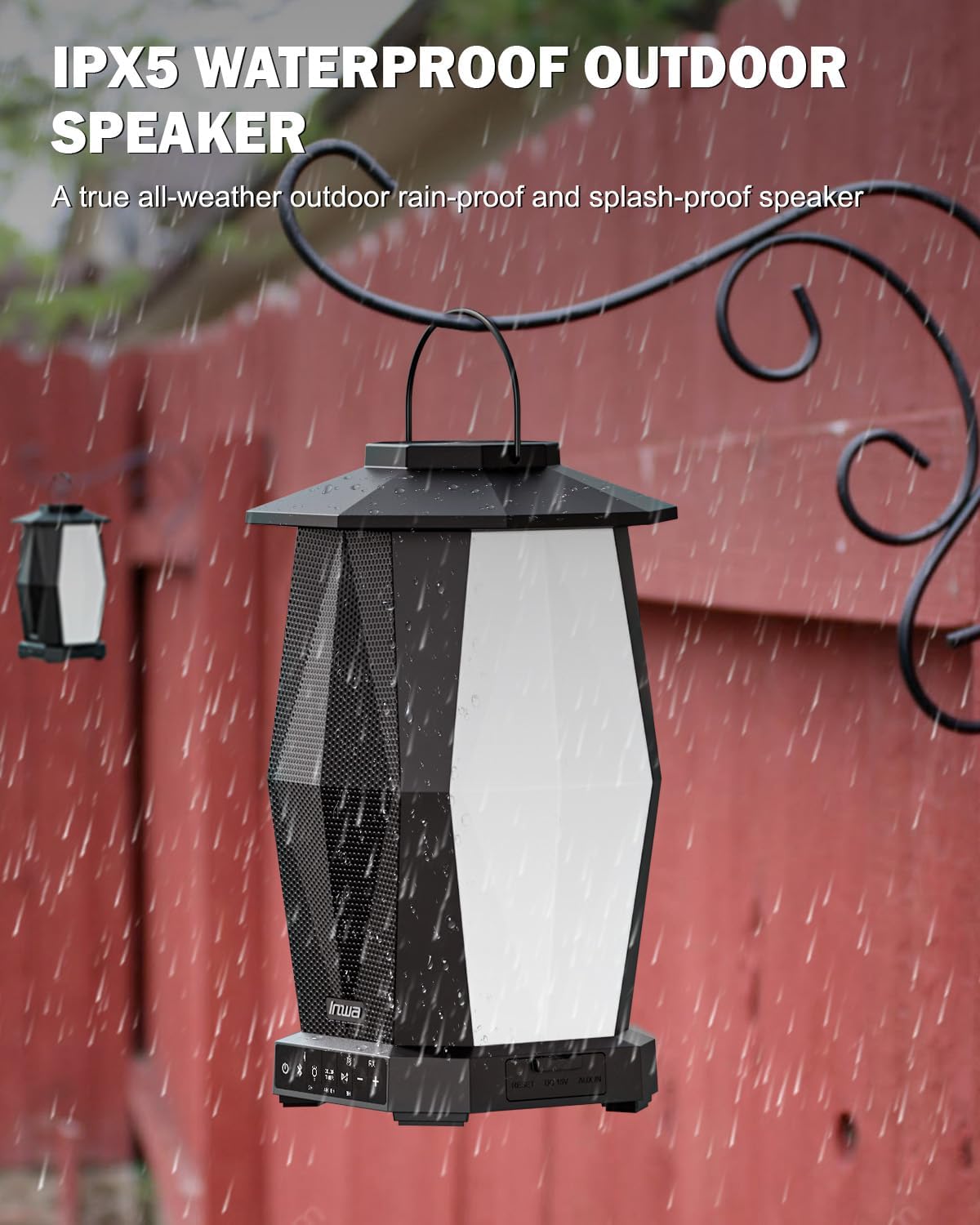
Image 6.1: Speaker in a rain environment, highlighting its waterproof feature.
Importanti:
- Tgħaddasx il-kelliem fl-ilma.
- Ensure the charging port and AUX IN port covers are securely closed when exposed to water.
6.2 Tindif
Imsaħ il-kelliem b 'soft, damp drapp. Tużax tindif jew solventi li joborxu.
6.3 Ħażna
Aħżen l-ispiker f'post frisk u niexef 'il bogħod mix-xemx diretta u minn temperaturi estremi meta ma jkunx qed jintuża għal perjodi twal.
7 Issolvi l-problemi
| Problema | Kawża Possibbli | Soluzzjoni |
|---|---|---|
| L-ispiker ma jixgħelx. | Batterija baxxa. | Iċċarġja l-ispiker billi tuża l-kejbil tal-enerġija pprovdut. |
| Ma tistax tqabbad permezz tal-Bluetooth. | L-ispiker mhux fil-modalità ta' tqabbil; il-Bluetooth tal-apparat mitfi; wisq 'il bogħod mill-ispiker. | Ensure speaker is in pairing mode (flashing indicator). Turn on device Bluetooth. Move device closer to speaker (within 33 feet/10 meters). |
| L-ebda ħoss. | Volum baxx wisq; mod ta' input mhux korrett; apparat mhux qed idoqq l-awdjo. | Increase speaker and device volume. Ensure correct input (Bluetooth or AUX). Verify audio is playing on the connected device. |
| Multiple speakers not linking. | Incorrect TWS pairing procedure. | Follow the TWS linking steps in section 4.4 carefully. Ensure only one speaker is paired to your device initially. |
8. Speċifikazzjonijiet
| Karatteristika | Speċifikazzjoni |
|---|---|
| Isem tal-Mudell | MZ320 |
| Tip ta' Kelliem | Speaker tal-Bluetooth fil-beraħ |
| Teknoloġija tal-Konnettività | Bluetooth |
| Teknoloġija tal-Komunikazzjoni mingħajr Fili | Bluetooth bla fili |
| Livell ta 'Reżistenza għall-Ilma | IPX5 (Li ma jgħaddix ilma minnha) |
| Sors tal-Enerġija | Mħaddma bil-batterija |
| Tip ta 'batterija | 1 batterija tal-jone tal-litju (inkluża) |
| Kapaċità tal-batterija | 6600 Milliamp Sigħat |
| Qawwa tal-Ħruġ Massimu tal-Ispeaker | 25 Watts |
| Tip ta' Sewwieq Awdjo | Sewwieq Dinamika |
| Dimensjonijiet tal-Prodott | 7.1"D x 7.1"W x 11.4"H |
| Piż tal-oġġett | 12 Liri (kull par) |
| Metodu ta' Kontroll | Imbotta Buttuna |
| Komponenti Inklużi | Manual, Power Cable |
9. Garanzija u Appoġġ
9.1 Informazzjoni dwar Garanzija
The Inwa MZ-320 speakers come with a garanzija ta 'sena mid-data tax-xiri. Din il-garanzija tkopri difetti fil-manifattura taħt użu normali. Ma tkoprix ħsara kkawżata minn użu ħażin, inċidenti, modifiki mhux awtorizzati, jew xedd u kedd normali.
9.2 Appoġġ għall-Klijent
For technical assistance, warranty claims, or any questions regarding your Inwa MZ-320 speakers, please contact Inwa customer support through the retailer's platform or the official Inwa websit.