
EMEET E3141
EMEET Piko 4K Webcam Istruzzjoni Manwal
Model: E3141 | Brand: EMEET
1. Introduzzjoni
The EMEET Piko 4K Webcam is an advanced dual-camera AI-powered device designed for high-quality video streaming, conferencing, and content creation. It features a 4K main camera for ultra-clear visuals and an AI-assisted camera for rapid autofocus and precise face lighting, even in challenging low-light conditions. Equipped with a 3-microphone array and multiple sound modes, it ensures clear audio capture. This manual provides essential information for setting up, operating, and maintaining your EMEET Piko 4K Webcam.
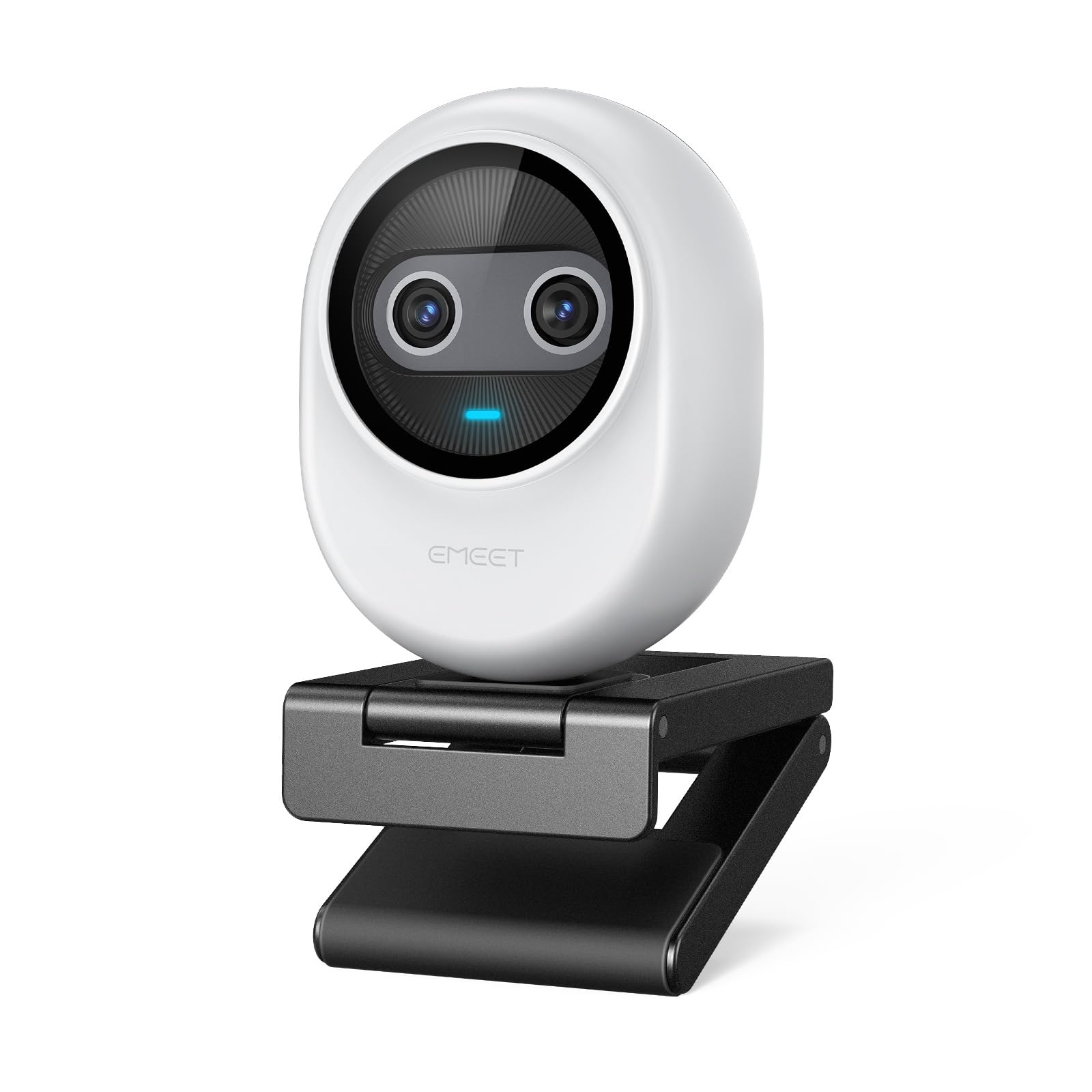
Figure 1: EMEET Piko 4K Webcam, White model.
2. X'hemm fil-Kaxxa
Ivverifika li l-oġġetti kollha huma preżenti fil-pakkett:
- EMEET Piko 4K Webcam
- USB CC Cable
- Webcam Clip
- Manwal għall-Utent (dan id-dokument)

Figure 2: EMEET Piko Webcam and included accessories.
3. Setup
3.1 It-twaħħil tal- Webcam Clip
- Allinja l- webcam with the clip's mounting point.
- Agħfas bil-mod il- webcam onto the clip until it securely snaps into place.
3.2 Immuntar tal- Webcam
- Fuq Monitor/Laptop: Poġġi l- webcam clip over the top edge of your monitor or laptop screen. Adjust the clip to ensure stability.
- Fuq Tripod: Il- webcam features a standard 1/4-inch screw thread at its base. Attach it to a compatible tripod (not included) for flexible positioning.

Figura 3: Webcam mounted on a monitor for professional calls.
3.3 Konnessjoni mal-Kompjuter Tiegħek
- Connect one end of the provided USB C-C cable to the USB-C port on the back of the EMEET Piko Webcam.
- Connect the other end of the USB C-C cable to an available USB-C port on your computer. If your computer only has USB-A ports, a USB-C to USB-A adapter (not included) may be required.
- Il- webcam is plug-and-play and should be automatically recognized by your Windows or macOS operating system.

Figure 4: USB-C connectivity and broad compatibility with various platforms.
4. Karatteristiċi ewlenin
4.1 Dual-Camera AI-Powered Video
The EMEET Piko features a revolutionary dual-camera system:
- 4K Main Camera: Equipped with a 1/2.8'' sensor, it captures video in Ultra HD 4K resolution, providing exceptional detail and clarity.
- AI-Assisted Camera: This secondary camera enhances the main camera's performance by providing rapid autofocus and precise face lighting adjustments, ensuring you are always well-lit and in focus. It excels in low-light environments.

Figure 5: Explanation of the 4K Imaging Camera and AI-Assisted Camera.
4.2 3 Mics Array & 3 Sound Modes
Experience clear audio with the integrated 3-microphone array and selectable sound modes:
- Modalità ta' Kanċellazzjoni tal-Istorbju: Combines gain control with steady and sudden noise blocking, ideal for busy environments.
- Modalità tal-Ħoss Oriġinali: Captures authentic sounds and preserves ambient audio, recommended for quiet spaces.
- Modalità Live: Adjusts gain and reduces background noise like air conditioning, ensuring clear audio for live streaming.

Figure 6: Visual representation of the 3-microphone array and sound mode selection.
4.3 Disinn u Portabbiltà
The EMEET Piko features a rounded, sleek design with fine matte textured materials. Its compact size makes it highly portable, smaller and lighter than a typical smartphone.

Figure 7: The sleek and compact design of the EMEET Piko Webcam.
4.4 Kompatibilità Wiesgħa
Il- webcam is compatible with Windows and MacOS operating systems and integrates seamlessly with popular platforms such as OBS, Twitch, YouTube, Xsplit, and ManyCam.
5. Istruzzjonijiet Operattivi
5.1 Użu Bażiku
Once connected, the EMEET Piko Webcam will function as a standard webcam. Select it as your preferred camera and microphone input in your video conferencing or streaming application.
5.2 EMEET Studio Software
For advanced control and customization, download and install the EMEET Studio software from the official EMEET websit. Dan is-softwer jippermettilek li:
- Adjust video settings (brightness, contrast, sharpness, saturation, tone).
- Select different sound modes (Noise Canceling, Original Sound, Live Mode).
- Control AI features like autofocus and face tracking.
- Switch between landscape and portrait mode (requires compatible tripod).
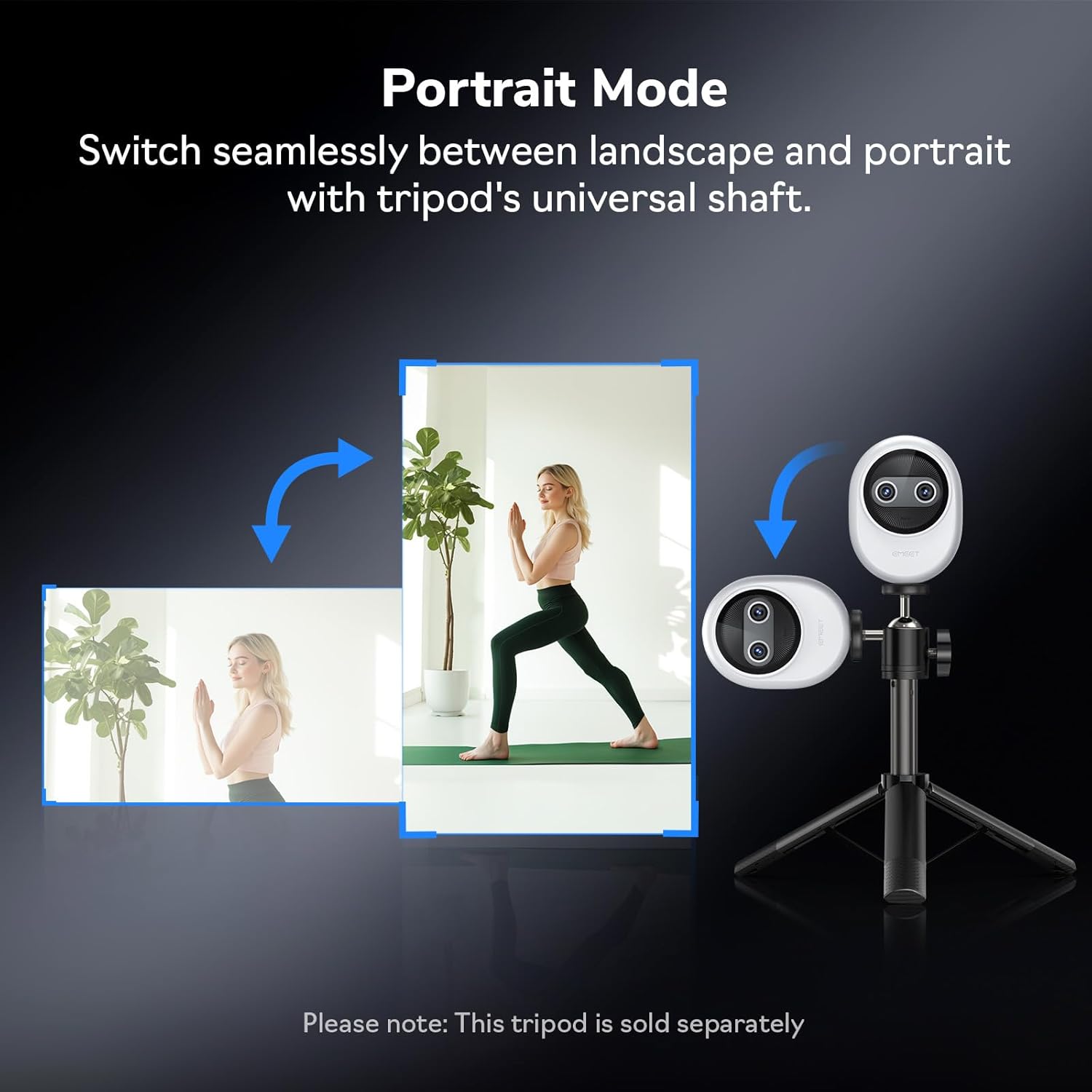
Figura 8: Webcam demonstrating seamless switching to portrait mode.
5.3 Optional Remote Control
An optional remote control (ASIN: B0FP281Z19) is available for wireless control of the webcam's functions, offering convenience during presentations or streaming sessions.

Figure 9: Optional remote control for the EMEET Piko Webcam.
6. Manutenzjoni
- Tindif: Uża drapp ratba u niexfa biex tnaddaf il- webLenti u korp tal-kam. Evita prodotti tat-tindif jew solventi li joborxu.
- Ħażna: Meta ma tkunx qed tużah, aħżen webcam in a cool, dry place. Consider using a privacy cover (optional accessory) to protect the lens.
- Aġġornamenti tal-Firmware: Regularly check the EMEET websit għal aġġornamenti tal-firmware biex tiġi żgurata prestazzjoni ottimali u aċċess għal karatteristiċi ġodda.

Figure 10: Optional magnetic privacy cover for lens protection.
7 Issolvi l-problemi
- Ebda Vidjo/Awdjo:
- Kun żgur li l-kejbil tal-USB huwa konness sew maż-żewġ webil-kamera u l-kompjuter tiegħek.
- Ipprova port USB differenti fuq il-kompjuter tiegħek.
- Ivverifika li l- webcam is selected as the primary video and audio device in your application settings.
- Ibda mill-ġdid il-kompjuter tiegħek.
- Kwalità Fqira tal-Vidjo:
- Ensure adequate lighting in your environment. The AI-assisted camera performs best with some ambient light.
- Naddaf il- weblenti tal-kamera b'ċarruta ratba.
- Check your application settings to ensure the correct resolution (e.g., 4K) is selected.
- Aġġornament webcam drivers or EMEET Studio software to the latest version.
- Kwistjonijiet ta' Autofocus:
- Kun żgur li m'hemm l-ebda ostaklu quddiem il-lenti.
- In EMEET Studio, verify that AI autofocus is enabled.
- Avoid rapid, excessive movement directly in front of the camera if focus hunting occurs.
8. Speċifikazzjonijiet
| Karatteristika | Dettall |
|---|---|
| Brand | EMEET |
| Numru tal-Mudell | E3141 |
| Piż tal-oġġett | 1.44 uqija |
| Dimensjonijiet tal-Prodott | 2.2 x 1.7 x 0.87 pulzieri |
| Kulur | Abjad |
| Teknoloġija tas-Sensor tar-Ritratti | CMOS |
| Riżoluzzjoni tal-Qbid tal-Vidjo | 4K |
| Format tal-Qbid tal-Vidjo | YUY2 / MJPEG |
| Format awdjo appoġġjat | AAC, MP3 |
| Teknoloġija tal-Konnettività | USB |
| Karatteristiċi Speċjali | 1/2.8'' Sensor, 3 Mic Array & 3 Sound Modes, Instant AI Autofocus & Adaptive Face Lighting, USB Webcam with Clip, World's 1st Dual-Camera AI-Powered 4K Webcam |
9. Garanzija u Appoġġ
EMEET products are designed for reliability and performance. For warranty information, technical support, or to register your product, please visit the official EMEET webis-sit jew ikkuntattja s-servizz tal-konsumatur tagħhom. Żomm l-irċevuta tax-xiri tiegħek għal talbiet ta’ garanzija.
10. Prodott Aktarview Video
Video 1: Official EMEET Piko 4K Webcam Matulview. This video highlights the key features and design of the webcam.
Ask a question about this manual
Ask about setup, troubleshooting, compatibility, parts, safety, or missing instructions. Manuals+ will review the question and use this page’s manual context to help answer it.