
Introduzzjoni
This manual provides comprehensive instructions for the LogiLink ID0212 Wireless 28-Key Bluetooth 5.0 Scissor Mechanism Keyboard. It covers setup, operation, maintenance, and troubleshooting to ensure optimal performance and user experience. Please read this manual thoroughly before using the device.
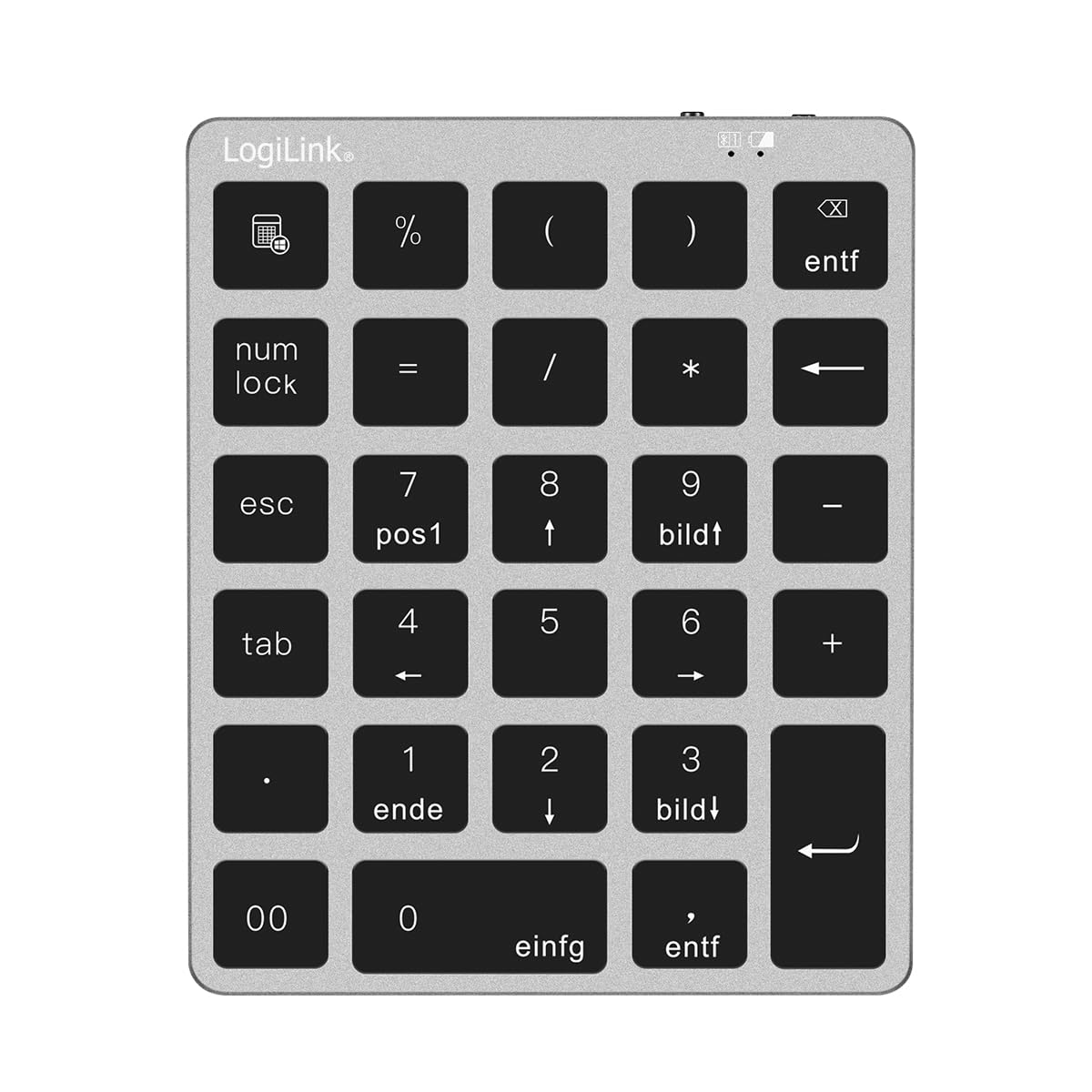
Figure 1: LogiLink ID0212 Wireless 28-Key Bluetooth 5.0 Scissor Mechanism Keyboard. This image shows the overall design of the numeric keypad.
Kontenut tal-Pakkett
Kun żgur li l-oġġetti kollha huma preżenti fil-pakkett:
- LogiLink ID0212 Wireless 28-Key Bluetooth 5.0 Keyboard
- Cable tal-Iċċarġjar tal-USB-C
- Manwal għall-Utent (dan id-dokument)
Setup
1. Iċċarġjar tat-Tastiera
Qabel l-ewwel użu, iċċarġja t-tastiera kompletament. Qabbad il-kejbil USB-C fornut mal-port tal-iċċarġjar tat-tastiera u t-tarf l-ieħor ma' sors ta' enerġija USB (eż., port USB tal-kompjuter, adapter tal-ħajt USB).
- L-indikatur LED se juri aħmar waqt l-iċċarġjar.
- L-indikatur LED jintefa jew jibdel il-kulur (skont il-mudell) meta jkun iċċarġjat kompletament.
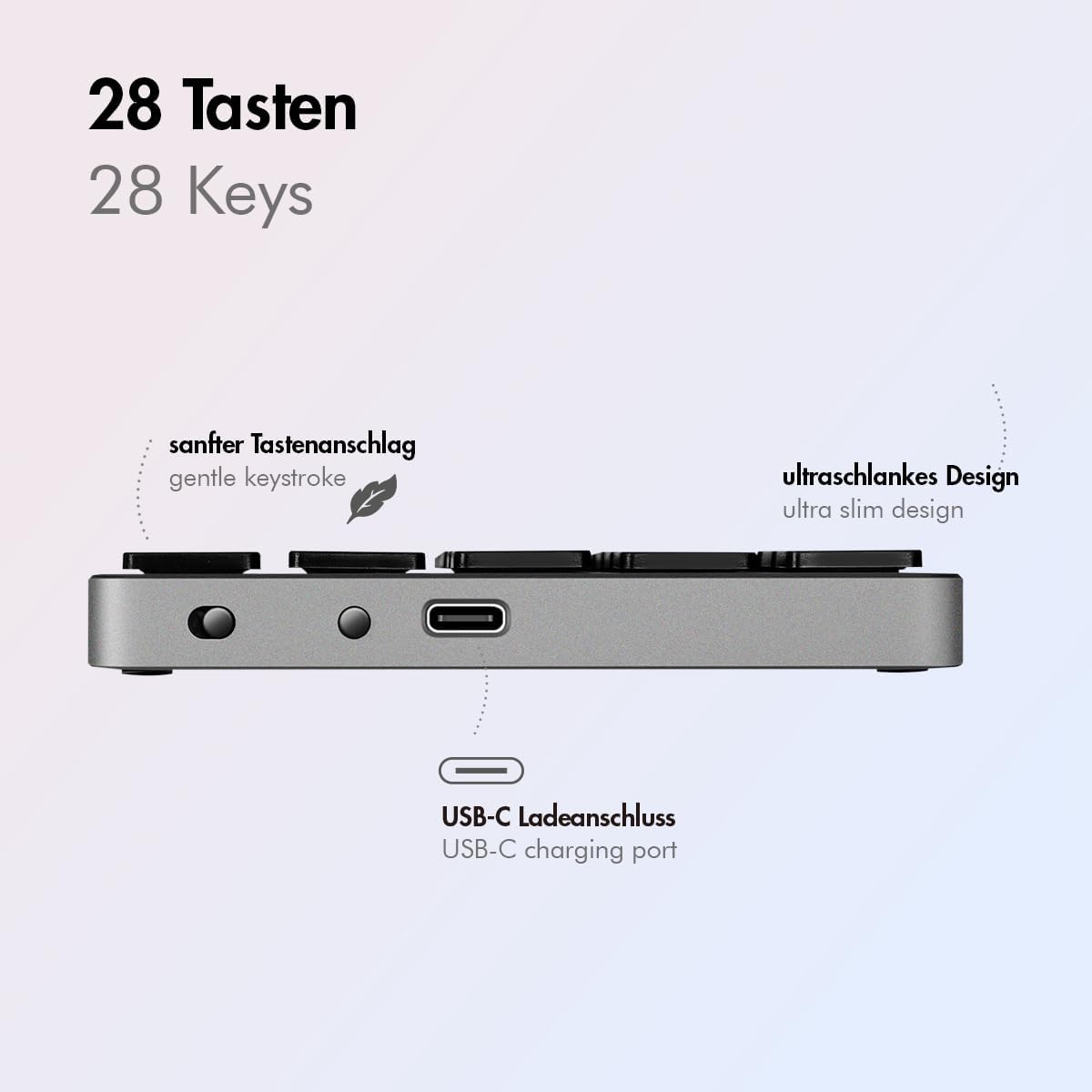
Figura 2: Ġenb view of the LogiLink ID0212 keyboard showing the USB-C charging port. This image highlights the location of the charging port and the ultra-slim design.

Figura 3: Dettaljat view of the LogiLink ID0212 keyboard's side profile, indicating the USB-C charging port, gentle keystroke mechanism, and ultra-slim design.
2. Tqabbil tal-Bluetooth
Follow these steps to connect your LogiLink ID0212 keyboard via Bluetooth 5.0:
- Kun żgur li t-tastiera hija ċċarġjata u mixgħula.
- Activate Bluetooth on your device (computer, tablet, smartphone).
- Put the keyboard into pairing mode. Look for a small button on the back or side, or a key combination like Fn + C (common for Bluetooth keyboards). The LED indicator will flash blu when in pairing mode.
- Fuq it-tagħmir tiegħek, fittex tagħmir Bluetooth disponibbli.
- Select "LogiLink ID0212" or a similar name from the list of found devices.
- If prompted, enter the pairing code displayed on your screen using the LogiLink ID0212 keyboard and press Daħħal.
- Once paired, the blue LED indicator will stop flashing and remain solid for a few seconds, then turn off. The keyboard is now ready for use.
The keyboard supports a stable connection up to 10 meters (33 feet) and is compatible with iOS, Android, Windows, MacOS, Chrome OS, and iPadOS.
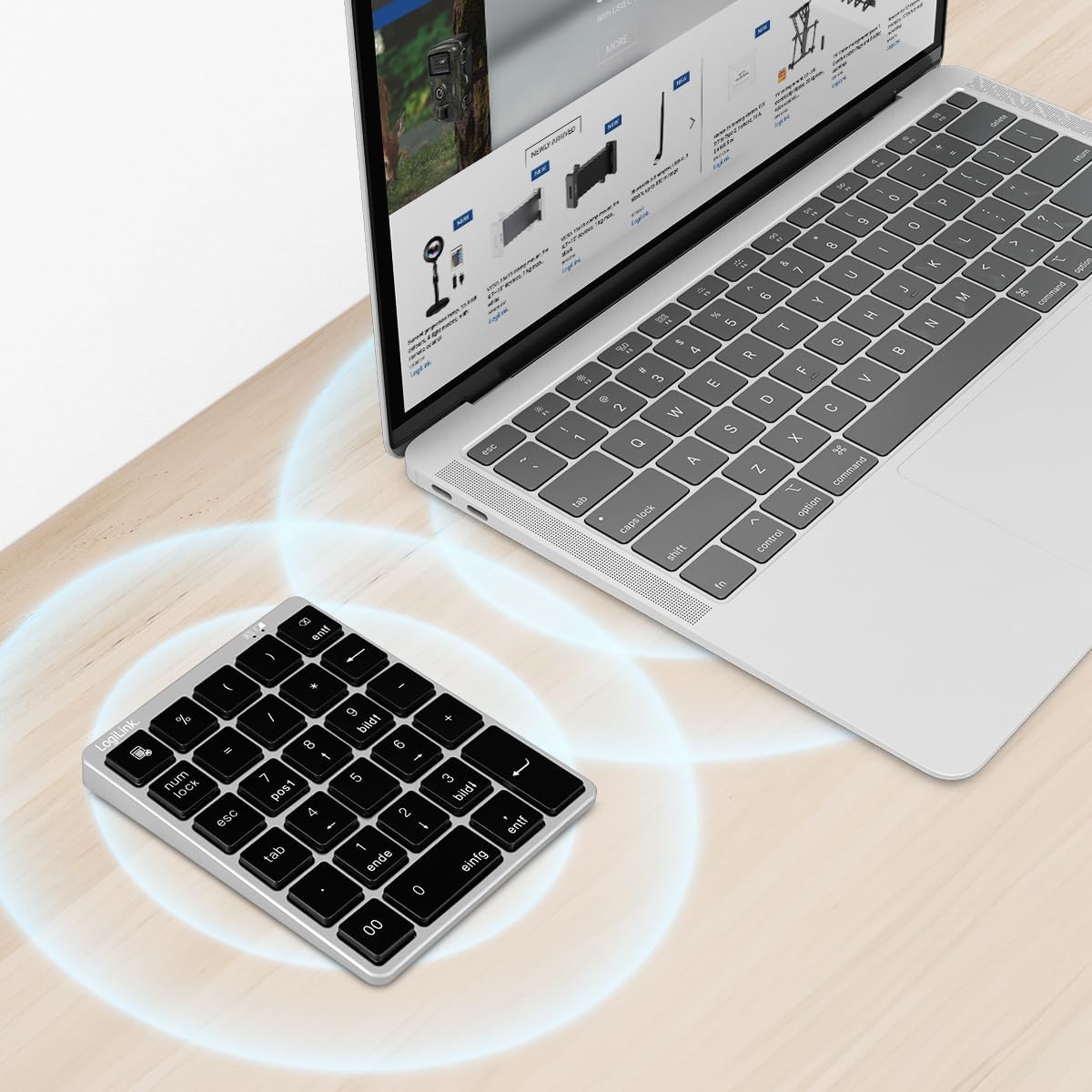
Figure 4: The LogiLink ID0212 keyboard positioned next to a laptop, illustrating its wireless connectivity. This image demonstrates the keyboard's use in a typical workspace setup.
Istruzzjonijiet Operattivi
Funzjonijiet Ewlenin Bażiċi
The LogiLink ID0212 features 28 keys designed for efficient data entry and calculations. Key functions include:
- Ċwievet Numeriċi (0-9): Standard number input.
- Arithmetic Operators (+, -, *, /): For calculations.
- Punt Deċimali (.): For fractional numbers.
- NumLock: Toggles the numeric keypad function. When NumLock is active, the green LED indicator will be on.
- ESC: Escape key, typically used to cancel operations or close menus.
- Delete (DEL): Deletes characters.
- Buttuna tal-Kalkulatur: Launches the calculator application on compatible operating systems.
- Tab: Moves the cursor to the next tab stop or field.
- Home/End/PgUp/PgDn: These keys (often labeled as 'pos1', 'ende', 'bildt', 'bildl' or similar) provide navigation functions.
The scissor mechanism keys provide a gentle and quiet keystroke, enhancing typing comfort.

Figure 5: The LogiLink ID0212 keyboard in active use, demonstrating its compact layout and key functions alongside a laptop. This image provides a clear view of the keypad's design and key labels.
Indikaturi LED
The keyboard features LED indicators to provide status information:
- LED aħmar: Indicates the keyboard is charging.
- LED blu: Flashes during Bluetooth pairing mode; solid when successfully paired (then turns off).
- LED aħdar: Indicates that NumLock is active.
Manutenzjoni
Tindif
Biex iżżomm id-dehra u l-funzjonalità tat-tastiera:
- Use a soft, dry, lint-free cloth to wipe the surface.
- Għal ħmieġ iebes, neħħi ftitampLaħlaħ id-drapp bl-ilma jew b'soluzzjoni ħafifa tat-tindif. Evita umdità eċċessiva.
- Do not use abrasive cleaners, solvents, or aerosol sprays directly on the keyboard.
Kura tal-batterija
The integrated 140 mAh lithium battery provides long-lasting power. To prolong battery life:
- Charge the keyboard using the provided USB-C cable.
- Evita li tiċċarġja l-batterija kompletament ta' spiss.
- Jekk taħżen it-tastiera għal perjodu estiż, iċċarġjaha sa madwar 50% u aħżenha f'post frisk u niexef.
Issolvi l-problemi
It-Tastiera Mhux Qed Tikkonnettja/Tqabbad
- Iċċekkja l-Livell tal-Batterija: Ensure the keyboard is sufficiently charged. Charge it if the red LED indicates low battery.
- Erġa 'daħħal il-Mod tat-Tqabbil: Turn the keyboard off and on, then re-enter Bluetooth pairing mode (blue LED flashing).
- Device Bluetooth: Ensure Bluetooth is enabled on your computer/device and it's discoverable.
- Tinsa Apparat: On your device, remove or "forget" the keyboard from your Bluetooth device list, then attempt to pair again.
- Distanza: Ensure the keyboard is within the 10-meter (33 feet) operating range of your device.
- Interferenza: Move away from other wireless devices that might cause interference.
Ċwievet Ma Jirrispondux
- Konnessjoni: Verify the keyboard is still connected via Bluetooth (blue LED should not be flashing).
- NumLock: If numeric keys are not working as expected, check the green NumLock LED. Press the NumLock key to toggle its state.
- Reboot Apparat: Sometimes, restarting your computer or device can resolve input issues.
- Kompatibilità: While compatible with many OS, specific key functions might behave differently on certain systems (e.g., some special characters on macOS, as noted in reviews).
Kwistjonijiet ta' Iċċarġjar
- Iċċekkja tal-Cable: Ensure the USB-C cable is securely connected to both the keyboard and the power source.
- Sors tal-Enerġija: Try a different USB port or power adapter.
- LED aħmar: Confirm the red LED illuminates when charging. If not, the cable or port might be faulty.
Speċifikazzjonijiet
| Karatteristika | Dettall |
|---|---|
| Numru tal-Mudell | ID0212 |
| Ċwievet | 28 keys (NumLock, ESC, Delete, Calculator button) |
| Mekkaniżmu Ewlieni | Mekkaniżmu imqass |
| Konnettività | Bluetooth 5.0 |
| Medda Operattiva | Sa 10 metri (33 pied) |
| Batterija | Batterija tal-litju 140 mAh |
| Port tal-Iċċarġjar | USB-C |
| Indikaturi LED | Red (Charging), Blue (Pairing/Connected), Green (NumLock) |
| Materjal | Aluminju + ABS |
| Kulur | Griż Spazjali |
| Dimensjonijiet (L x W x H) | 12.1 x 10 x 1.3 ċm (4.76 x 3.94 x 0.51 pulzieri) |
| Piż | 95 gramma (0.21 lbs) |
| Kompatibilità | iOS, Android, Windows, MacOS, Chrome OS, iPadOS |
| Komponenti Inklużi | USB-C Cable |
| Pajjiż ta' Oriġini | Iċ-Ċina |
Informazzjoni dwar Garanzija
Specific warranty details for the LogiLink ID0212 keyboard are typically provided at the point of purchase or included with the product packaging. Please refer to your purchase documentation or the official LogiLink webis-sit għall-aktar termini u kundizzjonijiet tal-garanzija preċiżi u aġġornati.
Appoġġ għall-Klijent
If you encounter issues not covered in this manual or require further assistance, please contact LogiLink customer support. You can usually find contact information, FAQs, and additional resources on the official LogiLink websit:
When contacting support, please have your product model number (ID0212) and purchase information ready.