
Introduzzjoni
This manual provides essential information for setting up, operating, maintaining, and troubleshooting your Lenovo IdeaPad 3i 15.6-inch laptop. Please read these instructions carefully to ensure proper use and longevity of your device.
Kontenut tal-Pakkett
Before you begin, verify that all items are present in your package:
- Lenovo IdeaPad 3i Laptop
- Adapter tal-Enerġija
- Stazzjon tad-Docking 7-f'1 b'Ħażna ta' 128GB
- Karta MicroSD ta' 32GB bl-Adapter
- Kejbil tad-Data tat-Tip-C
- Kejbil tal-Iċċarġjar 3-in-1
- Drapp tat-Tindif tal-Suède

Image: Components of the included docking station set, featuring the 7-in-1 docking station, 32GB MicroSD card with adapter, Type-C data cable, 3-in-1 charging cable, and a suede cleaning cloth.
Setup
1. L-Ewwel Tixgħil
- Connect the power adapter to the laptop's power port and then to an electrical outlet.
- Iftaħ l-għatu tal-laptop.
- Press the power button, usually located on the top-right of the keyboard or on the side.
- Segwi l-istruzzjonijiet fuq l-iskrin biex tlesti s-setup inizjali tal-Windows 11, inkluż il-lingwa, ir-reġjun, il-konnessjoni tan-netwerk, u l-ħolqien tal-kont tal-utent.
2. Tqabbad l-Istazzjon tad-Docking
The included 7-in-1 docking station expands your laptop's connectivity options.
- Connect the docking station to your laptop using the Type-C data cable.
- You can then connect external devices such as monitors (via HDMI), USB devices (USB 2.0, USB 3.0), and memory cards (SD/MicroSD) to the docking station.
- The docking station also supports PD Charging (100W) for compatible devices.
Istruzzjonijiet Operattivi
Wirja u Viżwali
Your IdeaPad 3i features a 15.6-inch Full HD (1920x1080) anti-glare display, powered by Intel UHD Graphics, providing clear and vibrant visuals for various tasks.
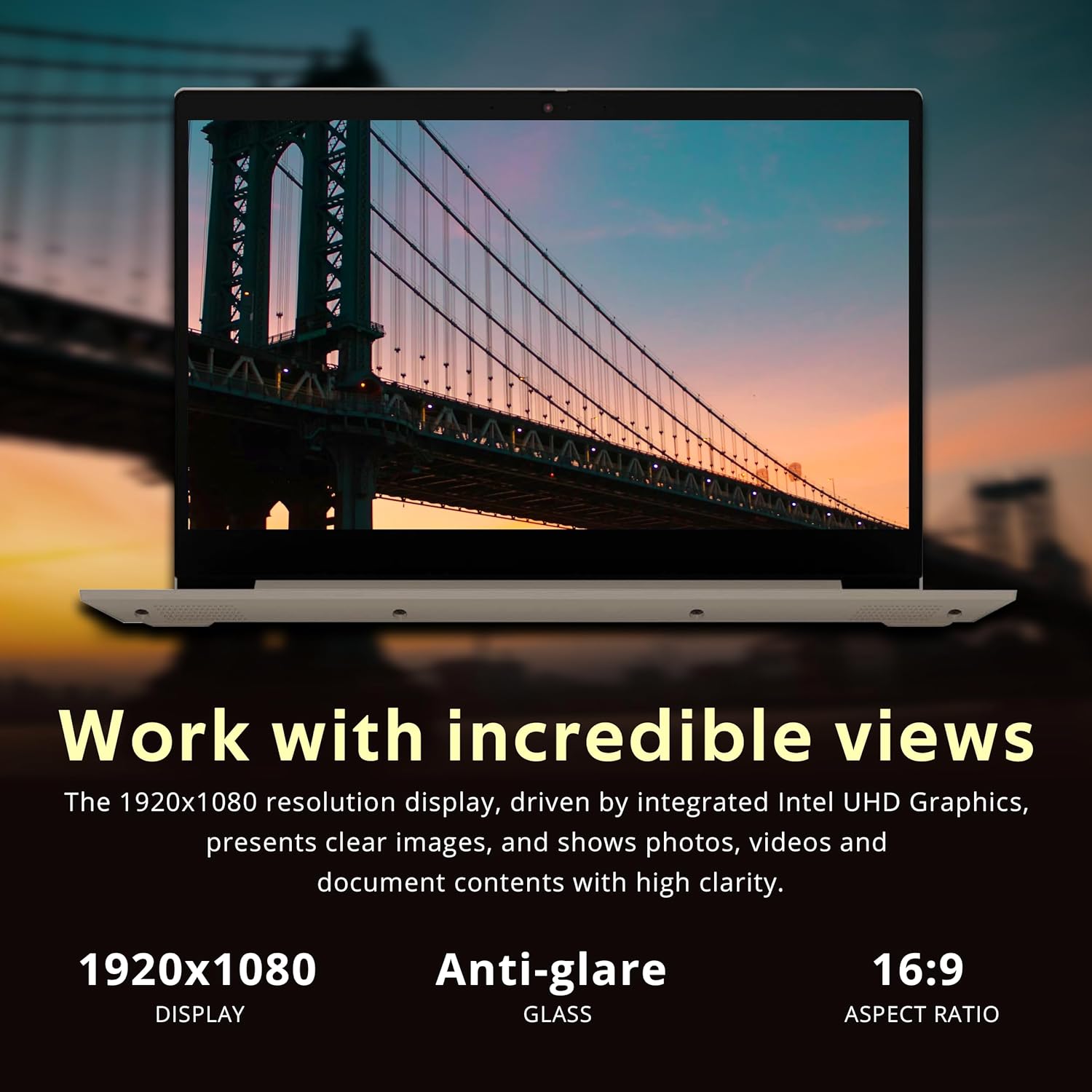
Image: The laptop's 15.6-inch Full HD display, emphasizing its 1920x1080 resolution and anti-glare properties for comfortable viewing.
Tastiera u Touchpad
The laptop includes a full-size keyboard with a numeric keypad for efficient data entry. The precision touchpad supports multi-touch gestures for navigation.
Konnettività
The IdeaPad 3i offers various connectivity options:
- Wi-Fi: Connect to wireless networks using the integrated Wi-Fi 5 (801.11ac).
- Bluetooth: Pair with Bluetooth-enabled devices such as headphones or mice.
- Portijiet:
- 3x USB Type-A ports (USB 2.0 and USB 3.2 Gen 1)
- 1x HDMI port for external displays
- 1x Jack kombinat għall-headphones/mikrofonu
- 1x Media card reader

Image: The laptop's communication features, including a 720p HD webcam for video calls, Wi-Fi 5 for internet access, and Bluetooth for peripheral connections.

Immaġni: Dettaljata view of the laptop's side ports, including the headphone/microphone combo jack, power input, HDMI, USB 2.0, and USB 3.2 (Gen 1) ports.
Multitasking and Performance
Equipped with an Intel Core i3-1115G4 processor and 8GB DDR4 RAM, the IdeaPad 3i is designed for smooth multitasking and responsive performance for everyday computing tasks. The 416GB storage (256GB PCIe SSD + 160GB Docking Station Set) provides ample spazju għal files u applikazzjonijiet.

Image: The laptop demonstrating effortless multitasking with several applications open simultaneously, showcasing its capability for efficient workflow.
Flexible Hinge
The laptop features a 180-degree hinge, allowing you to lay the screen flat for comfortable viewing or collaborative presentations.

Image: The laptop's screen rotated 180 degrees, illustrating the flexible hinge design for versatile viewing and presentation modes.
Manutenzjoni
Tindif tal-Laptop Tiegħek
- Use the provided suede cleaning cloth or a soft, lint-free cloth to gently wipe the screen and exterior surfaces.
- Għal tbajja' iebsa, ftit dampNaddaf id-drapp bl-ilma jew b'prodott tat-tindif li ma jagħmilx ħsara lill-iskrin. Evita kimiċi ħarxa.
- Kun żgur li l-laptop ikun mitfi u skonnettjat qabel ma tnaddaf.
Aġġornamenti tas-Software
- Iċċekkja regolarment għal aġġornamenti tal-Windows permezz ta' Settings > Aġġornament tal-Windows to ensure your system has the latest security patches and features.
- Consider installing Lenovo Vantage software for driver updates and system health checks.
Kura tal-batterija
- Biex ittawwal il-ħajja tal-batterija, evita temperaturi estremi.
- It is recommended to occasionally discharge the battery below 20% and then fully recharge it.
Issolvi l-problemi
If you encounter issues with your Lenovo IdeaPad 3i, refer to the following common solutions:
| Problema | Soluzzjoni Possibbli |
|---|---|
| Il-laptop ma jixgħelx. | Ensure the power adapter is securely connected to both the laptop and a working electrical outlet. Check if the power adapter's indicator light is on. Try a different outlet. |
| L-iskrin huwa vojt jew iswed. | Agħfas Fn + F2 (or the key with a display icon) to ensure the display is not turned off. Connect an external monitor to check if the issue is with the laptop's display. Restart the laptop. |
| Problemi bil-konnessjoni tal-Wi-Fi. | Check if Wi-Fi is enabled (often Fn + F5 or a dedicated Wi-Fi key). Restart your router and modem. Ensure correct Wi-Fi password. Update network drivers via Device Manager. |
| Prestazzjoni bil-mod. | Close unnecessary applications. Check Task Manager for high CPU/RAM usage. Run a disk cleanup. Ensure Windows is updated. Consider running a malware scan. |
For further assistance, please visit the official Lenovo support websit jew ikkuntattja lis-servizz tal-konsumatur tagħhom.
Speċifikazzjonijiet
Key technical specifications for the Lenovo IdeaPad 3i laptop:

Immaġni: Fuqview of the laptop's core specifications, including the Intel i3-1115G4 processor, Intel UHD Graphics, 8GB RAM, and 416GB total storage.
| Karatteristika | Dettall |
|---|---|
| Isem tal-Mudell | Lenovo IdeaPad 3i |
| Proċessur | Intel Core i3-1115G4 (1.7 GHz) |
| RAM | 8 GB DDR4 SDRAM |
| Ħażna | 256 GB PCIe SSD + 160 GB Docking Station Set (Total 416GB) |
| Grafika | Grafika Intel UHD (Integrata) |
| Wiri | 15.6-inch FHD (1920 x 1080) Anti-glare |
| Sistema Operattiva | Windows 11 |
| Konnettività bla fili | Wi-Fi 5 (801.11ac), Bluetooth |
| Portijiet | 3x USB Type-A, 1x HDMI, 1x Headphone/Mic Combo, 1x Media Card Reader |
| Webcam | 720p HD Webcam |
| Dimensjonijiet (LxWxH) | Madwar 14.3" x 10" x 0.78" (36.3cm x 25.4cm x 1.98cm) |
| Piż | Madwar 4.07 lbs (1.85 kg) |
| Kulur | Lewż |

Image: Physical dimensions of the laptop, showing its sleek profile and measurements for thickness, width, and depth.
Garanzija u Appoġġ
Your Lenovo IdeaPad 3i laptop comes with a 1-year manufacturer warranty on original components. Any upgraded RAM/SSD components also carry a 1-year warranty.
For warranty claims, technical support, or service inquiries, please visit the official Lenovo support website or contact their authorized service centers. Keep your purchase receipt and product serial number handy for faster service.
Appoġġ Lenovo Websit: support.lenovo.com