
1. Prodott Aktarview
The Potensic ATOM 2 is a compact and lightweight 3-axis gimbal GPS drone designed for aerial photography and videography. This Fly More Combo includes the drone, remote control, multiple batteries, and a 128GB Micro Memory Card, providing an extended flight experience and ample ħażna.
Karatteristiċi ewlenin:
- Sistema Avvanzata tal-Kamera: Equipped with a 1/2'' Sony CMOS sensor, capable of capturing 48MP photos and recording 4K/30fps HDR stable videos. The F1.8 aperture and 4-in-1 pixels enhance low-light performance, detail, and color accuracy.
- Disinn ħafif: Weighing under 249g, the ATOM 2 does not require FAA or Remote ID registration in many regions, offering greater operational flexibility.
- Firxa ta' Trażmissjoni Estiża: Features a newly upgraded remote control with a directional antenna and PixSync 4.0 technology, providing excellent anti-interference capabilities and a control range of up to 10 km with 1080p/30fps live view trasmissjoni.
- Modi tat-Titjir Intelliġenti: Powered by an AI model, the drone includes object locking and imagery technology with tracking modes such as Spotlight, Follow, and Parallel. It also supports vertical shooting and clear video capture in low-light conditions.
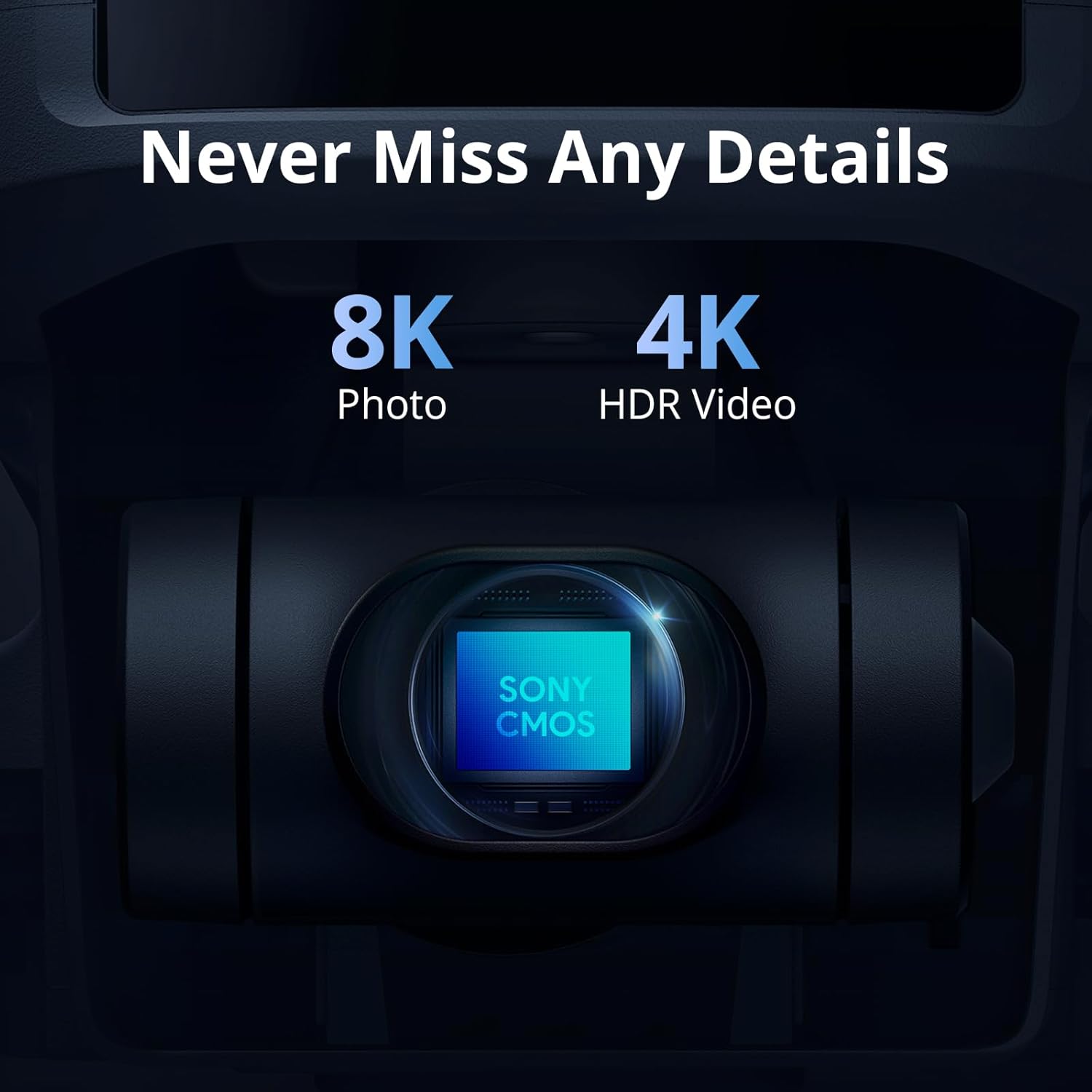
Image: The ATOM 2 camera module, featuring a Sony CMOS sensor for high-resolution photos and videos.

Image: The Potensic ATOM 2 drone held in a hand, illustrating its compact size and light weight.
2. Gwida ta' Setup
2.1 Tneħħija tal-kaxxa u Spezzjoni Inizjali
Carefully unpack all components from the box. Verify that all items listed in the package contents are present and undamaged. If any items are missing or damaged, contact customer support.
2.2 Iċċarġjar tal-batterija
Before first use, fully charge all drone batteries and the remote control. Use the provided 60W Fast Parallel Charging Hub for efficient charging of multiple drone batteries.
- Connect the charging hub to a power source.
- Insert the drone batteries into the charging hub.
- Monitor the charging indicator lights; they will typically change color or turn off when charging is complete.

Image: Illustration of battery charging and flight duration for the Fly More Combo versus the Standard Kit.
2.3 Installazzjoni tal-Iskrun
Ensure propellers are correctly installed on the corresponding motor arms. Match the propeller type (A or B) with the markings on the motor base. Secure them firmly according to the instructions in the quick start guide.
2.4 Preparazzjoni tal-Kontroll mill-bogħod
Charge the remote control. Attach your smartphone to the remote control holder. Connect the remote control to your smartphone using the appropriate cable.
2.5 Installazzjoni tal-App
Download and install the official Potensic flight application on your smartphone from your device's app store. Follow the in-app instructions for initial setup and drone pairing.
2.6 Inserzjoni ta' Karta Mikro SD
Insert the included 128GB Micro Memory Card into the drone's designated slot. Ensure it is inserted correctly and securely to enable photo and video recording.

Image: The Potensic 128GB High-Speed microSD Card, essential for storing drone footage.

Image: The Potensic microSD card is widely compatible with various devices, including drones.
3. Istruzzjonijiet Operattivi
3.1 Lista ta' Kontroll ta' Qabel it-Titjira
- Kun żgur li l-batteriji tad-drone u tal-kontroll remot ikunu ċċarġjati kompletament.
- Iċċekkja l-iskrejjen għal xi ħsara u kun żgur li huma mwaħħlin sew.
- Verify the Micro SD card is inserted.
- Confirm GPS signal acquisition before takeoff (indicated in the app).
- Iċċekkja għal rotta tat-titjira ċara u kundizzjonijiet tat-temp adattati.
3.2 Tluq u Inżul
Follow the in-app prompts for automatic takeoff and landing. Manual takeoff and landing procedures are detailed in the full user manual available on the Potensic websit.
3.3 Kontroll tat-Titjira
Use the remote control joysticks to maneuver the drone. Refer to the app interface for real-time flight data, camera view, and control settings. The drone offers a maximum transmission range of 10 km.

Image: Drone operation with remote control, displaying the 10KM transmission capability.
3.4 Modalità tat-Titjir Intelliġenti
Access AI-powered tracking modes through the Potensic app:
- Spotlight: Keeps the camera focused on a subject while you control the drone's flight.
- Segwi: The drone automatically follows a designated subject.
- Parallel: The drone flies parallel to the subject at a set distance.

Image: The ATOM 2 drone utilizing its AI Track feature to follow a subject.
3.5 Operazzjoni tal-Kamera
Use the dedicated buttons on the remote control or the app interface to capture 48MP photos and record 4K HDR videos. The 3-axis gimbal ensures stable footage. The drone also supports vertical shooting, optimized for social media content.

Image: The vertical shooting mode interface, demonstrating its utility for social media platforms.
4. Manutenzjoni
4.1 Tindif
- Regularly clean the drone body with a soft, dry cloth.
- Use a lens cleaning cloth for the camera lens to avoid scratches.
- Ensure no dust or debris accumulates in the motor areas.
4.2 Spezzjoni u Sostituzzjoni tal-Iskrun
- Inspect propellers before each flight for cracks, bends, or chips.
- Replace damaged propellers immediately using the provided spare parts and tools.
4.3 Kura tal-Batterija
- Aħżen il-batteriji f'post frisk u niexef 'il bogħod mix-xemx diretta.
- M'għandekx iċċarġja żżejjed jew taqla 'żżejjed il-batteriji.
- Jekk taħżen għal perjodi twal, iċċarġja l-batteriji sa madwar 50-60% tal-kapaċità tagħhom.
4.4 Ħażna
Meta ma tkunx qed tużah, aħżen id-drone u l-aċċessorji tiegħu fil-kaxxa tal-ġarr provduta biex tipproteġihom mit-trab u l-ħsara fiżika.
5 Issolvi l-problemi
5.1 No GPS Signal
- Ensure you are flying in an open outdoor area away from tall buildings or strong magnetic interference.
- Wait for the app to indicate sufficient GPS satellites before attempting takeoff.
5.2 Connection Issues (Drone/Remote/App)
- Restart the drone, remote control, and the Potensic app.
- Ensure your smartphone's Wi-Fi and Bluetooth are enabled and connected to the remote control.
- Re-pair the drone with the remote control if necessary, following the instructions in the app.
5.3 Poor Image/Video Quality
- Naddaf il-lenti tal-kamera.
- Ensure the Micro SD card is properly inserted and has sufficient free space.
- Check camera settings in the app (resolution, frame rate).
- Verify the gimbal is functioning correctly and is not obstructed.
5.4 Drone Not Responding to Controls
- Check battery levels of both the drone and remote control.
- Ensure the drone and remote control are properly paired and within range.
- Calibrate the remote control and drone sensors as instructed in the app.
6. Speċifikazzjonijiet
| Karatteristika | Speċifikazzjoni |
|---|---|
| Brand | Potensiku |
| Isem tal-Mudell | Potenzjali ATOM 2 |
| Kulur | Abjad |
| Riżoluzzjoni tal-Qbid tal-Vidjo | 6K (4K/30fps HDR for stable video) |
| Riżoluzzjoni Għadha Effettiva | 48 MP |
| Teknoloġija tal-Konnettività | Wi-Fi, RF |
| Format tal-Qbid tal-Vidjo | MP4 |
| Teknoloġija tal-Kontroll mill-bogħod | RF |
| Tip ta' Kontroll | Kontroll mill-bogħod |
| Medda Massimu | 10 km (32808.4 Feet) |
| Teknoloġija tal-Komunikazzjoni mingħajr Fili | Wi-Fi, RF |
| Kompożizzjoni taċ-Ċellola tal-Batterija | Polimeru tal-litju |
| Il-batteriji huma inklużi? | Iva |
| Format tal-Immaġni Appoġġjat | JPEG |
| Riżoluzzjoni tal-Ħruġ tal-Vidjo | 6144 pixel |
| Jinkludi Remote? | Iva |
| Teknoloġija tas-Sensor Ottiku | CMOS |
| Jinkludi Batterija Riċarġabbli | Iva |
| Tip tal-Midja | Mikro SDXC |
| Materjal | Plastik |
7. Garanzija u Appoġġ
7.1 Informazzjoni dwar Garanzija
For detailed warranty information, please refer to the warranty card included in your product packaging or visit the official Potensic websit. Il-garanzija tipikament tkopri difetti fil-manifattura għal perjodu speċifikat mid-data tax-xiri.
7.2 Appoġġ għall-Klijent
If you encounter any issues or have questions regarding your Potensic ATOM 2 drone, please contact Potensic customer support. Contact details can be found on the official Potensic webis-sit jew fid-dokumentazzjoni tal-prodott tiegħek.
- Appoġġ onlajn: Żur Appoġġ Potenzjali for FAQs, troubleshooting guides, and contact forms.
- Appoġġ bl-Email: Refer to your product manual for the dedicated support email address.