
Introduzzjoni
Thank you for choosing the PGST Wireless Home Alarm System. This system is designed to provide reliable security for your home, apartment, or garage with easy DIY installation and smart control via the Tuya or Smart Life application. This manual will guide you through the setup, operation, and maintenance of your alarm system.
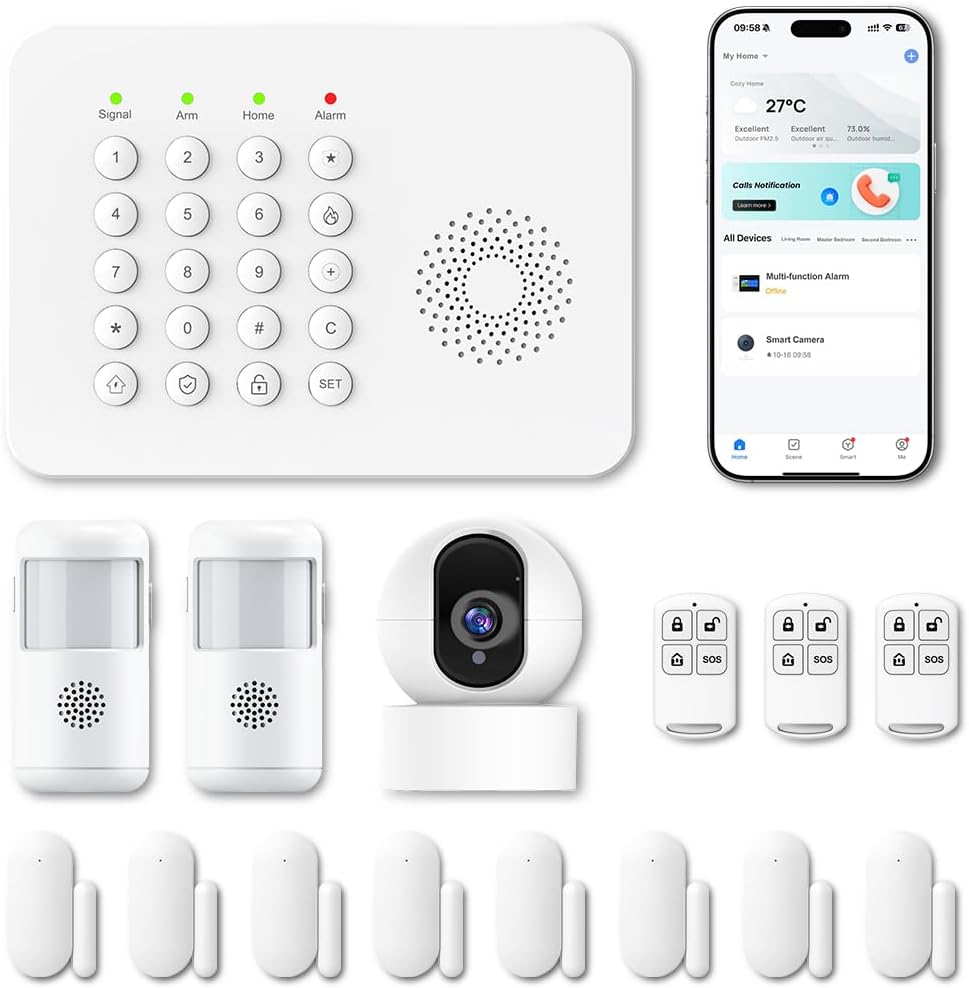
Immaġni: Fuqview of the PGST Wireless Home Alarm System components.
Informazzjoni dwar is-Sigurtà
- Ensure the power supply is stable and matches the device's requirements.
- Tesponix l-apparat għal temperaturi estremi, umdità, jew dawl tax-xemx dirett.
- Żomm l-apparat 'il bogħod minn kampi manjetiċi qawwija.
- Do not attempt to disassemble or repair the device yourself. Contact customer support if service is required.
- Armi l-batteriji u l-komponenti elettroniċi b'mod responsabbli skont ir-regolamenti lokali.
Kontenut tal-Pakkett
Ivverifika li l-oġġetti kollha huma preżenti fil-pakkett tiegħek:
- 1 x Alarm Control Panel (Main Unit)
- Door/Window Contact Sensors
- Ditekters tal-Moviment PIR
- Kontrolli mill-bogħod
- Power Adapter for Control Panel
- Ħardwer tal-Immuntar (viti, pads adeżivi)
- Manwal għall-Utent

Immaġni: Eżample of included components: control panel, motion sensors, door/window sensors, and remote controls.
Setup
1. Installazzjoni tal-Panel tal-Kontroll Prinċipali
- Agħżel post ċentrali għall-pannell tal-kontroll, 'il bogħod mix-xemx diretta u minn sorsi ta' sħana.
- Plug the power adapter into the control panel and then into a standard wall outlet.
- The panel will power on and initiate its startup sequence.
2. App Download and Wi-Fi Connection
- Niżżel l-app "Tuya Smart" jew "Smart Life" mill-ħanut tal-apps tal-ismartphone tiegħek (iOS jew Android).
- Irreġistra għal kont jew idħol jekk diġà għandek wieħed.
- Follow the in-app instructions to add a new device. Select "Security & Sensor" and then "Alarm (Wi-Fi)" or a similar option.
- Ensure your smartphone is connected to a 2.4 GHz Wi-Fi network. The alarm system only supports 2.4 GHz Wi-Fi.
- Follow the app's prompts to connect the control panel to your home Wi-Fi network.

Image: Smartphone showing real-time alerts from the Smart Life app.
3. Installazzjoni tas-Sensor
The system supports 433MHz wireless signal transmission for sensors.
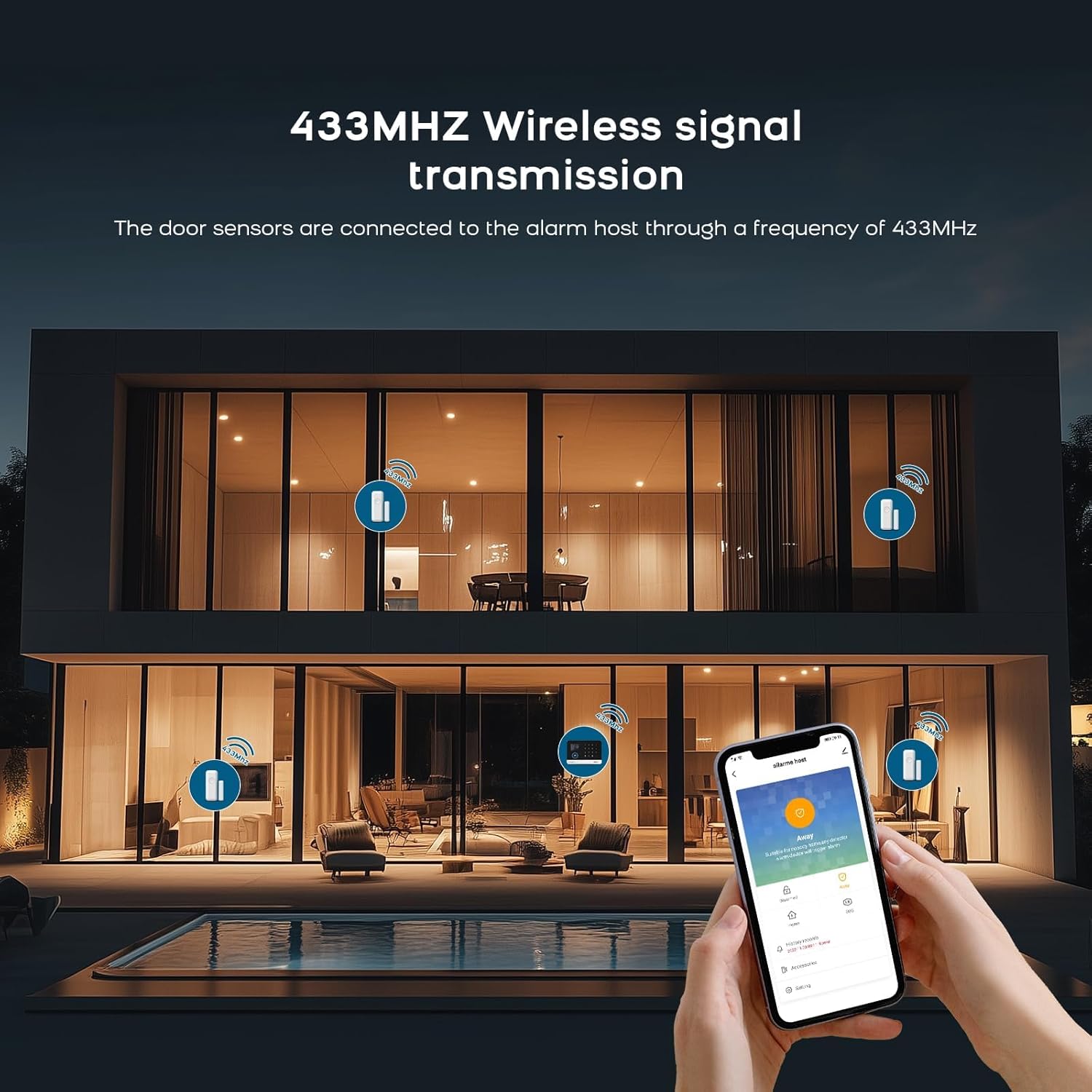
Image: Illustration of 433MHz wireless signal transmission from sensors to the alarm host.
Door/Window Contact Sensors:
- Identify the two parts of the sensor: the main unit and the magnetic strip.
- Mount the main unit on the door or window frame and the magnetic strip on the moving part (door/window) using the provided adhesive pads or screws.
- Ensure the two parts are aligned and within 1-2 cm of each other when the door/window is closed.
- When the door/window opens and the gap exceeds 1-2 cm, the sensor will trigger an alarm.
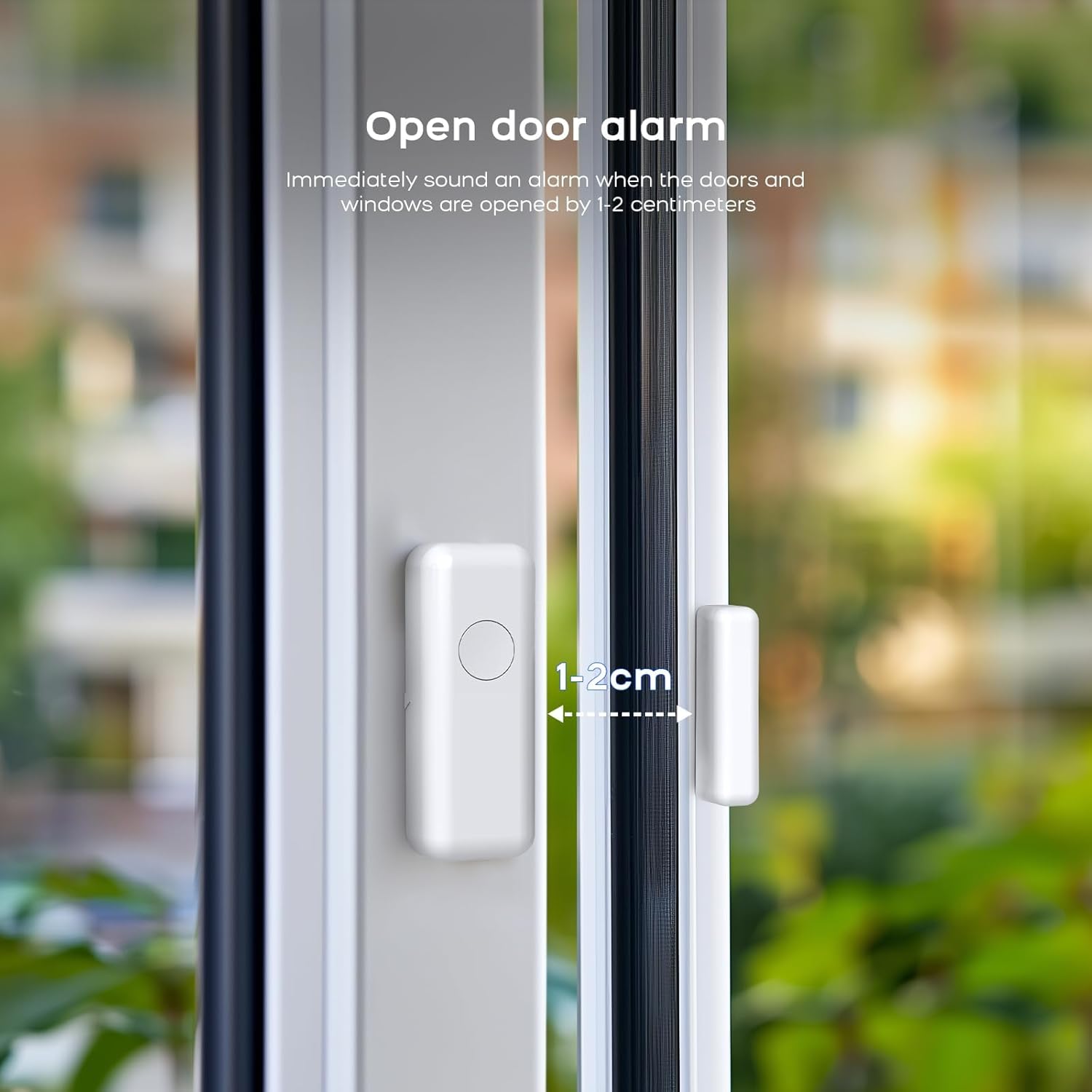
Image: Door sensor installation, illustrating the 1-2 cm trigger gap.

Image: Working principle of the door sensor alarm, showing closed (no alarm) and separated (alarm) states.
Ditekters tal-Mozzjoni PIR:
- Install motion detectors in areas where intruders are likely to pass, such as hallways or living rooms.
- Mount them at a height of approximately 2-2.5 meters for optimal coverage.
- Avoid placing them near heat sources, direct sunlight, or areas with strong air currents to prevent false alarms.

Image: Two PIR motion detectors.
4. Pairing Sensors and Remotes
Sensors and remote controls typically come pre-paired. If you need to add new sensors or re-pair existing ones, follow the instructions below or refer to the video tutorial.
To clear existing codes and re-pair a sensor:
Video: Instructions on how to clear existing codes and re-pair a sensor with the alarm system.
- On the receiver unit, press and hold the 'down arrow' button for 5 seconds to clear the code. The receiver will emit a sound.
- Press and hold the 'volume' button on the receiver for 5 seconds. The receiver will emit a 'ding' sound, and its indicator light will flash rapidly.
- Take the detector (e.g., door sensor or motion sensor) and activate it (e.g., separate the door sensor parts or wave your hand in front of the motion sensor) to send a signal to the receiver. The receiver will confirm pairing with a sound.
It-tħaddim tas-Sistema
1. Armar u Diżarmar
- Armar (Modalità 'l Bogħod): Press the 'Arm' button on the control panel, remote control, or via the app. All sensors will be active.
- Armar fid-Dar (Modalità Permanenza): Press the 'Home' button on the control panel, remote control, or via the app. Typically, perimeter sensors (door/window) are active, while internal motion sensors may be inactive to allow movement within the home.
- Iddiżarma: Enter your PIN on the control panel, press the 'Disarm' button on the remote control, or use the app.

Image: Remote control for arming and disarming the system.
2. Twissijiet u Notifiki
When a sensor is triggered while the system is armed, the siren will sound (100 dB), and you will receive instant notifications on your smartphone via the Tuya Smart or Smart Life app.
3. Integrazzjoni tal-Kontroll tal-Vuċi
The system is compatible with Amazon Alexa and Google Assistant. You can arm, disarm, or check the status of your alarm system using voice commands.
- Enable the Tuya Smart or Smart Life skill in your Alexa or Google Home app.
- Link your account and discover devices.
- Use commands like: "Alexa, arm my home" or "Hey Google, disarm the alarm."

Image: Voice control with Alexa and Google Assistant.
4. Customizing Ringtones
You can change the ringtone of your alarm system. Refer to the video below for detailed instructions.
Video: Instructions on how to change the ringtone of the alarm system.
- On the receiver unit, press the 'up arrow' or 'down arrow' buttons to cycle through and select your preferred ringtone.
- Press and hold the 'volume' button on the receiver for 5 seconds. The receiver will emit a 'ding' sound, and its indicator light will flash rapidly.
- Take the detector and activate it to send a signal to the receiver. The receiver will confirm the new ringtone with a sound.
Manutenzjoni
1. Sostituzzjoni tal-batterija
Sensors are battery-powered. When a sensor's battery is low, the system will typically notify you via the app. Replace batteries promptly to ensure continuous protection.
- Refer to the specific sensor model for battery type (e.g., CR2032, AAA).
- Iftaħ is-sensor c bir-reqqaasing, replace the old battery with a new one, ensuring correct polarity.
- Agħlaq il-ċasing b'mod sigur.
2. Tindif
Wipe the control panel and sensors with a soft, dry cloth. Do not use liquid cleaners or abrasive materials, as these can damage the device.
Issolvi l-problemi
- Is-sistema mhux qed tikkonnettja mal-Wi-Fi: Ensure your Wi-Fi network is 2.4 GHz. Check Wi-Fi password and signal strength. Restart the control panel and try again.
- Is-senser mhux qed jattiva l-allarm: Check sensor battery. Ensure the sensor parts are within the recommended distance (1-2 cm for door/window sensors). Re-pair the sensor if necessary (refer to the 'Clearing codes and re-pairing' video in the Setup section).
- Allarmi foloz: For motion detectors, ensure they are not placed near heat sources, vents, or in direct sunlight. Adjust sensitivity settings if available.
- Notifiki tal-app mhux riċevuti: Check your phone's notification settings for the Tuya Smart/Smart Life app. Ensure the app is running in the background and has internet access.
Speċifikazzjonijiet
| Karatteristika | Dettall |
|---|---|
| Brand | PGST |
| Numru tal-Mudell | A519W (B67R) |
| Teknoloġija tal-Konnettività | Wireless (2.4 GHz Wi-Fi, 433 MHz for sensors) |
| Sors tal-Enerġija | Battery Powered (sensors), Mains Powered (control panel) |
| Apparati Kompatibbli | Smartphone (Tuya Smart/Smart Life App), Alexa, Google Assistant |
| Tip ta 'allarm | Awdjo u Mozzjoni |
| Livell tas-Sirena | 100 Deċibel |
| Teknoloġija tas-Sensers | Magnetic Sensor (door/window), PIR (motion) |
| Dimensjonijiet tal-oġġett (L x W x H) | 7.6 x 7.6 x 5.1 centimeters (Control Panel) |
| Kompożizzjoni tal-batterija | Lithium-ion (for some components) |
Garanzija u Appoġġ
PGST products are certified EN 50131 and come with a 3-year warranty. For technical assistance or warranty claims, please contact PGST customer support.
- Backup tal-batterija: The system includes a 24-hour battery backup. An optional PGST-PWR100 battery can extend this to 72 hours.
- Medda tas-Sensor: Up to 150m in open areas, 50m in urban environments.
- Dual-Band Frequency: Sensors operate on 868 MHz / 2.4 GHz to minimize interference.
- Espandibbiltà: The system is expandable with additional sensors.
- Konsum tal-Enerġija: Approximately 3 W/h in standby mode.
For further assistance, consult the digital manual available in 8 languages via the app or visit the official PGST websit.