
1. Introduzzjoni
This manual provides instructions for the Strex SP324 LED Bicycle Light Set, designed to enhance visibility and safety during cycling. The set includes a powerful 1600 lumen front light and a reliable rear light, both USB rechargeable. Please read this manual thoroughly before use to ensure proper operation and maintenance.
2. Istruzzjonijiet tas-Sigurtà
- Always ensure both the front and rear lights are securely mounted before each ride.
- Do not look directly into the front light beam to avoid potential eye damage.
- Żomm il-prodott fejn ma jintlaħaqx mit-tfal.
- Uża biss il-kejbil USB-C provdut jew wieħed ekwivalenti ċċertifikat għall-iċċarġjar.
- Do not attempt to disassemble, modify, or repair the lights yourself. Contact support if issues arise.
- Ensure the USB port cover is properly sealed after charging to maintain the IP65 water resistance.
- Adhere to local traffic laws and regulations regarding bicycle lighting.
3. Kontenut tal-Pakkett
Ivverifika li l-oġġetti kollha huma preżenti fil-pakkett:
- 1x Strex LED Front Bicycle Light
- 1x Strex LED Rear Bicycle Light
- 1x USB-C Iċċarġjar Cable
- 1x 360° Mounting Bracket (for front light)
- 1x Manwal għall-Utent
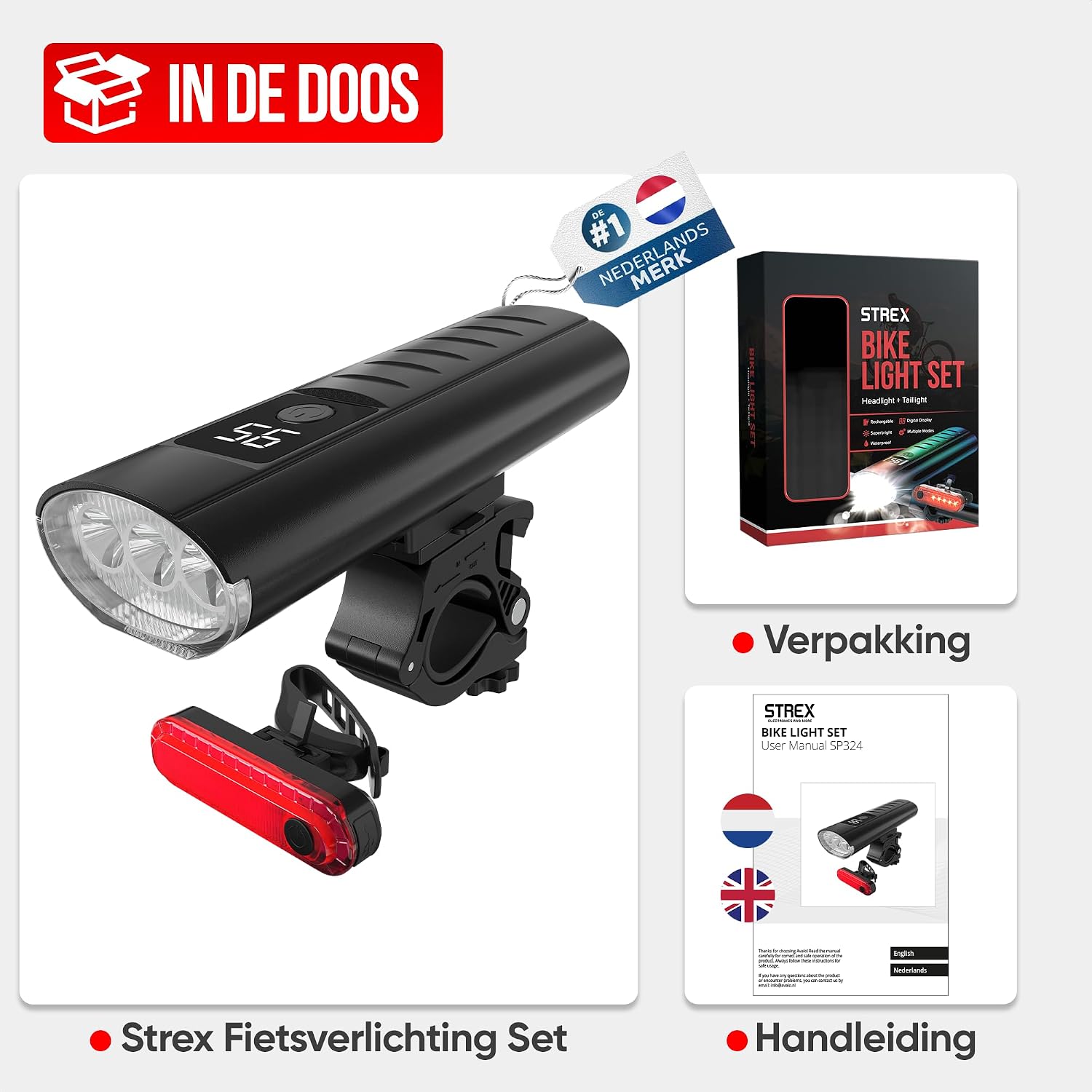
Image: Package contents including front light, rear light, USB-C cable, and user manual.
4. Setup
4.1. Front Light Installation
- Attach the 360° mounting bracket to your bicycle handlebar. Ensure it is tightened securely.
- Slide the front light onto the bracket until it clicks into place.
- Adjust the angle of the light to illuminate the path ahead without blinding oncoming traffic. The 360° rotation allows for precise positioning.
4.2. Rear Light Installation
- Wrap the integrated strap of the rear light around your bicycle's seat post or another suitable location.
- Secure the strap firmly to prevent movement during your ride.
- Ensure the rear light is clearly visible to traffic approaching from behind.

Image: Front and rear lights mounted on a bicycle, illustrating ease of installation.
5. Istruzzjonijiet Operattivi
5.1. Front Light Operation
The front light features 3 T6 LEDs and offers 6 lighting modes:
- Biex Tixgħel/Tfi: Agħfas u żomm il-buttuna tal-qawwa għal madwar 2 sekondi.
- Biex Tibdel il-Modalitajiet: Briefly press the power button to cycle through the modes: Għoli (1600 lumens), Medju (800 lumens), Baxx (400 lumens), Flash, SOS, u Xempju.

Image: Front light modes (High, Medium, Low, Fast Flash, SOS, Beacon).

Image: Front light battery duration for High, Medium, and Low modes.
5.2. Rear Light Operation
The rear light provides enhanced visibility with its red LED and 4 lighting modes:
- Biex Tixgħel/Tfi: Agħfas u żomm il-buttuna tal-qawwa għal madwar 2 sekondi.
- Biex Tibdel il-Modalitajiet: Briefly press the power button to cycle through the modes: Luminożità Sħiħa, Flowing Effect, Flashing Effect, u ChasinEffett g.

Image: Rear light modes (Full Brightness, Flowing Effect, Flashing Effect, Chasing Effect).
6. Iċċarġjar
6.1. Front Light Charging & Power Bank Function
The front light is equipped with a 5400mAh rechargeable battery and a USB-C port.
- Locate the USB-C charging port on the front light, usually covered by a rubber flap.
- Open the flap and connect the provided USB-C cable to the port.
- Connect the other end of the USB-C cable to a suitable USB power source (e.g., wall adapter, computer USB port, power bank).
- The battery indicator on the light will show the charging status. A full charge can provide up to 23 hours of illumination in the lowest mode.
- Funzjoni tal-Bank tal-Enerġija: The front light can also be used to charge other devices (e.g., smartphones) via its USB-C port. Connect your device to the front light using a compatible USB-C cable.
- After charging, ensure the USB port cover is securely closed to maintain water resistance.
6.2. Rear Light Charging
The rear light is also USB rechargeable.
- Locate the USB charging port on the rear light, typically under a protective cover.
- Connect the USB-C cable to the port and to a USB power source.
- The indicator light on the rear light will show charging status.
- After charging, ensure the USB port cover is securely closed.
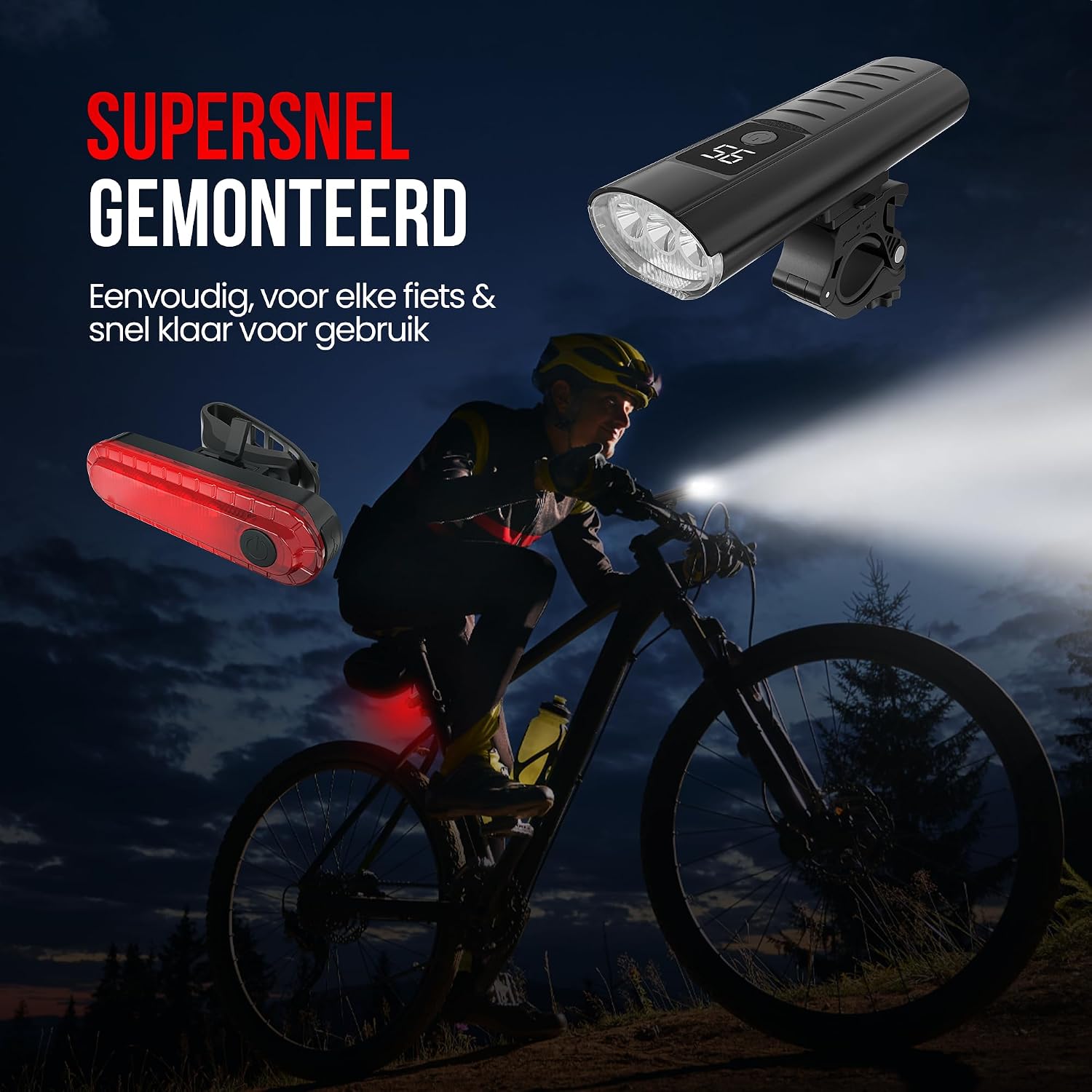
Image: Front light charging via USB-C and functioning as a power bank.
7. Manutenzjoni
- Tindif: Naddaf id-dwal b'artab, damp cloth. Do not use abrasive cleaners, solvents, or harsh chemicals, as these can damage the housing or lens.
- Reżistenza għall-Ilma: The lights are IP65 water-resistant, meaning they are protected against dust and low-pressure water jets. They are suitable for use in rainy weather but should not be submerged in water. Always ensure the USB port covers are properly sealed.
- Ħażna: When not in use for extended periods, store the lights in a cool, dry place. It is recommended to charge the batteries every 3-6 months to maintain battery health.

Image: Front light demonstrating IP65 water resistance.
8 Issolvi l-problemi
- Id-dawl ma jixgħelx: Check the battery level. If low, recharge the light using the provided USB-C cable.
- Id-dawl mhux qed jiċċarġja: Ensure the USB-C cable is properly connected to both the light and the power source. Try a different USB port or charger. Verify the charging port is clean and free of debris.
- Dawl jitteptep jew baxx: This usually indicates a low battery. Recharge the light fully.
- Mounting bracket loose: Re-tighten the mounting bracket on the handlebar. Ensure the light is securely clicked into the bracket.
- Dħul tal-ilma: If water enters the light, immediately turn it off and allow it to dry completely. Ensure the USB port cover is always sealed when not charging.
9. Speċifikazzjonijiet
| Karatteristika | Speċifikazzjoni |
|---|---|
| Numru tal-Mudell | SP324 |
| Front Light Source | 3 T6 LEDs |
| Luminożità Massima | 1600 Lumens |
| Front Light Battery | 5400mAh, USB-C rechargeable |
| Modi tad-Dawl ta 'quddiem | 6 (High, Medium, Low, Flash, SOS, Beacon) |
| Rear Light Modes | 4 (Full Brightness, Flowing Effect, Flashing Effect, Chasing Effect) |
| Materjal | Aluminju |
| Livell ta 'Reżistenza għall-Ilma | IP65 (Li ma jgħaddix ilma) |
| Tip ta 'Immuntar | Handlebar mount (front), Strap mount (rear) |
| Product Dimensions (Front Light) | 12.5L x 4.5W x 2.8H ċm |
| Piż tal-oġġett | 225 Gramm |
| Pajjiż ta' Oriġini | Iċ-Ċina |
10. Garanzija
This Strex product is covered by a manufacturer's warranty for 1 sena mid-data tax-xiri. Din il-garanzija tkopri difetti fil-materjali u l-abbilità taħt użu normali. Ma tkoprix ħsara kkawżata minn użu ħażin, inċidenti, modifiki mhux awtorizzati, jew xedd u kedd normali. Jekk jogħġbok żomm il-prova tax-xiri tiegħek għal talbiet ta' garanzija.
11. Appoġġ
For technical support, warranty claims, or any other inquiries regarding your Strex SP324 LED Bicycle Light Set, please contact Strex customer service through the retailer where you purchased the product or visit the official Strex websit għal informazzjoni ta' kuntatt.