
1. Prodott Aktarview
The AWANFI YG-811 Two-Way Radios provide reliable communication for various activities. This manual details the setup, operation, and maintenance of your device to ensure optimal performance and longevity.
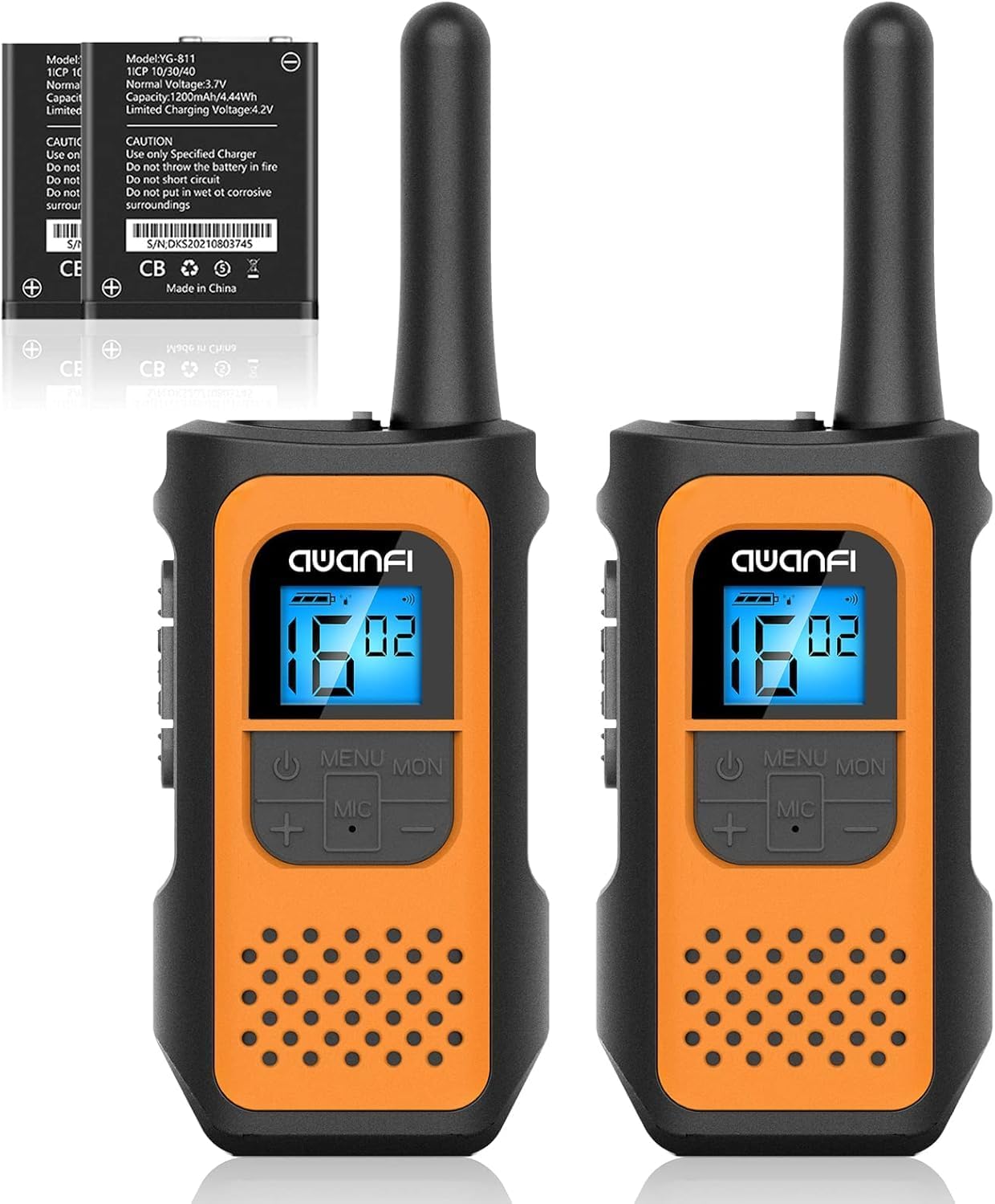
Image 1.1: AWANFI YG-811 Two-Way Radios. This image displays two orange and black walkie-talkies, highlighting their compact design and digital display.
2. Kontenut tal-Pakkett
Jekk jogħġbok ivverifika li l-oġġetti kollha huma preżenti fil-pakkett tiegħek:
- 2 x AWANFI Walkie Talkies
- 2 x Clips taċ-ċinturin
- 1 x 2-in-1 Type-C Cable
- 1 x Manwal tal-Utent (dan id-dokument)
3. Karatteristiċi tal-prodott
- Rechargeable 1200mAh Li-ion Battery: Jipprovdi sa 24-il siegħa ta 'ħajja tal-batterija fuq ħlas wieħed.
- Iċċarġjar USB tat-Tip C: Convenient and efficient charging.
- 22-il kanal: Offers a wide range of communication options.
- 99 Privacy Codes: Ensures private communication.
- VOX (Skambju Operat bil-Vuċi): Enables hands-free communication.
- Flashlight Integrata: Useful for low-light conditions.
- Lock tat-tastiera: Jipprevjeni bidliet aċċidentali fis-settings.
- Skanjar Awtomatiku: Automatically scans for active channels.
- 10 Call Tone Alerts: Customizable alert sounds.
- SOS Siren: Għal sinjalar ta' emerġenza.
- Disinn kompatt u ħafif: Easy to carry with included lanyards and belt clips.
- Back-lit Display: Improves visibility in various lighting conditions.
- Tnaqqis tal-Ħsejjes: Enhances audio clarity.
- Sistema ta' Squelch: Reduces background noise.
- Protezzjoni kontra l-qatra: Durable environmental protection shell.
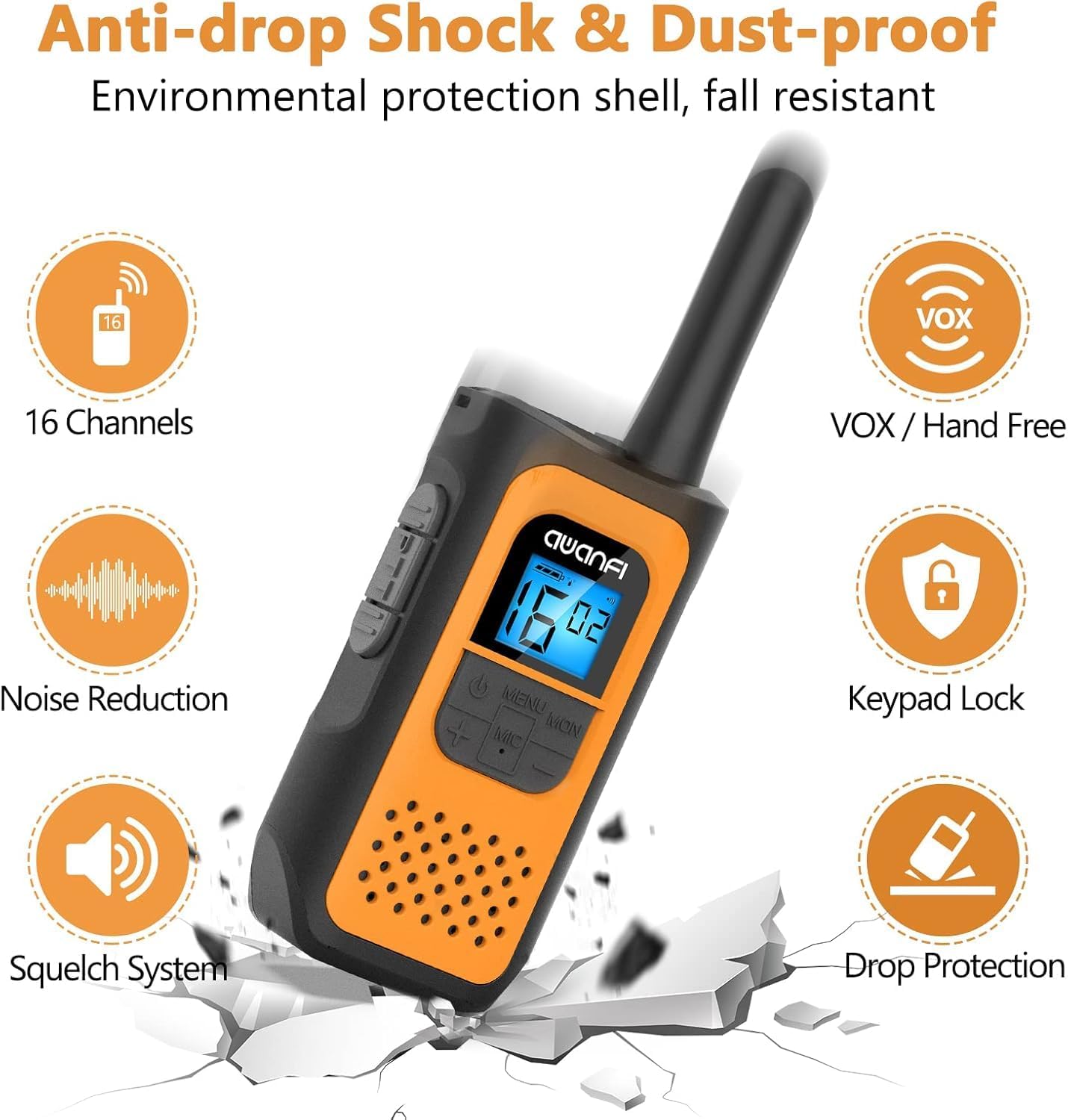
Image 3.1: Key Features of the AWANFI YG-811. This graphic illustrates the main functionalities such as VOX, Keypad Lock, and Noise Reduction.
4. Identifikazzjoni tal-Komponent
Familiarize yourself with the various parts of your AWANFI Two-Way Radio:

Image 4.1: AWANFI YG-811 Component Diagram. This image labels the antenna, earphone jack, charge jack, PTT button, power button, microphone/speaker, LCD display, menu/lock button, up button, and down button.
- Antenna: Għat-trażmissjoni u r-riċeviment tas-sinjali.
- Jack tal-widna: Connect external audio accessories.
- Charge Jack: Port USB tat-Tip Ċ għall-iċċarġjar.
- PTT Button (Push-To-Talk): Agħfas u żomm biex tittrażmetti leħnek.
- Buttuna tal-Qawwa: Ixgħel/itfi r-radju.
- Mikrofonu/Kelliem: For speaking and listening.
- Display LCD: Shows channel, battery status, and other settings.
- MENU/MON Button: Accesses menu settings or monitors channels.
- Buttuna 'l fuq (+): Navigates menu or increases values.
- Buttuna 'L ISFEL (-): Navigates menu or decreases values.
5. Setup
5.1 Installazzjoni tal-batterija
The AWANFI YG-811 uses a 1200mAh Li-ion battery. Ensure the battery is correctly installed before first use.
- Iftaħ l-għatu tal-kompartiment tal-batterija fuq wara tar-radju.
- Insert the Li-ion battery, ensuring the contacts align correctly.
- Agħlaq l-għatu tal-kompartiment tal-batterija sew.

Image 5.1: Battery Installation and Safety. This image illustrates how to insert the 1200mAh Li-ion battery and highlights its safety features like overcharge protection and IEC62133 certification.
5.2 Iċċarġjar tal-batterija
Charge the walkie-talkie fully before initial use. Use the provided Type-C cable for charging.
- Connect the Type-C cable to the charge jack on the side of the radio.
- Connect the other end of the cable to a compatible USB power adapter, power bank, or car charger.
- L-indikatur tal-batterija fuq id-displej LCD se juri l-istatus tal-iċċarġjar.
- Charging is complete when the battery indicator shows full.
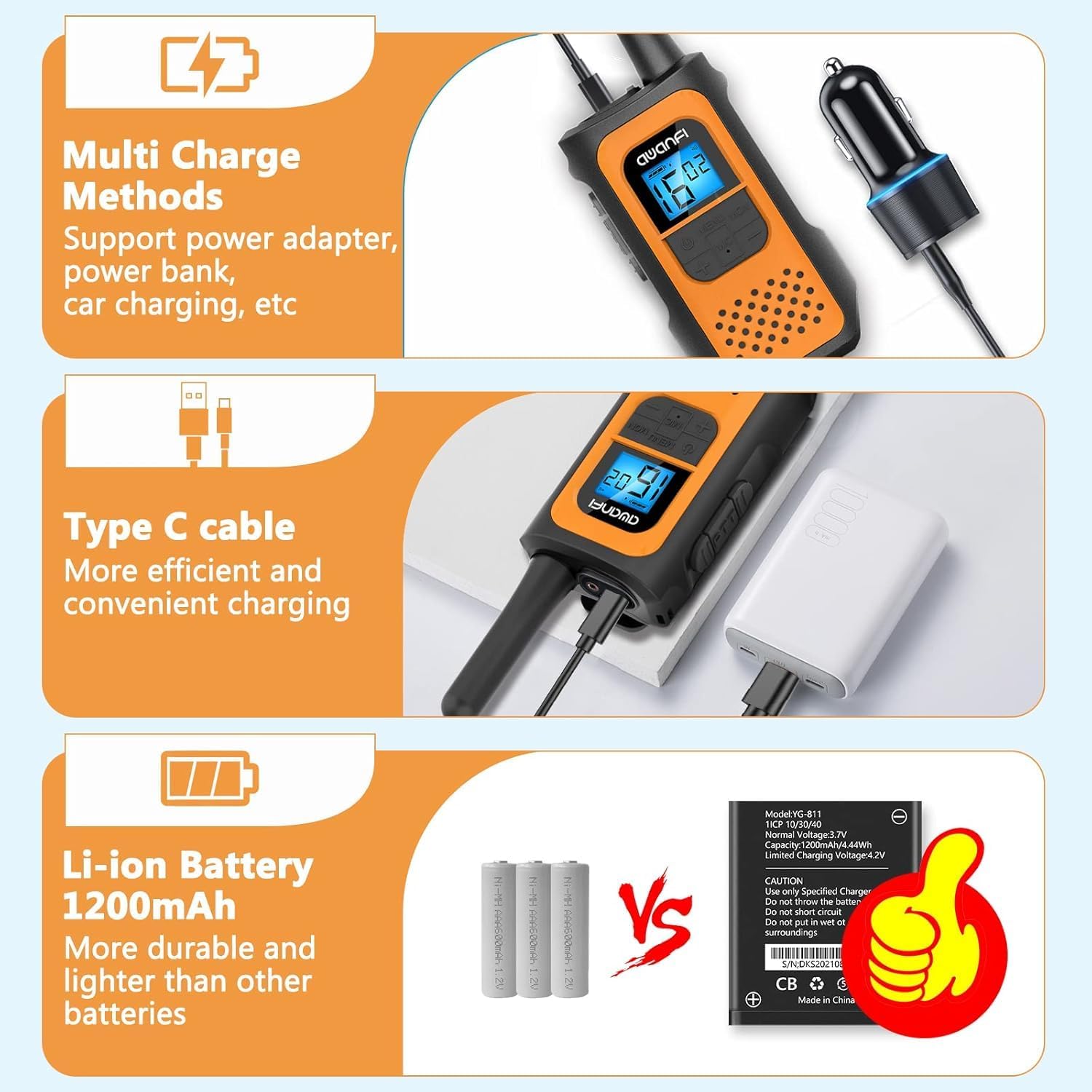
Image 5.2: Multi-Charge Methods. This image demonstrates various ways to charge the walkie-talkie using the Type-C cable, such as with a power adapter, power bank, or car charger.
5.3 Tixgħel/Jitfi
- Biex Tixgħel: Press and hold the Power Button until the LCD display illuminates.
- Biex Tifi: Press and hold the Power Button until the LCD display turns off.
6. Istruzzjonijiet Operattivi
6.1 Għażla ta' Kanal
- Agħfas il-buttuna MENU biex tidħol fil-menu.
- Use the UP (+) or DOWN (-) buttons to navigate to the channel setting.
- Press MENU again to select the channel.
- Use UP (+) or DOWN (-) to choose your desired channel (1-22).
- Press MENU to confirm, then press PTT or wait for the menu to exit automatically.
6.2 Issettjar tal-Kodiċijiet tal-Privatezza (CTCSS/DCS)
Privacy codes help reduce interference from other users on the same channel.
- Press the MENU button repeatedly until the privacy code setting appears.
- Use UP (+) or DOWN (-) to select a privacy code (01-99).
- Press MENU to confirm, then press PTT or wait for the menu to exit automatically.
- Ensure all radios in your group are set to the same channel and privacy code.
6.3 Trażmissjoni u Riċeviment
- Biex Tittrażmetti: Press and hold the PTT button. Speak clearly into the microphone. Release the PTT button when finished speaking.
- Biex Tirċievi: The radio will automatically receive transmissions when the PTT button is not pressed and you are on the same channel and privacy code as the transmitting party.
6.4 Funzjoni VOX (Komunikazzjoni Hands-Free)
When VOX is enabled, the radio transmits automatically when it detects your voice.

Image 6.1: VOX Function in Use. This image shows two individuals hiking, with walkie-talkies attached to their backpacks, illustrating the convenience of hands-free communication.
- Press the MENU button repeatedly until the VOX setting appears.
- Use UP (+) or DOWN (-) to select a VOX sensitivity level (e.g., 1-3, with 3 being most sensitive). Select 'OFF' to disable.
- Press MENU to confirm, then press PTT or wait for the menu to exit automatically.
6.5 Serratura tat-Tastiera
Biex tevita bidliet aċċidentali fis-settings:
- Biex Tissakkar: Press and hold the MENU/MON button until the lock icon appears on the display.
- Biex Nisfruttaw: Press and hold the MENU/MON button again until the lock icon disappears.
6.6 Flashlight
The integrated flashlight can be activated for illumination in dark environments.
- Consult the specific button assignment in your radio's menu or quick guide for flashlight activation, typically a long press of a specific button (e.g., UP or DOWN button).
6.7 Range Information
The communication range varies depending on terrain and conditions.

Image 6.2: Communication Range. This graphic provides estimated ranges for different environments: up to 5km in mountainous areas, up to 3km in open water, and up to 1.5km in urban neighborhoods.
- Mountain to Valley: Sa 5 km
- Open Water: Sa 3 km
- Viċinat: Sa 1.5 km
7. Manutenzjoni
7.1 Kura tal-Batterija
- Tesponix il-batterija għal temperaturi estremi.
- Evita short-circuiting tat-terminali tal-batterija.
- Erġa' ċċarġja l-batterija regolarment, anke jekk ma tkunx qed tintuża, biex iżżomm il-ħajja tagħha.
- Uża biss il-ċarġer speċifikat.
7.2 Tindif
- Imsaħ ir-radju b'artab, damp drapp.
- Tużax kimiċi ħarxa jew tindif li joborxu.
- Kun żgur li r-radju jkun niexef qabel l-użu jew il-ċarġjar.
7.3 Ħażna
- Aħżen ir-radju f'post frisk u niexef meta ma tkunx qed tużah.
- Neħħi l-batterija jekk se taħżinha għal perjodi twal.
7.4 Reżistenza għall-Ilma
Please note that the AWANFI YG-811 Two-Way Radio is Mhux Reżistenti għall-Ilma. Avoid exposure to water or high humidity to prevent damage.
8 Issolvi l-problemi
| Problema | Kawża Possibbli | Soluzzjoni |
|---|---|---|
| Ebda qawwa | Batterija baxxa jew mhux installata sew. | Iċċarġja l-batterija. Erġa' installa l-batterija, waqt li tiżgura kuntatt xieraq. |
| Ma jistax jittrażmetti jew jirċievi | Incorrect channel/privacy code. Out of range. Battery low. | Verify all radios are on the same channel and privacy code. Move closer to other radios. Charge the battery. |
| Kwalità fqira tal-awdjo | Sinjal dgħajjef. Interferenza. | Move to an open area. Change channel/privacy code. |
| It-tastiera ma tirrispondix | Il-lock tat-tastiera huwa attiv. | Unlock the keypad by pressing and holding the MENU/MON button. |
9. Speċifikazzjonijiet
- Numru tal-Mudell: YG-811
- Ditta: AWANFI
- Numru ta' kanali: 22
- Tip ta 'batterija: 1200mAh Li-ion (Nonstandard Battery)
- Medda ta' Taħdit Massimu: 3 Kilometers (Open Water)
- Livell ta' Reżistenza għall-Ilma: Mhux Reżistenti għall-Ilma
- Manifattur: Shenzhen yizhongge Electronic Co., Ltd
10. Garanzija u Appoġġ
Your AWANFI YG-811 Two-Way Radio comes with a 1-Sena Garanzija mid-data tax-xiri.
For technical support, warranty claims, or further assistance, please contact AWANFI customer service through the retailer where the product was purchased or visit the official AWANFI websit.
Jekk jogħġbok żomm il-prova tax-xiri tiegħek għal skopijiet ta' garanzija.