1. Introduzzjoni
This manual provides detailed instructions for the safe and effective use of your AWANFI 2AYV7YG-811 Two-Way Radios. Please read this manual thoroughly before operating the device and retain it for future reference. These radios are designed for reliable communication over short to medium distances, featuring 22 channels and rechargeable batteries.
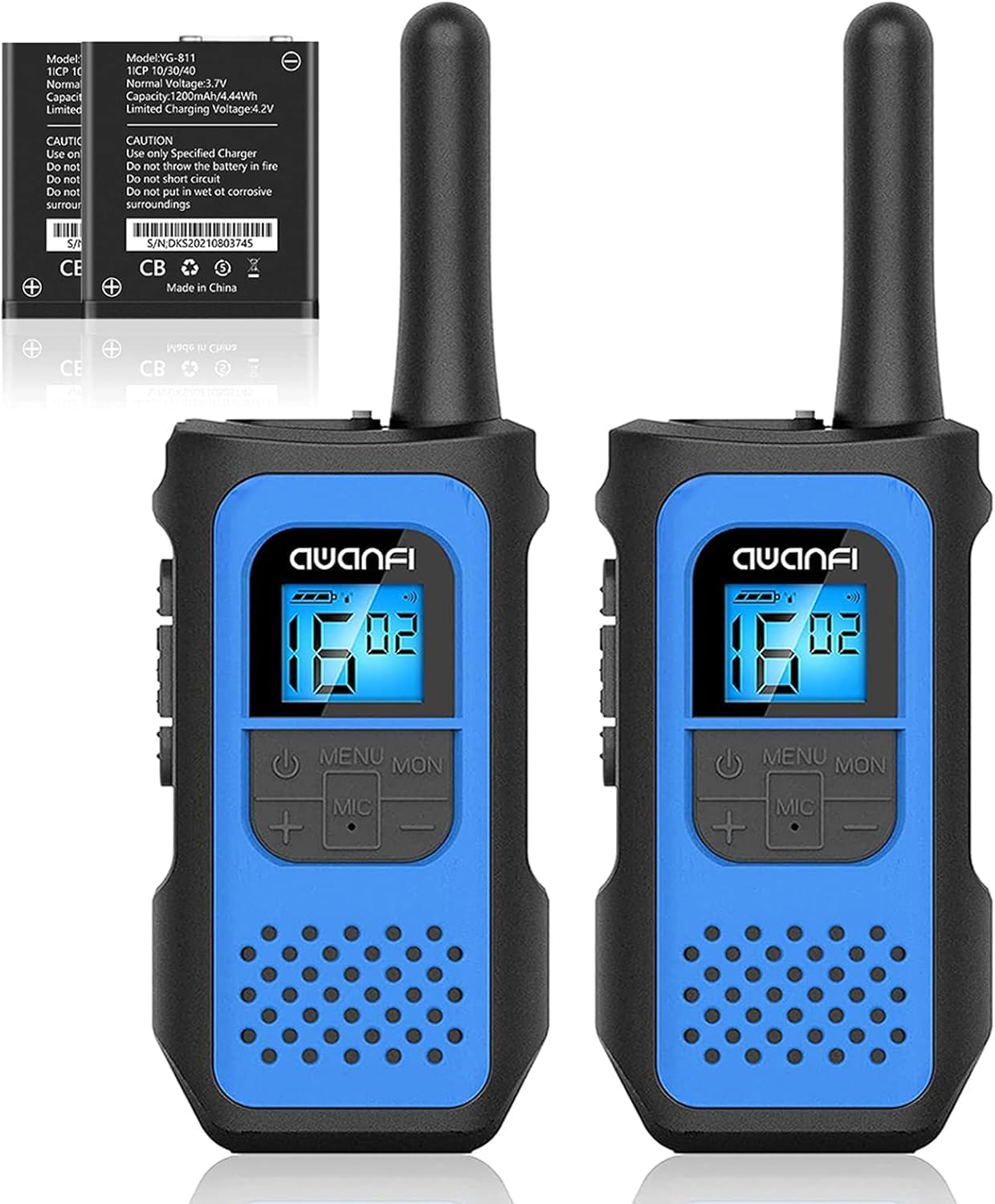
Image 1.1: AWANFI 2AYV7YG-811 Two-Way Radio. This image displays the front view of the AWANFI two-way radio, highlighting its compact design and main controls.
2. Lista tal-Partijiet
Kun żgur li l-oġġetti kollha elenkati hawn taħt huma preżenti fil-pakkett tiegħek:
- 2 x AWANFI Two-Way Radios (Model: 2AYV7YG-811)
- 3 x Clips taċ-ċinturin
- 1 x Cable tal-Iċċarġjar tat-Tip-C 3-in-1
- 1 x Manwal tal-Utent (dan id-dokument)
3. Setup
3.1. Installazzjoni u Iċċarġjar tal-batterija
- Ħlas Inizjali: Before first use, fully charge the radios. Connect the 3-in-1 Type-C charging cable to the charging port on the radio and to a compatible USB power adapter (not included).
- Indikatur tal-Iċċarġjar: The radio's display or an indicator light will show charging status. A full charge typically takes several hours.
- Tip ta 'batterija: The radios use 1200mAh Li-ion rechargeable batteries. Do not attempt to replace with non-standard batteries.
3.2. Twaħħil tal-Klipp taċ-Ċinturin
- Align the belt clip with the designated slots on the back of the radio.
- Slide the clip downwards until it clicks securely into place.
- To remove, lift the tab on the belt clip and slide it upwards.
4. Operazzjoni
4.1. Power On/Off
- Biex Tixgħel: Agħfas u żomm il- Qawwa / Menu Agħfas il-buttuna sakemm id-displej jixgħel.
- Biex Tifi: Agħfas u żomm il- Qawwa / Menu buttuna sakemm il-wiri jintefa.
4.2. Għażla tal-Kanal
- The radios feature 22 available channels.
- Agħfas il- Menu button once to enter channel selection mode.
- Uża l- Up or Down buttuni biex tagħżel il-kanal mixtieq tiegħek.
- Agħfas il- PTT buttuna jew Menu buttuna għal darb'oħra biex tikkonferma u toħroġ.
- Nota: Iż-żewġ radjijiet għandhom ikunu fuq l-istess kanal biex jikkomunikaw.
4.3. Kodiċijiet tal-Privatezza (CTCSS/DCS)
The radios support 99 privacy codes (CTCSS/DCS) to help reduce interference from other users on the same channel. When a privacy code is set, you will only hear transmissions from radios using the same channel and privacy code.
- Agħfas il- Menu Agħfas il-buttuna darbtejn biex tidħol fil-modalità tal-għażla tal-kodiċi tal-privatezza.
- Uża l- Up or Down buttons to select a privacy code.
- Agħfas il- PTT buttuna jew Menu buttuna għal darb'oħra biex tikkonferma.
4.4. Imbotta biex Titkellem (PTT)
- Biex tittrażmetti, agħfas u żomm il-buttuna PTT buttuna li tinsab fuq il-ġenb tar-radju. Tkellem b'mod ċar fil-mikrofonu.
- Irrilaxxa l- PTT buttuna biex tisma' għal tweġiba.
4.5. VOX (Skambju Operat bil-Vuċi)
VOX allows for hands-free operation. When activated, the radio will automatically transmit when it detects your voice.
- Agħfas il- Menu button multiple times until the VOX icon appears on the display.
- Uża l- Up or Down buttuni biex tagħżel livell ta' sensittività VOX (eż., 1-3, fejn 3 huwa l-aktar sensittiv).
- Agħfas il- PTT buttuna jew Menu buttuna għal darb'oħra biex tikkonferma.
4.6. Call Alert
To send an audible alert tone to other radios on the same channel:
- Agħfas il- Ċempel button (usually a dedicated button or a function accessed via the Menu). The radio will transmit a distinct tone.
4.7. Integrated Flashlight
Ir-radju jinkludi flashlight integrata għall-konvenjenza f'kundizzjonijiet ta' dawl baxx.
- Agħfas il- Flashlight button (or a designated function key) to turn the flashlight on or off.
4.8. Serratura tat-Tastiera
Biex tevita bidliet aċċidentali fis-settings:
- Agħfas u żomm il- Lock button (or a combination like Menu + 'l fuq/' l isfel) until a lock icon appears on the display.
- Irrepeti l-azzjoni biex tiftaħ it-tastiera.
4.9. Auto Scan
The Auto Scan feature allows the radio to automatically scan through channels to find active transmissions.
- Agħfas il- Skennja button (or a designated function key) to activate channel scanning.
- The radio will stop on an active channel. Press PTT to transmit on that channel or Skennja għal darb'oħra biex tkompli l-iskennjar.
5. Manutenzjoni
5.1. Tindif
- Imsaħ il-barra tar-radju b'ċarruta ratba uamp drapp. Tużax kimiċi ħarxa jew tindif li joborxu.
- Kun żgur li l-port tal-iċċarġjar ikun ħieles mit-trab u l-fdalijiet.
5.2. Kura tal-batterija
- Biex timmassimizza l-ħajja tal-batterija, evita li tiċċarġja kompletament il-batterija ta' spiss.
- Aħżen ir-radju f'post frisk u niexef meta ma tkunx qed tużah għal perjodi twal.
- Recharge the battery at least once every three months if stored for long durations.
5.3. Ħażna
- Store the radios in a dry environment, away from direct sunlight and extreme temperatures.
- Żomm fejn ma jintlaħaqx mit-tfal.
6 Issolvi l-problemi
| Problema | Kawża Possibbli | Soluzzjoni |
|---|---|---|
| Ebda qawwa | Batterija skargata jew installata ħażin. | Charge the battery. Ensure battery is correctly seated. |
| Ma nistax nikkomunika ma' radjijiet oħra | Radios on different channels or privacy codes. Out of range. | Kun żgur li r-radjijiet kollha huma fuq l-istess kanal u kodiċi ta' privatezza. Ersaq eqreb lejn ir-radju l-ieħor. |
| Kwalità fqira tal-awdjo | Sinjal dgħajjef, interferenza, jew batterija baxxa. | Move to an open area. Check battery level. Avoid sources of interference. |
| It-tastiera ma tirrispondix | Il-lock tat-tastiera huwa attiv. | Unlock the keypad (refer to section 4.8). |
7. Speċifikazzjonijiet
- Mudell: 2AYV7YG-811
- Ditta: AWANFI
- Numru ta' kanali: 22 Kanal FRS
- Kodiċijiet tal-Privatezza: 99 (CTCSS/DCS)
- Medda ta' Taħdit Massimu: Up to 3 Kilometers (in open fields)
- Tip ta 'batterija: 1200mAh Li-ion Rechargeable Battery (2 required)
- Iċċarġjar: USB Tip-Ċ
- Karatteristiċi Speċjali: Call Alert, Integrated Flashlight, Keypad Lock, VOX, Auto Scan, 10 Call Tone Alerts, SOS Siren
- Livell ta' Reżistenza għall-Ilma: Mhux Reżistenti għall-Ilma
- Komponenti Inklużi: 2 x Radios, 3 x Belt Clips, 1 x 3-in-1 Type-C Cable, User Manual
8. Garanzija u Appoġġ
8.1. Informazzjoni dwar Garanzija
This AWANFI product is covered by a Garanzija Limitata ta' 1 Snin from the date of purchase. This warranty covers manufacturing defects in materials and workmanship under normal use. It does not cover damage caused by misuse, accidents, unauthorized modifications, or normal wear and tear. Please retain your proof of purchase for warranty claims.
8.2. Appoġġ għall-Klijent
For technical assistance, troubleshooting, or warranty inquiries, please contact AWANFI customer support. Refer to the contact information provided on the product packaging or the official AWANFI webis-sit għad-dettalji ta' appoġġ l-aktar aġġornati.
Manifattur: Shenzhen yizhongge Electronic Co., Ltd