
Bemi BRCT5
Bemi Cognita Tab 5 E-Reader User Manual
Model: BRCT5
1. Introduzzjoni
This manual provides essential instructions for the setup, operation, and maintenance of your Bemi Cognita Tab 5 E-Reader. The Cognita Tab 5 is a lightweight e-reader designed for comfortable reading, featuring a 5.76-inch e-paper display, Android 8.1 operating system, and Wi-Fi connectivity. Please read this manual thoroughly to ensure proper use and to maximize your device's potential.
2. Kontenut tal-Pakkett
Upon unpacking your Bemi Cognita Tab 5, please verify that all the following items are included:
- Bemi Cognita Tab 5 E-Reader
- Cable tal-Iċċarġjar tal-USB
- Gwida Quick Start
- Manwal għall-Utent (dan id-dokument)
- Karta ta' Garanzija

Image: Contents of the Bemi Cognita Tab 5 E-Reader package, including the device, charging cable, and documentation.
3. Device Overview
Familiarize yourself with the physical components of your Bemi Cognita Tab 5.
3.1 Quddiem View
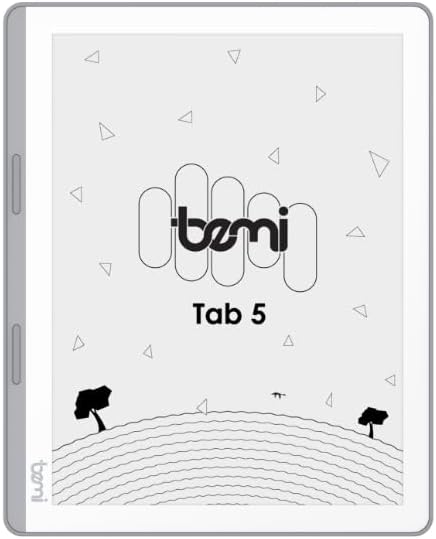
Immaġni: Quddiem view of the Bemi Cognita Tab 5 E-Reader, showing the e-paper display and side buttons.
- Wirja tal-E-Paper: 5.76-inch screen with 920x680 resolution (198 ppi) and anti-glare coating.
- Buttuni biex iddawwar il-paġna: Located on the side for convenient navigation through content.
3.2 Lura View

Immaġni: Wara view of the Bemi Cognita Tab 5 E-Reader, highlighting its textured surface and branding.
- Rubberized Casing: Provides a secure grip and durability.
3.3 Portijiet u Buttuni
- Buttuna tal-Qawwa: Used to turn the device on/off and put it to sleep.
- Port USB: Għall-iċċarġjar u t-trasferiment tad-dejta.
- Slott tal-Karta MicroSD: Għall-espansjoni tal-ħażna sa 64GB.
- Jack tal-headphone: Għall-output tal-awdjo.
4. Setup
4.1 Iċċarġjar inizjali
Before first use, fully charge your Bemi Cognita Tab 5. Connect the provided USB cable to the device's USB port and plug the other end into a compatible USB power adapter (not included) or a computer's USB port. The charging indicator will show the charging status.
4.2 Power On/Off
- Biex Tixgħel: Press and hold the Power button until the screen activates.
- Biex Tifi: Press and hold the Power button, then select 'Power Off' from the options that appear on the screen.
- Biex Torqod/Tqum: Briefly press the Power button to put the device to sleep or wake it up.
4.3 Navigazzjoni Bażika
The Cognita Tab 5 features a responsive touchscreen for navigation. Tap to select items, swipe to scroll, and use pinch-to-zoom where applicable. The dedicated page-turn buttons on the side can also be used for navigating through e-books.
4.4 Konnessjoni Wi-Fi
To access online content, transfer files wirelessly, or update software, connect your device to a Wi-Fi network:
- Mur fuq Settings mill-menu prinċipali.
- Agħżel Wi-Fi.
- Ixgħel il-Wi-Fi On.
- Agħżel in-netwerk mixtieq tiegħek mil-lista u daħħal il-password jekk tintalab.
5. Istruzzjonijiet Operattivi
5.1 Qari ta' Kotba Elettroniċi
The Bemi Cognita Tab 5 supports various e-book formats including PDF, EPUB, and MOBI. To start reading:
- Innaviga lejn il- Kotba section on your device.
- Tap on the cover of the e-book you wish to read.
- Use the touchscreen or the physical page-turn buttons to navigate through pages.

Image: A person holding the Bemi Cognita Tab 5 E-Reader, demonstrating the reading experience on its e-paper display.
5.2 Aġġustament tad-Dawl ta' Wara
The adjustable screen backlight allows for comfortable reading in various lighting conditions. Access backlight settings through the quick settings panel or the main Settings menu to adjust brightness levels.
5.3 File Trasferiment
Tista 'tittrasferixxi files to your Cognita Tab 5 via USB or Wi-Fi.
- Trasferiment USB: Connect the device to your computer using the USB cable. The device will appear as a removable storage drive, allowing you to drag and drop files.
- Wi-Fi Transfer: Ensure both your device and the transmission device are on the same local area network (LAN). On your Cognita Tab 5, navigate to the Wi-Fi Transfer option (often found in the 'Storage' or 'Settings' menu). An IP address will be displayed (e.g., http://172.20.10.8:12580). Enter this address into a web browser on your computer or phone to access the device's storage and transfer files. Do not close this page during transmission.

Image: Screenshots showing the Wi-Fi transfer interface with an IP address and a file management screen on the Bemi Cognita Tab 5 E-Reader.
5.4 Installing Additional Applications
Running on Android 8.1, the Cognita Tab 5 allows for the installation of additional reading applications. You can typically install apps by transferring their APK files to the device and installing them through a file manager, or by using a pre-installed app store if available.
5.5 Karatteristiċi tal-awdjo
L-apparat jappoġġja l-awdjo files and features text-to-speech functionality. Connect headphones to the headphone jack to listen to audiobooks or have your e-books read aloud.
5.6 Special Reading Features
The Cognita Tab 5 includes features to enhance your reading experience:
- PDF Reflow: Optimizes PDF documents for better readability on the smaller screen.
- Dizzjunarju: Look up definitions of words directly from your e-book.
- Traduttur: Translate words or phrases within your reading material.
6. Manutenzjoni
6.1 Tindif
Biex tnaddaf l-iskrin, uża drapp artab u mingħajr suf. Għal tbajja' persistenti, neħħi ftitampen the cloth with water or a screen cleaner specifically designed for electronics. Avoid harsh chemicals or abrasive materials. For the device body, use a dry, soft cloth.
6.2 Kura tal-Batterija
To prolong battery life, avoid exposing the device to extreme temperatures. Charge the device regularly, but avoid leaving it fully discharged for extended periods. If storing the device for a long time, ensure it has a partial charge (around 50%).
6.3 Ħażna
Store your Bemi Cognita Tab 5 in a cool, dry place away from direct sunlight and moisture. Protect the screen from scratches by using a protective cover or case when not in use.
7 Issolvi l-problemi
If you encounter issues with your Bemi Cognita Tab 5, refer to the following common solutions:
- L-Apparat Mhux Jixgħel: Ensure the battery is charged. Connect the device to a power source and try again. If unresponsive, perform a hard reset by holding the power button for 10-15 seconds.
- L-Iskrin Ma Jirrispondix: Restart the device. If the issue persists, ensure the screen is clean and free of debris.
- Kwistjonijiet ta' Konnessjoni Wi-Fi: Verify your Wi-Fi password. Restart your router and the Cognita Tab 5. Ensure the device is within range of the Wi-Fi signal.
- Prestazzjoni bil-mod: Close unused applications. Clear cache if available in settings. Consider performing a factory reset (this will erase all data).
- Batterija Tixxotta malajr: Naqqas il-luminożità tal-iskrin. Itfi l-Wi-Fi meta ma tkunx qed tużah. Agħlaq l-applikazzjonijiet fl-isfond.
Għal kwistjonijiet persistenti li mhumiex koperti hawn, jekk jogħġbok ikkuntattja l-appoġġ għall-klijenti.
8. Speċifikazzjonijiet
| Karatteristika | Speċifikazzjoni |
|---|---|
| Isem tal-Mudell | Cognita Tab 5 (BRCT5) |
| Wiri | 5.76-inch E-Paper, 920x680 resolution (198 ppi), Anti-glare |
| Proċessur | Cortex-A7 Quad-Core |
| RAM | 1 GB |
| Ħażna Interna | 16 GB |
| Ħażna espansibbli | Karta MicroSD sa 64 GB |
| Sistema Operattiva | Android 8.1 |
| Konnettività | Wi-Fi, USB |
| Karatteristiċi Speċjali | Text-to-speech, Smart Reading, Headphone Jack, Scratch Resistant, Card Support |
| Supported E-book Formats | PDF, EPUB, MOBI, and others |
| Ħajja tal-batterija | Up to 2 weeks (typical usage) |
| Piż | 135g |
| Ħxuna | 8mm |
9. Garanzija u Appoġġ
9.1 Informazzjoni dwar Garanzija
Your Bemi Cognita Tab 5 E-Reader comes with a warranty. Please refer to the included Warranty Card for specific terms, conditions, and duration of the warranty. Keep your proof of purchase for warranty claims.
9.2 Appoġġ għall-Klijent
For technical assistance, troubleshooting beyond this manual, or warranty inquiries, please contact the seller or manufacturer directly. Contact information may be available on the product packaging or the official Bemi websit.
Ask a question about this manual
Ask about setup, troubleshooting, compatibility, parts, safety, or missing instructions. Manuals+ will review the question and use this page’s manual context to help answer it.