
COCOCAM CC-C7
COCOCAM 2K Indoor Pan/Tilt WiFi Camera User Manual
Model: CC-C7
1. Introduzzjoni
Welcome to the COCOCAM 2K Indoor Pan/Tilt WiFi Camera user manual. This guide provides detailed instructions on how to set up, operate, and maintain your new security camera. Please read this manual thoroughly before using the product to ensure proper functionality and safety.

Figure 1.1: COCOCAM 2K Indoor Pan/Tilt WiFi Camera
The COCOCAM 2K Indoor Pan/Tilt WiFi Camera is designed to provide comprehensive surveillance for your home, baby, or pets. With its advanced features like 2K resolution, two-way audio, AI human detection, and long-lasting battery, you can monitor your indoor spaces with ease and peace of mind.
2. Prodott Aktarview
2.1 Kontenut tal-Pakkett
Kun żgur li l-oġġetti kollha huma preżenti fil-pakkett tiegħek:
- 1x COCOCAM 2K Indoor Pan/Tilt WiFi Camera
- 1x USB Iċċarġjar Cable
- 1x Manwal għall-Utent
2.2 Karatteristiċi ewlenin
- Batterija fit-tul: Equipped with a 5200mAh rechargeable battery for extended operation. Once fully charged, it can detect motion up to 5,000 times, ensuring continuous monitoring.
- Funzjonalità Pan & Tilt: Offers a 355° horizontal rotation and 90° vertical tilt range for comprehensive room coverage.
- 2K Crystal Clear Resolution: Captures every detail with 3MP (2304*1296) resolution, ensuring high-quality video footage.
- Awdjo f'żewġ direzzjonijiet: Built-in microphone and speaker allow for seamless communication with family members or visitors from anywhere.
- AI Intelligent Recognition & PIR Human Detection: Advanced AI analysis and PIR human detection minimize false alerts and focus on specific areas of interest. Optional paid features include detection of vehicles, animals, and packages.
- Viżjoni bil-lejl imtejba: Infrared night vision range of 20 meters ensures clear surveillance even in low-light conditions.
- Għażliet ta' Ħażna Flessibbli: Supports up to 128GB TF card (not included) and offers cloud storage (6-second recording and 7-day loop coverage).
- Mobile Compatibility & Voice Control: Connect effortlessly using your Android or iOS smartphone/tablet. Compatible with Amazon Alexa and Google Assistant for convenient hands-free control.

Figure 2.1: Built-in 5200mAh Rechargeable Battery

Figure 2.2: 355° Pan & 90° Tilt Coverage

Figure 2.3: See Clearly in 2K Resolution

Figura 2.4: Komunikazzjoni Awdjo f'Żewġ Direzzjonijiet

Figure 2.5: AI Intelligent Recognition & PIR Human Detection

Figure 2.6: Clear Night Vision in the Dark
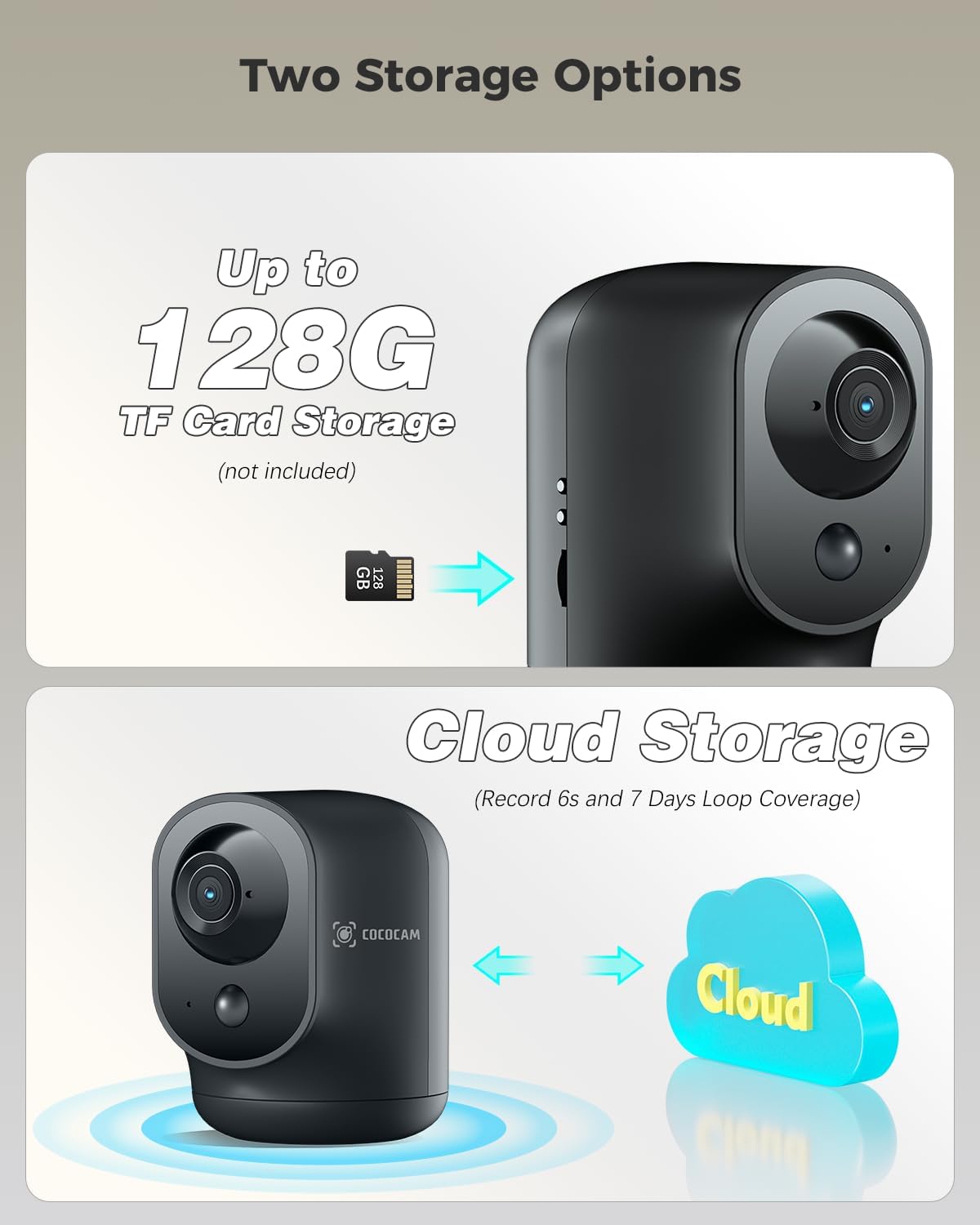
Figure 2.7: Two Storage Options
3. Gwida ta' Setup
3.1 Iċċarġjar inizjali
Before first use, fully charge the camera using the provided USB charging cable. The charging indicator light will change once charging is complete.
3.2 App Download u Installazzjoni
Download the "CloudEdge" app from your smartphone's app store (Google Play Store for Android or Apple App Store for iOS). Follow the on-screen instructions to install the app.
3.3 Tqabbil tal-Apparat
- Iftaħ l-app CloudEdge u oħloq kont jew idħol.
- Tektek l-ikona "+" biex iżżid apparat ġdid.
- Agħżel il-mudell tal-kamera tiegħek mil-lista.
- Follow the in-app instructions to connect the camera to your Wi-Fi network. This typically involves scanning a QR code displayed on your phone with the camera lens.
- Ladarba tkun konness, tista' tagħti isem lill-kamera tiegħek u tibda live viewing.
3.4 Pożizzjonament tal-Kamera
The camera is designed for indoor use and can be placed on any flat surface, such as a table or shelf. Ensure it is within range of your Wi-Fi network for optimal performance.
4. Istruzzjonijiet Operattivi
4.1 Ħaj View
Open the CloudEdge app and select your camera from the device list to access the live video feed. You can view foo f'ħin realitage minn kullimkien b'konnessjoni tal-internet.
4.2 Kontroll tal-Pan u l-Tilt
Waqt li tkun ħaj view, use the directional controls within the app to remotely pan (rotate horizontally) and tilt (rotate vertically) the camera lens to adjust its viewangolu tal-ing.
4.3 Awdjo b'żewġ direzzjonijiet
Tektek l-ikona tal-mikrofonu fil-live view interface to speak through the camera's speaker. Tap the speaker icon to listen to audio from the camera's surroundings.
4.4 Sejbien tal-Mozzjoni u Twissijiet
The camera features PIR human detection. You can customize alarm settings and define specific alarm zones within the app to focus on critical areas. When motion is detected, you will receive instant notifications on your smartphone.
4.5 Reġistrazzjoni u Daqq
Recordings are triggered by motion detection. You can store footage on a local TF card (up to 128GB, not included) or subscribe to the cloud storage service for 6-second event recordings and 7-day loop coverage. Access recorded videos through the playback feature in the app.
4.6 Viżjoni bil-lejl
The camera automatically switches to infrared night vision mode in low-light conditions, providing clear black and white footagsa 20 metru.
5. Manutenzjoni
- Tindif: Uża drapp artab u niexef biex tnaddaf il-lenti u l-qafas tal-kamera. Evita li tuża kimiċi ħarxa jew materjali li joborxu.
- Kura tal-batterija: To prolong battery life, avoid exposing the camera to extreme temperatures. Recharge the battery when the app indicates a low battery level.
- Aġġornamenti tal-Firmware: Regularly check the CloudEdge app for available firmware updates. Keeping your camera's firmware updated ensures optimal performance and security.
6 Issolvi l-problemi
| Problema | Kawża / Soluzzjoni Possibbli |
|---|---|
| Il-kamera ma tikkonnettjax mal-Wi-Fi | Ensure your Wi-Fi network is 2.4GHz (5GHz is not supported). Check Wi-Fi password. Move camera closer to router. Reset camera and try pairing again. |
| Ebda twissijiet ta 'skoperta ta' moviment | Check motion detection settings in the app. Ensure PIR detection is enabled and sensitivity is adjusted correctly. Verify alarm zones are set up. |
| Kwalità fqira tal-vidjo | Check your internet connection speed. Ensure the camera lens is clean. Adjust camera placement for better lighting. |
| Awdjo two-way mhux jaħdem | Ensure microphone and speaker permissions are granted to the app on your phone. Check volume settings on both the app and your phone. |
| Il-batterija tiskula malajr | Ħajja frekwenti viewing, excessive motion events, or weak Wi-Fi signal can increase battery consumption. Reduce sensitivity or live view time if possible. |
For more detailed troubleshooting or persistent issues, please refer to the help section within the CloudEdge app or contact COCOCAM customer support.
7. Speċifikazzjonijiet
| Karatteristika | Dettall |
|---|---|
| Numru tal-Mudell | CC-C7 |
| Riżoluzzjoni tal-vidjo | 2K (3MP, 2304x1296p) |
| Medda Pan/Tilt | 355° Orizzontali, 90° Vertikali |
| Kapaċità tal-batterija | 5200mAh (jone tal-litju) |
| Medda tal-Viżjoni Lejl | 20 Meters |
| Konnettività | Wi-Fi (2.4GHz) |
| Għażliet ta' Ħażna | TF Card (up to 128GB, not included), Cloud Storage |
| Karatteristiċi Speċjali | Two-way audio, HD Resolution, PTZ Technology, Night Vision, PIR Human Detection, AI Recognition |
| Dimensjonijiet (L x W x H) | 7 x 8.5 x 10 ċm |
| Piż | 420 gramma |
| Materjal | Acrylonitrile Butadiene Styrene (ABS) |
| Apparati Kompatibbli | Smartphone (Android, iOS) |
| Tip ta' Kontrollur | Amazon Alexa, Android, Google Assistant, CloudEdge |
8. Garanzija u Appoġġ
COCOCAM products come with a standard warranty. Please refer to the product packaging or the official COCOCAM websit għal termini u kundizzjonijiet speċifiċi tal-garanzija.
For technical support, troubleshooting assistance, or any inquiries regarding your COCOCAM 2K Indoor Pan/Tilt WiFi Camera, please contact COCOCAM customer support. Their responsive team is available to assist you with setup and any operational questions.
You can often find contact information or support resources via the CloudEdge app or by visiting the COCOCAM brand store on Amazon or their official websit.
Ask a question about this manual
Ask about setup, troubleshooting, compatibility, parts, safety, or missing instructions. Manuals+ will review the question and use this page’s manual context to help answer it.