
1. Introduzzjoni
The Delton S22 Vertical Wireless Mouse is designed to provide a comfortable and efficient computing experience. Its ergonomic vertical design aims to reduce wrist strain and promote a natural hand posture, making it suitable for extended use. This manual provides instructions for setting up, operating, maintaining, and troubleshooting your Delton S22 mouse.

This image illustrates the ergonomic benefits of the Delton S22 Vertical Wireless Mouse. It compares the unnatural wrist position required by a traditional mouse with the natural, handshake-like grip promoted by the vertical mouse, highlighting how it reduces strain and is recommended by rheumatologists.
2. Prodott Aktarview u Komponenti
Familiarize yourself with the various parts of your Delton S22 Vertical Wireless Mouse:

Din id-dijagramma tipprovdi deskrizzjoni dettaljata view of the Delton S22 mouse, pointing out its key components: Left Button, Scroll Wheel, Right Button, DPI Switch, Detachable Wrist Pad, Optical Sensor, USB Receiver Compartment, Back Cover, 2*AA Battery Slot, Glide Pads, Forward Button, Back Button, and Power On/Off switch.
- Buttuna tax-Xellug: Funzjoni standard tal-ikklikkjar tax-xellug.
- Buttuna tal-lemin: Funzjoni standard tal-ikklikkjar tal-lemin.
- Scroll Wheel: Għal skrolljar vertikali u funzjoni ta' klikk tan-nofs.
- Buttuna 'l quddiem: Jinnaviga 'l quddiem ġewwa web browsers jew file esploraturi.
- Buttuna Lura: Jinnaviga lura ġewwa web browsers jew file esploraturi.
- Swiċċ DPI: Jaġġusta s-sensittività tal-kursur (800/1600/2400 DPI).
- Swiċċ mixgħul/mitfi: Conserves battery life when the mouse is not in use.
- Sensor Ottiku: Tracks mouse movement.
- Kompartiment tar-Riċevitur USB: Stores the 2.4G USB dongle.
- Slot tal-batterija: Holds two AA batteries (not included).
- Detachable Wrist Pad: Provides additional wrist support and reduces friction.
3. Setup
- Installa Batteriji: Open the battery compartment on the underside of the mouse. Insert two AA batteries, ensuring correct polarity. Close the compartment.
- Connect USB Dongle: Locate the USB receiver (dongle) stored in its compartment on the underside of the mouse. Plug the USB dongle into an available USB-A port on your computer (PC, laptop, or tablet PC).
- Qawwa Mixgħul: Flip the Power On/Off switch on the underside of the mouse to the "On" position.
- Tqabbil awtomatiku: The mouse should automatically pair with the USB dongle. Your computer's operating system will typically install the necessary drivers automatically.
- Attach Wrist Pad (Optional): If desired, attach the detachable wrist pad to the base of the mouse for enhanced comfort.
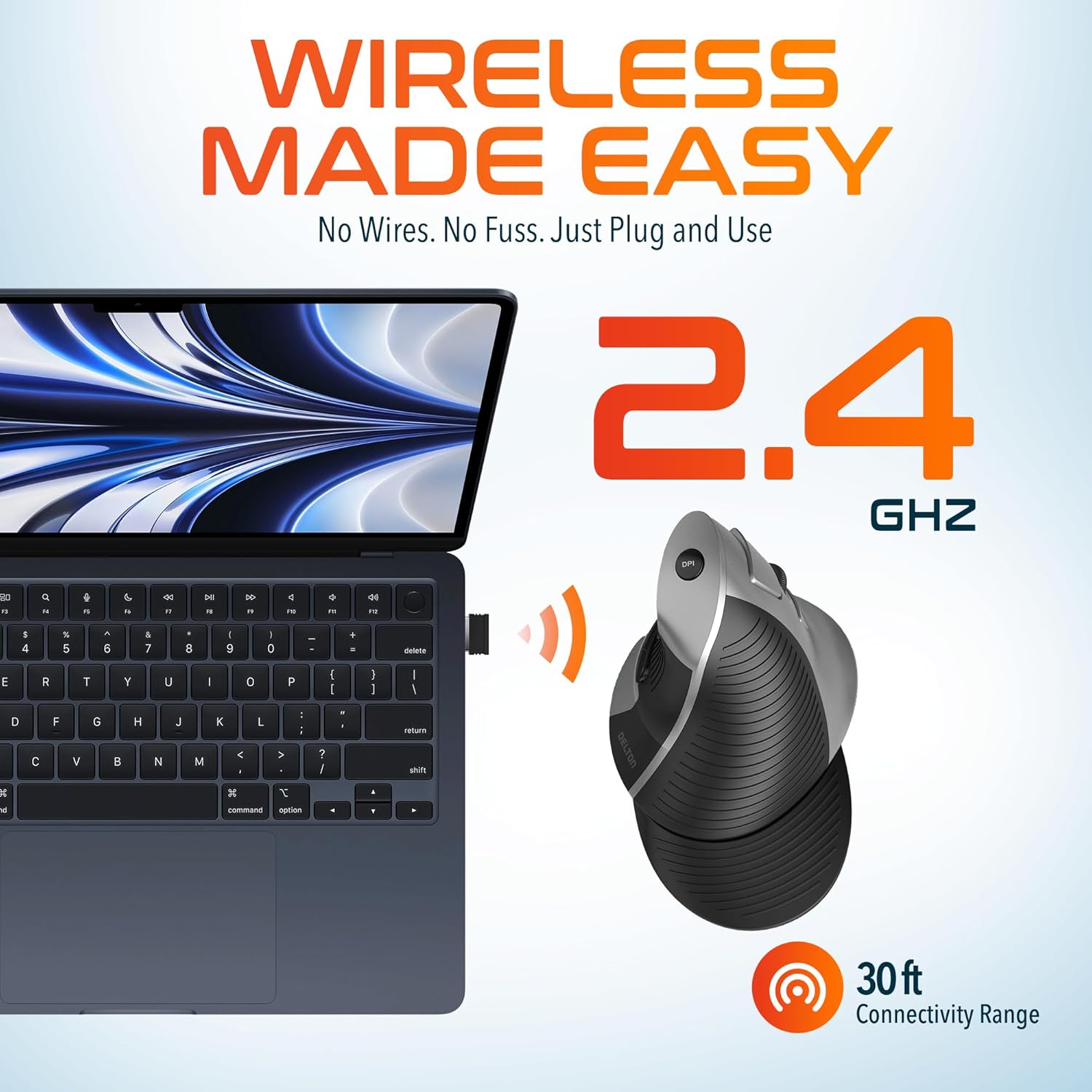
This image demonstrates the wireless connectivity of the Delton S22 mouse. It shows the mouse operating wirelessly with a laptop, emphasizing the 2.4 GHz connection and a 30 ft connectivity range, indicating a simple plug-and-use setup.
4. Istruzzjonijiet Operattivi
Funzjonijiet tal-buttuna
The Delton S22 mouse features 6 buttons for enhanced functionality:
- Ikklikkja Xellug: Għażla u attivazzjoni primarja.
- Ikklikkja bil-lemin: Aċċessa l-menus tal-kuntest.
- Scroll Wheel: Tiskrollja vertikalment fid-dokumenti u web pages. Pressing it acts as a middle-click.
- Buttuna 'l quddiem: Navigates to the next page in supported applications.
- Buttuna Lura: Navigates to the previous page in supported applications.
- Swiċċ DPI: Jiċċikla bejn is-settings tad-DPI.
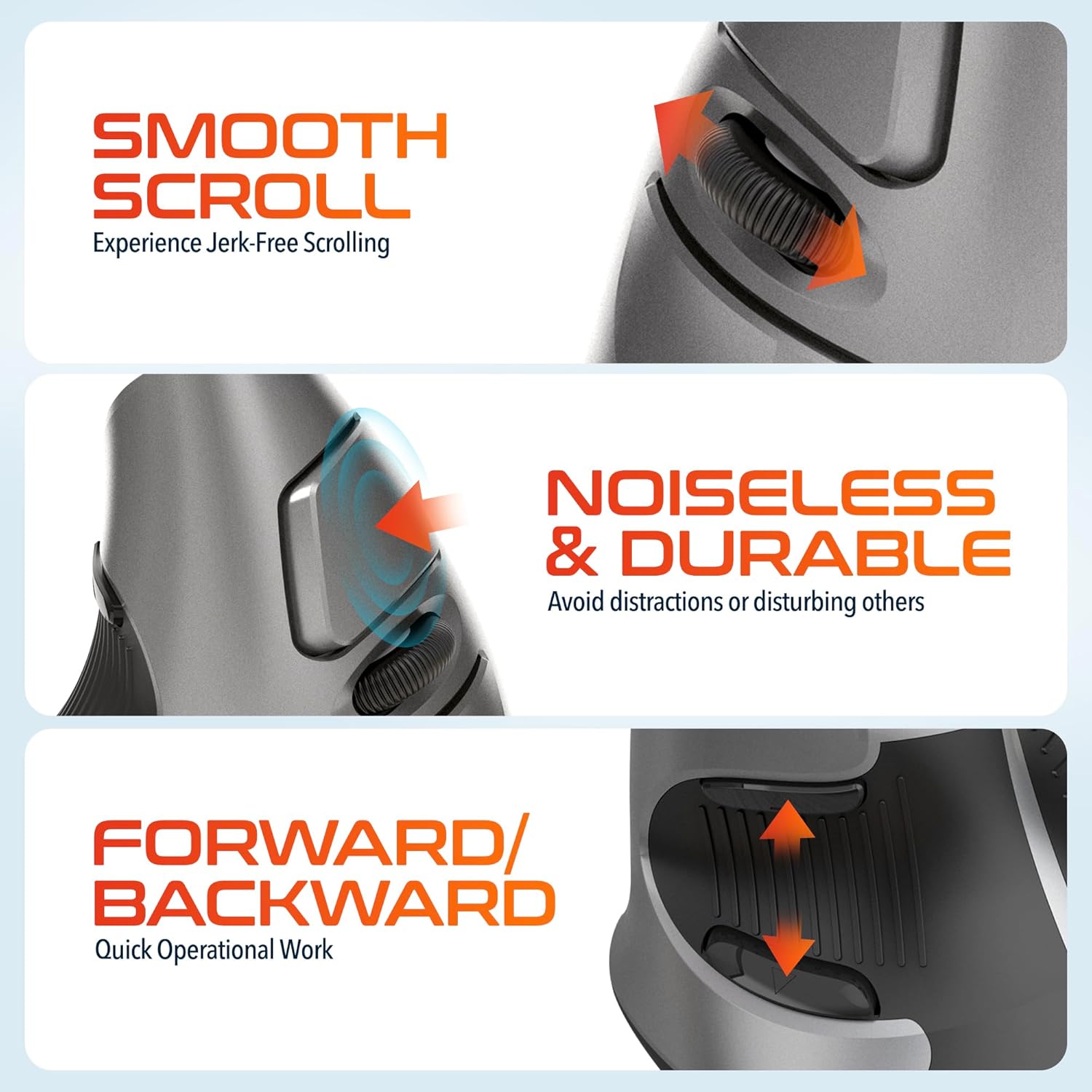
This composite image highlights three key operational features: the smooth, jerk-free scrolling experience, the noiseless and durable buttons designed to prevent distractions, and the convenient forward/backward buttons for quick navigation.
Aġġustament DPI
The DPI (Dots Per Inch) switch allows you to adjust the cursor sensitivity to match your preference or task requirements. Press the DPI button located on the top of the mouse to cycle through the following settings:
- 800 DPI: Lower sensitivity for precise tasks.
- 1600 DPI: Medium sensitivity for general use.
- 2400 DPI: Higher sensitivity for faster cursor movement.

This image focuses on the high precision control offered by the Delton S22 mouse. It shows the DPI switch button and how it allows users to toggle between 800, 1600, and 2400 DPI settings for customized cursor sensitivity.
Ġestjoni tal-Enerġija
To conserve battery life, switch the mouse to the "Off" position using the power switch on the underside when not in use for extended periods.
5. Kompatibilità
The Delton S22 Vertical Wireless Mouse is designed for broad compatibility with various operating systems and devices:
- Sistemi Operattivi: Windows, macOS, iOS, Android, Chrome OS, Linux.
- Apparati Kompatibbli: Laptop, Personal Computer, Tablet.
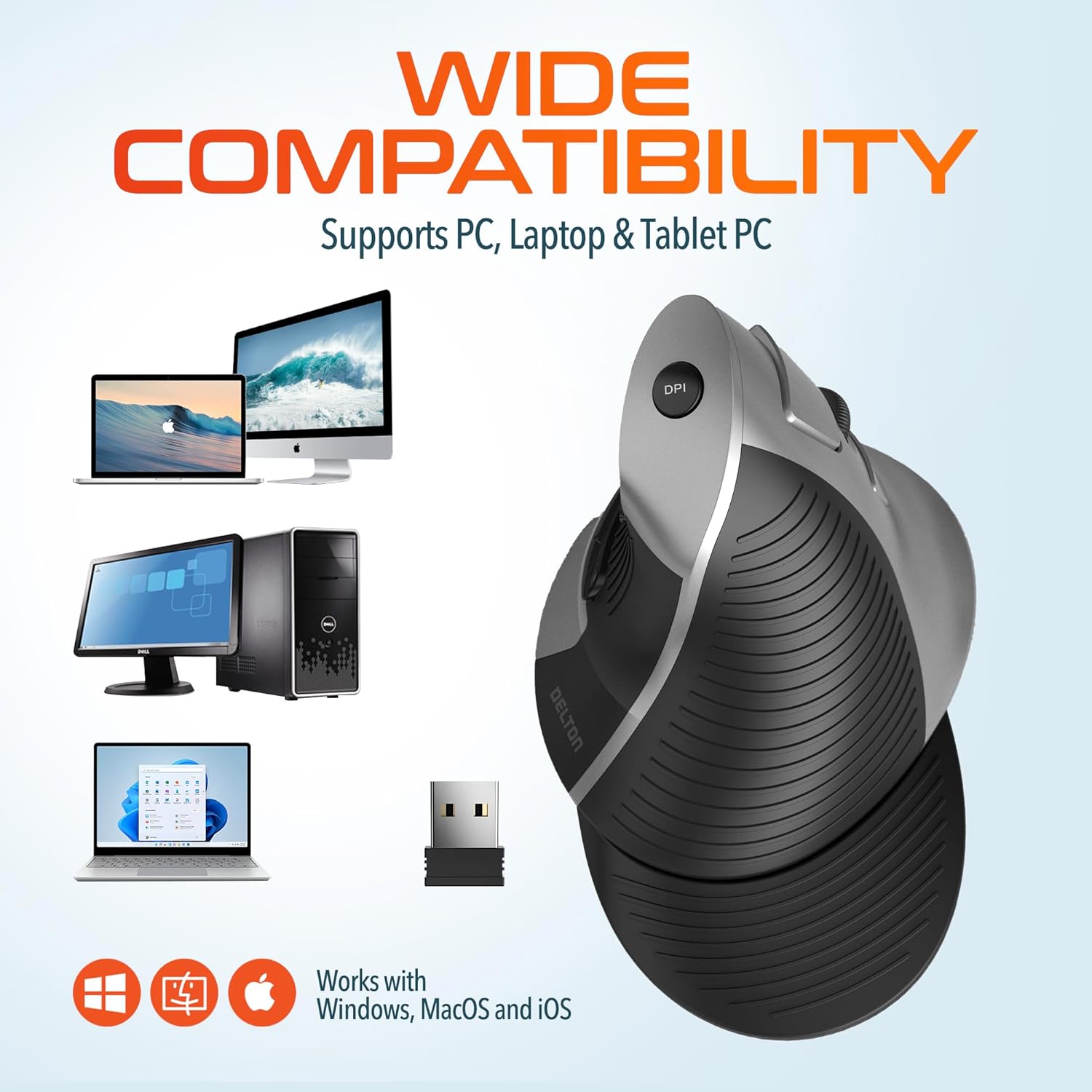
This image illustrates the wide compatibility of the Delton S22 mouse, showing it works seamlessly with PCs, laptops, and tablet PCs across Windows, macOS, and iOS operating systems. The USB dongle is also depicted as the connection method.
6. Manutenzjoni
- Tindif: Uża drapp artab u niexef biex tnaddaf il-maws. Għal ħmieġ iebes, nixxef ftit.ampLaħlaħ id-drapp bl-ilma jew b'soluzzjoni ħafifa tat-tindif. Evita kimiċi ħarxa jew materjali li joborxu.
- Sostituzzjoni tal-batterija: When the mouse performance degrades or it stops responding, replace the two AA batteries. Ensure the power switch is off before replacing batteries.
- Ħażna: When transporting or storing the mouse, ensure the USB dongle is securely placed in its dedicated compartment to prevent loss.
7 Issolvi l-problemi
| Problema | Soluzzjoni Possibbli |
|---|---|
| Il-maws mhux qed jirrispondi. |
|
| Il-moviment tal-cursor huwa erratiku jew b'aqbiż. |
|
| DPI setting is not changing. |
|
| Forward/Back buttons not working. |
|
8. Speċifikazzjonijiet
| Karatteristika | Dettall |
|---|---|
| Brand | Delton |
| Numru tal-Mudell | S22 |
| Teknoloġija tal-Konnettività | 2.4G Wireless (USB Dongle) |
| Karatteristika Speċjali | Vertical, Ergonomic Design, Wireless |
| Teknoloġija ta 'Sejbien tal-Moviment | Ottiċi |
| Kwantità tal-Buttuni | 6 |
| Orjentazzjoni tal-Idejn | Dritt |
| Apparati Kompatibbli | Laptop, Kompjuter Personali, Pillola |
| Kompatibilità tas-Sistema Operattiva | Windows, macOS, iOS, Android, Chrome OS, Linux |
| Sors tal-Enerġija | Imħaddem bil-batterija (2 batteriji AA, mhux inklużi) |
| Livelli DPI | 800, 1600, 2400 |
| Firxa Wireless | Sa 30 pied |
| Kulur | Iswed |
| Dimensjonijiet tal-oġġett (L x W) | 5.3"T x 3.7"W |
| UPC | 802029086375 |
9. Garanzija u Appoġġ
The Delton S22 Vertical Wireless Mouse comes with a Garanzija tal-Manifattur ta' 1 Snin. Din il-garanzija tkopri difetti fil-materjali u l-abbilità taħt użu normali.
For warranty claims, technical support, or any questions regarding your product, please refer to the contact information provided with your purchase or visit the official Delton websit għal riżorsi ta' appoġġ.
Riżorsi onlajn: For additional information, FAQs, or driver downloads (if applicable), please visit the Delton Store on Amazon.