
1. Introduzzjoni
Thank you for choosing the DOOGEE Tab A9 PRO Tablet. This manual provides essential information for setting up, operating, and maintaining your device. Please read it carefully before using the tablet to ensure proper functionality and longevity.
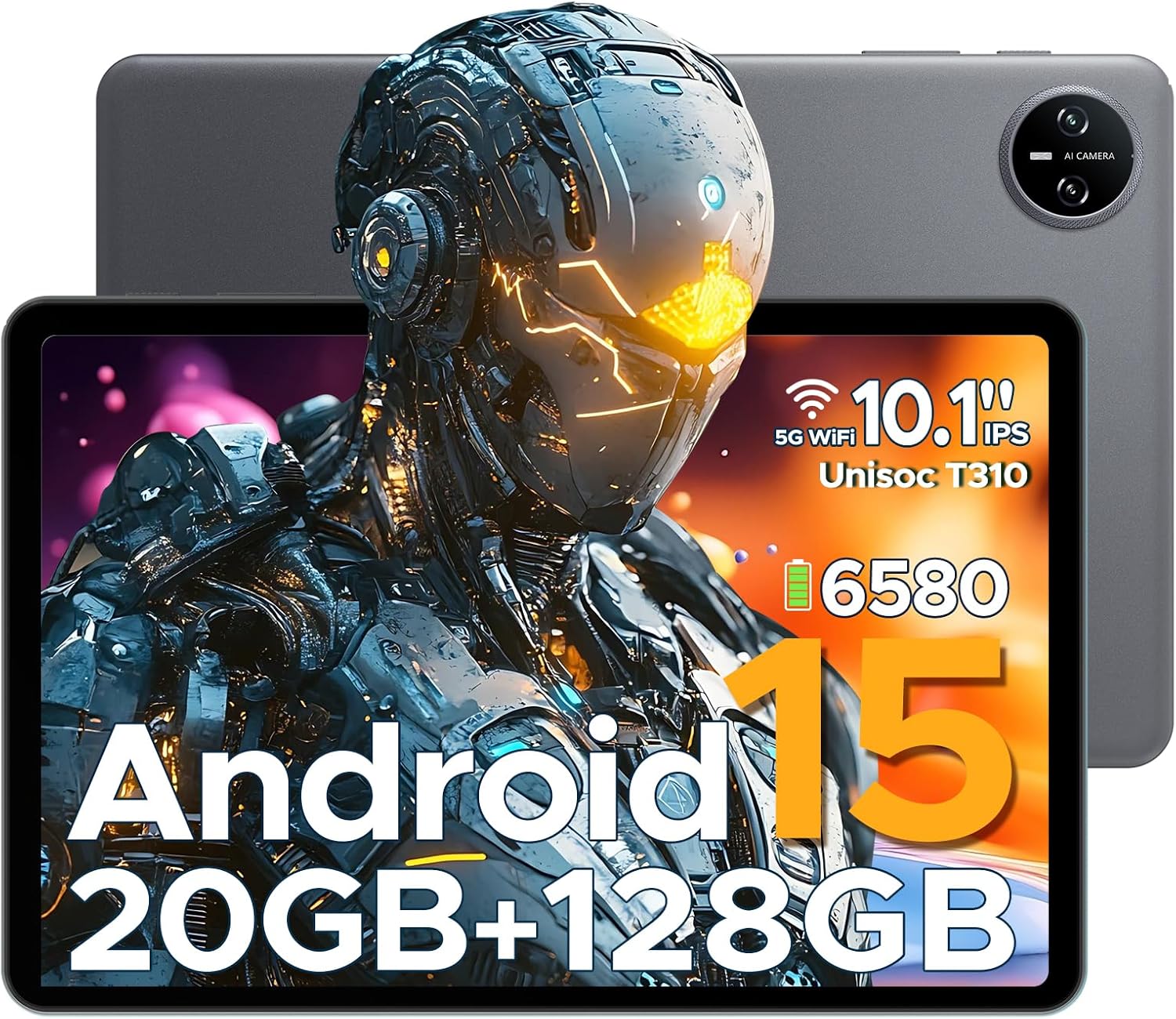
Figure 1.1: DOOGEE Tab A9 PRO Tablet. This image displays the tablet from both the front, highlighting its display, and the back, showing the camera module and overall grey finish.
2. X'hemm fil-Kaxxa
Ivverifika li l-oġġetti kollha huma preżenti fil-pakkett:
- DOOGEE Tab A9 PRO Tablet
- Ċarġer tal
- Kejbil USB tat-Tip C
- Tool for taking card (SIM/SD card tray ejector)
3. Setup
3.1 Iċċarġjar inizjali
Before first use, fully charge the tablet using the provided charger and Type-C USB cable. Connect the Type-C cable to the tablet's charging port and the charger to a power outlet.
3.2 Tixgħel/Jitfi
- Biex tixgħel: Agħfas u żomm il-buttuna tal-qawwa sakemm jidher il-logo ta' DOOGEE.
- To power off: Press and hold the power button, then select "Power off" from the options.
3.3 Wizard tas-Setup Inizjali
Upon first power-on, the tablet will guide you through an initial setup process. This includes selecting your language, connecting to Wi-Fi, setting up your Google account, and configuring security options like face recognition.

Figure 3.1: Android 15 System Interface. This image illustrates the clean and intuitive interface of the Android 15 operating system, showing various application icons and system settings.
3.4 Daħħal Karta MicroSD (Mhux obbligatorja)
The tablet supports expandable memory up to 2TB via a MicroSD card (purchased separately). Use the provided tool to open the card tray and insert the MicroSD card as indicated.

Figure 3.2: Storage Capabilities. This image highlights the tablet's 20GB Max RAM (composed of 4GB Basic and 16GB Virtual RAM) and 128GB internal storage, with the option to expand up to 2TB using a TF card.
4. Tħaddim tat-Tablet
4.1 Wiri u Navigazzjoni
The DOOGEE Tab A9 PRO features a 10.1-inch IPS HD+ display with a resolution of 1280x800 pixels, offering clear visuals and a wide field of view.

Figure 4.1: Display Specifications. This image details the 10.1-inch IPS HD display, including its 1280x800 resolution, 80.2% screen-to-body ratio, and 16.7 million colors.
4.2 Funzjonijiet tal-Kamera
The tablet is equipped with an 8MP main camera and a 5MP front camera, suitable for capturing photos, videos, and video calls.

Figure 4.2: Camera Features. This image highlights the tablet's 8MP main camera and 5MP front camera, demonstrating their use for capturing moments and video calls.
4.3 Awdjo
The tablet features 1217 BOX Dual Speakers for enhanced audio experience. It also includes a 3.5mm headphone jack for private listening.

Figure 4.3: Dual Speaker System. This image illustrates the tablet's 1217 BOX Dual Speakers, designed to provide clear and immersive audio.
4.4 Konnettività
- Wi-Fi: Qabbad man-netwerks Wi-Fi disponibbli permezz ta' Settings > Netwerk u internet > Wi-Fi.
- Bluetooth 5.0: Pair with Bluetooth devices (headphones, speakers, etc.) via Settings > Connected devices > Bluetooth.
- OTG (Fuq il-Mixi): Supports connecting USB peripherals like flash drives or keyboards via a compatible OTG adapter (not included).
- Wireless Screencasting: Easily connect to a large TV or display for screen mirroring.
5. Manutenzjoni
5.1 Tindif
Uża drapp artab u mingħajr suf biex tnaddaf l-iskrin u l-qafas tat-tablet. Evita li tuża kimiċi ħarxa jew materjali li joborxu.
5.2 Kura tal-Batterija
The tablet is equipped with a 6580mAh Lithium Polymer battery. To prolong battery life:
- Evita temperaturi estremi.
- Tħallix il-batterija tixxotta kompletament ta' spiss.
- Use the provided charger.
- Enable power saving mode when needed.
5.3 Aġġornamenti tas-Software
Iċċekkja u installa aġġornamenti tas-sistema regolarment biex tiżgura prestazzjoni ottimali, sigurtà, u aċċess għal karatteristiċi ġodda. Mur f'Settings > Sistema > Aġġornament tas-sistema.
6 Issolvi l-problemi
6.1 Kwistjonijiet Komuni u Soluzzjonijiet
| Problema | Soluzzjoni |
|---|---|
| It-tablet ma jixgħelx | Kun żgur li l-batterija hija ċċarġjata. Agħfas u żomm il-buttuna tal-qawwa għal 10-15-il sekonda biex terġa' tibda taħdem. |
| Prestazzjoni bil-mod | Close unused applications. Clear cache. Restart the tablet. Check for system updates. |
| Kwistjonijiet ta 'konnessjoni Wi-Fi | Restart the tablet and your Wi-Fi router. Forget and reconnect to the network. |
| Apps jiġġarraf | Clear the app's cache and data (Settings > Apps > [App Name] > Storage). Reinstall the app. |
7. Speċifikazzjonijiet
| Karatteristika | Dettall |
|---|---|
| Mudell | DOOGEE Tab A9 PRO |
| Sistema Operattiva | Android 15 |
| Proċessur | Quad-Core (Unisoc T310) |
| RAM | 12GB |
| Ħażna Interna | 128GB ROM |
| Ħażna espansibbli | Sa 2TB (MicroSD, mibjugħa separatament) |
| Wiri | 10.1-inch IPS HD+ (1280x800) |
| Kamera Prinċipali | 8MP |
| Kamera ta' Quddiem | 5MP |
| Batterija | Polimer tal-Litju 6580mAh |
| Konnettività | Wi-Fi, Bluetooth 5.0, OTG, Type-C USB |
| Awdjo | 1217 BOX Dual Speakers, 3.5mm headphone jack |
| Dimensjonijiet | 25.7 x 16.88 x 0.79 ċm |
| Piż | 400 g |

Figure 7.1: Unisoc T310 Processor. This image details the specifications of the Unisoc T310 processor, highlighting its powerful quad-core architecture, 2.0GHz ultimate frequency, and 12nm advanced process technology.
8. Garanzija u Appoġġ
Għal informazzjoni dwar il-garanzija u appoġġ tekniku, jekk jogħġbok irreferi għad-DOOGEE uffiċjali webis-sit jew ikkuntattja s-servizz tal-konsumatur tagħhom. Żomm l-irċevuta tax-xiri tiegħek għal talbiet ta’ garanzija.
Uffiċjali ta' DOOGEE Websit: www.doogee.cc