
1. Introduzzjoni
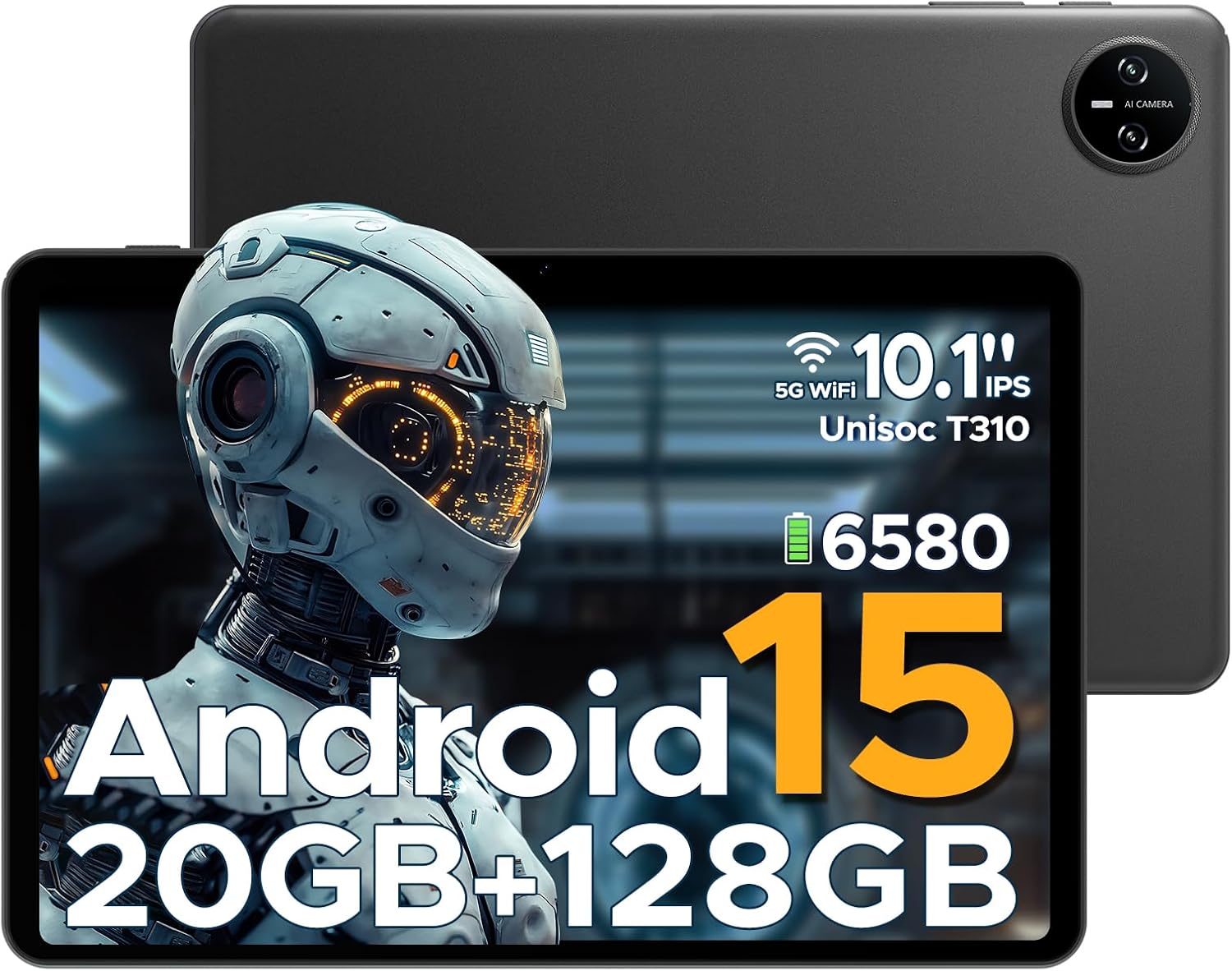
This manual provides essential information for the safe and efficient use of your DOOGEE Tab A9 Pro Android 15 Tablet. Please read this manual thoroughly before operating the device and retain it for future reference. The DOOGEE Tab A9 Pro is a 10-inch tablet featuring the latest Android 15 system, a Unisoc T310 processor, 20GB RAM, 128GB ROM (expandable to 2TB), a 6580mAh battery, and dual speakers, designed for a smooth and versatile user experience.
2. X'hemm fil-Kaxxa
Ivverifika li l-oġġetti kollha huma preżenti meta tiftaħ il-kaxxa:
- 1 x DOOGEE Tab A9 Pro Tablet
- 1 x Charger
- 1 x Cable USB tat-Tip-C
- 1 x Manwal għall-Utent
Note: The OTG cable is not included with the tablet and needs to be purchased separately.
3. Prodott Aktarview
3.1 Karatteristiċi ewlenin
- Sistema Operattiva: Latest Android 15, offering enhanced speed and privacy features.
- Proċessur: Unisoc T310 Quad-Core Processor (2.0 GHz Cortex-A75 core) for efficient performance and low power consumption.
- Memorja u Ħażna: 20GB RAM (4GB base + 16GB expandable virtual RAM) and 128GB internal storage, expandable up to 2TB via Micro SD card (sold separately).
- Wiri: 10.1-inch IPS HD display with 1280x800 resolution, 16:10 aspect ratio, and 2.5D cover glass.
- Batterija: 6580mAh high-capacity battery for extended use.
- Kameras: 8MP AI rear camera and 5MP front camera for photography and video calls.
- Awdjo: 1217 BOX Dual Speakers for clear sound.
- Konnettività: 5G WiFi, Bluetooth, GMS certified.
- Sigurtà: Face ID for convenient unlocking.
- Portijiet: 3.5mm headphone jack, USB Type-C port.
- Karatteristiċi addizzjonali: OTG support, built-in WPS Office, Eye-Caring Mode, Dark Mode, Split-Screen Multitasking, Parental Control, Bedtime Mode, Multi-user System.
3.2 Visual Components


4. Setup
4.1 Iċċarġjar tat-Tablet
Before first use, fully charge the tablet using the provided charger and Type-C USB cable. Connect the Type-C cable to the tablet's charging port and the charger to a power outlet. The battery indicator on the screen will show charging status.
4.2 Tixgħel/Jitfi
- Biex Tixgħel: Agħfas u żomm il-buttuna tal-Power sakemm jidher il-logo ta' DOOGEE.
- Biex Tifi: Agħfas u żomm il-buttuna tal-Enerġija sakemm jidher il-menu tal-għażliet tal-enerġija, imbagħad agħżel 'Itfi'.
- Biex terġa' tibda: Agħfas u żomm il-buttuna tal-Enerġija sakemm jidher il-menu tal-għażliet tal-enerġija, imbagħad agħżel 'Erġa' ibda'.
4.3 Setup Inizjali
Upon first power-on, the tablet will guide you through the initial setup process. This includes selecting your language, connecting to a Wi-Fi network, setting up your Google account, and configuring basic security settings like Face ID or a PIN/pattern.
5. Istruzzjonijiet Operattivi
5.1 Navigazzjoni
The Android 15 operating system provides intuitive navigation. Use gestures or on-screen buttons to navigate home, go back, or switch between recent applications.
5.2 Installing and Managing Apps
Download and install applications from the Google Play Store. To manage apps, go to Settings > Apps & notifications. From here, you can uninstall, force stop, or clear data for applications.
5.3 Face ID Unlock
To set up Face ID, go to Settings > Security & privacy > Face unlock. Follow the on-screen instructions to register your face. Once set up, you can unlock the tablet by simply looking at the front camera.
5.4 OTG Functionality
The tablet supports USB On-The-Go (OTG), allowing you to connect external USB devices such as flash drives, keyboards, or mice. An OTG adapter cable (not included) is required for this functionality. Connect the OTG adapter to the tablet's Type-C port, then connect your USB device to the adapter.
5.5 Multitasking fuq Skrin Maqsum
To use split-screen mode, open an app, then swipe up from the bottom of the screen and hold to access recent apps. Tap the app icon at the top of the app's card and select 'Split screen'. Choose a second app to open in the other half of the screen.
5.6 Eye-Caring Mode and Dark Mode
These modes can be enabled in the display settings to reduce eye strain. Eye-Caring Mode adjusts screen colors to warmer tones, while Dark Mode changes the interface to a darker theme, ideal for low-light environments.
6. Manutenzjoni
6.1 Kura tal-Batterija
- Evita li tesponi l-pillola għal temperaturi estremi.
- Tħallix il-batterija tiċċarġja kompletament ta' spiss.
- Uża biss il-ċarġer oriġinali jew ċarġer kompatibbli ċċertifikat.
6.2 Tindif
Uża drapp artab u mingħajr suf biex tnaddaf l-iskrin u l-qafas tat-tablet. Tużax prodotti tat-tindif jew solventi li joborxu. Għal tbajja' persistenti, neħħi ftit.ampLaħlaħ id-drapp bl-ilma jew b'prodott tat-tindif tal-iskrin iddisinjat għall-elettronika.
6.3 Aġġornamenti tas-Software
Iċċekkja u installa aġġornamenti tas-softwer regolarment biex tiżgura prestazzjoni ottimali, sigurtà, u aċċess għal karatteristiċi ġodda. Mur f'Settings > Sistema > Aġġornament tas-sistema biex tiċċekkja għal aġġornamenti disponibbli.
7 Issolvi l-problemi
| Problema | Kawża Possibbli | Soluzzjoni |
|---|---|---|
| It-tablet ma jixgħelx | Batterija baxxa; Ħabta tas-sistema | Iċċarġja t-tablet għal mill-inqas 30 minuta; Agħfas u żomm il-buttuna tal-Power għal 10-15-il sekonda biex terġa' tibda. |
| L-apps huma bil-mod jew qed jiġġarraf | Too many apps running; Insufficient storage; App bug | Close background apps; Clear app cache/data; Free up storage space; Update the app or tablet software. |
| Kwistjonijiet ta 'konnessjoni Wi-Fi | Password mhux korretta; Problema bir-router; Interferenza tas-sinjal | Re-enter Wi-Fi password; Restart router; Move closer to the router; Forget and reconnect to the network. |
| Face ID not working | Poor lighting; Face not properly aligned; Face ID not set up correctly | Ensure adequate lighting; Hold tablet at eye level; Re-register your face in settings. |
| Il-pillola mhix qed tiċċarġja | Faulty cable/charger; Dirty charging port | Try a different cable/charger; Clean the charging port gently with a dry, soft brush. |
8. Speċifikazzjonijiet
| Karatteristika | Dettall |
|---|---|
| Brand | DOOGEE |
| Isem tal-Mudell | Tab A9 Pro |
| Sistema Operattiva | Android 15 |
| Proċessur | Unisoc T310 (1.8 GHz) |
| Koproċessur tal-Grafika | Mali-G52 |
| Daqs tal-Memorja RAM Installata | 20 GB (4GB bażi + 16GB virtwali) |
| Kapaċità tal-Ħżin tal-Memorja | 128 GB (Expandable up to 2TB via Micro SD) |
| Daqs tal-Iskrin | 10.1 Pulzier |
| Riżoluzzjoni tal-Iskrin | 1280 x 800 Pixels |
| Wara WebCam Riżoluzzjoni | 8 MP |
| Quddiem WebCam Riżoluzzjoni | 5 MP |
| Kapaċità tal-batterija | 6580 mAh (Lithium Polymer) |
| Tip ta 'Konnettività | Bluetooth, Wi-Fi (5G WiFi) |
| Dimensjonijiet tal-Prodott | 25.7 x 16.88 x 0.79 ċm |
| Piż tal-oġġett | 910 g |
| Karatteristiċi Speċjali | Stereo Speakers, Supports USB OTG, Expandable Storage, Face ID |
| Sena Mudell | 2025 |
9. Garanzija u Appoġġ
Għal informazzjoni dwar il-garanzija u appoġġ tekniku, jekk jogħġbok irreferi għall-karta tal-garanzija inkluża mal-prodott tiegħek jew żur is-sit uffiċjali ta' DOOGEE. websit. Tista' wkoll iżżur il- Ħanut DOOGEE fuq Amazon għal aktar dettalji dwar il-prodott u riżorsi ta' appoġġ.