
Introduzzjoni
Thank you for choosing the Mibro Smartwatch Lite 3. This manual provides essential information for setting up, operating, and maintaining your device. Please read it carefully to ensure proper use and to maximize the performance of your smartwatch.
Kontenut tal-Pakkett
Kun żgur li l-oġġetti kollha huma preżenti fil-pakkett:
- Mibro Smartwatch Lite 3 (with strap)
- Kejbil tal-Iċċarġjar Manjetiku
- Manwal għall-Utent
Prodott Overview
The Mibro Smartwatch Lite 3 features a 1.3-inch AMOLED display, designed for clear visuals and intuitive interaction. It integrates various sensors for health monitoring and supports Bluetooth calling.
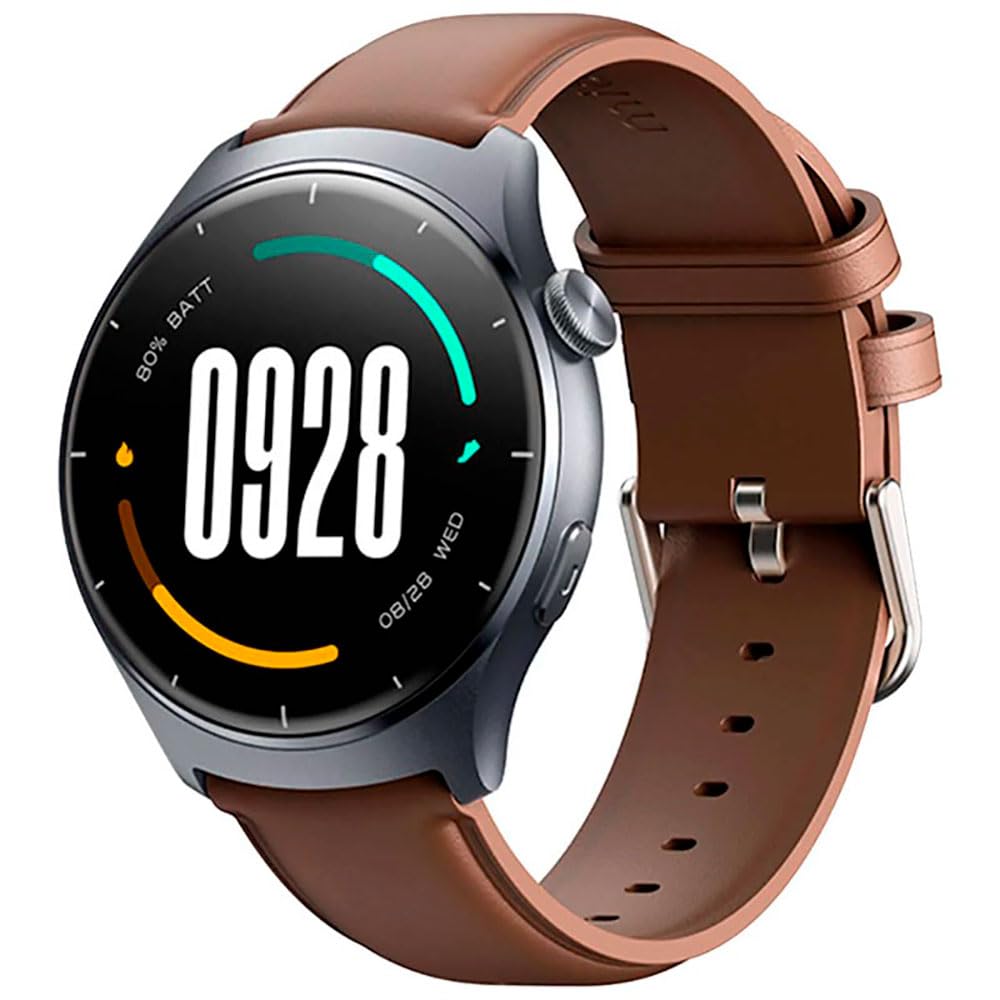
Immaġni: Quddiem view of the Mibro Smartwatch Lite 3, showcasing its round display and strap.
Setup
1. Iċċarġjar tal-Ismartwatch
- Connect the magnetic charging cable to the charging contacts on the back of the smartwatch.
- Ipplaggja t-tarf tal-USB tal-kejbil ma' adapter tal-enerġija USB standard (5V/1A rakkomandat) jew mal-port USB tal-kompjuter.
- Id-displej tal-arloġġ se juri indikatur tal-iċċarġjar. Kun żgur li l-arloġġ ikun iċċarġjat kompletament qabel l-ewwel użu.
2. Installazzjoni u Tqabbil tal-App
- Download the official Mibro Fit application from your smartphone's app store (App Store for iOS, Google Play Store for Android).
- Open the Mibro Fit app and create an account or log in.
- Kun żgur li l-Bluetooth huwa attivat fuq l-ismartphone tiegħek.
- In the Mibro Fit app, navigate to 'Device' or 'Add Device' and select 'Mibro Lite 3' from the list of available devices.
- Confirm the pairing request on both your smartphone and the smartwatch. A successful connection will be indicated on the watch display.
Operazzjoni
1. Navigazzjoni Bażika
- Swipe' l isfel: Access quick settings (e.g., brightness, do not disturb, battery saver).
- Swipe 'l fuq: View notifiki.
- Swipe Xellug/Lemin: Navigate through widgets (e.g., heart rate, weather, activity data).
- Agħfas il-Buttuna tal-Ġenb: Return to the watch face or access the main menu.
- Long Press Side Button: Power on/off or restart the device.
2. Modi Sportivi
The Mibro Lite 3 supports over 100 sports modes. To start a workout:
- From the main menu, select the 'Workout' or 'Sports' icon.
- Choose your desired activity (e.g., running, cycling, swimming).
- Tap 'Start' to begin tracking. The watch will display real-time data such as duration, heart rate, and calories burned.
- To pause or end a workout, press the side button or swipe on the screen as prompted.
3. Sejħiet bil-Bluetooth
Once paired with your smartphone, the Mibro Lite 3 allows you to make and receive calls directly from your wrist.
- Jirċievu Sejħiet: Meta tidħol telefonata, l-arloġġ juri l-ID ta’ min qed iċempel. Tektek l-ikona ħadra biex twieġeb jew l-ikona ħamra biex tirrifjuta.
- Tagħmel Sejħiet: Access the 'Phone' or 'Dialer' function on the watch, then select a contact or dial a number.
4. Monitoraġġ tas-Saħħa
- Rata tal-qalb: L-arloġġ jimmonitorja kontinwament ir-rata tal-qalb tiegħek. View real-time data by swiping to the heart rate widget or accessing the 'Heart Rate' app.
- SpO2 (Ossiġenu tad-Demm): Measure your blood oxygen levels through the 'SpO2' app on the watch. Ensure the watch is snug on your wrist for accurate readings.
- Traċċar tal-irqad: Wear the watch to bed for automatic sleep monitoring. Data on sleep stages and duration can be viewed in the Mibro Fit app.
- Stress Monitoring & Breath Training: Utilize these features to manage stress and improve relaxation.
5. Karatteristiċi oħra
- Kontroll tal-Mużika: Ikkontrolla d-daqq tal-mużika fuq l-ismartphone tiegħek direttament mill-arloġġ.
- App Message Reminders: Receive notifications from various apps on your watch.
- Temp: Ikseb aġġornamenti tat-temp f'ħin reali.
- Allarm, Tajmer, Stopwatch: Standard utility functions.
- Sib it-Telefon Tiegħek: Locate your paired smartphone by triggering an alert sound.
- Saħħa tan-Nisa: Track menstrual cycles and related data.
Manutenzjoni
1. Tindif
- Naddaf il-qafas u ċ-ċinga tal-arloġġ regolarment b'drapp artab u nadifamp drapp.
- Ensure the charging contacts are free from dust and debris to maintain efficient charging.
- Evita li tuża kimiċi ħarxa jew materjali li joborxu għat-tindif.
2. Reżistenza għall-Ilma
The Mibro Lite 3 is 2ATM waterproof, meaning it can withstand splashes, rain, and brief immersion in shallow water. It is suitable for activities like swimming in pools. However, it is not recommended for hot showers, saunas, or diving, as steam and high-pressure water jets may compromise the seal.
Issolvi l-problemi
- L-arloġġ ma jixgħelx: Kun żgur li l-arloġġ ikun iċċarġjat kompletament. Qabbad mal-ċarġer għal mill-inqas 30 minuti.
- Ma tistax tqabbad mat-telefon:
- Iċċekkja jekk il-Bluetooth huwiex attivat fuq it-telefon tiegħek.
- Kun żgur li l-arloġġ jinsab fil-firxa tal-Bluetooth tat-telefon tiegħek.
- Restart both the watch and your phone, then try pairing again.
- Make sure the Mibro Fit app is updated to the latest version.
- Dejta dwar is-saħħa mhux preċiża: Ensure the watch is worn snugly on your wrist, about one finger's width from the wrist bone. Avoid excessive movement during measurements.
- Notifiki mhux riċevuti:
- Check notification permissions for the Mibro Fit app in your phone settings.
- Ensure 'Do Not Disturb' mode is not active on either the watch or the phone.
- Verify that the app is running in the background on your phone.
- Ħajja qasira tal-batterija: Reduce screen brightness, disable continuous heart rate monitoring if not needed, and limit background app refresh.
Speċifikazzjonijiet
| Karatteristika | Speċifikazzjoni |
|---|---|
| Isem tal-Mudell | Mibro Watch Lite 3 |
| Dimensjonijiet | φ44.8mm, T=11.2mm (Without HR protrusion) |
| Piż | 53.2g (with leather strap), 56g (with rubber strap) |
| Wiri | 1.3-inch AMOLED, 360*360 resolution, AOD, PPI 277 |
| Konnettività | Bluetooth V5.3 |
| Sensuri | PPG Heart Rate/SpO2 Sensor/Accelerometer |
| Klassifikazzjoni li ma jgħaddix ilma minnha | 2ATM |
| Ħajja tal-Batterija (Modalità ta' Kuljum) | Sa 12 jum |
| Battery Life (Standby Mode) | Sa 50 jum |
| Battery Life (Music Mode) | Sa 5 sigħat |
| Battery Life (BT-Calling Mode) | Sa 6 sigħat |
| Temperatura operattiva | 0°C ~ 45°C |
Garanzija u Appoġġ
The Mibro Smartwatch Lite 3 comes with a 12-month warranty from the date of purchase. This warranty covers manufacturing defects under normal use. It does not cover damage caused by misuse, accidents, unauthorized modifications, or normal wear and tear.
For technical support, warranty claims, or further assistance, please contact Mibro customer service through the official Mibro webis-sit jew l-informazzjoni ta' kuntatt ipprovduta fid-dokumentazzjoni tax-xiri tiegħek.