
1. Introduzzjoni
This manual provides essential information for setting up, operating, and maintaining your new CyberpowerPC Gamer Xtreme VR Gaming PC. This system is equipped with an Intel Core Ultra 5 225F processor, NVIDIA GeForce RTX 5060 graphics, 64GB DDR5 memory, and a 2TB PCIe 4.0 NVMe SSD, running Windows 11 Home. Please read this manual thoroughly before using your computer to ensure proper functionality and longevity.
2. Informazzjoni dwar is-Sigurtà
- Provvista tal-Enerġija: Use only the power cord provided with the system. Ensure the power outlet is properly grounded.
- Ventilazzjoni: Do not block any ventilation openings on the computer case. Maintain adequate space around the PC for airflow to prevent overheating.
- Likwidu u Umdità: Keep the computer away from liquids and excessive moisture. Do not operate the PC with wet hands.
- Elettriku Statiku: Discharge static electricity from your body before touching internal components by touching a grounded metal object.
- Servizzi: Do not attempt to service the computer yourself unless specifically instructed. Refer all servicing to qualified service personnel.
- Pjazzament: Place the computer on a stable, flat surface. Avoid placing it near heat sources or in direct sunlight.
3. Kontenut tal-Pakkett
Iċċekkja li l-oġġetti kollha elenkati hawn taħt huma inklużi fil-pakkett tiegħek:
- CyberpowerPC Gamer Xtreme VR Gaming PC
- USB RGB Gaming Keyboard
- Ġurdien tal-logħob USB
- Korda tal-Enerġija
- Documentation (Quick Start Guide, Driver Discs if applicable)
4. Setup
4.1 Żpakkjar u Spezzjoni Inizjali
Carefully remove the computer from its packaging. Inspect the exterior for any signs of damage. Open the side panel (if applicable, usually tempered glass) and remove any internal foam packaging designed to secure components during shipping. Ensure all cables inside are securely connected.

Immaġni: Interna view of the PC showing RGB fans, motherboard, and graphics card. Remove internal foam before operation.
4.2 Konnessjoni tal-Periferali
Qabbad il-monitor, it-tastiera, il-maws, u periferali oħra tiegħek mal-portijiet xierqa fuq wara u fuq quddiem tal-PC.
- Monitor: Connect your monitor to the graphics card's HDMI or DisplayPort outputs. The graphics card (NVIDIA GeForce RTX 5060) has 1x HDMI and 3x DisplayPort outputs. Ensure you connect to the dedicated graphics card ports, not the motherboard's integrated graphics ports (if present).
- Tastiera u maws: Connect the USB gaming keyboard and mouse to any available USB ports.
- Qawwa: Connect the power cord to the power supply unit (PSU) at the rear of the PC, then plug it into a grounded electrical outlet.
- Netwerk: For a wired connection, connect an Ethernet cable to the RJ45 LAN port. For wireless, ensure the Wi-Fi antennas (if included) are attached.
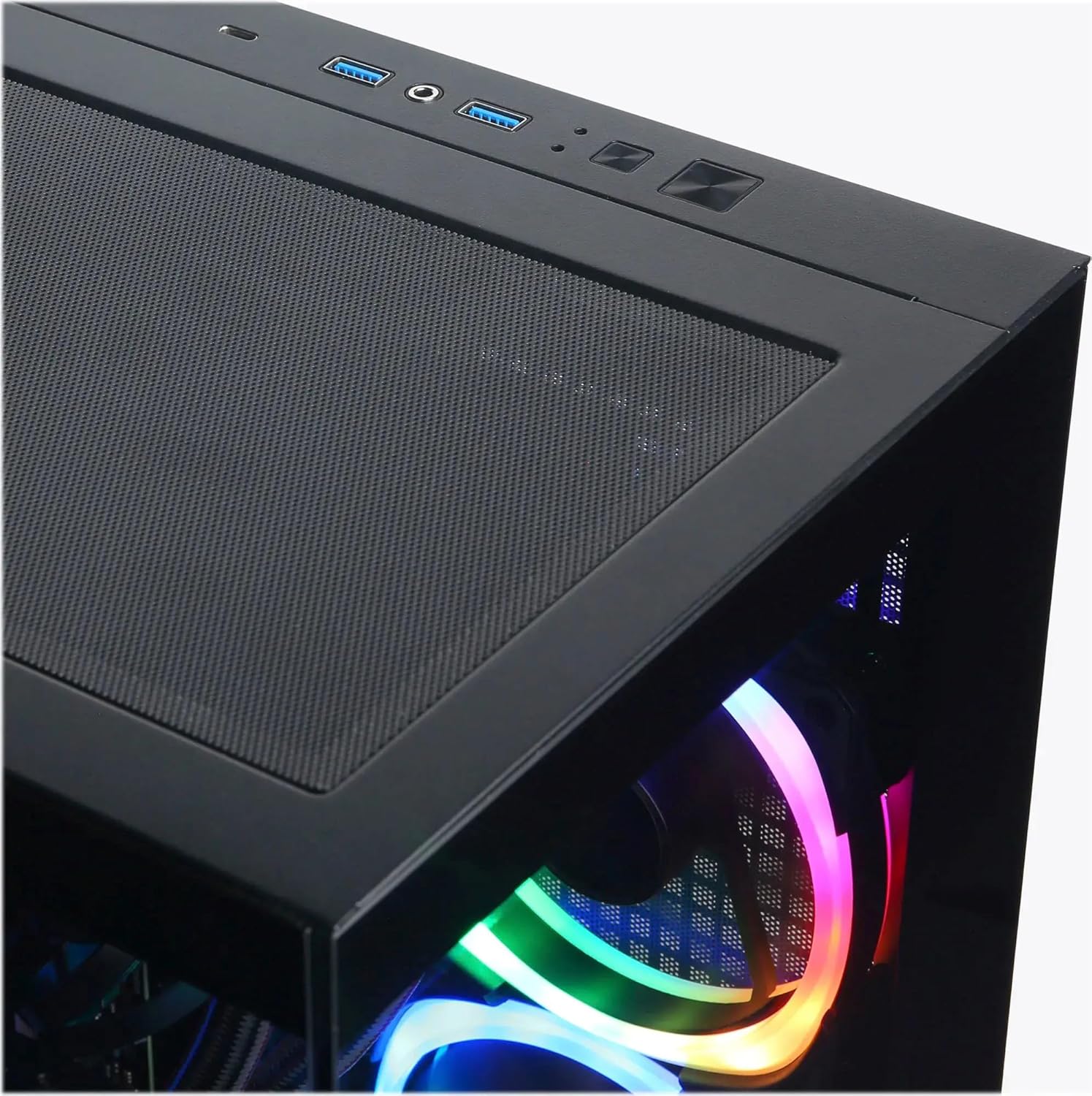
Image: Top I/O panel with USB ports, audio jacks, and power button.
4.3 L-Ibbutjar Inizjali u s-Setup tal-Windows
Press the power button located on the top of the case. The system will boot into Windows 11 Home. Follow the on-screen instructions to complete the initial Windows setup, including language, region, network connection, and user account creation.
5. Joperaw
5.1 Power On/Off
- Qawwa Mixgħul: Press the power button on the top of the PC.
- Itfi: Click the Start button in Windows, then select Power > Shut down. Avoid directly holding the power button to shut down, as this can lead to data loss or system instability.
- Ibda mill-ġdid: Ikklikkja l-buttuna Start fil-Windows, imbagħad agħżel Power > Restart.
5.2 Understanding I/O Ports
Your PC is equipped with various ports for connectivity:
- USB 3.1 Tip-Ċ: 1 (Front) - For high-speed data transfer and compatible devices.
- USB 3.1 Tip-A: 5 (2 Front, 3 Rear) - For general USB devices like keyboards, mice, and external drives.
- USB 2.0: 2 (Rear) - For older USB devices or peripherals that do not require high-speed data.
- RJ45 LAN: 1 (Rear) - For wired Ethernet network connection.
- Portijiet tal-awdjo: 3 (Rear - Speaker / Microphone / Line In), 1 (Front - Headphone/Microphone Combo) - For audio input/output.
- HDMI 2.1: 1 (Graphics Card) - For connecting to displays.
- DisplayPort 2.1: 3 (Graphics Card) - For connecting to displays.
5.3 Kontroll tad-Dawl RGB
Your system features custom RGB lighting. Control software for the RGB lighting may be pre-installed or available for download from the CyberpowerPC website. Refer to the software's instructions for customizing lighting effects and colors.
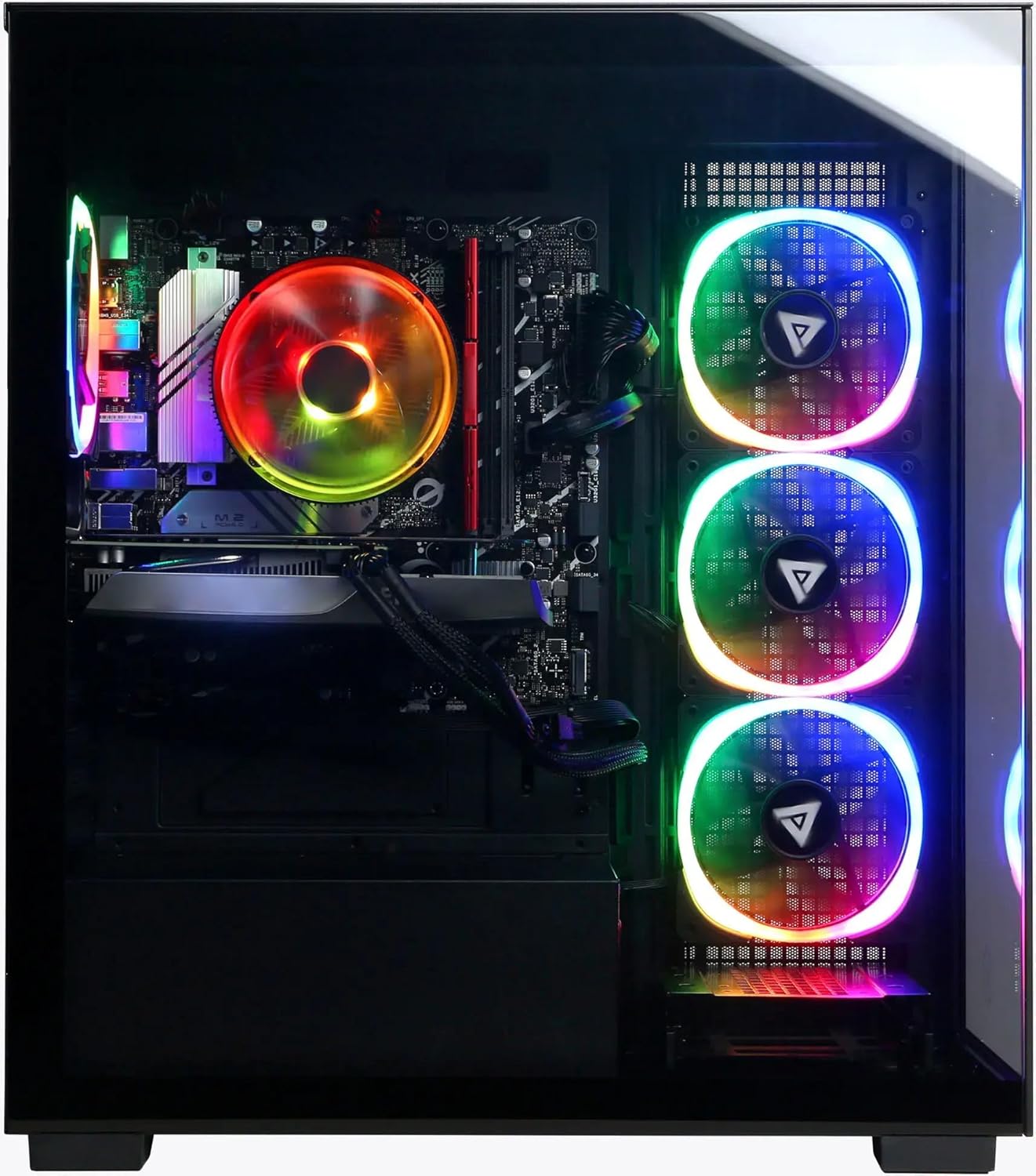
Immaġni: Minn quddiem u mill-ġenb view tal-wirja tal-PCasinid-dawl RGB personalizzabbli tiegħu.
6. Manutenzjoni
6.1 Tindif
- Barra: Uża artab, damp cloth to clean the exterior of the case. Avoid harsh chemicals.
- Trab: Periodically clean dust from the ventilation grilles and internal components using compressed air. Ensure the PC is powered off and unplugged before cleaning.
6.2 Aġġornamenti tas-Software
Regularly update your operating system (Windows Update), graphics drivers (NVIDIA website), and other software to ensure optimal performance and security.
6.3 Ventilazzjoni
Ensure the PC has unobstructed airflow. Do not place the computer in an enclosed space or directly against a wall. Proper ventilation is crucial for preventing overheating and maintaining component lifespan.
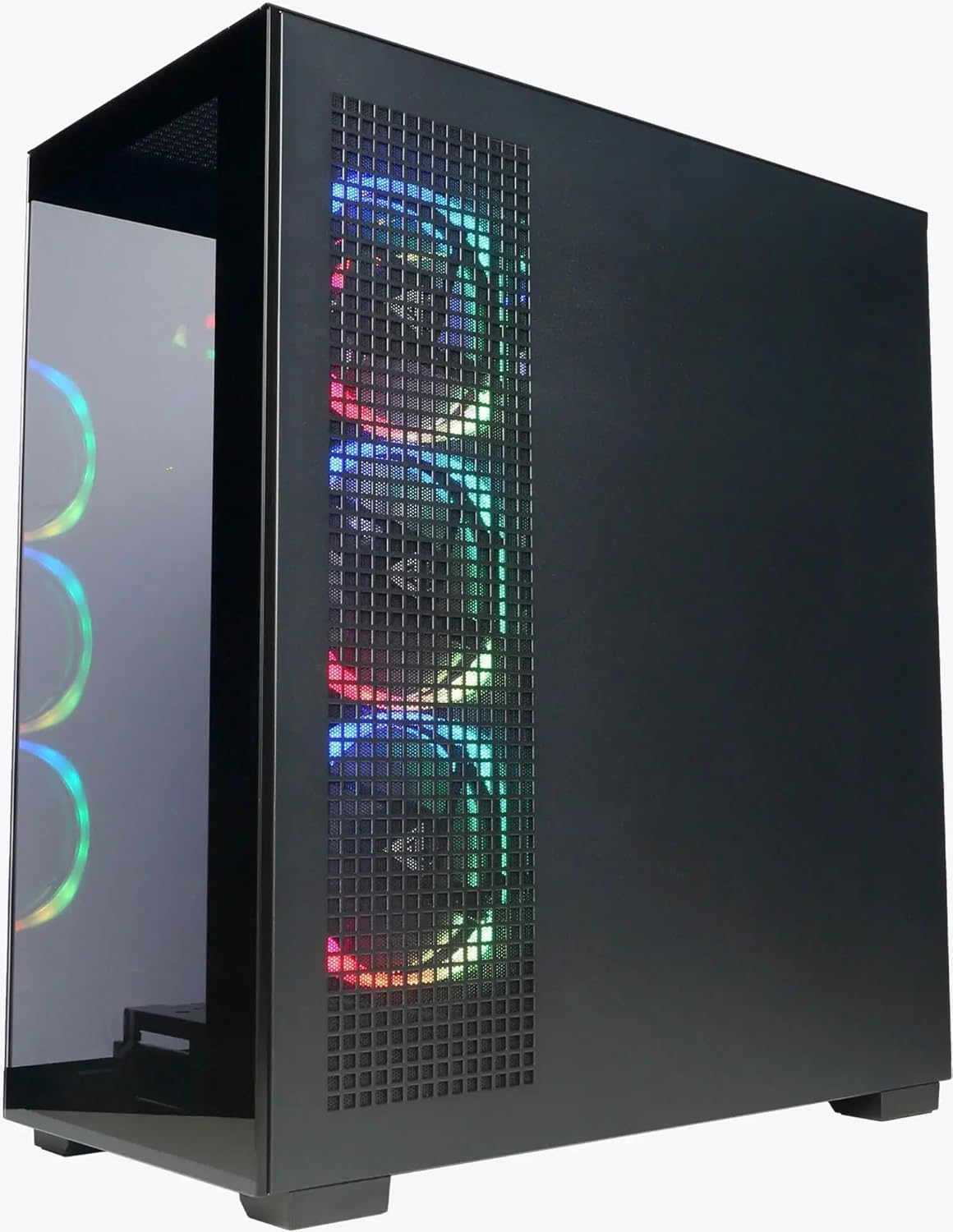
Immaġni: Ġenb view of the PC highlighting the mesh ventilation panel for airflow.
7 Issolvi l-problemi
If you encounter issues with your CyberpowerPC, consider the following basic troubleshooting steps:
- Ebda Qawwa:
- Kun żgur li l-korda tal-enerġija hija konnessa sew kemm mal-PC kif ukoll mas-sokit tal-ħajt.
- Ivverifika li s-swiċċ tal-enerġija fuq il-PSU (fuq wara tal-PC) ikun fil-pożizzjoni 'On'.
- Ipprova żbokk tad-dawl differenti.
- Ebda Display:
- Confirm the monitor is powered on and connected to the graphics card's output (HDMI or DisplayPort), not the motherboard's video output.
- Ipprova kejbil tal-vidjo jew monitor differenti jekk disponibbli.
- Ensure the monitor input source is correctly selected.
- Ebda Konnessjoni tal-Internet:
- For wired connections, check if the Ethernet cable is properly connected and your router/modem is working.
- For Wi-Fi, ensure Wi-Fi is enabled in Windows and you are connected to the correct network with the correct password.
- Check device drivers for network adapters in Device Manager.
- Tnaqqis/Iffriżar tas-Sistema:
- Ibda mill-ġdid il-kompjuter.
- Check for background applications consuming excessive resources (Task Manager).
- Kun żgur li l-Windows u s-sewwieqa huma aġġornati.
- Mexxi skennjar tal-virus/malware.
If these steps do not resolve the issue, please contact CyberpowerPC customer support.
8. Speċifikazzjonijiet
| Komponent | Dettall |
|---|---|
| Proċessur | Intel Core Ultra 5 225F (3.3GHz base, Max 4.9GHz) |
| Motherboard | Chipset Intel B860 |
| Memorja | 64GB DDR5 RAM |
| Ħażna | SSD ta' 2TB PCIe 4.0 NVMe |
| Karta Grafika | NVIDIA GeForce RTX 5060 8GB GDDR5 |
| Sistema Operattiva | Windows 11 Home |
| Konnettività | Wi-Fi 6, Bluetooth 5.3, 10/100/1000 Gigabit Ethernet LAN |
| Portijiet I/O (Quddiem) | 1x USB 3.1 Type-C, 2x USB 3.1 Type-A, 1x Headphone/Microphone Combo |
| Portijiet I/O (wara) | 3x USB 3.1 Type-A, 2x USB 2.0, 1x RJ45 LAN, 3x Audio Ports (Speaker/Mic/Line In) |
| Outputs tal-Vidjo | 1x HDMI 2.1, 3x DisplayPort 2.1 (from Graphics Card) |
| Tkessiħ tas-CPU | Air Cool |
| Provvista tal-Enerġija | 600W 80 Plus Gold |
| Dimensjonijiet (H x W x D) | 19.9" x 8.6" x 17.7" (50.5ċm x 21.8ċm x 44.9ċm) |
| Piż | 35 Lira (15.88 kg) |
9. Garanzija u Appoġġ
9.1 Garanzija tal-Prodott
Your CyberpowerPC Gamer Xtreme VR Gaming PC comes with a standard manufacturer's warranty. The specific terms and duration of the warranty are typically outlined in the documentation included with your product or available on the official CyberpowerPC websit. Jekk jogħġbok żomm il-prova tax-xiri tiegħek għal talbiet ta' garanzija.
9.2 Appoġġ Tekniku
For technical assistance, troubleshooting beyond this manual, or warranty inquiries, please contact CyberpowerPC customer support:
- Websit: Visit the official CyberpowerPC website for support resources, FAQs, driver downloads, and contact information.
- Telefon/Email: Refer to the contact details provided on the CyberpowerPC support page.
Additional protection plans may be available for purchase, offering extended coverage. Refer to your purchase details for information on any such plans.