
1. Introduzzjoni
Grazzi tax-xiriasing the ELECOM LBT-ECOWS01MBK Open-Ear Bluetooth 5.4 Wireless Headphones. These headphones are designed to allow you to enjoy audio content while remaining aware of your surroundings. This manual provides essential information for the safe and effective use of your new device.

Image: The ELECOM LBT-ECOWS01MBK open-ear wireless headphones and their transparent charging case.
2. Kontenut tal-Pakkett
- ELECOM LBT-ECOWS01MBK Open-Ear Wireless Headphones (Left and Right)
- Kawża tal-Iċċarġjar
- Kejbil tal-Iċċarġjar USB (USB-A għal USB Tip-C™)
- Gwida Quick Start
3. Karatteristiċi tal-prodott
- Disinn tal-widna miftuħa: Listen to music or videos while simultaneously hearing ambient sounds, ensuring awareness of your surroundings.
- Kumdità Ħafifa: Each earbud weighs approximately 9.8g, providing a comfortable fit for extended wear without pressure or stuffiness.
- Awdjo ta' kwalità għolja: Equipped with a large 16mm diameter driver for clear sound and supports AAC codec for high-quality audio on compatible devices like iPhones.
- Modalità tal-Vuċi: Optimizes audio frequencies to make human voices clearer, ideal for radio, audiobooks, and conversations.
- Modalità ta' Latenza Baxxa: Reduces audio-visual delay, enhancing the experience for videos and games.
- Daqq estiż: Up to 10 hours of continuous playback on a single charge, and up to 25 hours with the charging case.
- Kontrolli tas-Sensor Touch: Conveniently manage music playback, volume, and calls directly from the earbuds.
- Appoġġ għall-Assistent tal-Vuċi: Kompatibbli ma' Siri u Google Assistant għal kontroll mingħajr idejn.
- Użu ta' Earbud Uniku: Jew earbud jistgħu jintużaw b'mod indipendenti.
- USB Type-C™ Charging: The charging case features a USB Type-C™ port for convenient charging.

Image: A man wearing the open-ear headphones, demonstrating the ability to hear ambient sounds while enjoying media.
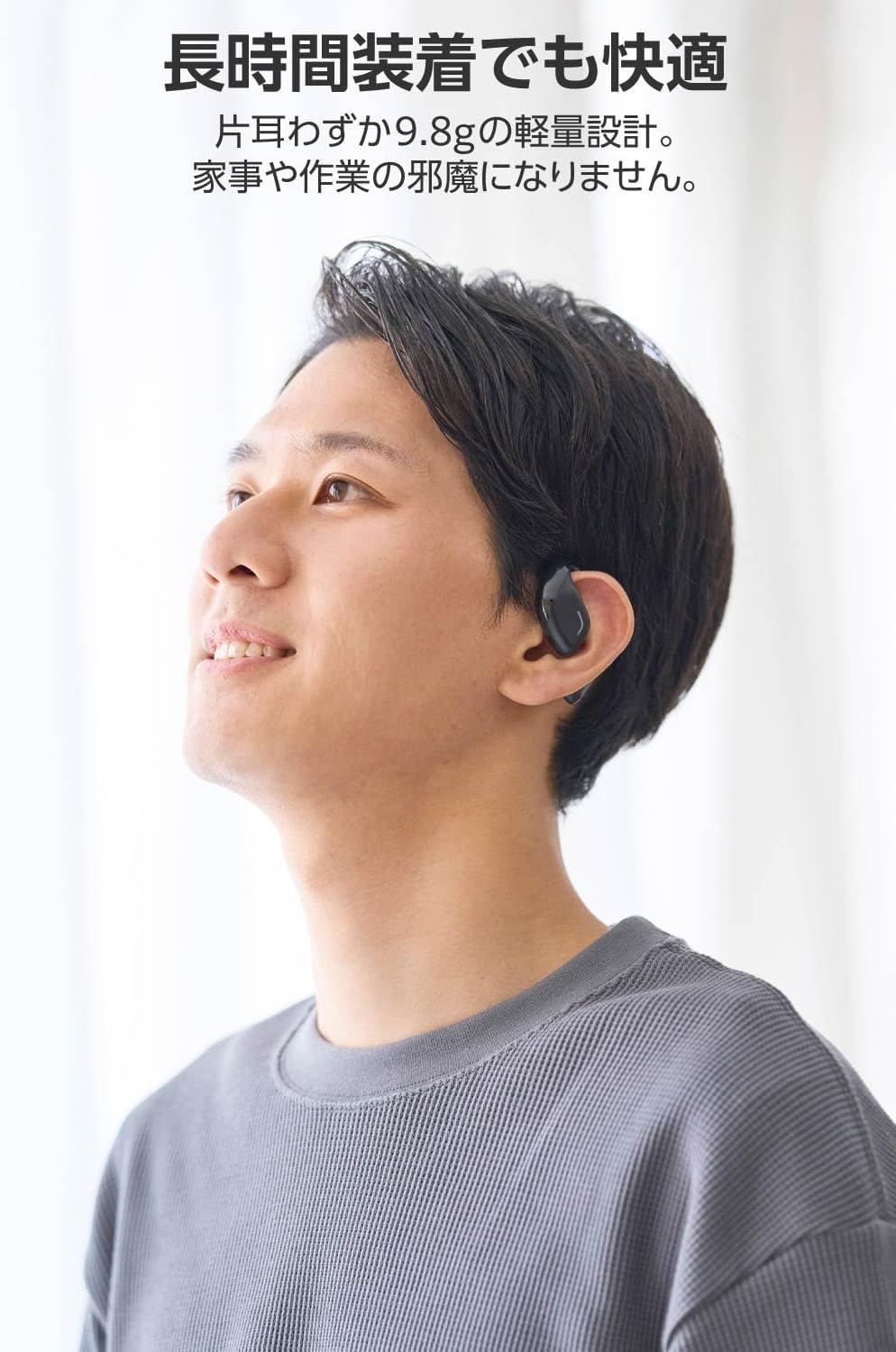
Image: A man wearing the lightweight open-ear headphones, highlighting their comfortable design for long-term use.
4. Setup
4.1. Iċċarġjar tal-Headphones u l-Kaxxa
Qabel l-ewwel użu, iċċarġja l-headphones u l-kaxxa tal-iċċarġjar kompletament.
- Poġġi ż-żewġ earbuds fil-kaxxa tal-iċċarġjar.
- Connect the supplied USB Type-C™ cable to the charging port on the case and a USB power adapter (not included).
- L-indikatur LED fuq il-kaxxa tal-iċċarġjar se juri l-istatus tal-iċċarġjar.
Ħin tal-Iċċarġjar:
- Headphones: Approximately 1.5 hours
- Charging Case: Approximately 1.5 hours

Image: Illustration of the charging process for the headphones and case, showing the USB-C port and LED indicators.
4.2. Tqabbil ma' Apparat Bluetooth
- Kun żgur li l-headphones huma ċċarġjati.
- Open the charging case. The headphones will automatically enter pairing mode. The LED indicator on the earbuds will flash.
- On your device (smartphone, PC, tablet), enable Bluetooth and search for available devices.
- Select "LBT-ECOWS01MBK" from the list of found devices.
- Ladarba tkun imqabbad, l-indikatur LED fuq il-earbuds jieqaf jteptep.
- After initial pairing, the headphones will automatically connect to the last paired device when removed from the case.
4.3. L-Ilbies tal-Headphones
The headphones are designed to hook over your ears.
- Identifika l-earbuds tax-Xellug (L) u tal-Lemin (R).
- With the LED facing outwards, hook the earbud over the top of your ear.
- Adjust the earbud for a comfortable and secure fit.

Image: Step-by-step guide on correctly wearing the open-ear headphones.
5. Istruzzjonijiet Operattivi
5.1. Touch Sensor Controls
The headphones feature touch sensors on each earbud for various functions.
| Funzjoni | Azzjoni | Earbud |
|---|---|---|
| Play/Pawsa | Vit wieħed | L jew R |
| Track li jmiss | Tektek doppju | R |
| Track Preċedenti | Tektek doppju | L |
| Volum Up | Long press (approx. 2 seconds) | R |
| Volum 'l isfel | Long press (approx. 2 seconds) | L |
| Tweġiba/Tmiem Sejħa | Vit wieħed | L jew R |
| Irrifjuta Sejħa | Pressa twila | L jew R |
| Attiva l-Assistent tal-Vuċi | Tektek triplu | L jew R |

Image: Visual representation of the touch sensor areas and corresponding music and volume controls.
5.2. Switching Audio Modes
The headphones offer three distinct audio modes:
- Modalità Normali: Standard audio playback.
- Modalità ta' Latenza Baxxa: Reduces audio-visual delay, suitable for watching videos or playing games.
- Modalità tal-Vuċi: Enhances human voice frequencies for clearer dialogue, ideal for audiobooks, podcasts, or calls.
To switch between modes, refer to the quick start guide or the official product page for specific touch gestures, as these can sometimes be customized.

Immaġni: Aktar minnview of the three available audio modes and their recommended uses.
5.3. Użu ta' Earbud Wieħed
You can use either the left or right earbud independently. When using only one earbud, ensure the other earbud is powered off or stored in the charging case.
6. Manutenzjoni
To ensure the longevity and optimal performance of your headphones:
- Naddaf il-earbuds u l-kaxxa tal-iċċarġjar regolarment b'ċarruta ratba u niexfa.
- Tużax tindif jew solventi li joborxu.
- Evita li tesponi l-headphones għal temperaturi estremi, umdità, jew dawl tax-xemx dirett.
- Keep the charging contacts on the earbuds and inside the case clean and free of debris.
- Aħżen il-headphones fil-kaxxa tal-iċċarġjar tagħhom meta ma tkunx qed tużahom biex tipproteġihom u żżommhom iċċarġjati.
7 Issolvi l-problemi
Jekk tiltaqa' ma' problemi bil-headphones tiegħek, irreferi għas-soluzzjonijiet komuni li ġejjin:
- Ebda Ħsejjes:
- Kun żgur li l-headphones huma ċċarġjati.
- Iċċekkja li l-headphones huma mqabbdin sew u konnessi mat-tagħmir tiegħek.
- Aġġusta l-volum kemm fuq il-headphones kif ukoll fuq l-apparat konness tiegħek.
- Ma tistax tqabbad:
- Ensure the headphones are in pairing mode (LED flashing).
- Turn off Bluetooth on other nearby devices that may have previously connected.
- Ibda mill-ġdid it-tagħmir tiegħek u erġa' pprova tgħaqqad.
- Konnessjoni intermittenti:
- Kun żgur li m'hemm l-ebda ostaklu bejn il-headphones u l-apparat tiegħek.
- Move closer to your device (maximum communication distance is approximately 10m).
- Evita ambjenti b'interferenza elettromanjetika qawwija.
- Il-Kontrolli tal-Messi mhux Jirrispondew:
- Kun żgur li subgħajk huma nodfa u niexfa.
- Try restarting the headphones by placing them in the case and then taking them out again.
- Low Battery Voice Prompt: If you hear a repeated "Low Battery, please charge" prompt, place the earbuds in the charging case immediately.
If the issue persists, please refer to the official ELECOM support websit għal aktar għajnuna.
8. Speċifikazzjonijiet
| Karatteristika | Speċifikazzjoni |
|---|---|
| Isem tal-Mudell | LBT-ECOWS01MBK |
| Teknoloġija tal-Konnettività | Wireless (Bluetooth® Version 5.4) |
| Bluetooth Profiles | A2DP, AVRCP, HFP |
| Codecs appoġġjati | AAC, SBC |
| Distanza Massima ta' Komunikazzjoni | Approx. 10m (without obstacles) |
| Frequency Response (A2DP) | 20-20,000Hz |
| Ħin ta' Daqq Kontinwu | Madwar 10 sigħat (Madwar 25 siegħa bil-kaxxa tal-iċċarġjar) |
| Ħin tal-Iċċarġjar (Headphones) | Appross. 1.5 sigħat |
| Ħin tal-Iċċarġjar (Każ) | Appross. 1.5 sigħat |
| Tip ta 'mikrofonu | Tip MEMS |
| Unità tas-sewwieq | φ16mm Full Range |
| Piż (għal kull earbud) | Appross. 9.8g |
| Piż (Każ tal-Iċċarġjar) | Appross. 59.0g |
| Kulur | Iswed Matte |
| Reżistenza għall-Ilma | Mhux reżistenti għall-ilma |
| Temperatura operattiva | 5℃ sa 35℃ |
| Umdità Operattiva | 20% sa 80% (mingħajr kondensazzjoni) |
9. Garanzija u Appoġġ
9.1. Informazzjoni dwar Garanzija
Dan il-prodott jiġi ma 'a garanzija ta 'sena from the date of purchase. Please retain your proof of purchase for warranty claims. The warranty covers manufacturing defects but does not cover damage caused by misuse, accidents, unauthorized modifications, or normal wear and tear.
9.2. Appoġġ għall-Klijent
For further assistance, technical support, or detailed product information, please visit the official ELECOM websit:
You may also find additional FAQs and troubleshooting tips on the product support pages.