
Introduzzjoni
Grazzi tax-xiriasing the Oilsky D26 MP3 Player. This device combines a 2.8-inch full touchscreen with Bluetooth 5.0 connectivity, a built-in speaker, and a robust alloy design. It offers 64GB of internal storage, expandable up to 128GB with a microSD card, and supports various audio formats. This manual provides essential information for setup, operation, and maintenance to ensure optimal performance.
Kontenut tal-Pakkett
Jekk jogħġbok iċċekkja l-pakkett għall-oġġetti li ġejjin:
- Oilsky D26 MP3 Player Unit
- Earphones
- Kejbil USB tat-Tip C
- Manwal ta' Istruzzjoni
- Kawża Protettiva

Jekk xi oġġetti huma nieqsa jew bil-ħsara, jekk jogħġbok ikkuntattja l-appoġġ għall-klijenti.
Prodott Overview
The Oilsky D26 MP3 Player features a sleek alloy design with a 2.8-inch full touchscreen for intuitive navigation. It includes a home button for easy return to the main menu.

Setup
1. Iċċarġjar tal-Apparat
Before first use, fully charge the MP3 player. Connect the provided Type-C USB cable to the player's charging port and the other end to a USB power adapter (not included) or a computer's USB port. The battery indicator on the screen will show charging status.
2. Daħħal Karta microSD (Mhux obbligatorju)
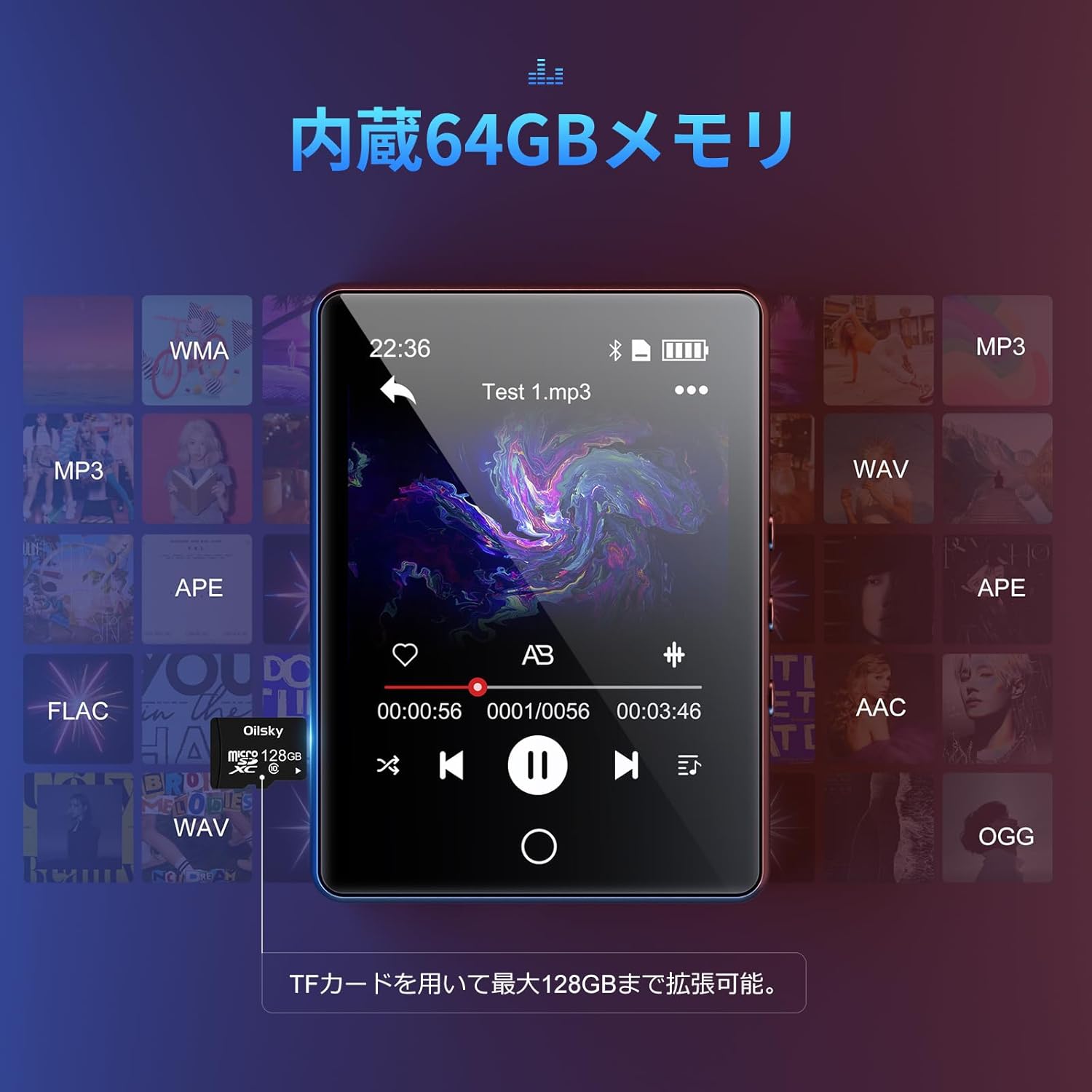
The device has 64GB of internal storage. To expand storage up to 128GB, insert a microSD card into the designated slot. Ensure the card is inserted correctly until it clicks into place.

3. It-trasferiment Files
Connect the MP3 player to your computer using the Type-C USB cable. The device will appear as a removable disk. You can then drag and drop audio files (MP3, WMA, APE, FLAC, AAC, WAV, OGG) into the player's internal storage or the inserted microSD card.
Istruzzjonijiet Operattivi
1. Navigazzjoni Bażika
The D26 features a 2.8-inch full touchscreen. Tap icons to select functions and swipe to navigate menus. The physical home button at the bottom allows you to return to the main menu from any application.

2. Daqq tal-mużika
Tap the 'Music' icon on the main screen to access your audio library. The player supports various formats including MP3, WMA, APE, FLAC, AAC, WAV, and OGG, ensuring high-quality audio playback with minimal loss.
3. Konnettività Bluetooth
The D26 features Bluetooth 5.0 for stable wireless connections. To pair with Bluetooth headphones or speakers:
- Mur f''Settings' u agħżel 'Bluetooth'.
- Ixgħel il-Bluetooth u fittex apparati disponibbli.
- Agħżel il-headphones jew l-ispiker Bluetooth tiegħek mil-lista biex tqabbadhom.
Nota: This device can only pair with Bluetooth headsets or speakers. It cannot pair with mobile phones, cars, or computers. Ensure you are in an area free from strong electromagnetic interference to maintain a stable Bluetooth connection.

4. Radju FM
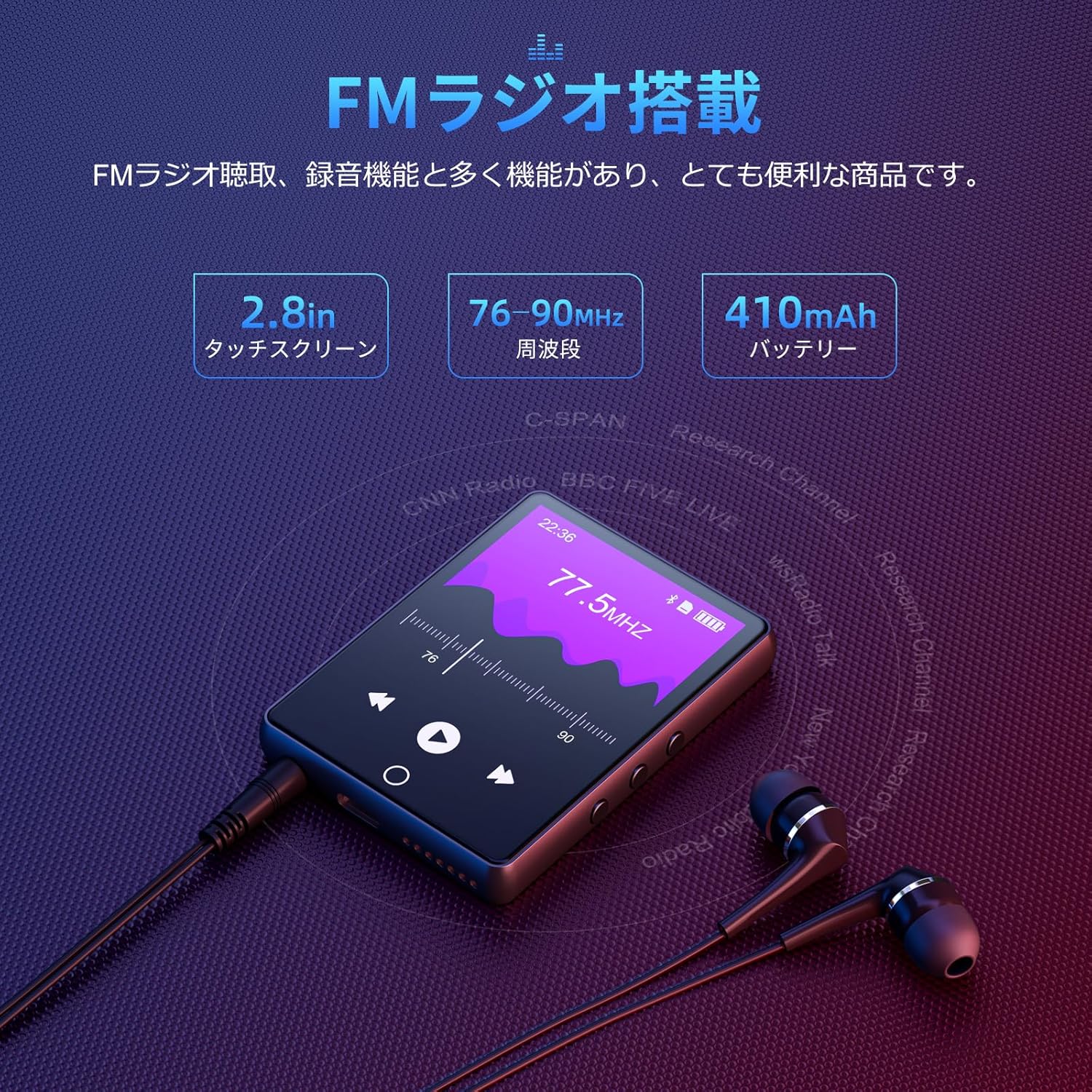
To use the FM radio function, connect the wired earphones (included) as they act as the antenna. Tap the 'FM Radio' icon on the main screen. You can then scan for stations and listen to broadcasts.
5. Funzjoni ta' Reġistrazzjoni
The D26 includes a recording function, useful for lectures, meetings, or personal notes. Tap the 'Record' icon to start and stop recordings. Recorded files are saved on the device.

6. Funzjonijiet Oħra
The device also includes additional utilities such as a timer, calendar, and calculator. Access these features from the main menu.

Manutenzjoni
- Żomm l-apparat niexef. Evita l-espożizzjoni għall-umdità jew likwidi.
- Clean the screen and body with a soft, dry cloth. Do not use abrasive cleaners.
- Evita temperaturi estremi.
- Tippruvax iżarma jew isewwi l-apparat lilek innifsek.
Issolvi l-problemi
Apparat mhux qed jixgħel:
- Kun żgur li l-apparat huwa kompletament iċċarġjat.
- Agħfas u żomm il-buttuna tal-qawwa għal ftit sekondi.
Ma tistax tikkonnettja permezz tal-Bluetooth:
- Ensure Bluetooth is enabled on both the player and the receiving device (headphones/speaker).
- Kun żgur li l-apparat li jirċievi jinsab fil-modalità ta' tqabbil.
- Confirm that you are attempting to pair with a compatible device (Bluetooth headphones or speakers only).
- Itlaq minn sorsi potenzjali ta' interferenza elettromanjetika.
Ebda ħoss:
- Iċċekkja l-livell tal-volum.
- Ensure earphones are properly connected or Bluetooth device is paired and connected.
- Test with different earphones or Bluetooth device.
Filemhux qed nilgħab:
- Ivverifika li l-awdjo file format is supported (MP3, WMA, APE, FLAC, AAC, WAV, OGG).
- Tiżgura l- files mhumiex korrotti.
Speċifikazzjonijiet
| Karatteristika | Speċifikazzjoni |
|---|---|
| Numru tal-Mudell | D26 |
| Brand | Oilsky |
| Daqs tal-Iskrin | 2.8 pulzieri |
| Teknoloġija tal-Wiri | LCD |
| Ħażna Interna | 64 GB |
| Ħażna espansibbli | Up to 128GB via microSD card |
| Konnettività | Bluetooth 5.0 |
| Formati Awdjo Appoġġjati | MP3, WMA, APE, FLAC, AAC, WAV, OGG |
| Funzjonijiet Oħra | FM Radio, Built-in Speaker, Recording, Calculator, Timer, Calendar |
| Dimensjonijiet | 14.7 x 14.6 x 1.9 ċm |
| Piż | 200 g |
Garanzija u Appoġġ
This product comes with a standard manufacturer's warranty. For specific warranty details, please refer to the warranty card included in your package or contact the seller directly. If you encounter any issues or have questions regarding your Oilsky D26 MP3 Player, please reach out to our customer support team for assistance.
Informazzjoni ta' Kuntatt: Please refer to the contact details provided on the product packaging or the seller's information page.