
1. Introduzzjoni
This manual provides comprehensive instructions for the safe and effective use of your Flashpoint Zoom Li-on X PRO R2 TTL On-Camera Round Flash Speedlight for Sony and the Glow PS-B24K ParaSnap Octagonal Softbox. Please read this manual thoroughly before operating the equipment and retain it for future reference. Proper understanding of these instructions will ensure optimal performance and longevity of your product.
2. Informazzjoni dwar is-Sigurtà
- Do not disassemble or modify the product. Unauthorized repairs can cause damage and void the warranty.
- Żomm il-prodott niexef. Tmissx b'idejn imxarrbin jew tgħaddasx fl-ilma.
- Evita l-espożizzjoni diretta tal-għajnejn għad-dawl tal-flash.
- Żomm fejn ma jintlaħaqx mit-tfal.
- Uża biss il-batterija u l-ċarġer speċifikati.
- Tiżgura ventilazzjoni xierqa waqt it-tħaddim biex tevita sħana żejda.
3. Kontenut tal-Pakkett
Ivverifika li l-oġġetti kollha huma preżenti fil-pakkett tiegħek:
- Flashpoint Zoom Li-on X PRO R2 TTL On-Camera Round Flash Speedlight
- Batterija tal-jone tal-litju
- Ċarġer tal-batterija
- Cable tal-Iċċarġjar tal-USB
- Mini Stand
- Kawża Protettiva
- Glow PS-B24K ParaSnap Octagonal Softbox (24")
- Flashpoint C-adapter for Round Head Flashes
- Softbox Carrying Bag
4. Prodott Aktarview
The Flashpoint Zoom Li-on X PRO R2 TTL Flash is a versatile on-camera speedlight designed for Sony cameras, offering a round flash head for natural light distribution. It integrates with the R2 wireless system for advanced control. The Glow PS-B24K ParaSnap Octagonal Softbox is a portable light modifier that attaches to the flash via the C-adapter, providing soft, even illumination.
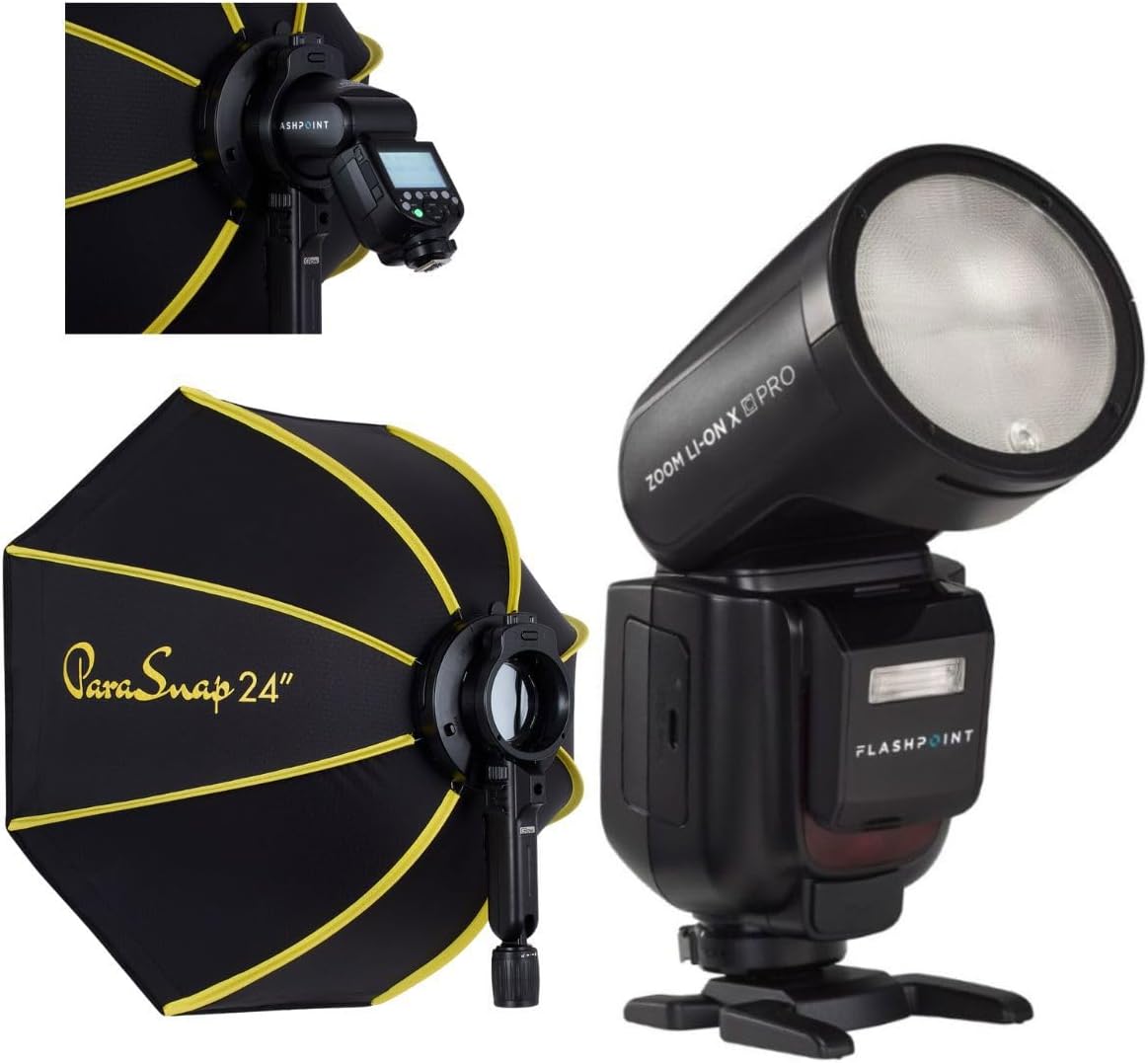
Image 1: The Flashpoint Zoom Li-on X PRO R2 TTL Flash shown alongside the Glow PS-B24K ParaSnap Octagonal Softbox, illustrating the complete kit.
4.1 Flash Unit (Zoom Li-on X PRO R2 TTL)
This unit features a round flash head, an LCD display for settings, control buttons, a hot shoe mount, and a battery compartment.

Immaġni 2: Close-up view of the Flashpoint Zoom Li-on X PRO R2 TTL Flash unit, highlighting its round head and control panel.
4.2 Glow PS-B24K ParaSnap OctagSoftbox online
The softbox is designed for quick setup and breakdown, featuring an octagonal shape for pleasing catchlights and soft light. It includes a mounting bracket for the C-adapter.

Image 3: The Glow PS-B24K ParaSnap Octagonal Softbox in its open configuration, ready for use.
4.3 Flashpoint C-adapter
This adapter facilitates the connection of the round head flash to the softbox, ensuring a secure and stable mount.

Immaġni 4: A view of the Flashpoint C-adapter, which connects the round flash head to light modifiers.
5. Setup
5.1 Installazzjoni u Iċċarġjar tal-Batterija
- Open the battery compartment on the flash unit.
- Insert the Lithium-Ion battery, ensuring correct polarity.
- Agħlaq il-kompartiment tal-batterija sew.
- To charge, connect the battery to the charger, then plug the charger into a power source. The indicator light will show charging status.
5.2 Kif Twaħħal il-Flash mal-Kamera Tiegħek
- Żerżaq il-muntatura tal-hot shoe tal-flash fil-hot shoe tal-kamera tiegħek.
- Tighten the locking ring or lever on the flash to secure it to the camera.
5.3 Assembling and Attaching the Softbox
- Unfold the Glow PS-B24K ParaSnap Octagonal Softbox. The internal rods will snap into place.
- Attach the Flashpoint C-adapter to the mounting bracket on the softbox.
- Insert the round head of the Flashpoint Zoom Li-on X PRO R2 TTL Flash into the C-adapter, ensuring it is securely seated.
- Optionally, attach the inner and outer diffusers to the softbox for softer light.

Image 5: The Flashpoint Zoom Li-on X PRO R2 TTL Flash integrated with the Glow PS-B24K ParaSnap Octagonal Softbox, demonstrating the assembled unit.

Immaġni 6: Fuqview of the Glow PS-B24K ParaSnap Octagonal Softbox components, including the softbox, C-adapter, and carrying bag.

Immaġni 7: Pro tal-ġenbfile of the Flashpoint C-adapter, showing its design for connecting the flash to the softbox.
6. Istruzzjonijiet Operattivi
6.1 Tixgħel/Jitfi
Press and hold the power button on the flash unit for approximately 2 seconds to turn it on or off.
6.2 Modi Flash
- Modalità TTL: The flash automatically adjusts its output based on the camera's metering system for balanced exposure.
- Modalità Manwali (M): Allows you to manually set the flash power from 1/1 (full power) down to 1/256 in precise steps.
- Modalità Multipla (Stroboskopika): Jispara serje ta' flashes rapidi waqt espożizzjoni waħda biex jaqbad diversi immaġni ta' suġġett li jiċċaqlaq.
Use the mode button to cycle through available flash modes and the dial/buttons to adjust settings within each mode.
6.3 R2 Wireless System Operation
The Flashpoint Zoom Li-on X PRO R2 TTL Flash can operate as a master or slave unit within the Flashpoint R2 wireless system. Refer to the flash unit's display and controls to set the wireless mode, channel, and group. This allows for remote control of multiple R2-compatible flashes.
6.4 L-Użu tas-Softbox
The Glow PS-B24K ParaSnap Octagonal Softbox diffuses the flash light, creating a softer, more even illumination with reduced harsh shadows. Position the softbox and flash unit to achieve the desired lighting effect on your subject.
7. Manutenzjoni
- Clean the flash head and body with a soft, dry cloth. Do not use solvents or abrasive cleaners.
- Kun żgur li l-kuntatti tal-batterija huma nodfa.
- When not in use for extended periods, remove the battery and store the flash and softbox in their protective cases in a cool, dry place.
8 Issolvi l-problemi
| Problema | Kawża Possibbli | Soluzzjoni |
|---|---|---|
| Il-flash ma jaħdimx. | Low battery; incorrect camera/flash settings; flash not securely mounted. | Charge battery; check flash and camera settings (e.g., flash enabled, correct mode); re-mount flash securely. |
| L-output tal-flash mhux konsistenti. | Battery low; environmental factors; incorrect TTL compensation. | Ensure battery is fully charged; adjust flash exposure compensation; check for obstructions. |
| Softbox does not open/close smoothly. | Mechanism obstruction; bent rods. | Check for any fabric or debris obstructing the mechanism; gently straighten any bent rods if possible. |
9. Speċifikazzjonijiet
| Karatteristika | Dettall |
|---|---|
| Dimensjonijiet tal-Prodott | 24.5 x 8.2 x 2.78 pulzieri |
| Piż tal-oġġett | 4.52 liri |
| ASIN | B0DT4TGDN7 |
| Data L-Ewwel Disponibbli | 15 ta’ Jannar, 2025 |
| Manifattur | Flashpoint |
| Brand | Flashpoint |
| UPC | 192223270701 |
| Output ta 'Qawwa | 1/1 to 1/256 in 81 steps |
| Ħin tar-riċiklaġġ | Madwar 1.5 sekondi (qawwa sħiħa) |
| It-Tul tal-Flash | 1/300 sa 1/20000 sekonda |
| Batterija | 7.2V/2980mAh Lithium-Ion |
| Sistema Wireless | Flashpoint R2 (2.4GHz) |
10. Garanzija u Appoġġ
Flashpoint products are designed for reliability and performance. For warranty information, technical support, or service inquiries, please refer to the official Flashpoint webis-sit jew ikkuntattja lin-negozjant awtorizzat tiegħek. Żomm l-irċevuta tax-xiri tiegħek bħala prova tax-xiri.
Żur il- Flashpoint Store għal prodotti addizzjonali u riżorsi ta' appoġġ.