
Introduzzjoni
The LAMAX BFit Call is a versatile smartwatch designed to enhance your daily life with smart notifications, comprehensive health monitoring, and various fitness features. This manual provides essential information for setting up, operating, and maintaining your device.
Setup
1. Il-ftuħ tal-kaxxa u l-iċċarġjar inizjali
Carefully unpack your LAMAX BFit Call smartwatch. The package includes the smartwatch, a charging cable, an additional strap, and safety tips. Before first use, fully charge the device using the provided charging cable.
2. Tixgħil / Mitfi
To power on, press and hold the side button until the screen illuminates. To power off, navigate to the settings menu on the watch, select 'Power Off', and confirm.
3. It-tqabbil mal-Ismartphone Tiegħek
- Download the official LAMAX BFit Call application from your smartphone's app store.
- Kun żgur li l-Bluetooth huwa attivat fuq l-ismartphone tiegħek.
- Open the LAMAX BFit Call app and follow the on-screen instructions to search for and connect to your smartwatch via Bluetooth 5.3.
- Ikkonferma t-talba ta' tqabbil kemm fuq it-telefon tiegħek kif ukoll fuq l-ismartwatch.
Successful pairing enables call, SMS, and selected application notifications directly on your watch.
Istruzzjonijiet Operattivi
1. Navigazzjoni Bażika
The LAMAX BFit Call features a responsive touch screen. Swipe left, right, up, or down to navigate through menus and access different functions. Press the side button to return to the home screen or wake the device.
2. Karatteristiċi tal-Komunikazzjoni
- Sejħiet Bluetooth: Once paired, you can answer or reject incoming calls directly from your watch.
- Notifiki: Receive SMS messages and notifications from selected applications on your wrist.
3. Monitoraġġ tas-Saħħa
The smartwatch continuously monitors various health metrics:
- Rata tal-qalb: 24-hour heart rate tracking.
- Ossiġnu fid-Demm (SpO2): Monitors blood oxygen supply.
- Pressjoni tad-demm: Jipprovdi qari tal-pressjoni tad-demm.
- Livell ta' Stress: Jirreġistra l-livelli ta' stress tiegħek matul il-ġurnata.
- Kwalità tal-irqad: Monitors sleep patterns and quality.
- Ċiklu menstruwali: Offers tracking for the menstrual cycle.
Note: This device is not a medical instrument. Health data is for reference only and should not be used for medical diagnosis or treatment.
4. Fitness and Sport Modes
Access over 100 sport modes to track your workouts. The watch records training results, including calorie consumption, and features a pedometer for daily step counting. Relaxation exercises are also available.
5. Karatteristiċi addizzjonali
- Kontroll Multimedia: Ikkontrolla d-daqq tal-mużika fuq l-ismartphone imqabbad tiegħek.
- Uċuħ tal-arloġġi tad-dwana: Personalize your watch face through the app.
- Tbassir tat-Temp: Ikseb aġġornamenti tat-temp f'ħin reali.
- Remote Timer: Use the watch as a remote timer.
- Logħob: Enjoy two built-in games.
- Arloġġ ta 'allarm: Issettja l-allarmi direttament mill-arloġġ.
Manutenzjoni
1. Tindif
Wipe the watch screen and strap regularly with a soft, dry cloth. For stubborn dirt, use a slightly damp drapp u mbagħad nixxef sew. Evita kimiċi ħarxa jew materjali li joborxu.
2. Kura tal-batterija
To maximize battery life (up to 7 days on average), avoid extreme temperatures and fully charge the device before it completely drains. If storing for an extended period, charge it to about 50%.
3. Material Care
The watch is made from safe, non-irritating materials. If you experience any skin irritation, discontinue use and consult a doctor. Ensure the strap is not too tight to allow for proper air circulation.
Issolvi l-problemi
- L-arloġġ ma jixgħelx: Kun żgur li l-arloġġ ikun iċċarġjat kompletament. Qabbad mal-ċarġer għal mill-inqas 30 minuti.
- Ma tistax tqabbad mat-telefon: Check if Bluetooth is enabled on your phone and the watch. Ensure the watch is within range and not paired with another device. Restart both the watch and phone.
- Notifiki mhux riċevuti: Verify that app notifications are enabled in your phone's settings and within the LAMAX BFit Call app. Ensure the watch is properly connected via Bluetooth.
- Dejta dwar is-saħħa mhux preċiża: Ensure the watch is worn snugly on your wrist, but not too tight. Clean the sensor on the back of the watch.
- Ħajja qasira tal-batterija: Reduce screen brightness, disable unnecessary notifications, and limit continuous health monitoring if not required.
Speċifikazzjonijiet
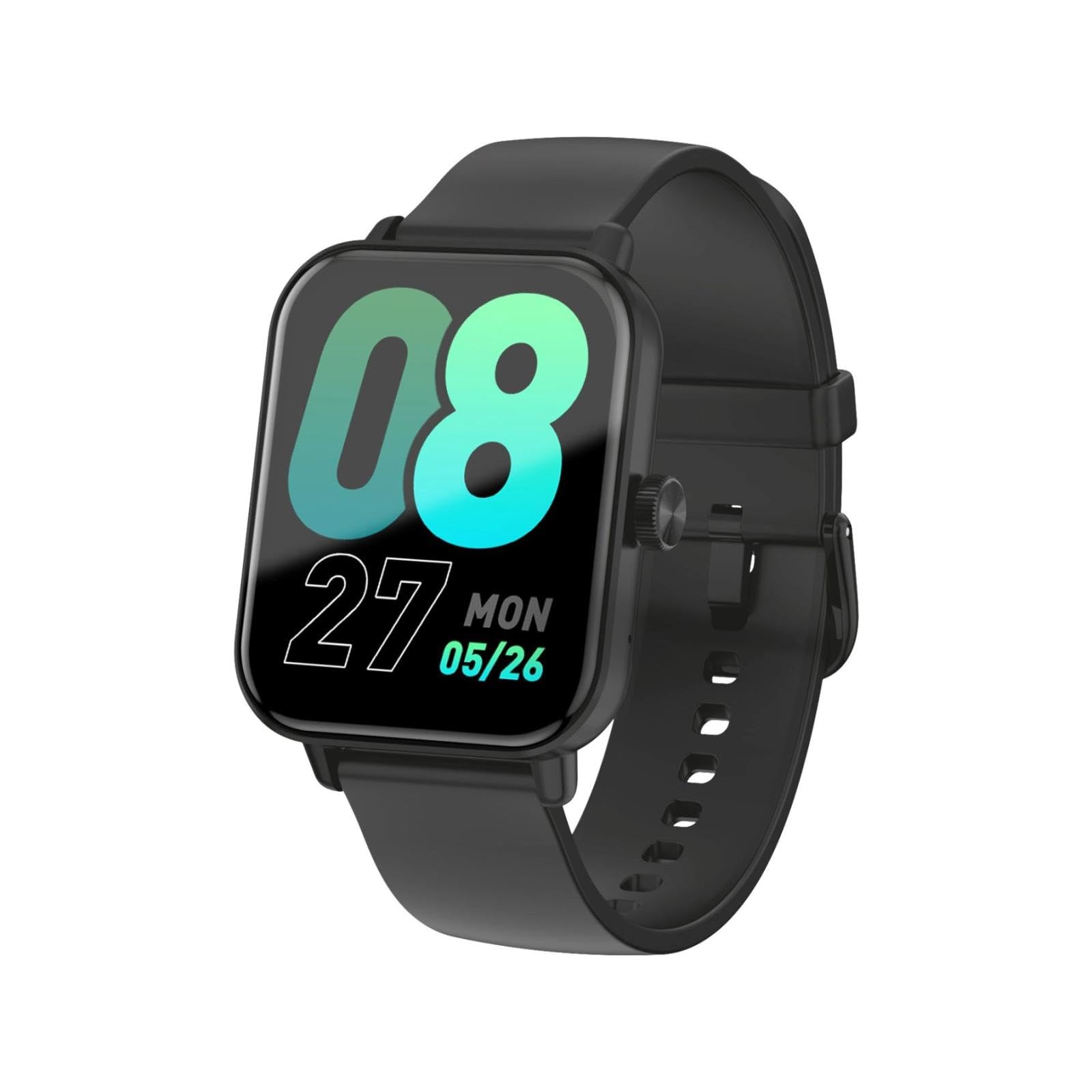
This image shows the LAMAX BFit Call smartwatch worn on the wrist of a child who is engaged in writing. The watch face displays digital time and other metrics, highlighting its comfortable fit and clear display during daily activities.
| Brand | LAMAX |
| Isem tal-Mudell | BFit Call |
| Daqs tal-Wiri | 1.83 Pulzier |
| Tip ta 'Wiri | TFT |
| Kapaċità tal-batterija | 300 mAh |
| Ħajja Medja tal-Batterija | Sa 7 jum |
| Konnettività | Bluetooth |
| Karatteristiċi Speċjali | Alarm clock, Touch screen, Cycle tracking, Time display |
| Piż | 35 g |
Garanzija u Appoġġ
For warranty information and technical support, please refer to the official LAMAX webis-sit jew ikkuntattja lid-distributur lokali tiegħek. Żomm l-irċevuta tax-xiri tiegħek bħala prova tax-xiri għal talbiet ta' garanzija.