
MCHOSE A7 Pro/26K DPI/1K Nano Dongle
MCHOSE A7 Pro Wireless Gaming Mouse User Manual
Model: A7 Pro/26K DPI/1K Nano Dongle
Marka: MCHOSE
1. Introduzzjoni
Thank you for choosing the MCHOSE A7 Pro Wireless Gaming Mouse. This manual provides detailed instructions for setting up, operating, and maintaining your new gaming mouse. The A7 Pro is designed for high-performance gaming, featuring a lightweight design, tri-mode connectivity, and a high-precision optical sensor.
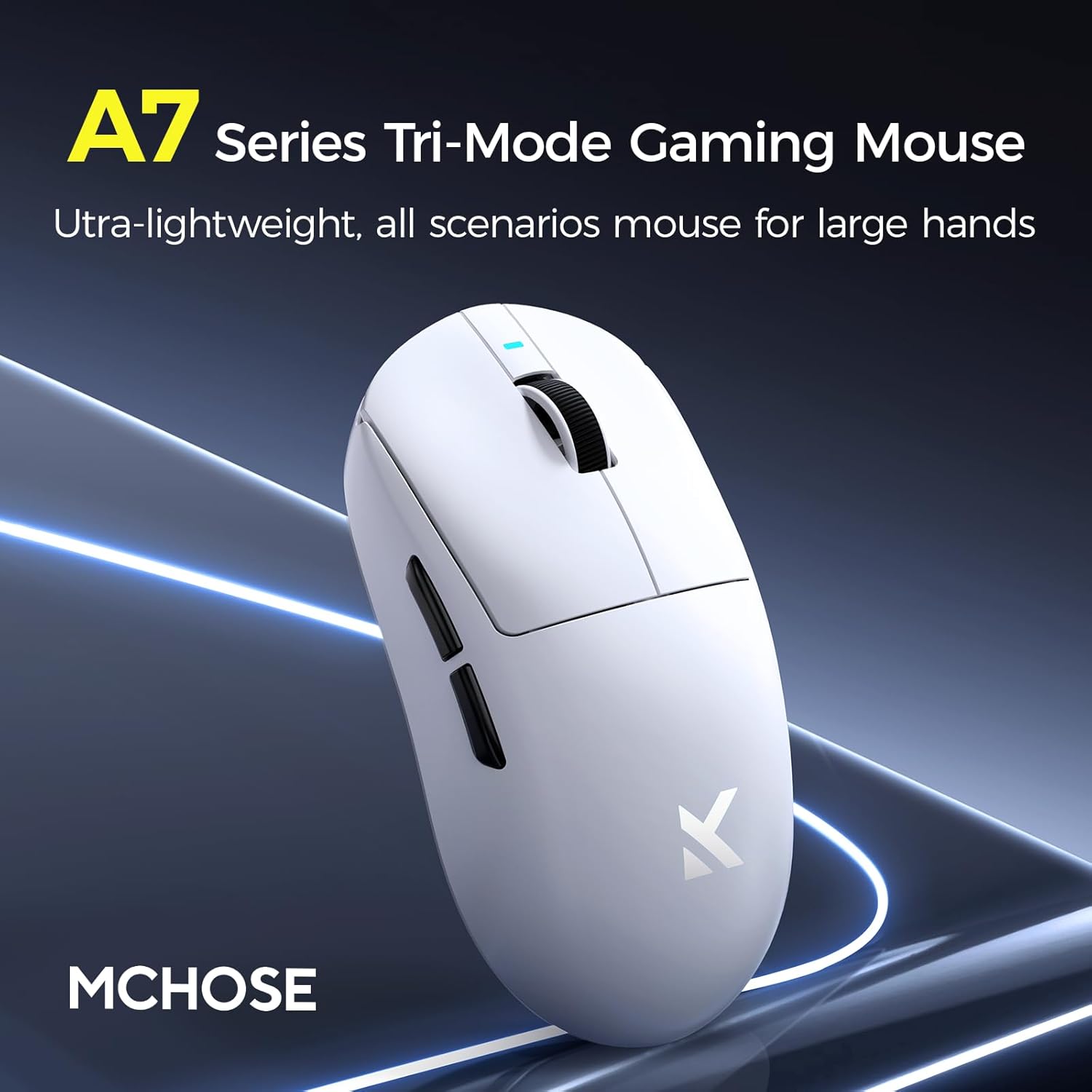
Image: MCHOSE A7 Pro Series Tri-Mode Gaming Mouse, highlighting its ultra-lightweight design and suitability for various scenarios.
2. Kontenut tal-Pakkett
Jekk jogħġbok ivverifika li l-oġġetti kollha huma preżenti fil-pakkett:
- MCHOSE A7 Pro Wireless Gaming Mouse
- Cable tal-Iċċarġjar tal-USB-C
- 2.4GHz USB Nano Dongle
- Manwal għall-Utent
- Stickers (may vary)
3. Setup
3.1 Iċċarġjar tal-Maws
Before first use, it is recommended to fully charge the mouse. Connect the supplied USB-C cable to the mouse's charging port and the other end to a USB power source (e.g., computer USB port, USB wall adapter). The mouse features a 130-hour battery life on a single charge.

Image: Illustration of the mouse's 500mAh battery capacity, indicating long-lasting power.
3.2 Modi ta' Konnettività
The MCHOSE A7 Pro supports three connection modes: Wired, 2.4GHz Wireless, and Bluetooth.

Immaġni: Ġenb view of the MCHOSE A7 Pro mouse, illustrating its tri-mode connectivity options (USB, Bluetooth, 2.4GHz RF).

Immaġni: Taħt view of the MCHOSE A7 Pro mouse, showing the Type-C port, Bluetooth (BT) switch, and 2.4GHz dongle storage.
3.2.1 Konnessjoni bil-Fili
Connect the USB-C cable from the mouse to your computer's USB port. The mouse will automatically switch to wired mode and begin charging.
Konnessjoni bla fili 3.2.2 2.4GHz
- Remove the 2.4GHz USB Nano Dongle from the storage slot on the bottom of the mouse.
- Ipplaggja l-dongle f'port USB disponibbli fuq il-kompjuter tiegħek.
- Set the switch on the bottom of the mouse to the "2.4G" position.
- Il-maws għandu jikkonnettja awtomatikament.
3.2.3 Konnessjoni Bluetooth
- Set the switch on the bottom of the mouse to the "BT" position.
- Fuq il-kompjuter tiegħek, iftaħ is-settings tal-Bluetooth u fittex apparati ġodda.
- Select "MCHOSE A7 Pro" from the list of available devices to pair.
4. Istruzzjonijiet Operattivi
4.1 Aġġustament DPI
The MCHOSE A7 Pro is equipped with a PAW3395 optical sensor, offering up to 26,000 DPI for precise tracking. The DPI can be adjusted using the dedicated DPI button located on the bottom of the mouse or through the custom software.

Image: Close-up of the MCHOSE A7 Pro's underside, highlighting the PAW3395 optical sensor capable of up to 26,000 DPI.
4.2 Softwer Personalizzat
The A7 Pro supports onboard memory, allowing users to store custom settings for buttons, DPI adjustments, polling rates, and gaming modes. The custom software provides advanced customization options. Please visit the official MCHOSE websit biex tniżżel l-aħħar softwer.

Image: Screenshots of the MCHOSE A7 Pro's custom software interface, showing options for DPI, macro settings, and button customization.
4.3 Funzjonijiet tal-buttuni
The MCHOSE A7 Pro features programmable buttons. Default functions are as follows:
- Ikklikkja Xellug: Azzjoni primarja.
- Ikklikkja bil-lemin: Secondary action/Context menu.
- Scroll Wheel: Skrollja 'l fuq/'l isfel.
- Ikklikkja tan-Nofs (Buttuna tar-Rota tal-Iskrolljar): Default action (e.g., open link in new tab).
- Buttuni tal-Ġenb ('il Quddiem/Lura): Navigation in web browsers jew azzjonijiet fil-logħba.
- DPI Button (Bottom): Jiċċikla permezz ta' livelli ta' DPI stabbiliti minn qabel.
All buttons can be remapped using the custom software.
5. Karatteristiċi Overview
- Disinn ħafif: Weighing just 59 grams, the mouse is ultra-lightweight with a centered gravity design for stable grip and efficient handling during extended use.

Immaġni: Fuq view of the MCHOSE A7 Pro mouse, emphasizing its 59-gram lightweight design and balanced center of gravity.
- High Precision Tracking: Equipped with a PAW3395 optical sensor, providing maximum accuracy at up to 26,000 DPI for pixel-perfect tracking.
- Konnessjoni Tri-Modalità: Offers ultra-low-latency wireless (2.4GHz), wired (USB), and Bluetooth connectivity, suitable for various application scenarios.
- Softwer Personalizzat: Supports onboard memory for storing personalized settings for buttons, DPI, polling rates, and gaming modes via dedicated software.
- Batterija fit-tul: Up to 130 hours of battery life on a single charge, ensuring prolonged usage without frequent recharging.
- Swiċċijiet Ottiċi Durabbli: Rated for up to 70 million clicks, MCHOSE A7 mouse optical switches provide consistent tactile and audible feedback.

Image: Close-up illustration of the durable optical switch mechanism within the MCHOSE A7 Pro mouse.
6. Manutenzjoni
- Tindif: Use a soft, dry cloth to clean the mouse surface. For stubborn dirt, slightly dampLaħlaħ id-drapp bl-ilma. Evita li tuża kimiċi ħarxa jew materjali li joborxu.
- Kura tas-Sensor: Żomm is-senser ottiku fil-qiegħ tal-maws nadif u ħieles mit-trab jew mill-fdalijiet biex tiżgura prestazzjoni ottimali tat-traċċar.
- Ħażna: Meta ma tkunx qed tużah għal perjodi twal, aħżen il-maws f'post frisk u niexef 'il bogħod mix-xemx diretta u minn temperaturi estremi.
- Kura tal-batterija: Biex ittawwal il-ħajja tal-batterija, evita li tiċċarġja l-maws kompletament ta' spiss. Iċċarġjah meta l-indikatur tal-batterija jkun baxx.
7 Issolvi l-problemi
| Problema | Soluzzjoni |
|---|---|
| Il-maws ma jirrispondix (Wireless) |
|
| Il-maws ma jirrispondix (Bluetooth) |
|
| Traċċar mhux preċiż jew qabżiet tal-cursor |
|
| Buttuni ma jaħdmux sew |
|
8. Speċifikazzjonijiet
| Karatteristika | Dettall |
|---|---|
| Mudell | A7 Pro |
| Konnettività | 2.4GHz bla fili, Bluetooth, bil-wajer tal-USB |
| Sensor | Senser Ottiku PAW3395 |
| Firxa tad-DPI | Sa 26,000 DPI |
| Rata ta' Votazzjoni (Wired) | Up to 8K Hz |
| Rata ta' Polling (Wireless) | Up to 1K Hz |
| Piż | 59-il gramma (madwar 2.12 uqija) |
| Ħajja tal-batterija | Sa 130 sigħat |
| Tip ta' Swiċċ | Optical Switches (70 million clicks) |
| Dimensjonijiet (Pakkett) | 7.4 x 4.53 x 3.43 pulzieri |
| Manifattur | MCHOSE |
| Pajjiż ta' Oriġini | Iċ-Ċina |

Image: Diagram showing the dimensions of the MCHOSE A7 Pro mouse (length, width, height) and various grip styles.
9. Garanzija u Appoġġ
MCHOSE products are designed and manufactured to the highest quality standards. For information regarding warranty coverage, technical support, or service inquiries, please refer to the warranty card included with your product or visit the official MCHOSE websit.
For the latest drivers and software, please visit the MCHOSE official support page.