
1. Introduzzjoni
The Retekess TD157S Restaurant Pager System is designed to streamline customer flow and improve service efficiency in various fast-paced environments such as restaurants, food trucks, and ice cream shops. This system features a wide coverage range, multiple call modes, and user-friendly operation to enhance the customer experience.
2. Kontenut tal-Pakkett
Jekk jogħġbok immarka l-kaxxa għall-oġġetti li ġejjin:
- 1 x Transmitter (Keyboard)
- 10 x Pagers
- 1 x Adapter tal-Enerġija
- 1 x Manwal għall-Utent
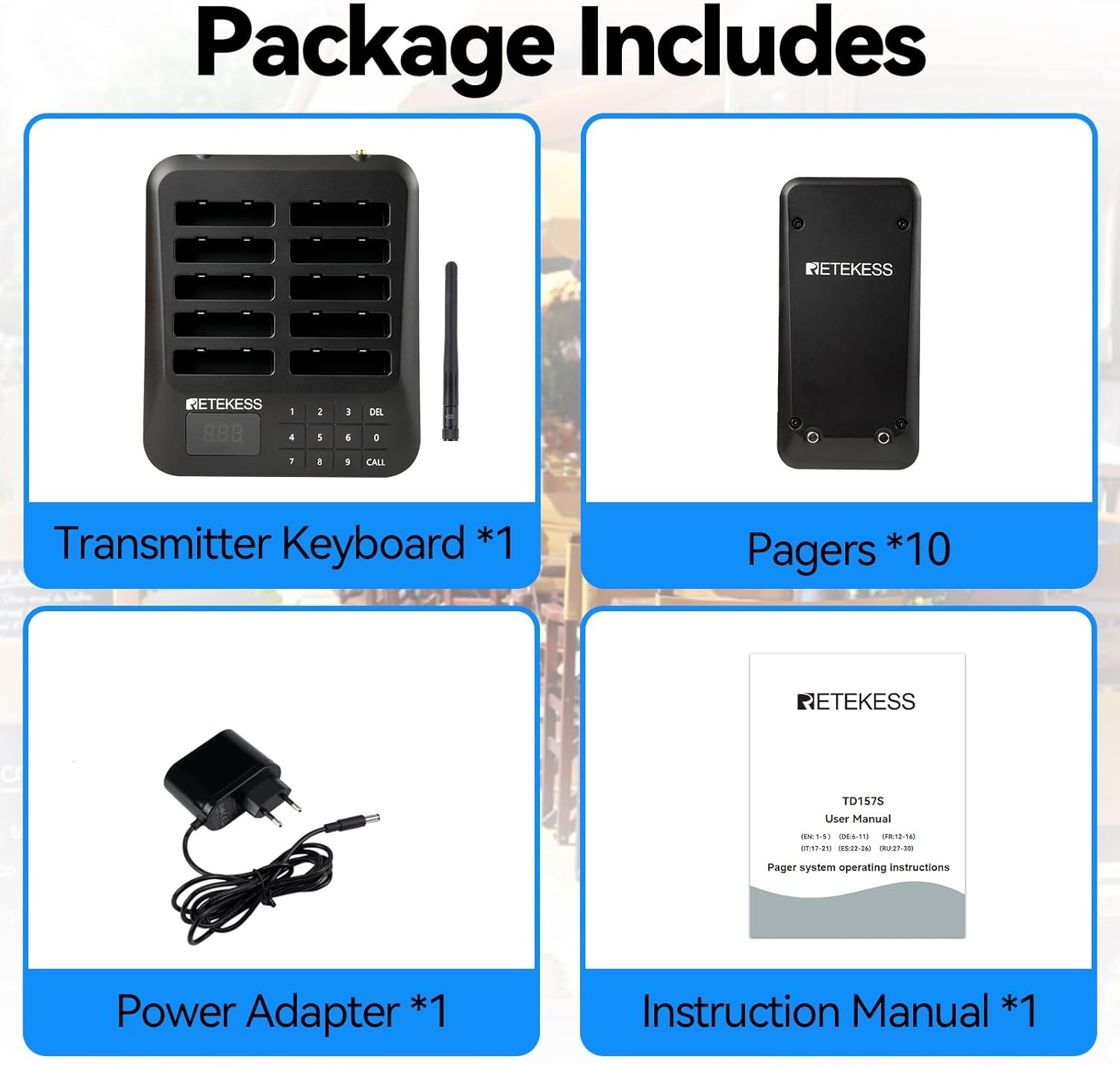
Image: The package contents include one transmitter keyboard, ten pagers, one power adapter, and one instruction manual, neatly arranged on a white background.
3. Karatteristiċi tal-prodott
- Kopertura Wiesgħa: Offers a range of 400 meters in open spaces and 100-300 meters indoors, reducing queues and improving customer experience.
- Two Call Modes: Supports vibration + flashing, and beep + flashing + vibration, suitable for both quiet and noisy environments.
- Faċli biex tużah: Pagers are pre-paired for immediate use. Manual configuration is also straightforward following instructions.
- One-Click Group Call: Call multiple pagers with different IDs using a single button, ideal for notifying several customers simultaneously.
- Ħin ta' Standby twil: Each pager has a built-in 200mAh battery, providing up to 15 hours of standby time after a full charge. Includes overcurrent protection during charging and discharging.
- Touch Keyboard: Gap-free design for easy cleaning and protection against liquid ingress. Laser engraving ensures character durability.
- Adjustable Alert Time: Pager alert duration can be set from 1 to 99 seconds, ensuring customers do not miss calls.
- Sistema espansibbli: The wireless calling system can be expanded to support up to 997 pagers as your business grows.
- Għeluq b'Klikk Waħda: All pagers on the charging station can be turned off with a single click, saving time.

Image: The system demonstrates an ultra-long working distance of 400m in open areas, illustrating how customers can wait comfortably while being within range of the pager system.
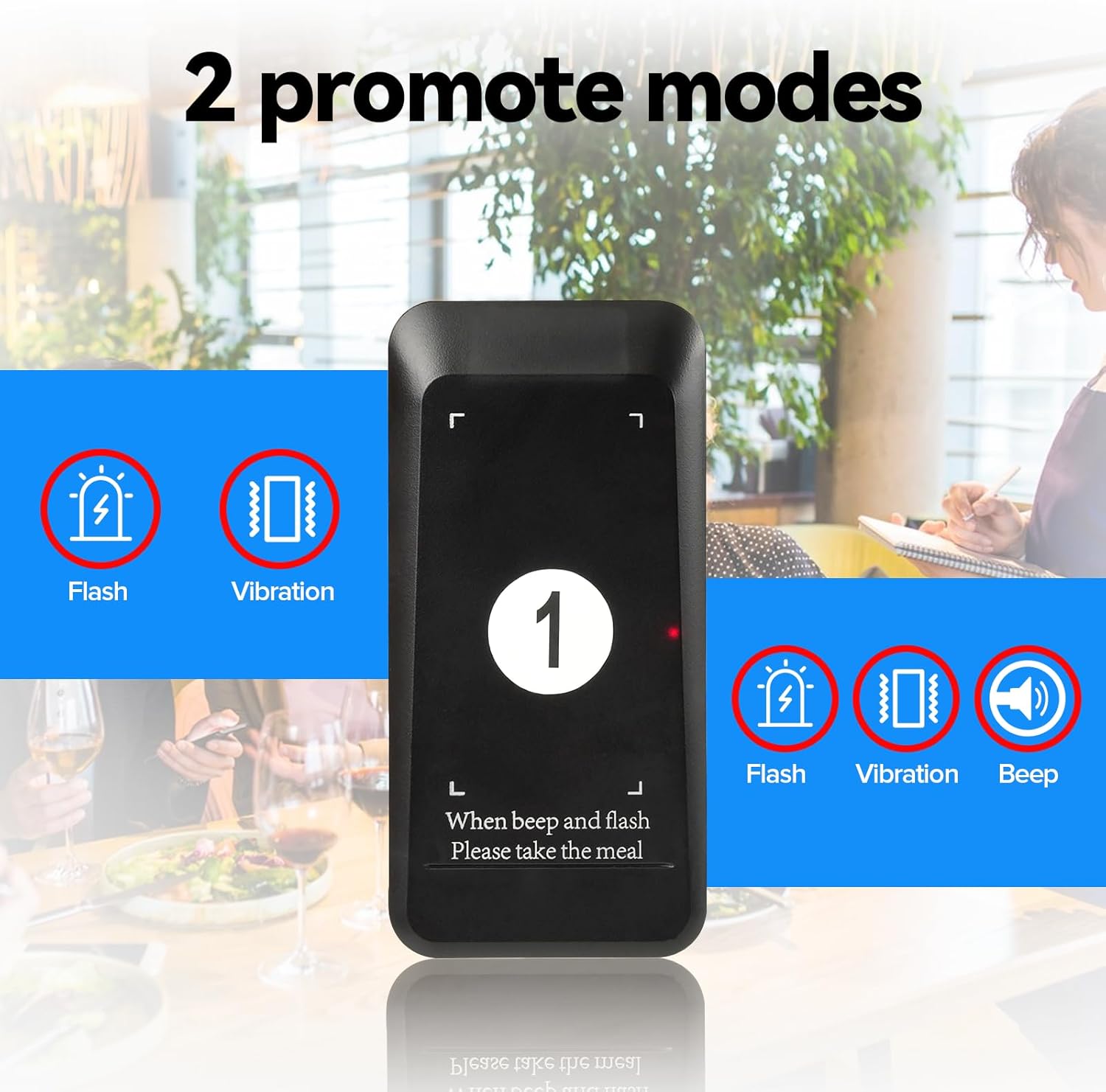
Image: This image highlights the two available call modes: one with flash and vibration, and another with flash, vibration, and an audible beep, catering to different environment noise levels.
4. Istruzzjonijiet ta' Setup
4.1 Setup Inizjali
- Connect the power adapter to the transmitter keyboard and plug it into a power outlet.
- Place all pagers into the charging slots on the transmitter. Ensure they are properly seated and charging.
- The system is pre-paired from the factory. You can use it directly.
4.2 Pairing Additional Pagers (if needed)
If you need to pair new pagers or re-pair existing ones, follow these steps:
- On the transmitter keyboard, press the X u √ buttons simultaneously to enter setting mode. The display will show "F1".
- Agħfas 2 u mbagħad √ to enter F2 mode.
- Enter the desired pager ID number (e.g., 001, 002, etc.) using the numeric keypad.
- Remove the pager from its slot. The pager will flash and vibrate.
- Agħfas √ on the transmitter to confirm the pairing. The pager will stop flashing and vibrating, indicating successful pairing.
Video: This video demonstrates how to pair the TD162 pager system, which uses a similar pairing process to the TD157S. It shows pressing the X and checkmark buttons, entering a number, and confirming the pairing.
5. Istruzzjonijiet Operattivi
5.1 Sejħa ta' Pager
- Kun żgur li l-pager mixtieq huwa ċċarġjat u mixgħul.
- Fuq it-tastiera tat-trasmettitur, daħħal in-numru tal-ID tal-pager li tixtieq iċċempel.
- Agħfas il- SEJĦA button. The pager will activate according to its set notification mode (vibration, flash, or beep).
- When the customer returns the pager, place it back into a charging slot.

Image: This image illustrates the typical use case: a customer places an order, receives a pager, waits comfortably, is called when their order is ready, and then collects their food.
5.2 One-Click Group Call
To call multiple pagers simultaneously (if configured):
- Press the designated group call button (refer to your specific configuration, often a pre-programmed number or a special function key).
- All pagers assigned to that group will activate.
5.3 One-Click Shutdown
To turn off all pagers on the charging station:
- Ensure all pagers are placed in their charging slots.
- Press the designated one-click shutdown button (refer to your specific configuration, often a combination of keys or a special function key).
- All pagers will power off, conserving battery life.
Video: This short video demonstrates how a pager can be removed from the bottom of a stack, indicating a design feature for easy handling or maintenance. While not directly about operation, it shows interaction with the pager unit.
5.4 Adjusting Notification Mode (for pagers with customizable modes)
Some pager models allow customization of notification modes (vibration, flash, beep). Refer to the specific pager's instructions or the video below for guidance.
Video: This video, titled "WNKRUN Restaurant Pager-Features", demonstrates features of a restaurant pager, including how to change notification modes (vibration, flash, beep) and set the pager ID. This is relevant for customizing pager behavior.
6. Manutenzjoni
- Tindif: The touch keyboard design without gaps makes it easy to clean. Use a soft, damp cloth to wipe down the transmitter and pagers. Avoid harsh chemicals.
- Kura tal-batterija: Ensure pagers are regularly charged. The built-in 200mAh battery supports overcurrent protection. Avoid leaving pagers fully discharged for extended periods.
- Ħażna: When not in use for extended periods, ensure pagers are fully charged and stored in a cool, dry place.
Video: This video addresses frequently asked questions, including whether the pager sticker can be replaced (no), if replacement pagers can be ordered (yes, just pair them), and if it's waterproof (splash-proof for daily use). It also shows how to turn off all pagers at once by pressing '999' and 'call'.
7 Issolvi l-problemi
| Problema | Kawża Possibbli | Soluzzjoni |
|---|---|---|
| Il-pager mhux qed jirrispondi għas-sejħa. |
|
|
| Firxa operattiva qasira. |
|
|
| Il-pagers mhux qed jiċċarġjaw. |
|
|
8. Speċifikazzjonijiet
| Karatteristika | Dettall |
|---|---|
| Brand | Retekess |
| Numru tal-Mudell | TD157 |
| Max Range (Open Area) | 400 Meters |
| Max Range (Indoor) | 100-300 Meters |
| Batterija tal-Pager | 200mAh (inkorporat) |
| Ħin ta' Standby tal-Pager | Sa 15 sigħat |
| Ħin tal-Iċċarġjar | Appross. 7 sigħat |
| Call Modes | Vibration + Flashing, Beep + Flashing + Vibration |
| Kapaċità Max Pager | 997 Pagers |
| Tip ta' Tastiera | Touch Keyboard |
| Pajjiż ta' Oriġini | Iċ-Ċina |

Image: This image provides the product dimensions for both the transmitter keyboard and an individual pager, including height, width, and thickness measurements.
9. Garanzija u Appoġġ
Retekess joffri garanzija ta 'sena u a Politika ta' ritorn mingħajr raġuni fi żmien 30 jum. Beyond the warranty period, maintenance services are available, with buyers responsible for associated costs. For support, please contact Retekess via Amazon, and a response will be provided within 12 hours.
For further assistance or inquiries, please visit the official Retekess store on Amazon: Retekess Amazon Store.