
1. Introduzzjoni
Grazzi tax-xiriasing the AGPTEK A02XT MP3 Player. This device is designed to provide a high-quality audio experience with its HIFI lossless sound and Bluetooth 5.3 connectivity. It features a compact design, button operation, and various functions including FM radio, voice recording, and a pedometer. This manual will guide you through the setup, operation, and maintenance of your new MP3 player.

Figure 1.1: AGPTEK A02XT MP3 Player with accessories.
2. Prodott Aktarview
2.1 Kontenut tal-Pakkett
- AGPTEK A02XT MP3 Player (1)
- Kejbil għall-Iċċarġjar USB-C (1)
- Manwal għall-Utent (1)
- Earphones (1 pair) - May vary by region/package

Figure 2.1: Contents of the AGPTEK A02XT package.
2.2 It-Tqassim u l-Kontrolli tal-Apparat
Familiarize yourself with the buttons and ports on your A02XT MP3 player.

Figura 2.2: Quddiem view of the A02XT MP3 Player.
- Skrin: Displays menus, music information, and settings.
- Buttuna M: Menu/Back button. Long press to lock/unlock the screen.
- Buttuna Play/Pause: Jibda jew iwaqqaf il-plejbek.
- Buttuni Preċedenti/Li Jmiss: Navigates through tracks or menu options.
- Buttuna VOL: Kontroll tal-volum.
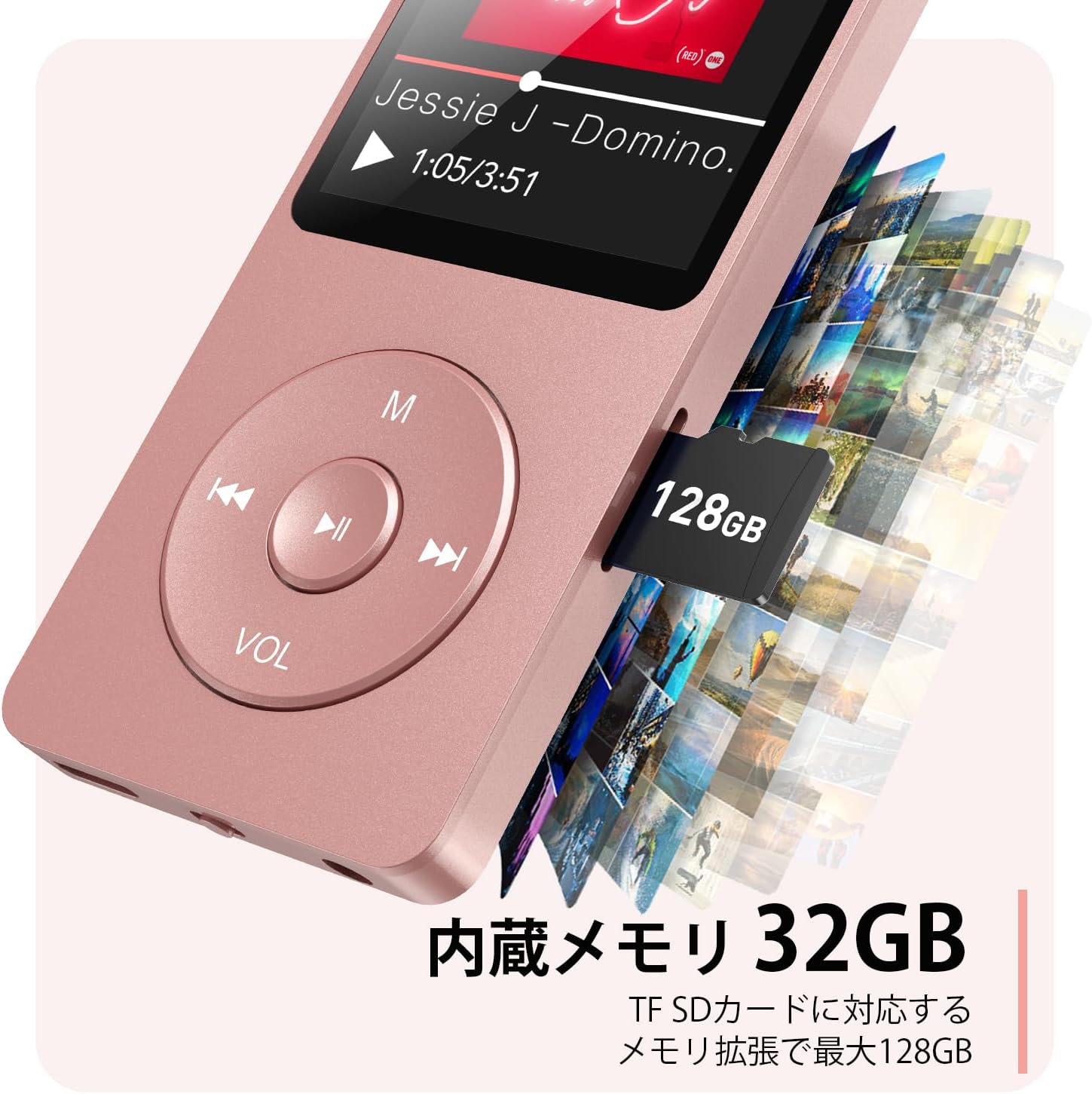
Figura 2.3: Ġenb view with microSD card slot.
- Port USB-C: Għall-iċċarġjar u t-trasferiment tad-dejta.
- Jack tal-headphones ta' 3.5mm: Għal ħruġ awdjo bil-fili.
- Slott tal-Karta MicroSD: Għal ħażna espansibbli sa 64GB.
3. Setup
3.1 Iċċarġjar tal-Apparat
Before first use, fully charge the MP3 player. Connect the provided USB-C cable to the player's USB-C port and the other end to a USB power adapter (not included) or a computer's USB port. The screen will indicate charging status. A full charge takes approximately 2 hours and provides up to 40 hours of music playback.

Figure 3.1: MP3 Player charging indication.
3.2 Daħħal Karta MicroSD
The player has 32GB of internal storage. To expand storage, insert a microSD card (up to 64GB, not included) into the microSD card slot until it clicks into place. Ensure the card is inserted correctly to avoid damage.
3.3 Trasferiment tal-Mużika Files
- Qabbad l-MP3 player mal-kompjuter tiegħek billi tuża l-kejbil USB-C.
- The player will appear as a removable disk on your computer.
- Iddreggja u qiegħed il-mużika tiegħek files (MP3, WMA, OGG, WAV, APE, FLAC, AAC, ACELP) into the 'Music' folder on the player or microSD card.
- Oħroġ l-apparat mill-kompjuter tiegħek b'mod sigur qabel ma skonnettja l-kejbil.
4. Istruzzjonijiet Operattivi
4.1 Power On/Off
- Qawwa Mixgħul: Long press the Power button (usually on the side or top edge) until the screen lights up.
- Itfi: Long press the Power button until the 'Power Off' option appears, then select it.
4.2 Navigazzjoni Bażika
Use the navigation buttons (Previous, Next, Play/Pause, M) to move through menus and select options. The Play/Pause button often acts as a 'Confirm' button in menus.

Figure 4.1: Main menu interface with various functions.
4.3 Daqq tal-Mużika
- Mill-menù prinċipali, agħżel 'Mużika'.
- Browse by Artist, Album, Songs, Playlists, etc.
- Agħżel kanzunetta biex tibda d-daqq.
- Use the Previous/Next buttons to skip tracks, and Play/Pause to control playback.
- Adjust volume using the VOL button.
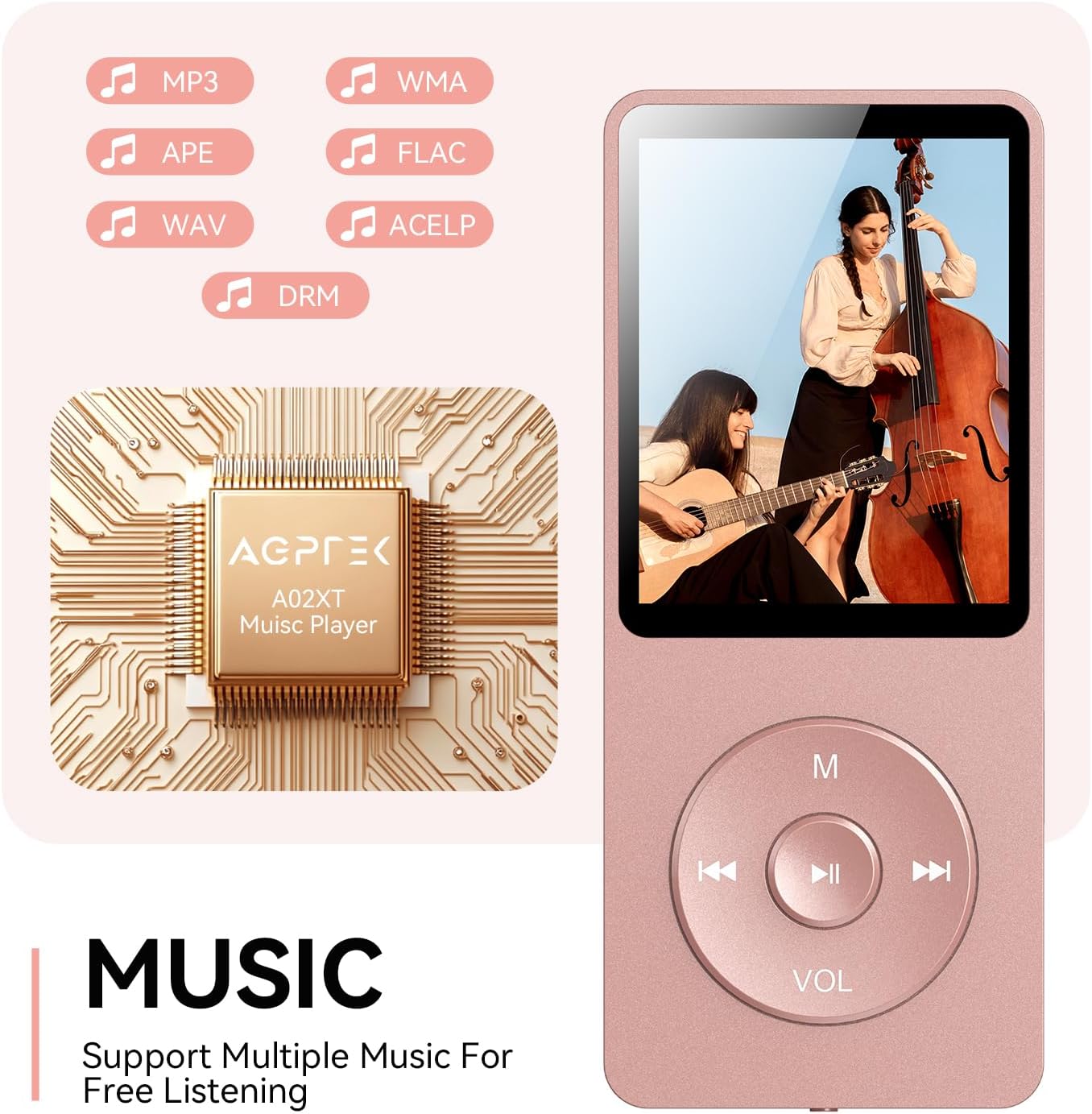
Figure 4.2: Music playback screen and supported formats.
4.4 Konnessjoni Bluetooth
The A02XT supports Bluetooth 5.3 for wireless audio output to headphones or speakers.
- Mill-menù prinċipali, agħżel 'Bluetooth'.
- Turn on Bluetooth on the player.
- Kun żgur li l-headphones/speaker Bluetooth tiegħek jinsabu fil-modalità ta' tqabbil.
- The player will search for nearby devices. Select your device from the list to pair.
4.5 Radju FM
- Connect wired earphones to the 3.5mm jack; they act as the antenna.
- Mill-menù prinċipali, agħżel 'Radju FM'.
- Use the navigation buttons to scan for stations or manually tune.
4.6 Reġistrazzjoni tal-Vuċi
- From the main menu, select 'Record'.
- Agħżel 'Ibda r-Reġistrazzjoni tal-Vuċi' biex tibda.
- Press Play/Pause to stop and save the recording.
4.7 Lock Screen
To prevent accidental button presses, long press the 'M' button to lock the screen. Repeat the action to unlock.
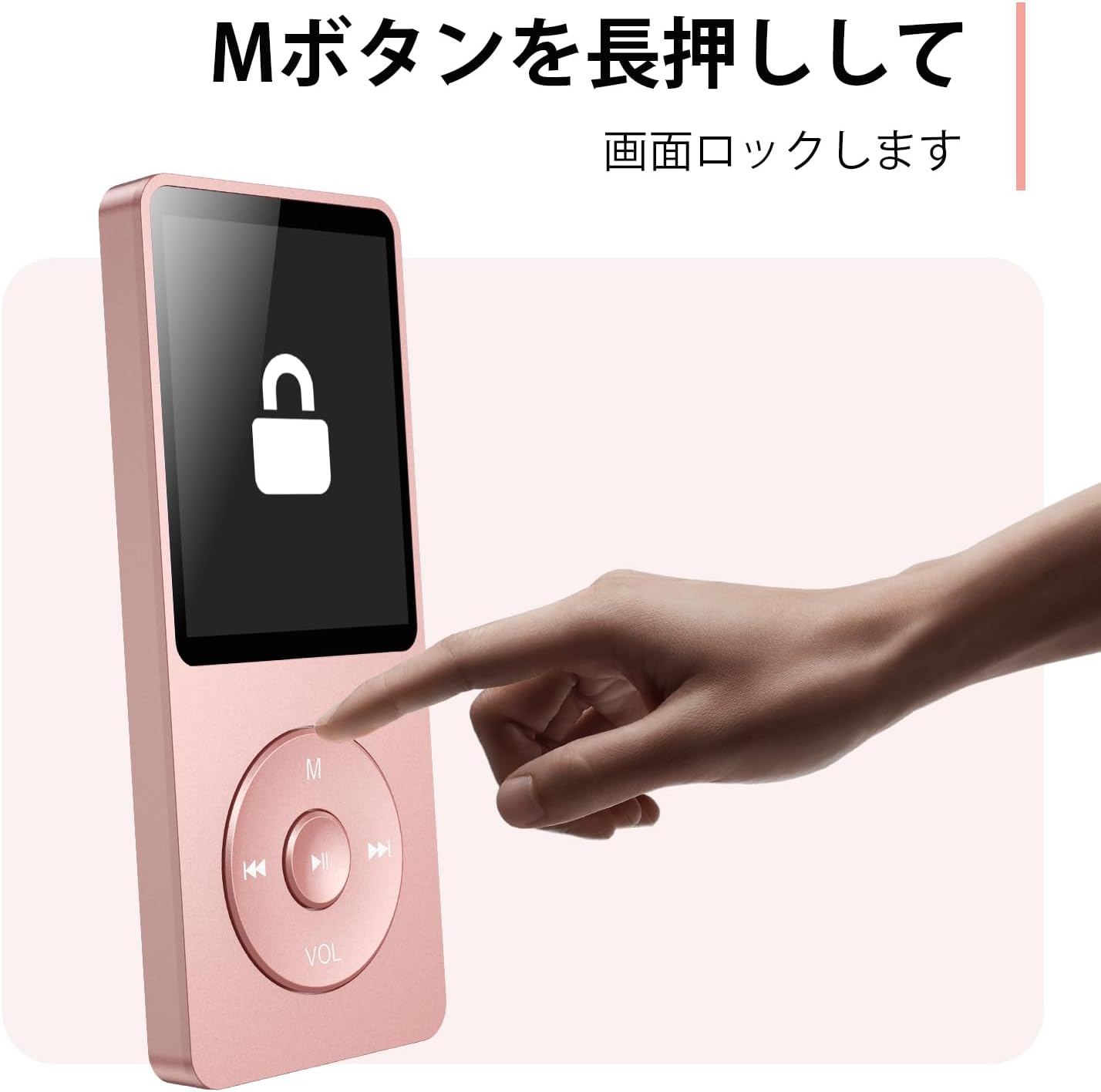
Figure 4.3: Screen lock function using the M button.
5. Manutenzjoni
5.1 Tindif
- Imsaħ l-apparat b'ċarruta ratba u niexfa.
- Tużax prodotti tat-tindif likwidi jew solventi.
5.2 Ħażna
- Aħżen il-plejer f'post frisk u niexef 'il bogħod mix-xemx diretta u minn temperaturi estremi.
- Evita li twaqqa’ jew tissuġġetta l-apparat għal impatti qawwija.
5.3 Kura tal-Batterija
- Iċċarġja l-batterija regolarment, anke jekk ma tkunx qed tintuża, biex iżżommha f'saħħitha.
- Evita li l-batterija tixxotta kompletament ta' spiss.
6 Issolvi l-problemi
6.1 L-Apparat Mhux Qed Jinxtegħel
- Kun żgur li l-batterija hija ċċarġjata. Qabbad ma' sors ta' enerġija u erġa' pprova.
- Perform a hard reset by pressing and holding the power button for 10-15 seconds.
6.2 Ma nistax nittrasferixxi Files
- Check the USB-C cable connection. Try a different cable or USB port.
- Ensure the device is properly recognized by your computer.
- Ivverifika li l- file Il-format huwa appoġġjat mill-plejer.
6.3 Kwistjonijiet ta' Tqabbil tal-Bluetooth
- Ensure both the player and the Bluetooth device are in pairing mode and within range.
- Turn off and on Bluetooth on both devices.
- Ħassar il-pari preċedenti u erġa' pprova l-pari.
6.4 Ebda Ħoss
- Iċċekkja l-livell tal-volum.
- Ensure headphones are properly connected or Bluetooth device is paired.
- Test with different headphones or Bluetooth device.
7. Speċifikazzjonijiet
| Brand | AGPTEK |
| Isem tal-Mudell | A02XT |
| Kapaċità tal-Ħżin tal-Memorja | 32 GB (expandable up to 64 GB via microSD card) |
| Kulur | Roża |
| Daqs tal-Iskrin | 8.9 Ċentimetri (madwar 3.5 pulzieri) |
| Tip tal-Midja | Karta microSD |
| Teknoloġija tal-Wiri | LCD |
| Formati Awdjo Appoġġjati | MP3, WMA, OGG, WAV, APE, FLAC, AAC, ACELP |
| Ħajja tal-batterija | Sa 40-il Siegħa |
| Piż tal-oġġett | 130 Gramm |
8. Garanzija u Appoġġ
8.1 Informazzjoni dwar Garanzija
This AGPTEK A02XT MP3 Player comes with a garanzija ta 'sena mid-data tax-xiri. Din il-garanzija tkopri difetti fil-manifattura u malfunzjonijiet taħt użu normali. Ma tkoprix ħsara kkawżata minn użu ħażin, inċidenti, modifiki mhux awtorizzati, jew xedd u kedd normali.
8.2 Appoġġ għall-Klijent
If you encounter any issues or have questions regarding your AGPTEK A02XT MP3 Player, please refer to the troubleshooting section of this manual first. If the problem persists, contact AGPTEK customer support through the official website or your retailer's support channels. Please have your purchase receipt and product model number (A02XT) ready when contacting support.


