
1. Introduzzjoni
This user manual provides comprehensive instructions for the Callsky 10-inch Wi-Fi Tablet, Model Ctab 10. Please read this manual carefully before using your device to ensure proper operation and to maximize its features. Keep this manual for future reference.
2. Prodott Aktarview
2.1 Kontenut tal-Pakkett
Malli tiftaħ il-pakkett, ivverifika li l-oġġetti kollha elenkati hawn taħt huma preżenti:
- Callsky Ctab 10 Tablet
- Cable tal-Iċċarġjar tal-USB tat-Tip-Ċ
- Adapter tal-Enerġija
- Manwal tal-Utent (Ġappuniż)

Image: Package contents including the tablet, charging cable, power adapter, and user manual.
2.2 Komponenti tal-Apparat
Familiarize yourself with the physical layout and ports of your tablet:
- Kamera ta' quddiem: 5MP għal sejħiet bil-vidjo u selfies.
- Kamera ta' wara: 8MP with autofocus for high-resolution photos.
- Buttuna tal-Qawwa: Jinsab fuq il-ġenb biex tixgħel/titfi l-apparat u tissakkar l-iskrin.
- Buttuni tal-Volum: Aġġusta l-livelli tal-awdjo.
- Port USB tat-Tip Ċ: Għall-iċċarġjar u t-trasferiment tad-dejta.
- Jack tal-headphones ta' 3.5mm: Għall-output tal-awdjo.
- Kelliema Doppji: Għal esperjenza awdjo mtejba.
- Slott tal-Karta MicroSD: Għall-espansjoni tal-ħażna sa 2TB.

Immaġni: Fuqview of tablet features including face recognition, wireless projection, and physical dimensions.
2.3 Karatteristiċi ewlenin
- Disinn ħafif: Ultra-thin at 8.7mm and weighing 425g for easy portability.
- Android 14 OS: Enhanced privacy, personalized settings, and improved user experience.
- Prestazzjoni Għolja: 1.8GHz Allwinner A523 Octa-core processor and Mali-G57 GPU for smooth multitasking, gaming, and HD video.
- Memorja u Ħażna: 3GB RAM + 9GB virtual memory, 128GB internal storage, expandable up to 2TB via MicroSD.
- Wirja ħaj: 10.1-inch 1280x800 Incell IPS display with eye protection mode and Widevine L1 support for high-quality streaming.
- Konnettività: Wi-Fi 6 and Bluetooth 5.4 for stable and high-speed connections.
- Karatteristiċi Avvanzati: Wireless projection, face recognition, and split-screen functionality.
- Batterija fit-tul: Batterija ta' 6000mAh għal użu estiż.

Image: Visual summary of the tablet's core specifications and features.
3. Setup
3.1 L-Ewwel Tixgħel u l-Issettjar Bażiku
- Press and hold the Power button until the Callsky logo appears.
- Follow the on-screen prompts to select your language (e.g., English).
- Connect to a Wi-Fi network. Select your network from the list and enter the password if required.
- Review and accept the Google Services terms.
- Set up a screen lock (PIN, pattern, or password) for security. You can skip this step and set it up later.
- Complete the remaining setup steps as guided by the Android 14 interface.
3.2 Daħħal Karta MicroSD
Biex tespandi l-ħażna tat-tablet tiegħek:
- Sib l-islott tal-kard MicroSD fuq il-ġenb tat-tablet.
- Gently insert the MicroSD card into the slot until it clicks into place. Ensure the card is oriented correctly.
- The tablet will detect the new storage. You may be prompted to format the card for optimal use with the device.
4. Istruzzjonijiet Operattivi
4.1 Navigazzjoni Bażika
- Ġesti mess: Tektek biex tagħżel, skrolla biex tiskrollja, aqbad biex tagħmel zoom.
- Skrin tad-dar: Aċċessa l-apps, il-widgets, u n-notifiki.
- Notifiki: Swipe 'l isfel minn fuq tal-iskrin għal view notifiki u settings veloċi.
4.2 Memory and Storage Management
The tablet comes with 3GB of physical RAM and 9GB of virtual memory, totaling 12GB, along with 128GB of internal storage. You can expand storage up to 2TB using a MicroSD card.
- Biex tiċċekkja l-ħażna: Mur fuq Settings > Ħażna.
- To manage apps: Go to Settings > Applikazzjonijiet.

Image: Details on memory and storage, including RAM, internal storage, and MicroSD expansion.
4.3 Wirja u Esperjenza Viżwali
The 10.1-inch 1280x800 Incell IPS display provides clear and vibrant visuals. It supports Widevine L1 for high-definition streaming from platforms like Netflix and YouTube.
- Modalità ta' Protezzjoni tal-Għajnejn: Activate this mode in settings to reduce blue light and eye strain during prolonged use.
- Skrin maqsum: Use two applications simultaneously for enhanced productivity.

Image: Tablet demonstrating Widevine L1 support for streaming services.
4.4 Konnettività
The tablet supports Wi-Fi 6 and Bluetooth 5.4 for reliable and fast wireless connections.
- Wi-Fi: Connect to 2.4G or 5G networks. Go to Settings > Netwerk u internet > Wi-Fi biex timmaniġġja l-konnessjonijiet.
- Bluetooth: Pair with wireless devices like headphones or keyboards. Go to Settings > Apparati konnessi > Bluetooth.
- Projezzjoni bla fili: Share your screen with compatible displays. Access this feature from the quick settings panel.
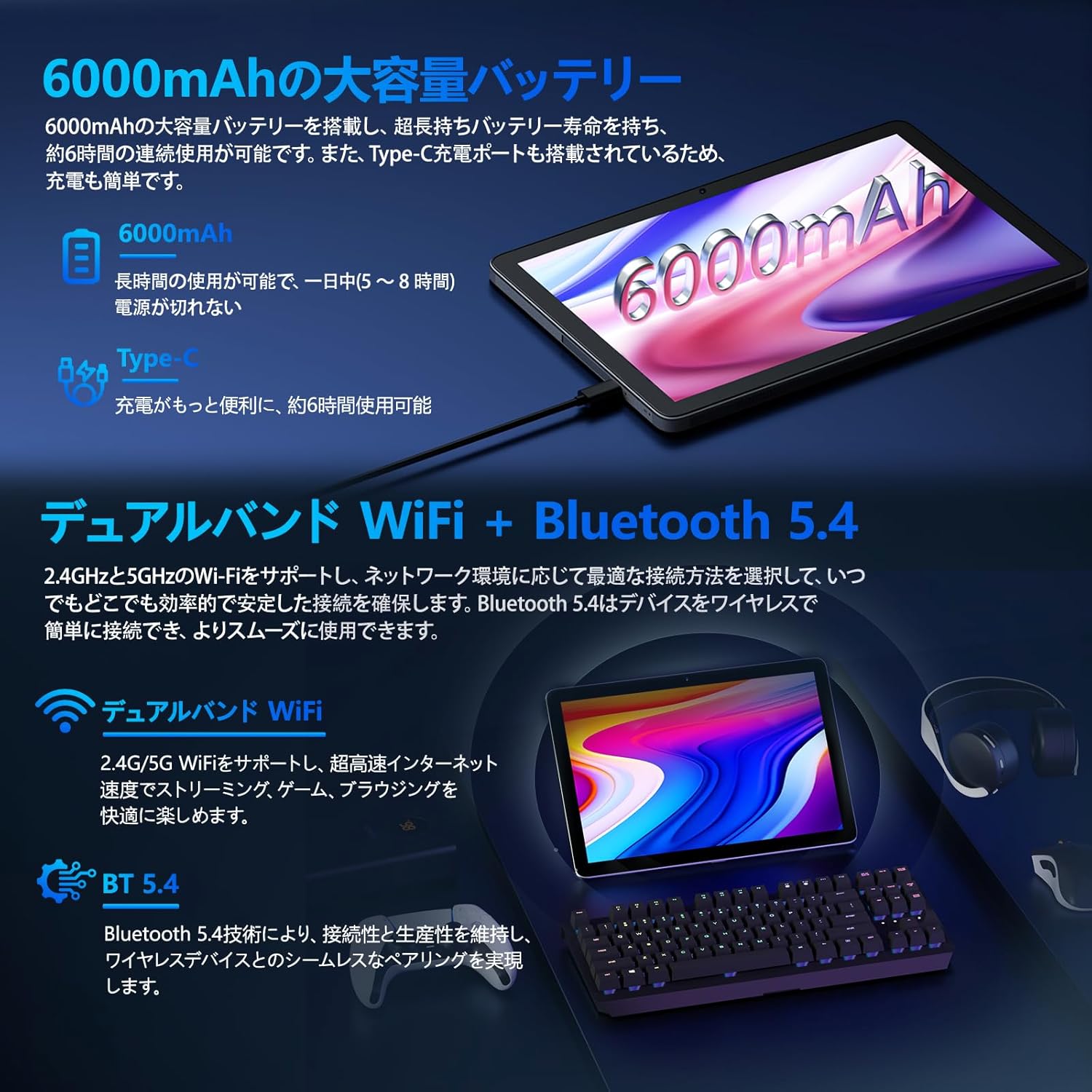
Image: Tablet highlighting battery capacity, Type-C charging, Wi-Fi, and Bluetooth features.
4.5 Kameras
The tablet features a 5MP front camera and an 8MP rear camera with autofocus, suitable for video calls and capturing photos.
- Iftaħ l-app tal-Kamera biex tieħu ritratti jew tirrekordja vidjows.
- Rikonoxximent tal-Wiċċ: Use the front camera for quick and secure unlocking. Set this up in Settings > Sigurtà u privatezza > Imblokkar bil-wiċċ.

Image: Illustration of the tablet's front and rear cameras and their resolutions.
4.6 Kids Mode (Parental Controls)
The tablet includes a dedicated Kids Mode and parental control features to ensure a safe and controlled environment for children.
- Access Kids Mode to provide curated content and limit screen time.
- Parents can manage app usage and content access through parental control settings.
4.7 Sensuri
The tablet is equipped with various sensors for enhanced functionality:
- GPS: Għas-servizzi ta' lokalizzazzjoni u navigazzjoni.
- Geomagnetic Sensor: Functions as a compass.
- Sensor ta' Prossimità: Prevents unintended screen operations.
- Sensor tad-Dawl Ambjentali: Automatically adjusts screen brightness.
- Ġiroskopju: For tilt operations and AR applications.
- Aċċellerometru: Detects tilt, shock, and movement.
5. Manutenzjoni
5.1 Kura tal-Batterija
The 6000mAh battery provides long usage times. To prolong battery life:
- Evita temperaturi estremi.
- Tħallix il-batterija tixxotta kompletament ta' spiss.
- Uża l-ċarġer u l-kejbil provduti.
- Ottimizza l-użu tal-batterija fi Settings> Battery.

Image: Tablet connected to a Type-C charger, highlighting the 6000mAh battery.
5.2 Tindif
Uża drapp artab u mingħajr suf biex tnaddaf l-iskrin u l-qafas tat-tablet. Evita li tuża kimiċi ħarxa jew materjali li joborxu.
6 Issolvi l-problemi
If you encounter issues with your tablet, refer to the following common problems and solutions:
| Problema | Kawża / Soluzzjoni Possibbli |
|---|---|
| It-tablet ma jixgħelx | Kun żgur li l-batterija hija ċċarġjata. Qabbad il-ċarġer u stenna ftit minuti qabel ma tipprova tixgħelha mill-ġdid. |
| L-iskrin ma jirrispondix | Restart the tablet by holding the power button. If unresponsive, force restart by holding the power button for a longer duration (e.g., 10-15 seconds). |
| Kwistjonijiet ta 'konnessjoni Wi-Fi | Iċċekkja jekk il-Wi-Fi huwiex attivat fis-settings. Erġa' ibda r-router tiegħek. Insieh in-netwerk u erġa' qabbad. |
| Device overheating / unexpected shutdowns | Close background applications. Avoid using the tablet in direct sunlight or hot environments. If the issue persists, contact customer support. |
| L-apps jiġġarraf jew jiffriża | Clear the app's cache (Settings > Apps > [App Name] > Storage & cache > Clear cache). Update the app. Reinstall the app. |
| Prestazzjoni bil-mod | Agħlaq l-apps fl-isfond li mhumiex meħtieġa. Neħħi l-cache u l-applikazzjonijiet temporanji files. Ensure sufficient storage space. |
If the problem persists after trying these solutions, please contact Callsky customer support.
7. Speċifikazzjonijiet
| Karatteristika | Dettall |
|---|---|
| Brand | Callsky |
| Isem tal-Mudell | Ctab 10 |
| Sistema Operattiva | Android 14 |
| Daqs tal-Iskrin | 10.1 pulzieri |
| Riżoluzzjoni tal-Wiri | 1280x800 pixels (Incell IPS) |
| CPU | Allwinner A523 Octa-core (1.8 GHz) |
| GPU | Mali-G57 (Integrated) |
| RAM | 3GB Fiżiku + 9GB Virtwali (Total 12GB) |
| Ħażna Interna | 128 GB |
| Ħażna espansibbli | Sa 2TB permezz ta' kard MicroSD |
| Kamera ta' wara | 8 MP |
| Kamera ta' Quddiem | 5 MP |
| Wi-Fi | Wi-Fi 6 (802.11ac, 802.11b, 802.11g, 802.11n) |
| Bluetooth | Bluetooth 5.4 |
| Kapaċità tal-batterija | 6000mAh (22.8 Watt-hours, 1 Lithium Polymer cell) |
| Port tal-Iċċarġjar | Tip-Ċ |
| Dimensjonijiet | 32.4 x 20.3 x 3.4 ċm |
| Piż | 425 g |
| Ċertifikazzjonijiet | GMS Certified, PSE Certified |
8. Garanzija u Appoġġ
The Callsky Ctab 10 tablet comes with a garanzija ta 'sena. This warranty covers manufacturing defects and ensures long-term reliability.
8.1 Appoġġ għall-Klijent
If you encounter any issues or have questions regarding your Callsky tablet, please contact our customer support team. We are committed to providing prompt assistance.
- Metodu ta' Kuntatt: Refer to your purchase platform (e.g., Amazon) for specific contact details. Typically, you can find seller contact information through your order history.
- Ħin ta' Rispons: We aim to respond to inquiries within 24 hours on weekdays and within 48-72 hours on weekends or holidays.
Please have your product model (Ctab 10) and purchase details ready when contacting support.