
1. Introduzzjoni
This manual provides detailed instructions for the AUTOPHIX 3210 Bluetooth OBD2 Scanner and the NEXAS Nexlink NL102P Heavy Duty Truck Scanner. Please read this manual thoroughly before operating the devices to ensure correct usage and optimal performance. Keep this manual for future reference.
2. Prodott Aktarview
2.1 AUTOPHIX 3210 Bluetooth OBD2 Scanner
The AUTOPHIX 3210 is a wireless OBD2 scanner designed for passenger vehicles. It connects via Bluetooth to a dedicated application on your iPhone, iPad, or Android device, providing comprehensive diagnostic and performance monitoring capabilities.

Image: The AUTOPHIX 3210 Bluetooth OBD2 Scanner, a compact red and black device with a blue indicator light.
Funzjonijiet ewlenin:
- Aqra u Neħħi l-Kodiċijiet ta' Problemi Dijanjostiċi (DTCs)
- I/M Readiness Status Check
- Kontroll tas-Saħħa tal-Batterija
- View Iffriżar tad-Dejta tal-Qafas
- Test tas-Sensor O2
- Test ta' Monitoraġġ Abbord
- Evaporative System (EVAP) Test
- Performance Test (acceleration, distance, braking)
- Real-time Data Stream (PID chart with RPM, VSS, VPWR, ECT, MAF)
- Diagnostic Reports Generation
- Built-in OBDII fault code lookup library
- Trip Monitoring (speed change, coolant temperature, average speed, RPM, rapid braking/hypervelocity, start/idle time)
- Adjustable Warning Settings (Speed, Water Temperature, Driver Fatigue Alarm)

Immaġni: Aktar minnview of the AUTOPHIX 3210's functions, including Read Code, Clear Code, DTC Lookup, O2 Sensor Test, I/M Readiness, On-board Monitor Test, View Freeze Frame, Read Datastream, Vehicle Information, EVAP System, Diagnose Report, Accelerating Test, BAT Checking, Trip Analysis, Dashboard Function, Alarm Setting, Exclusive APP, and Performance Test.
2.2 NEXAS Nexlink NL102P Heavy Duty Truck Scanner
The NEXAS Nexlink NL102P is a professional diagnostic scan tool designed for heavy-duty trucks and diesel engines, as well as standard OBD2 compliant cars. It supports various connectors (6-pin, 9-pin, 16-pin) for broad compatibility.
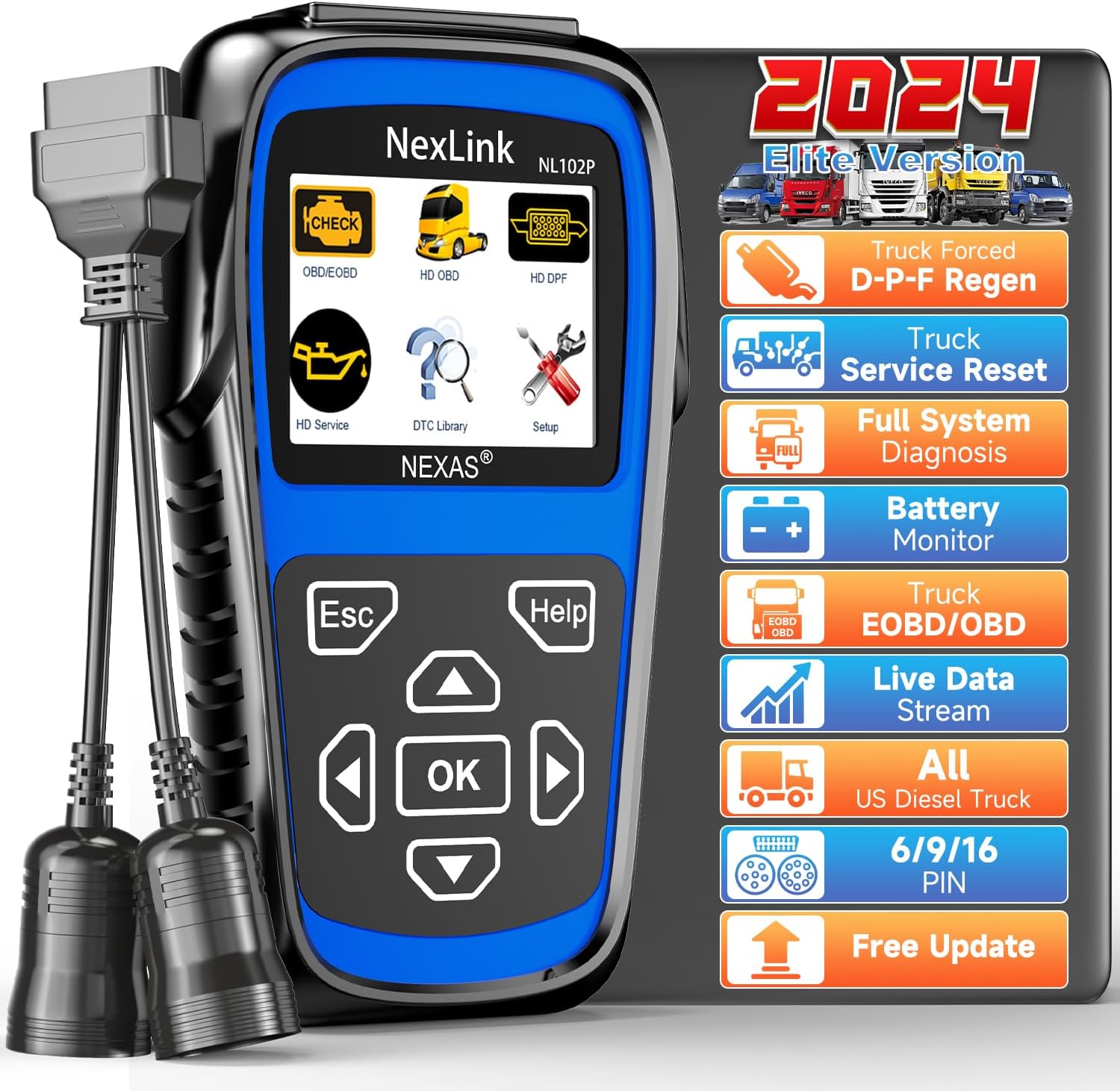
Image: The NEXAS Nexlink NL102P Heavy Duty Truck Scanner, a blue and black handheld device with a screen and navigation buttons, showing various diagnostic icons.
Funzjonijiet ewlenin:
- Full System Diagnosis for Heavy Duty Trucks (Engine, ABS, Transmission, Instrument Panel, Fuel System, Braking System, Suspension, EPS, ESP, Drivetrain, Particular, Battery, Chassis, EVAP, S-C-R, SATC, Body Control, Powertrain, etc.)
- DPF Regeneration and Reset for Cummins, Detroit, Maxxforce, ISUZU, HINO engines (after 2010)
- Supports D-O-C cleaning program, Parking D-P-F regeneration, Driving D-P-F regeneration, on-board D-P-F
- Oil Light/Service Reset
- Irrisettja tas-Sensor
- HDOBD and OBD2 Code Reading
- Fluss ta' Dejta Live
- Monitor tal-batterija

Image: An illustration showing the NEXAS Nexlink NL102P performing full system diagnosis on a heavy-duty truck, with icons representing various systems like Engine, ABS, Transmission, and more.
3. Setup u Installazzjoni
3.1 AUTOPHIX 3210 Bluetooth OBD2 Scanner
- Download the Exclusive App: Fittex għal the official AUTOPHIX 3210 app on the Apple App Store (for iOS) or Google Play Store (for Android) and install it on your smartphone or tablet.
- Sib il-Port tal-OBD2: The OBD2 port is typically located under the dashboard on the driver's side of your vehicle. Refer to your vehicle's owner's manual if you cannot find it.
- Qabbad l-Apparat: Plug the AUTOPHIX 3210 scanner firmly into the vehicle's OBD2 port. A blue indicator light on the device will illuminate, indicating it is powered on.
- Ibda l-Vettura: Turn the vehicle's ignition to the 'ON' position (engine can be off or running).
- Par via Bluetooth: Open the AUTOPHIX 3210 app on your mobile device. The app will automatically detect and connect to the scanner via Bluetooth 5.0. Follow any on-screen prompts within the app to complete the connection.

Image: Screenshots of the AUTOPHIX 3210 exclusive app interface, showing options for Full OBD2 Functions, Full Performance Test, Battery Voltage Checking, Bluetooth 5.0 Automatic Connection, Alarm Setting Modes, and support for iOS/Android devices.
3.2 NEXAS Nexlink NL102P Heavy Duty Truck Scanner
- Identifika l-Konnettur tal-Vettura: Determine if your heavy-duty truck uses a 6-pin, 9-pin, or 16-pin diagnostic connector.
- Qabbad l-Apparat: Select the appropriate diagnostic cable for your vehicle. Connect one end of the cable to the NL102P scanner and the other end to the vehicle's diagnostic port.
- Qawwa Mixgħul: The NL102P scanner will power on automatically once connected to the vehicle's diagnostic port.
- Ibda l-Vettura: Turn the vehicle's ignition to the 'ON' position (engine can be off or running).
- Inizjalizzazzjoni tas-Sistema: The scanner will initialize and display the main menu.
4. Istruzzjonijiet Operattivi
4.1 AUTOPHIX 3210 Bluetooth OBD2 Scanner
Once connected, navigate the app to access various diagnostic and monitoring functions.
- Reading/Clearing Codes: Mill-menù prinċipali, agħżel 'Aqra l-Kodiċijiet' biex view current, pending, and historic DTCs. Select 'Clear Codes' to erase DTCs and turn off the Check Engine Light after repairs are complete.
- Lest I / M: Iċċekkja l-istatus tal-moniters relatati mal-emissjonijiet biex tiddetermina jekk il-vettura hijiex lesta għal test tal-emissjonijiet.
- Fluss ta' Dejta Diretta: Agħżel 'Data Stream' biex view real-time sensor data in text or graph format. This includes parameters like RPM, vehicle speed (VSS), battery voltage (VPWR), engine coolant temperature (ECT), and mass air flow (MAF).
- Test tal-Prestazzjoni: Access the 'Performance Test' section to measure vehicle acceleration, braking distance, and other dynamic parameters.
- Kontroll tas-Saħħa tal-Batterija: Use this function to assess the health and performance of your vehicle's battery.
- Trip Monitoring: Monitor driving behavior and vehicle parameters during a trip, including speed changes, coolant temperature, and instances of rapid braking or hypervelocity.
- Settings ta' Twissija: Configure custom alerts for speed, water temperature, and driver fatigue within the app settings.

Image: Multiple mobile device screens displaying the AUTOPHIX 3210 app interface, showing real-time driving parameters such as RPM, VSS, ECT, water temperature, battery check, and diagnostic reports.
4.2 NEXAS Nexlink NL102P Heavy Duty Truck Scanner
Use the navigation buttons (Up, Down, Left, Right, OK, ESC, Help) to move through the menu and select functions.
- Dijanjosi Sħiħa tas-Sistema: From the main menu, select 'Diagnosis' or 'Scan' to perform a comprehensive scan of all available electronic control units (ECUs) in the truck. This includes engine, ABS, transmission, and other systems.
- Riġenerazzjoni tad-DPF: For compatible Cummins, Detroit, Maxxforce, ISUZU, and HINO engines (after 2010), select the 'DPF' option. Follow the on-screen prompts to initiate DPF regeneration procedures, including D-O-C cleaning, parking regeneration, driving regeneration, or on-board DPF. Ensure the vehicle is in a safe and appropriate environment for regeneration.
- Oil Light/Service Reset: Navigate to 'Service Functions' or 'Special Functions' to perform oil light reset or service interval resets for supported vehicles.
- Irrisettjar tas-Sensor: Within 'Service Functions', locate and perform sensor resets as required for specific vehicle systems.
- HDOBD/OBD2 Functions: Access standard OBD2 functions for reading and clearing codes, viewing live data, and I/M readiness for both heavy-duty and light-duty vehicles.

Image: The NEXAS Nexlink NL102P screen showing DPF Regeneration options, with illustrations of Cummins, Detroit, Maxxforce, HINO, and ISUZU engines, indicating compatibility for DPF functions.
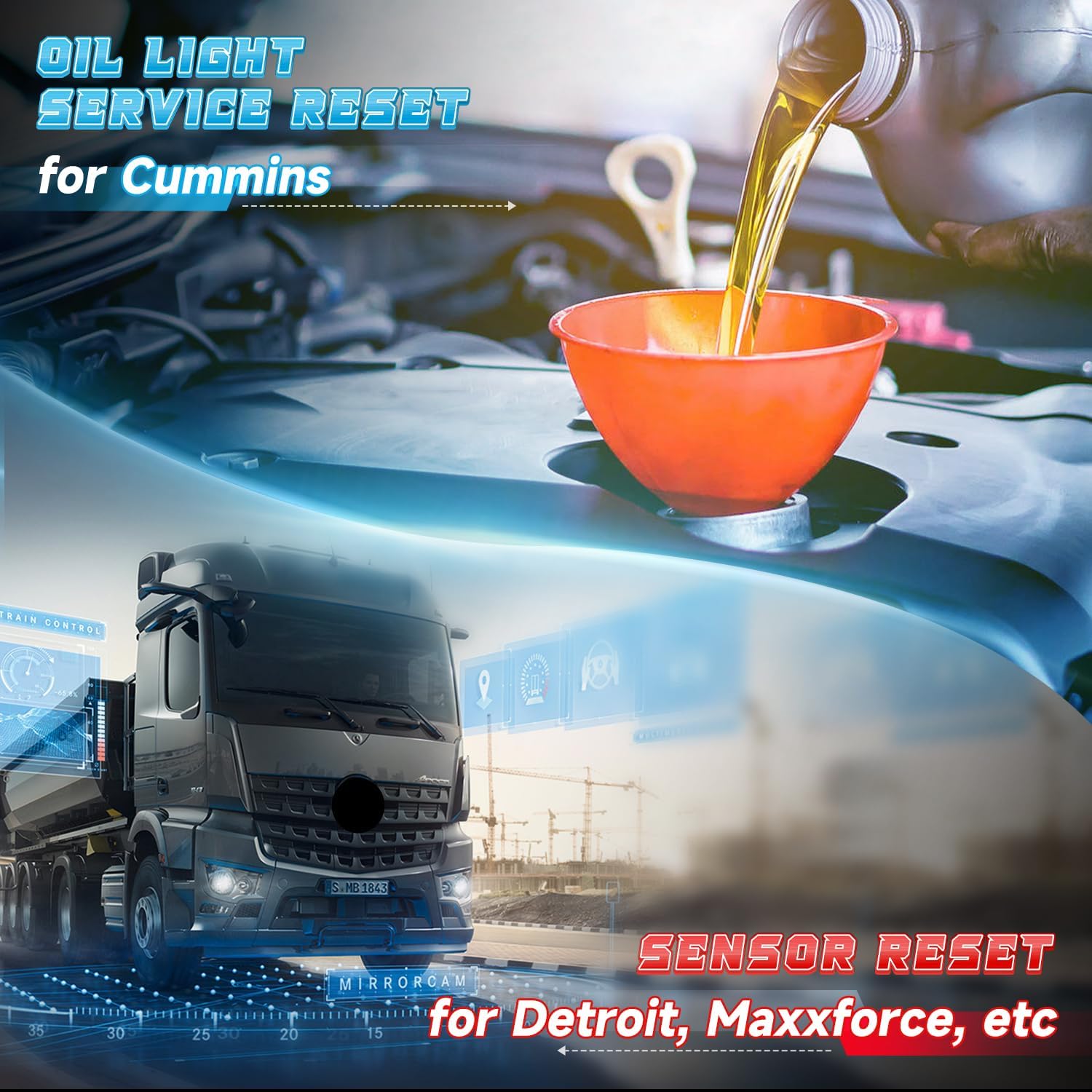
Image: An illustration depicting the Oil Light Service Reset for Cummins and Sensor Reset for Detroit, Maxxforce, etc., highlighting the NL102P's special functions.
5. Manutenzjoni
- Tindif: Use a soft, dry cloth to clean the device surfaces. Avoid using abrasive cleaners or solvents.
- Ħażna: Store the scanners in a clean, dry environment away from extreme temperatures, direct sunlight, and moisture.
- Kura tal-Cable: Inspect diagnostic cables regularly for damage. Do not bend or crimp cables excessively.
- Aġġornamenti tas-Software: For the NEXAS Nexlink NL102P, free lifetime updates are available. Periodically check the manufacturer's website for software updates to ensure optimal performance and compatibility with new vehicle models. For the AUTOPHIX 3210, ensure your app is updated to the latest version through your device's app store.
6 Issolvi l-problemi
- L-Apparat Mhux Jixgħel:
- Ensure the scanner is securely plugged into the vehicle's diagnostic port.
- Verify the vehicle's ignition is in the 'ON' position.
- Check the vehicle's fuse for the diagnostic port. - AUTOPHIX 3210 Not Connecting to App:
- Ensure Bluetooth is enabled on your mobile device.
- Confirm the AUTOPHIX 3210 is powered on (blue light illuminated).
- Close and restart the app.
- Try unpairing and re-pairing the device in your phone's Bluetooth settings, then reconnect via the app.
- Ensure the app is up to date. - Cannot Read Codes/Connect to ECU:
- Verify the vehicle's ignition is 'ON'.
- Ensure the scanner is correctly connected to the OBD2 port.
- Check if the vehicle is OBD2 compliant (most vehicles 1996 and newer in the US).
- For NL102P, ensure the correct diagnostic cable is used for the truck's connector type. - DPF Regeneration Fails (NL102P):
- Ensure the engine is at operating temperature.
- Check for any active fault codes that might prevent regeneration.
- Follow all on-screen instructions carefully, including any specific driving conditions required.
- Verify the engine type is supported for DPF regeneration by the NL102P. - Qari mhux eżatt:
- Ensure all connections are secure.
- Verify the vehicle's battery voltage huwa stabbli.
7. Speċifikazzjonijiet
7.1 AUTOPHIX 3210 Bluetooth OBD2 Scanner
- Konnettività: Bluetooth 5.0
- Kompatibilità: iOS (iPhone, iPad), Android smartphones and tablets
- Protokolli Appoġġjati: Standard OBD2/EOBD protocols
- Vol Operattivtage: 9-16V DC (from vehicle OBD2 port)
- Temperatura operattiva: -20°C sa 65°C (-4°F sa 149°F)
7.2 NEXAS Nexlink NL102P Heavy Duty Truck Scanner
- Wiri: LCD backlit
- Konnettività: 6-pin, 9-pin, 16-pin diagnostic connectors
- Kompatibilità: Heavy Duty Trucks (HDOBD), OBD2/EOBD compliant cars
- Supported Engines for DPF Regen: Cummins, Detroit, Maxxforce, ISUZU, HINO (after 2010)
- Vol Operattivtage: 9-36V DC (from vehicle diagnostic port)
- Temperatura operattiva: -20°C sa 65°C (-4°F sa 149°F)
8. Garanzija u Appoġġ
The NEXAS Nexlink NL102P diagnostic scanner includes free lifetime software updates. For both products, please refer to the manufacturer's official website or contact customer support for detailed warranty information and technical assistance. Keep your purchase receipt for warranty claims.