
1. Introduzzjoni
Thank you for choosing the MageGee Light84 Transparent Mechanical Keyboard. This wired gaming keyboard features a unique transparent design, vibrant RGB backlighting, and crystal switches, offering a superior typing and gaming experience. This manual provides detailed instructions for setup, operation, maintenance, and troubleshooting to help you get the most out of your new keyboard.

Figure 1: MageGee Light84 Transparent Mechanical Keyboard
2. Karatteristiċi ewlenin
- Transparent Keycaps and RGB Backlighting: Features blue transparent keycaps that are delicate and smooth to the touch, with clear, fade-resistant characters. Full RGB backlighting offers cool, eye-catching effects with adjustable light modes and brightness, enhancing the transparent design.
- Customizable Crystal Switches and Double Layer Sound Deadening Structure: Equipped with dust-proof transparent axles for fast, no-delay response and tactile feedback. The gasket structure and EVA sound deadening cotton effectively eliminate most cavity sound, optimizing typing feel and sound consistency.
- Hot-swappable Full-Key Replacement Design: Compatible with most three-legged and five-legged shafts, allowing for DIY customization. Supports simultaneous keystrokes without conflict for fast trigger continuous skills.
- Gasket Mount Mechanical Keyboard: Utilizes high-quality gasket material and silicone pad to absorb vibrations and eliminate noise. Includes Poron sandwich foam, Poron socket foam, and PET sound pads for a quieter and smoother typing experience.
- Simple Button to Switch WIN/MAC/Xbox Layouts: Easily switch between Mac and Windows operating systems. The 84-key, 70% layout saves desk space and offers maximum comfort, suitable for gamers, office workers, and writers.
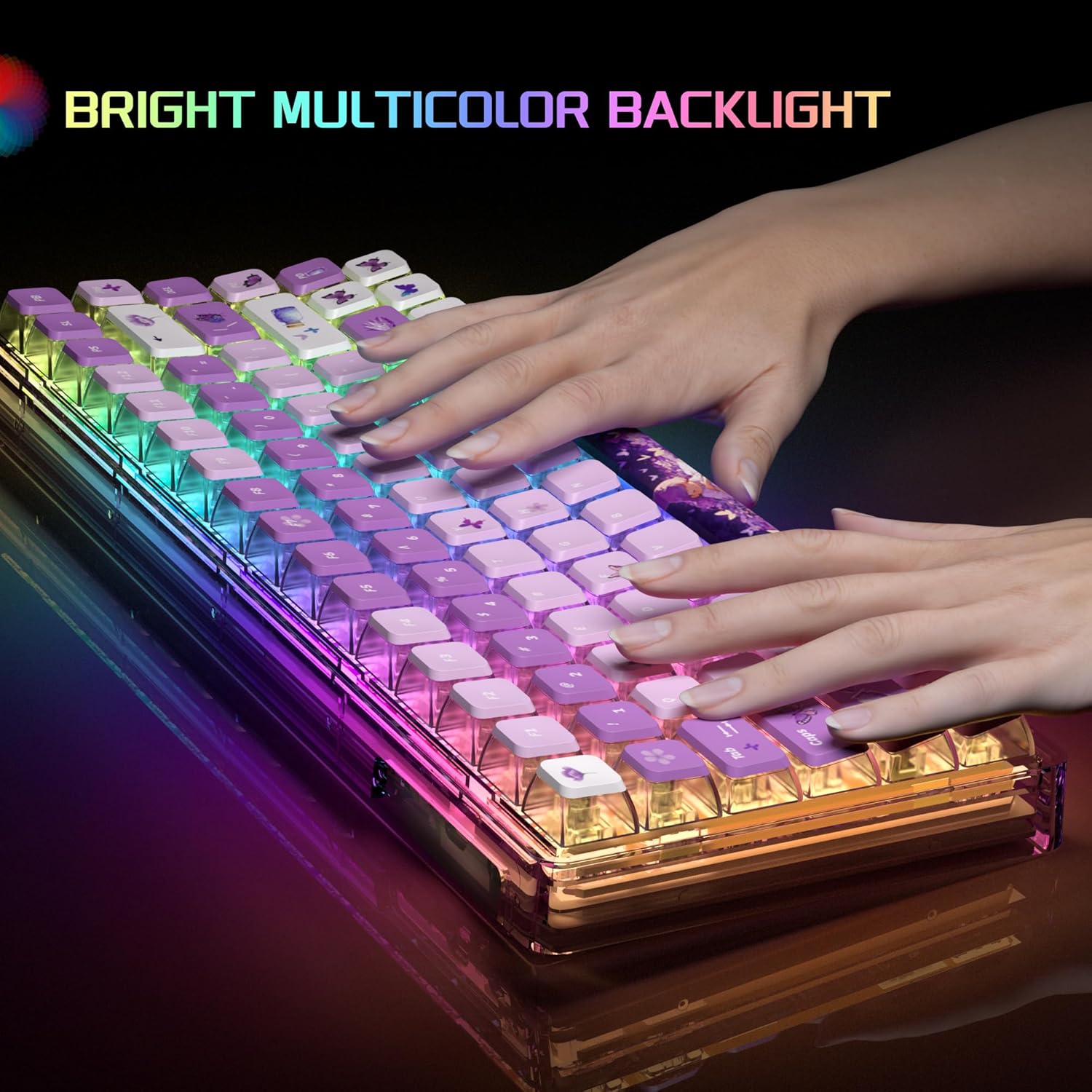
Figure 2: Bright Multicolor Backlight in action

Figure 3: Crystal Switch Components
Prodott Overview Video
Video 1: A short demonstration of the MageGee Transparent Keyboard, showcasing its RGB lighting effects and overall design.
3. Gwida ta' Setup
- Ħoll it-Tastiera: Carefully remove the keyboard and any accessories from the packaging.
- Qabbad mal-Apparat: Locate the USB cable provided with your keyboard. Plug the USB-C end into the keyboard's port and the USB-A end into an available USB port on your computer (PC, Laptop, Gaming Console) or Mac.
- Rikonoxximent tas-Sistema: Your operating system (Windows, macOS) should automatically detect and install the necessary drivers. This process usually takes a few moments.
- Funzjonalità tat-Test: Iftaħ editur tat-test jew browser u ittestja t-tajping biex tiżgura li ċ-ċwievet kollha qed jaħdmu sew.
4. Istruzzjonijiet Operattivi
4.1. Kontroll tad-Dawl ta' Wara RGB
The MageGee Light84 keyboard features customizable RGB backlighting. Specific key combinations are used to change lighting modes and brightness. Refer to the quick start guide included in your packaging for detailed key combinations, as these can vary.
- Nibdlu l-Modi tad-Dawl: Typically, use Fn + [Ċavetta] combinations to cycle through various lighting effects (e.g., wave, breathing, static).
- Aġġusta tal-luminożità: Użu Fn + Vleġġa 'l fuq/'l isfel keys to increase or decrease backlight brightness.
- Aġġusta tal-Veloċità: Użu Fn + Vleġġa tax-Xellug/Lemin ċwievet biex taġġusta l-veloċità tal-effetti tad-dawl dinamiku.
4.2. Switching WIN/MAC/Xbox Layouts
The keyboard allows for quick switching between different operating system layouts to optimize key functions.
- Switching Layout: Press the dedicated key button (often marked with a system icon or located near the function keys) to instantly change the keyboard's working system to Mac, Windows, or Xbox mode.
4.3. Hot-Swappable Key Replacement
The hot-swappable design allows you to easily change mechanical switches without soldering. This feature is ideal for customization and maintenance.
- Tneħħija ta' Swiċċ: Uża l-għodda tal-ġbid tas-swiċċ provduta biex taqbad is-swiċċ bil-mod u iġbdu dritt 'il fuq.
- Installazzjoni ta' Swiċċ: Allinja l-labar tas-swiċċ il-ġdid mat-toqob fuq il-PCB. Agħfas 'l isfel sew sakemm is-swiċċ jikklikkja f'postu. Kun żgur li l-labar mhumiex mgħawġa.
4.4. Lock WIN Key Function
To prevent accidental presses of the Windows key during gaming, you can lock its functionality.
- Lock/Unlock WIN Key: Tipikament, agħfas Fn + WIN key to toggle the Windows key lock on or off. An indicator light may show its status.
5. Manutenzjoni
Proper maintenance ensures the longevity and optimal performance of your MageGee Light84 keyboard.
- Tindif Ġenerali: Regularly use a soft brush or compressed air to remove dust and debris from between the keycaps.
- Tindif tal-Għatu taċ-Ċwievet: For deeper cleaning, you can carefully remove the keycaps using a keycap puller. Clean them with a mild soap solution and a soft cloth, then ensure they are completely dry before reattaching. Avoid harsh chemicals that may damage the transparent material or legends.
- Tindif tal-wiċċ: Wipe the keyboard surface with a slightly damp, lint-free cloth. Do not use excessive moisture.
- Evita t-tixrid: Keep liquids away from the keyboard to prevent damage to internal components. In case of a spill, immediately unplug the keyboard, dry it thoroughly, and allow it to air dry completely before reconnecting.
6 Issolvi l-problemi
If you encounter issues with your keyboard, try the following troubleshooting steps:
| Problema | Soluzzjoni Possibbli |
|---|---|
| It-tastiera ma tirrispondix |
|
| Backlight not working or flickering |
|
| Ċerti ċwievet ma jaħdmux |
|
| WIN key is locked |
|
If these steps do not resolve your issue, please contact MageGee customer support for further assistance.
7. Speċifikazzjonijiet
- Ditta: MageGee
- Mudell: Dawl84
- Kulur: Purple Butterfly
- Teknoloġija tal-Konnettività: Bil-fili
- Tip ta' swiċċ: Tactile (Crystal Switches)
- Deskrizzjoni tat-Tastiera: Ergonomic, 70% Layout (84-key)
- Apparati Kompatibbli: Gaming Console, Laptop, PC
- Compatible Operating System Family: Windows, Mac, Xbox
- Piż tal-oġġett: 2.92 liri (madwar 1.32 kg)
- Dimensjonijiet tal-pakkett: 13.94 x 6.3 x 2.44 pulzieri (madwar 35.4 x 16 x 6.2 ċm)

Figura 4: Dimensjonijiet tat-Tastiera
8. Garanzija u Appoġġ
MageGee products are designed and manufactured to the highest quality standards. For information regarding warranty coverage, please refer to the warranty card included with your product or visit the official MageGee websit.
For technical support, troubleshooting assistance, or any other inquiries, please contact MageGee customer service through their official channels. You can often find contact information on the product packaging or the brand's official websit.
MageGee Official Store: Visit the MageGee Store on Amazon