
1. Introduzzjoni
Thank you for choosing the EDYELL C6 Motorcycle Bluetooth Headset. This device is designed to enhance your riding experience by providing seamless communication, high-fidelity music, and hands-free calling. Featuring Bluetooth V5.3, an OLED display, a 1000mAh battery, and IP67 waterproofing, the C6 offers reliable performance in various conditions. Please read this manual carefully to ensure proper installation and operation.
2. Kontenut tal-Pakkett
Iċċekkja li l-oġġetti kollha elenkati hawn taħt huma inklużi fil-pakkett tiegħek:
- 1x EDYELL C6 Motorcycle Bluetooth Headset
- 1x Hard Microphone Speakers Set
- 1x Clamping Base
- 2x Microphone Velcro Tape
- 2x Speaker Velcro
- 2x Booster Sticker
- 1x Stand Velcro Tape
- 1x Thick Double Sided Tape
- 1x Manwal għall-Utent
- 1x Cable tal-Iċċarġjar
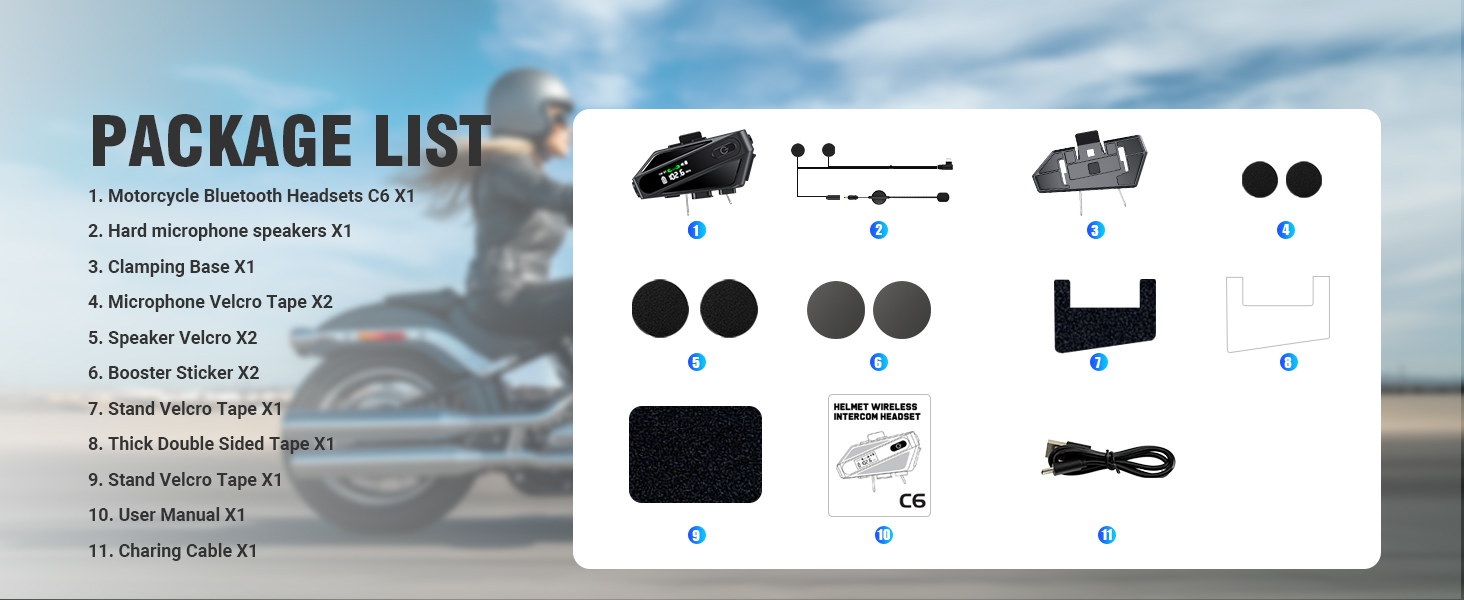
Image: Contents of the EDYELL C6 package, including the headset unit, speakers, microphone, mounting accessories, and charging cable.
3. Prodott Aktarview
The EDYELL C6 features an intuitive design with clearly labeled controls and an OLED screen for easy status monitoring.
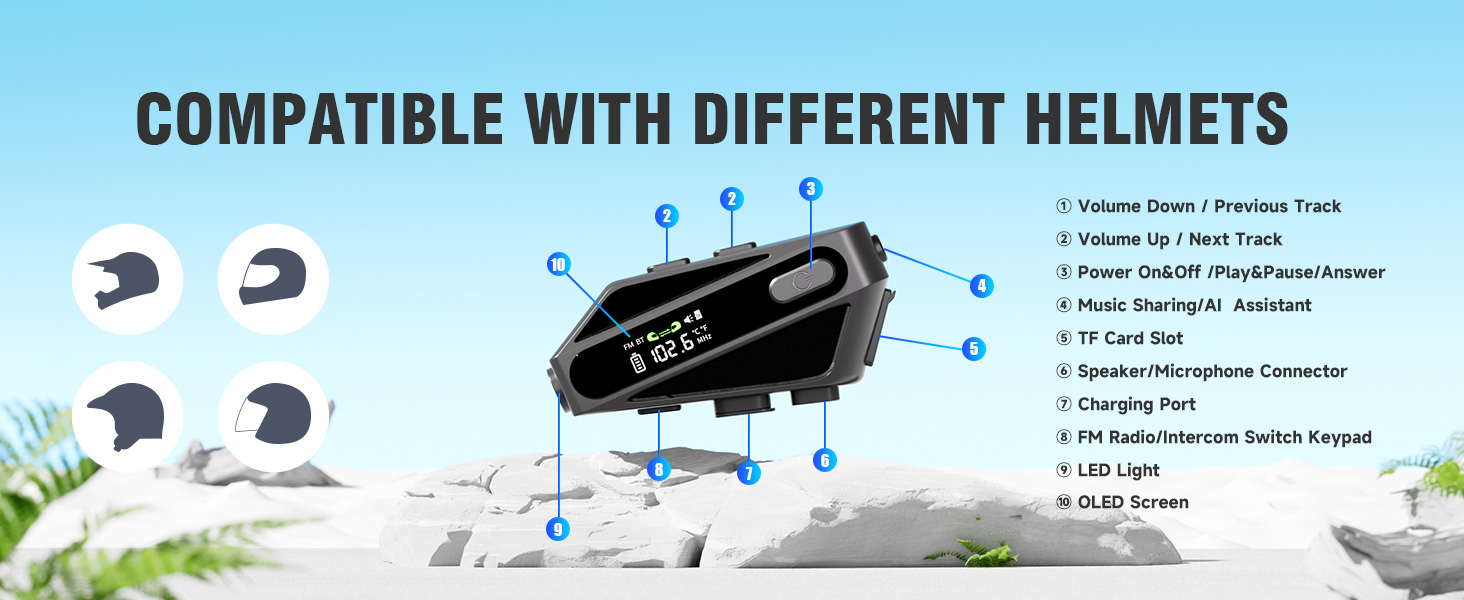
Image: Labeled diagram of the EDYELL C6 headset, highlighting its buttons, ports, and screen.
Kontrolli u Indikaturi:
- Buttuna Volum 'l isfel / Trakka Preċedenti: Decreases volume or skips to the previous song.
- Buttuna tal-Volum 'il Fuq / tat-Trakka li Jmiss: Iżżid il-volum jew taqbeż għall-kanzunetta li jmiss.
- Power On/Off / Play/Pause / Answer Button: Jikkontrolla l-qawwa, id-daqq tal-mużika, u l-ġestjoni tas-sejħiet.
- Music Sharing / AI Assistant Button: Activates music sharing or the voice assistant.
- Slott tal-Karta TF: Insert a MicroSD card for offline music playback (up to 128GB).
- Speaker/Microphone Connector: Port for connecting the speaker and microphone assembly.
- Port tal-Iċċarġjar: Port USB tat-Tip C għall-iċċarġjar tal-apparat.
- FM Radio / Intercom Switch Keypad: Toggles between FM radio and intercom modes.
- Dawl LED: Jipprovdi dawl.
- Skrin OLED: Displays battery level, FM frequency, Bluetooth status, and other information.
4. Setup
4.1. Iċċarġjar tal-Apparat
Before first use, fully charge the headset. Connect the provided USB Type-C charging cable to the charging port (7) on the device and to a USB power source. The OLED screen will indicate the charging status. A full charge takes approximately 1.5 hours.

Image: The EDYELL C6 headset connected to a Type-C charger, illustrating its 1000mAh battery capacity and fast charging capability.
4.2. Installazzjoni fuq l-Elmu
The EDYELL C6 can be installed on various helmet types using the clamping base or adhesive tape. Ensure the speakers are positioned directly over your ears inside the helmet for optimal audio quality, and the microphone is placed near your mouth.

Image: The EDYELL C6 headset securely attached to a helmet, demonstrating its waterproof design.
Immaġni: Eżamples of different helmet types compatible with the EDYELL C6 headset.
5. Istruzzjonijiet Operattivi
5.1. Power On/Off
- Qawwa Mixgħul: Press and hold the Power On/Off button (3) for approximately 3 seconds until the OLED screen illuminates.
- Itfi: Press and hold the Power On/Off button (3) for approximately 3 seconds until the OLED screen turns off.
5.2. Tqabbil tal-Bluetooth
To connect your EDYELL C6 to a mobile phone or other Bluetooth device:
- Kun żgur li l-widna hija mitfija.
- Press and hold the Power On/Off button (3) for approximately 5-7 seconds until the OLED screen shows 'Pairing' or a similar indicator, and the Bluetooth icon flashes.
- On your mobile phone, enable Bluetooth and search for available devices.
- Select 'EDYELL C6' from the list of devices.
- Once connected, the OLED screen will show a stable Bluetooth icon.

Image: The EDYELL C6 supports Bluetooth 5.3 for quick pairing and communication up to 600 meters.
5.3. Daqq tal-mużika
- Play/Pawsa: Short press the Power On/Off button (3).
- Track li jmiss: Agħfas fil-qosor il-buttuna 'l fuq mill-Volum' (2).
- Track preċedenti: Agħfas fil-qosor il-buttuna 'l isfel tal-Volum (1).
- Aġġustament tal-Volum: Long press the Volume Up button (2) to increase volume, long press the Volume Down button (1) to decrease volume.
5.4. Telefonati
- Irrispondi Sejħa: Short press the Power On/Off button (3) when a call comes in.
- Tmiem Sejħa: Short press the Power On/Off button (3) during a call.
- Irrifjuta Sejħa: Long press the Power On/Off button (3) when a call comes in.
- Isemmi mill-ġdid l-Aħħar Numru: Double-press the Power On/Off button (3) in standby mode.
5.5. Funzjoni Intercom
The C6 supports intercom communication with another C6 unit up to 600 meters. Refer to the specific pairing instructions for intercom mode in the full user manual for detailed steps.
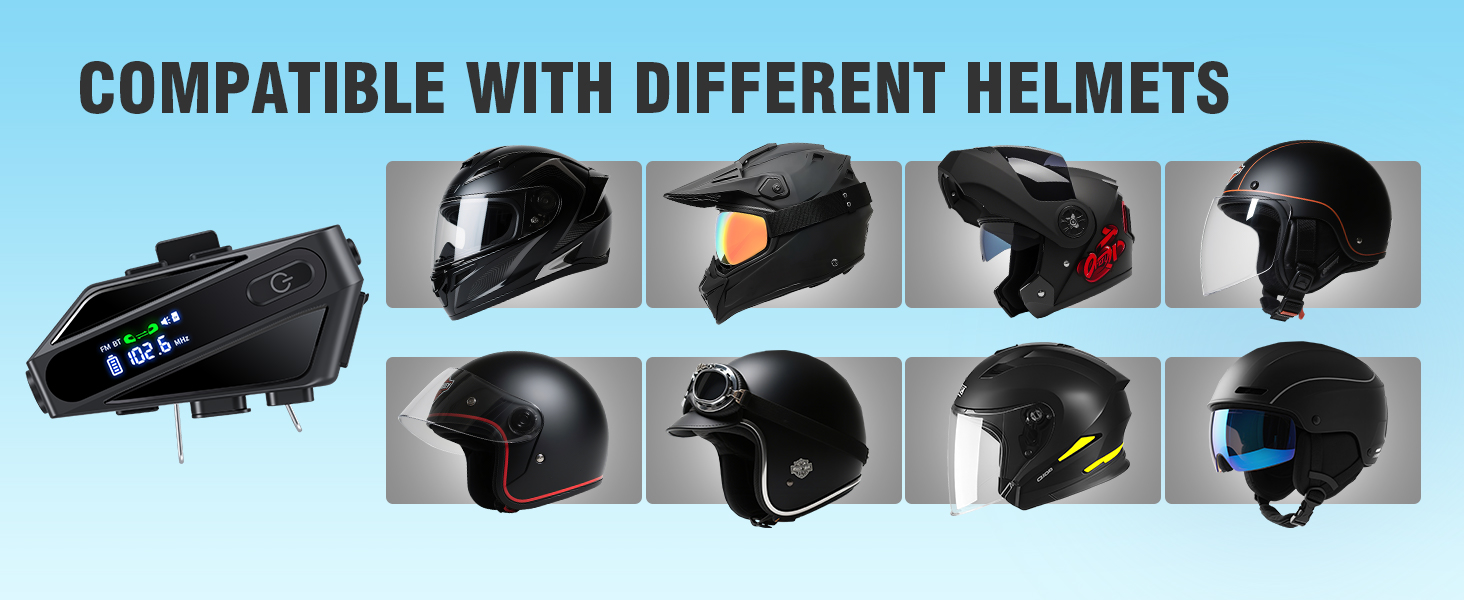
Image: The EDYELL C6 offers an extra-long communication distance of 600 meters for rider-to-rider intercom.
5.6. Radju FM
To activate FM radio, short press the FM Radio/Intercom Switch Keypad (8). Use the Volume Up/Down buttons (1, 2) to change stations. Short press the FM Radio/Intercom Switch Keypad (8) again to exit FM mode.
5.7. Assistent tal-Vuċi
Activate your phone's voice assistant (e.g., Siri, Google Assistant) by short pressing the Music Sharing/AI Assistant button (4). You can then issue commands like "Hey Siri, call Mike."

Image: The EDYELL C6 supports intelligent voice assistant functions for hands-free control.
5.8. Qsim tal-Mużika
To share music with a companion's EDYELL C6 headset, long-press the Music Sharing/AI Assistant button (4). Both headsets must be in intercom mode or paired for this feature to work.
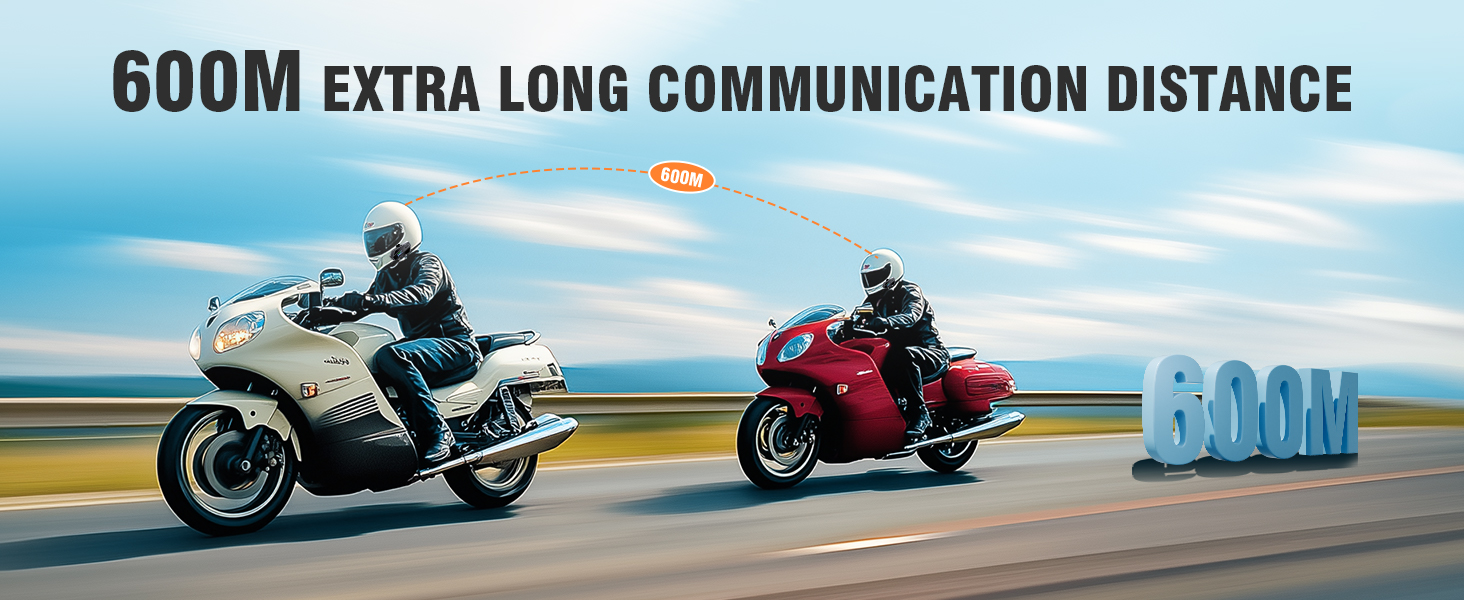
Image: Music sharing feature of the EDYELL C6, allowing two riders to listen to the same audio.
5.9. TF Card Offline Playback
Insert a MicroSD card (up to 128GB) into the TF Card Slot (5) to play music directly from the card without needing a Bluetooth connection to a phone.
6. Manutenzjoni
To ensure the longevity and optimal performance of your EDYELL C6 headset:
- Tindif: Imsaħ l-apparat b'artab, damp drapp. Evita li tuża kimiċi ħarxa jew tindif li joborxu.
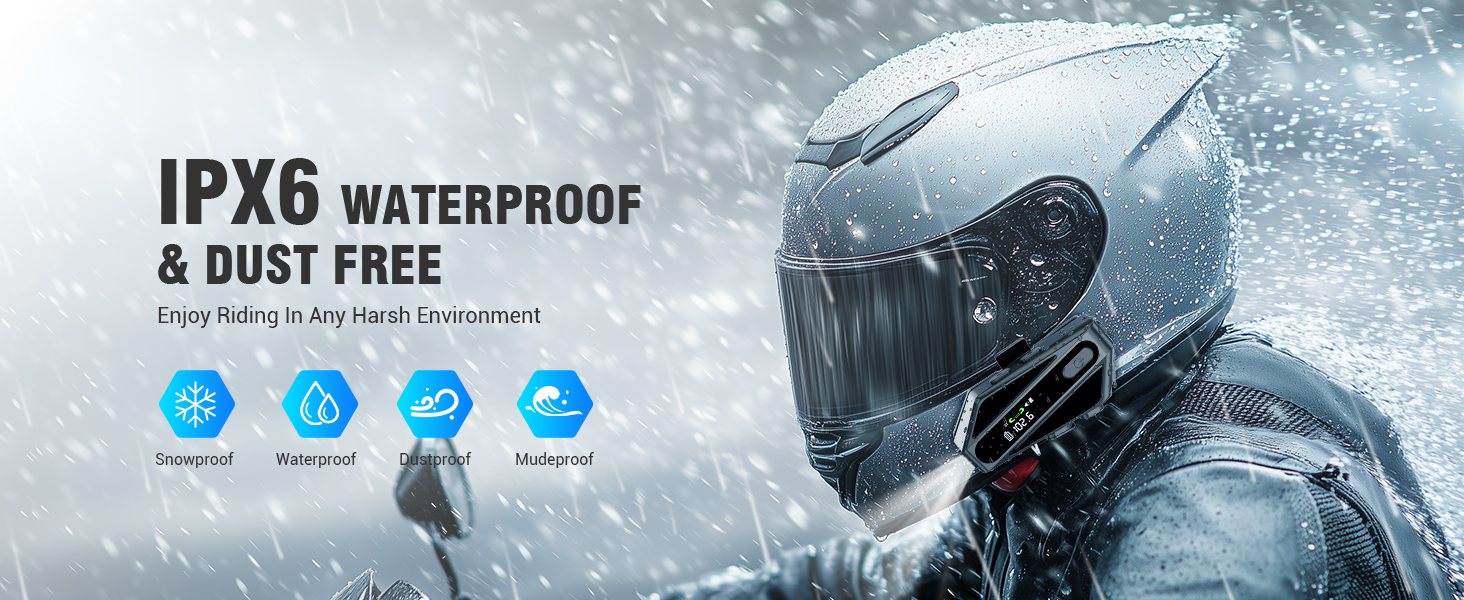
- Reżistenza għall-Ilma: The device is IP67 waterproof. While it can withstand rain and splashes, avoid submerging it in water for extended periods. Ensure the charging port cover is securely closed.
- Ħażna: Aħżen il-headset f'post frisk u niexef 'il bogħod mix-xemx diretta u minn temperaturi estremi.
- Kura tal-batterija: Għal ħażna fit-tul, iċċarġja l-batterija sa madwar 50% kull ftit xhur biex tevita li tiskarika sew.
Image: The EDYELL C6 features IP67 waterproof and dustproof design for use in harsh environments.
7 Issolvi l-problemi
If you encounter issues with your EDYELL C6, refer to the following common solutions:
- Apparat mhux mixgħul: Kun żgur li l-batterija hija ċċarġjata. Qabbad ma' ċarġer u erġa' pprova.
- Ma tistax tqabbad mat-telefon: Ensure the headset is in pairing mode (flashing Bluetooth icon). Turn off and on your phone's Bluetooth, then try pairing again.
- L-ebda ħoss mill-kelliema: Check if the speakers are properly connected to the headset. Ensure volume is not set to minimum.
- Intercom not connecting: Ensure both units are within range (up to 600m) and are in intercom pairing mode.
- Kwalità fqira tal-awdjo: Check speaker placement inside the helmet. Ensure microphone is positioned correctly to reduce wind noise.
- L-apparat ma jirrispondix: Try resetting the device by holding the power button for an extended period (e.g., 10-15 seconds) or by allowing the battery to fully discharge and then recharging.
8. Speċifikazzjonijiet
| Karatteristika | Speċifikazzjoni |
|---|---|
| Isem tal-Mudell | C6 |
| Teknoloġija tal-Konnettività | Wireless (Bluetooth V5.3) |
| Verżjoni Bluetooth | 5.3 |
| Kapaċità tal-batterija | Polimer tal-Litju 1000mAh |
| Ħin tal-Iċċarġjar | Appross. 1.5 Sigħat |
| Ħin ta 'Daqq tal-Mużika | Sa 30-il Siegħa |
| Ħin tas-Sejħa | Sa 40-il Siegħa |
| Ħin ta' Standby | Aktar minn 300 Sigħat |
| Intercom Medda | Sa 600 Metru |
| Livell ta 'Reżistenza għall-Ilma | IP67 Waterproof |
| Kontroll tal-Ħoss | Passive Noise Cancellation (ENC) |
| Daqs tas-Sewwieq tal-Awdjo | Sewwieq dinamiku ta' 50mm |
| Appoġġ għall-Karta TF | Sa 128GB |
| Metodu ta' Kontroll | Vuċi, Buttuna |
| Piż tal-oġġett | 180 Gramm |
| Dimensjonijiet tal-Prodott | 10 x 5 x 2 ċm |
9. Garanzija u Appoġġ
The EDYELL C6 Motorcycle Bluetooth Headset comes with a 12 Months EDYELL India Warranty. For any quality problems, technical assistance, or warranty claims, please contact our customer support team:
Email: support@fenman.in
Telefon: +91 8882786235
Please have your purchase details and model number (C6) ready when contacting support.