
1. Prodott Aktarview
The Adin S8BT Bone Conduction Vibration Speaker is an innovative audio device that transmits sound through vibrations, allowing any flat surface to become a speaker. Its compact and portable design makes it ideal for various indoor and outdoor environments.
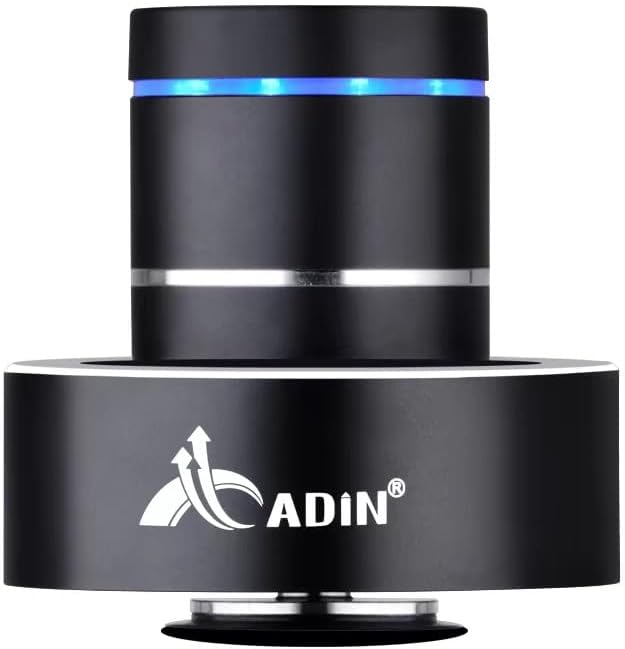
Figure 1: Adin S8BT Bone Conduction Vibration Speaker. This image displays the main unit of the speaker, showcasing its sleek black cylindrical design with a luminous blue accent ring and silver band. The speaker is designed to sit on a surface, utilizing bone conduction technology.

Figure 2: Adin S8BT Speaker and Included Accessories. This image shows the Adin S8BT speaker alongside its retail packaging, a USB charging cable, and an auxiliary audio cable, indicating the complete product package.
2. Karatteristiċi ewlenin
- Teknoloġija tal-Konduzzjoni tal-għadam: Transforms any flat surface into a speaker, delivering immersive audio.
- Konnettività Wireless: Seamlessly stream audio via Bluetooth from compatible devices.
- Kompatt u portabbli: Lightweight and small form factor for easy transport and placement.
- Kontrolli Intuwittivi: Simple touch controls for volume adjustment, track switching, and playback management.
- Disinn b'ħafna Skopijiet: Can function as a speaker, ambient lamp, or decorative item.
- Ħajja twila tal-batterija: Built-in high-performance battery with Type-C socket charging.
3. Kontenut tal-Pakkett
Jekk jogħġbok ivverifika li l-oġġetti kollha huma preżenti fil-pakkett tiegħek:
- Adin S8BT Bone Conduction Vibration Speaker
- Kejbil tal-Iċċarġjar USB (1m)
- Auxiliary Audio Cable (1m)
- Instruction Manual (PDF version available online)
4. Speċifikazzjonijiet Tekniċi
| Karatteristika | Speċifikazzjoni |
|---|---|
| Isem tal-Mudell | Adin S8BT Bone Conduction Speaker |
| Tip ta' Kelliem | Konduzzjoni tal-għadam |
| Teknoloġija tal-Konnettività | Bluetooth |
| Medda Bluetooth | 10 Meters |
| Metodu ta' Kontroll | Mess |
| Sors tal-Enerġija | Mħaddma bil-batterija |
| Qawwa tal-Ħruġ Massimu tal-Ispeaker | 26 Watts |
| Rispons ta' Frekwenza | 18 KHz |
| Modalità tal-Ħruġ tal-Awdjo | Stereo |
| Materjal | Aluminju |
| Kulur | Iswed |
| Dimensjonijiet tal-Prodott | 3.35"D x 3.35"W x 3.35"H |
| Piż tal-oġġett | 2.2 liri |
| Użu fuq ġewwa/barra | Ġewwa, Barra |
| Huwa Waterproof | Nru |
5. Gwida ta' Setup
5.1 Iċċarġjar inizjali
Before first use, fully charge the speaker. Connect the provided USB charging cable to the speaker's DC 5V port and the other end to a USB power adapter (not included) or a computer's USB port.

Figure 3: Adin S8BT Speaker Ports. This image shows the side of the speaker with the DC 5V charging port, ON/OFF/BT switch, and AUX input, indicating connectivity options.
5.2 Tixgħel/Jitfi
Locate the ON/OFF switch on the side of the speaker. Slide it to the "ON" position to power on the device. Slide it to the "OFF" position to power off.
5.3 Placement for Optimal Sound
For the best audio experience, place the speaker on a flat, solid surface. Different surfaces will produce varying sound qualities and volumes due to the bone conduction technology. Experiment with surfaces like wood, glass, metal, or cardboard to find your preferred sound.
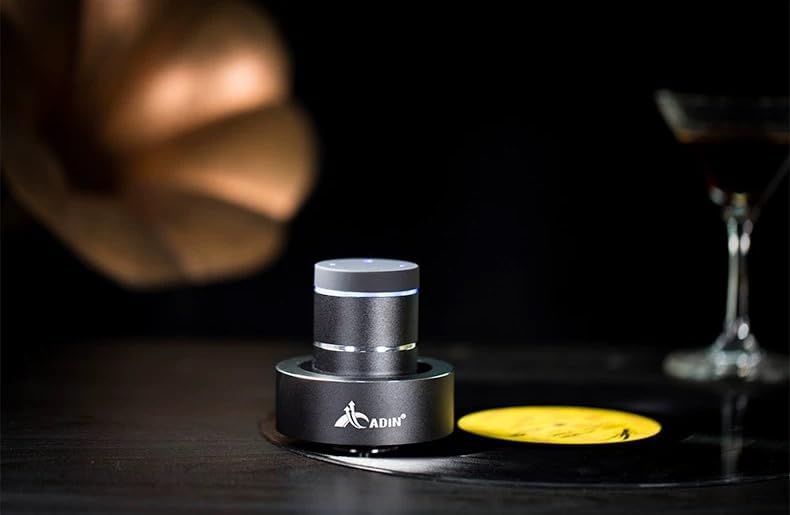
Figure 4: Adin S8BT Speaker in Use. This image depicts the Adin S8BT speaker placed on a flat surface, demonstrating its compact size and how it integrates into an environment for audio playback.
6. Istruzzjonijiet Operattivi
6.1 Tqabbil tal-Bluetooth
- Ensure the speaker is powered on and in Bluetooth mode. The blue accent ring will likely flash, indicating it's ready for pairing.
- Fuq l-ismartphone tiegħek jew apparat ieħor li jaħdem bil-Bluetooth, mur fis-settings tal-Bluetooth.
- Fittex għal available devices. The speaker should appear as "Adin S8BT" or similar.
- Select the speaker from the list to pair. Once paired, the blue light may become solid or change its flashing pattern.
6.2 Daqq tal-Awdjo
Once connected via Bluetooth, you can play audio from your device. Use the touch controls on the top of the speaker to manage playback:
- Tektek: Play/Pawsa.
- Swipe Xellug/Lemin: Previous/Next Track.
- Żomm: Volume Up/Down (specific gesture may vary, refer to quick start guide for precise touch controls).
6.3 Input AUX
For devices without Bluetooth, use the provided auxiliary cable. Connect one end to the speaker's "Link In" port and the other end to your audio source's headphone jack.
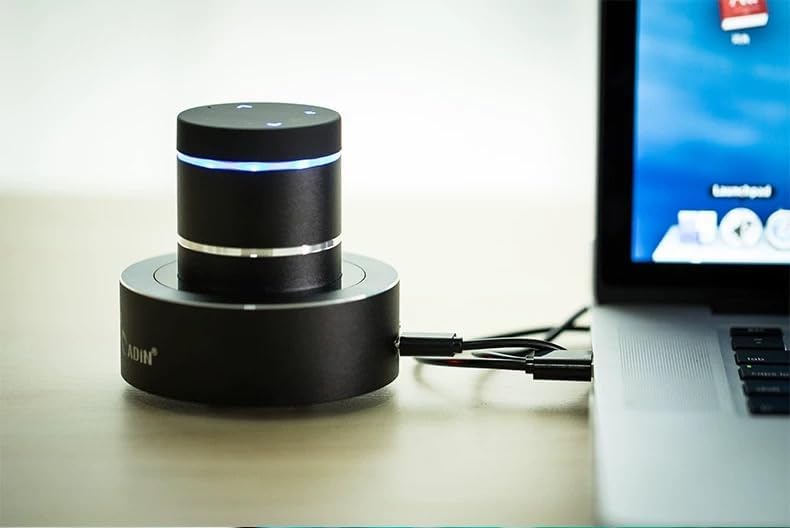
Figure 5: Adin S8BT Speaker with AUX Connection. This image illustrates the Adin S8BT speaker connected to a laptop via an auxiliary cable, demonstrating its wired connectivity option for audio input.
7. Manutenzjoni u Kura
- Tindif: Uża drapp artab u niexef biex timsaħ il-wiċċ tal-ispiker. Tużax prodotti tat-tindif jew solventi li joborxu.
- Ħażna: Aħżen l-ispiker f'post frisk u niexef 'il bogħod mix-xemx diretta u minn temperaturi estremi.
- Espożizzjoni għall-Ilma: Il-kelliem hu mhux reżistenti għall-ilmaEvita l-espożizzjoni għall-ilma jew umdità eċċessiva.
- Kura tal-batterija: Biex ittawwal il-ħajja tal-batterija, evita li tiċċarġja kompletament il-batterija ta' spiss. Iċċarġjaha regolarment, anke jekk ma tkunx qed tużaha għal perjodi twal.
8 Issolvi l-problemi
| Problema | Kawża Possibbli | Soluzzjoni |
|---|---|---|
| L-ebda ħoss mill-ispiker. | Speaker is off, not paired, or volume is too low. | Ensure speaker is ON. Re-pair Bluetooth. Increase speaker and device volume. Check surface contact. |
| Ma tistax tqabbad permezz tal-Bluetooth. | Speaker not in pairing mode, device Bluetooth off, or too far. | Ensure speaker is in pairing mode (flashing blue light). Turn device Bluetooth off/on. Move device closer to speaker (within 10m). |
| Kwalità tal-ħoss ħażina. | Unsuitable surface, low battery, or interference. | Try placing on a different, more solid surface. Charge the speaker. Move away from other electronic devices. |
| L-ispiker mhux qed jiċċarġja. | Cable issue, power source issue, or dirty port. | Check USB cable connection. Try a different USB port or power adapter. Ensure charging port is clean. |
9. Garanzija u Appoġġ
For information regarding warranty coverage, please refer to the warranty card included with your purchase or contact the manufacturer directly. Keep your proof of purchase for any warranty claims.
If you encounter issues not covered in this manual or require further assistance, please contact Adin customer support through their official webis-sit jew il-bejjiegħ bl-imnut li mingħandu xtrajt il-prodott.