
1. Introduzzjoni
This user manual provides comprehensive instructions for the Headwolf WPad7 Tablet. It covers setup, operation, maintenance, and troubleshooting to ensure optimal performance and user experience. Please read this manual thoroughly before using your device.
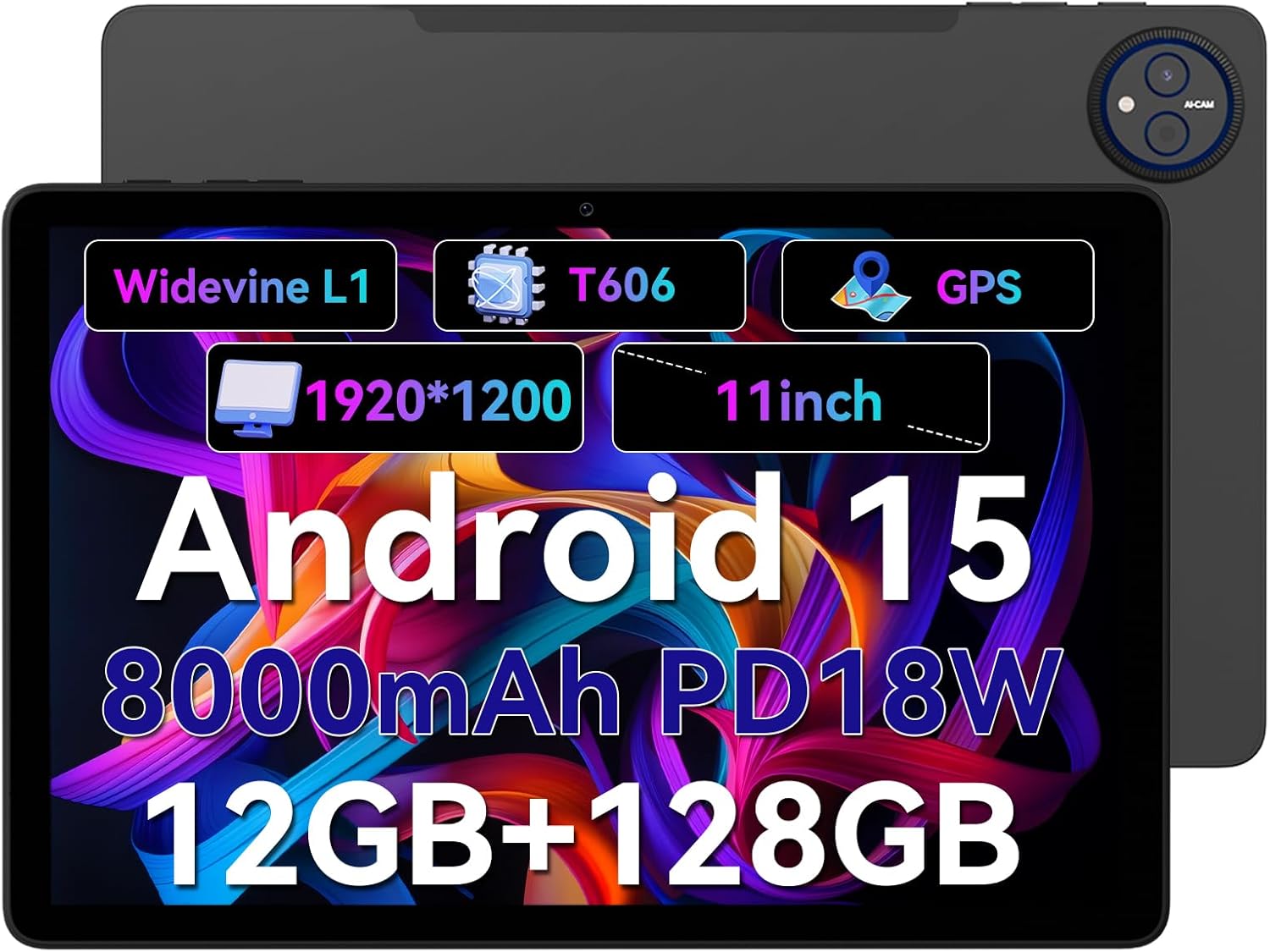
Figure 1.1: Headwolf WPad7 Tablet showcasing its 11-inch display, Android 15, 8000mAh battery, 12GB RAM, 128GB ROM, Widevine L1, T606 processor, and GPS capabilities.
2. Kontenut tal-Pakkett
Malli tiftaħ il-pakkett, ivverifika li l-oġġetti kollha elenkati hawn taħt huma preżenti u f'kundizzjoni tajba:
- 1 x Headwolf WPad7 Tablet
- 1 x Charger
- 1 x Cable tat-Tip-Ċ
- 1 x Card Pin (for SIM/SD card tray)
- 1 x Manwal għall-Utent
3. Prodott Aktarview
3.1 Karatteristiċi Fiżiċi
Familiarize yourself with the physical components of your Headwolf WPad7 Tablet:
- Wiri: 11-inch IPS In-Cell screen with 1920x1200 resolution.
- Kamera ta' quddiem: 8MP, located on the top bezel when held horizontally.
- Kamera ta' wara: 13MP, located on the back panel.
- Buttuna tal-Qawwa: Typically on the side, used to power on/off or wake/sleep the device.
- Ċwievet tal-Volum: Located near the power button, for adjusting audio levels.
- Port USB tat-Tip Ċ: Għall-iċċarġjar u t-trasferiment tad-dejta.
- Jack tal-headphones ta' 3.5mm: For connecting wired audio devices.
- Slot tal-Karta: For inserting a SIM card (if supported) and a microSD card for expandable storage.
- Irrisettja toqba: A small pinhole for force restarting the device if unresponsive.

Figure 3.1: Physical aspects of the Headwolf WPad7 Tablet, showing its 8mm thickness, 495g weight, 13MP rear camera, 8MP front camera, and 3.5mm earphone jack.

Figure 3.2: Key features of the Headwolf WPad7 Tablet, including Android 15 OS, 12GB+128GB memory, T606-8 core processor, 8000mAh battery, GPS navigation, 1920x1200 FHD display, face recognition, dual cameras, 2.4G/5Ghz Wi-Fi, Widevine L1, and 300nit brightness.
4. Setup
4.1 Iċċarġjar inizjali
Before first use, fully charge the tablet. Connect the provided Type-C cable to the tablet's USB-C port and the charger to a power outlet. The battery indicator on the screen will show charging status. A full charge typically takes several hours.

Figure 4.1: The 8000mAh battery of the Headwolf WPad7 Tablet, highlighting its safety and stability features, and showing typical usage times for processing, video playback, reading, and music playback.
4.2 Power On/Off
- Biex Tixgħel: Press and hold the Power button until the Headwolf logo appears on the screen.
- Biex Tifi: Press and hold the Power button until a power-off menu appears. Select "Power off".
- Biex Torqod/Tqum: Agħfas fil-qosor il-buttuna tal-Power biex torqod it-tablet jew tqajjemha.
4.3 Installazzjoni tal-Kard MicroSD
The Headwolf WPad7 supports microSD card expansion up to 2TB. To install:
- Sib l-islott tal-biljett fuq in-naħa tal-pillola.
- Daħħal il-pin tal-kard ipprovdut fit-toqba ż-żgħira ħdejn it-trej biex tneħħiha.
- Place the microSD card into the designated slot on the tray, ensuring correct orientation.
- Imbotta t-trej bil-mod lura fit-tablet sakemm tikklikkja f'postu.

Figure 4.2: Details of the Unisoc T606 Octa-core Processor and memory configuration, showing 12GB RAM (6GB physical + 6GB virtual) and 128GB ROM, expandable up to 2TB via SD card.
5. It-Tħaddim tat-Tablet Tiegħek
5.1 Karatteristiċi ta' Android 15
Your Headwolf WPad7 Tablet runs on Android 15, offering enhanced AI capabilities, improved privacy, optimized performance, and a refined user interface. Explore features like:
- AI Dynamic Adjustment: Adapts to your usage patterns for optimized performance.
- Multilingual Real-time Translation: Facilitates communication across languages.
- AI Automatic Scene Recognition: Enhances camera performance.
- Intelligent Audio Switching: Seamlessly manages audio output.
- AI Battery Saving Optimization: Extends battery life based on usage.
- Maqsum tal-Iskrin: Use two apps simultaneously side-by-side.
- Rikonoxximent tal-Wiċċ: Securely unlock your device with your face.

Figura 5.1: Aktarview of Android 15's intelligent AI features, including dynamic adjustment, real-time translation, automatic scene recognition, portrait mode processing, intelligent audio switching, accurate speech recognition, battery saving, game mode, and document auto summary.
5.2 Konnettività
- Wi-Fi: Supports high-speed AC 2.4G/5G Wi-Fi for stable internet connection. Navigate to Settings > Network & internet > Wi-Fi to connect to available networks.
- Bluetooth: Connect to Bluetooth headphones, speakers, and other devices. Go to Settings > Connected devices > Bluetooth.
- GPS: The tablet supports GPS, GLONASS, BDS, and GALILEO satellite systems for precise location services and navigation.

Figure 5.2: The Headwolf WPad7 Tablet's 2.4G/5G Dual Band Wi-Fi and Bluetooth capabilities, demonstrating its versatility for work, presentations, and video calls.

Figure 5.3: The tablet's Four-In-One Satellite Positioning System, supporting GPS, Beidou, Galileo, and Glonass for accurate real-time location tracking and navigation.
5.3 Użu tal-Kamera
The tablet features an 8MP front camera and a 13MP rear camera. Open the Camera app to capture photos and videos. Utilize AI scene recognition for optimized shots.
5.4 Karatteristiċi tal-Wiri
The 11-inch IPS in-cell display provides vivid colors and deep contrasts. It features Widevine L1 certification, enabling secure streaming of high-definition content from platforms like Netflix, Prime Video, and Disney+.

Figure 5.4: The 11-inch Widevine L1-compatible FHD display, showcasing its 1920x1200 resolution, 224 PPI, IPS incell technology, 300 nit brightness, 1500:1 contrast, and 75% NTSC color gamut, ideal for streaming services.
6. Manutenzjoni
6.1 Tindif
Biex tnaddaf it-tablet tiegħek, uża drapp artab u mingħajr suf. Għal tbajja' persistenti, nixxef ftit.ampNaddaf id-drapp bl-ilma jew b'prodott tat-tindif tal-iskrin. Evita li tuża kimiċi ħarxa, materjali li joborxu, jew umdità eċċessiva.
6.2 Kura tal-Batterija
- Evita li tesponi l-pillola għal temperaturi estremi (sħana jew kesħa).
- Tħallix il-batterija tixxotta kompletament ta' spiss.
- Use the original charger and cable for optimal charging and battery longevity.
- Jekk taħżen it-tablet għal perjodu estiż, iċċarġjah sa madwar 50% qabel ma titfih.
7 Issolvi l-problemi
It-Tablet 7.1 Mhux qed Jixgħel
- Kun żgur li l-batterija hija ċċarġjata. Qabbad il-ċarġer u stenna ftit minuti qabel ma tipprova tixgħelha.
- Agħfas u żomm il-buttuna tal-Power għal mill-inqas 10-15-il sekonda biex terġa' tibda.
7.2 Kwistjonijiet ta' Konnettività tal-Wi-Fi
- Itfi u ixgħel il-Wi-Fi fis-Settings.
- Erġa' ibda r-router tal-Wi-Fi tiegħek.
- Insieh in-netwerk u erġa' qabbad, billi ddaħħal il-password mill-ġdid.
7.3 L-Applikazzjonijiet Jikkraxxjaw jew Jiffriżaw
- Agħlaq l-app problematika u erġa' iftaħha.
- Clear the app's cache (Settings > Apps > [App Name] > Storage & cache > Clear cache).
- Ibda mill-ġdid il-pillola.
- Ensure the app and Android system are updated to the latest versions.
8. Speċifikazzjonijiet
| Karatteristika | Speċifikazzjoni |
|---|---|
| Brand | Lupu Kap |
| Isem tal-Mudell | W7 |
| Sistema Operattiva | Android 15 |
| Daqs tal-Iskrin | 11 Pulzier |
| Riżoluzzjoni tal-Iskrin | 1920x1200 Pixels (FHD In-Cell) |
| Proċessur | Unisoc T606 Octa-core |
| RAM | 12GB (6GB fiżiku + 6GB virtwali) |
| Ħażna Interna | 128GB |
| Ħażna espansibbli | Sa 2TB permezz ta' kard MicroSD |
| Kamera ta' wara | 13MP |
| Kamera ta' Quddiem | 8MP |
| Kapaċità tal-batterija | 8000mAh |
| Port tal-Iċċarġjar | USB Type-C (supports 18W fast charge) |
| Konnettività bla fili | 802.11a/b/g/n/ac/ax (2.4G/5G Wi-Fi), Bluetooth |
| Navigazzjoni | GPS, GLONASS, BDS, GALILEO (with A-GPS) |
| Awdjo Jack | 3.5mm |
| Dimensjonijiet (LxWxH) | 11 x 2 x 8 pulzieri |
| Piż tal-oġġett | 1.98 liri (madwar 495g) |
| Kulur | Griż |
| Ċertifikazzjoni Widevine | L1 |
9. Garanzija u Appoġġ
Headwolf provides a standard warranty for the WPad7 Tablet. For detailed warranty terms and conditions, please refer to the warranty card included in your package or visit the official Headwolf websit.
For technical support, troubleshooting assistance, or service inquiries, please contact Headwolf customer support through their official channels. Keep your purchase receipt and product serial number handy when contacting support.
Riżorsi onlajn: