
1. Introduzzjoni
This manual provides detailed instructions for the proper setup, operation, and maintenance of your MageGee K2 Wired RGB Backlit 104-Key Ergonomic Keyboard. Please read this manual thoroughly before using the product to ensure optimal performance and longevity.
2. Kontenut tal-Pakkett
The MageGee K2 Keyboard package includes the following items:
- MageGee K2 Wired RGB Backlit 104-Key Ergonomic Keyboard
- Manwal għall-Utent (dan id-dokument)
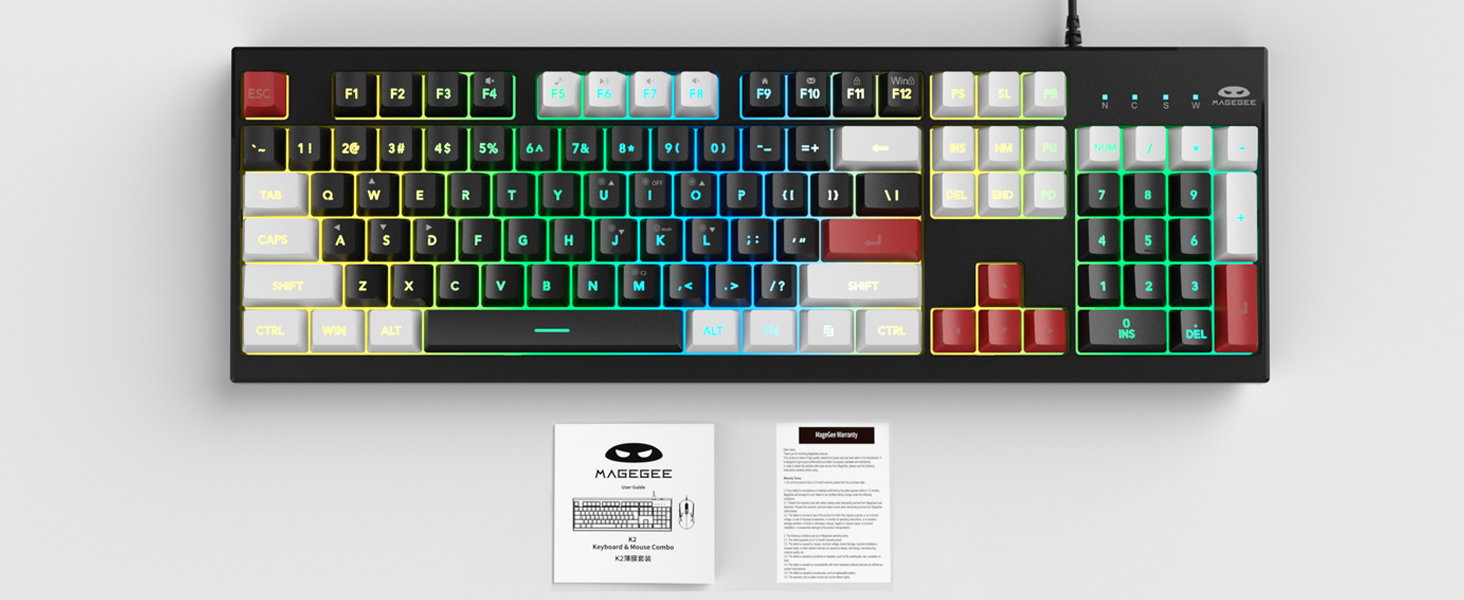
Image: MageGee K2 Keyboard shown with its accompanying user manual.
3. Istruzzjonijiet ta' Setup
3.1 Konnessjoni tat-Tastiera
- Locate an available USB port on your computer (PC, laptop, or Mac).
- Plug the USB connector of the MageGee K2 keyboard into the USB port.
- The keyboard is plug-and-play and should be automatically recognized by your operating system (Windows 2000/XP/ME/Vista/7/8/10, Android, Linux, Mac). No additional drivers are typically required.
3.2 Aġġustament tal-Għoli tat-Tastiera
The keyboard features a foldable bracket at the bottom, allowing you to adjust its height for a more comfortable typing angle.
- To raise the keyboard, gently pull out the foldable feet located on the underside of the keyboard.
- To lower the keyboard, fold the feet back into their recessed positions.

Image: The MageGee K2 Keyboard demonstrating its ergonomic design with adjustable feet.
4. Istruzzjonijiet Operattivi
4.1 Kontroll tad-Dawl ta' Wara RGB
The MageGee K2 keyboard features vibrant RGB backlighting with multiple modes and brightness levels. Use the following key combinations to control the lighting:
- FN + LŻid il-luminożità tad-dawl ta' wara.
- FN + J: Naqqas il-luminożità tad-dawl ta' wara.
- FN + K: Switch between different backlight modes.
- FN + M: Switch between constant color and multi-color backlight modes.
- FN + I: Turn backlight on/off.

Image: Visual guide to RGB backlight control keys on the MageGee K2 Keyboard.
4.2 Shortcuts Multimedia
Access common multimedia functions quickly using the FN key in combination with the F1-F12 keys:
- FN + F1-F12: Quickly switch between multimedia playback, volume adjustment, and other functions. Refer to the keycap legends for specific functions.
4.3 Kontra l-Ghosting u l-N-Key Rollover
The MageGee K2 keyboard features advanced anti-ghosting technology, allowing up to 19 keys to be pressed simultaneously without conflicts. This ensures accurate and fast input, especially during gaming or rapid typing.
- Rollover ta' 19 Ċavetta: Allows simultaneous pressing of multiple keys without issues.
- FN + W: Switch between the W, A, S, D keys and the arrow keys for enhanced gaming control.
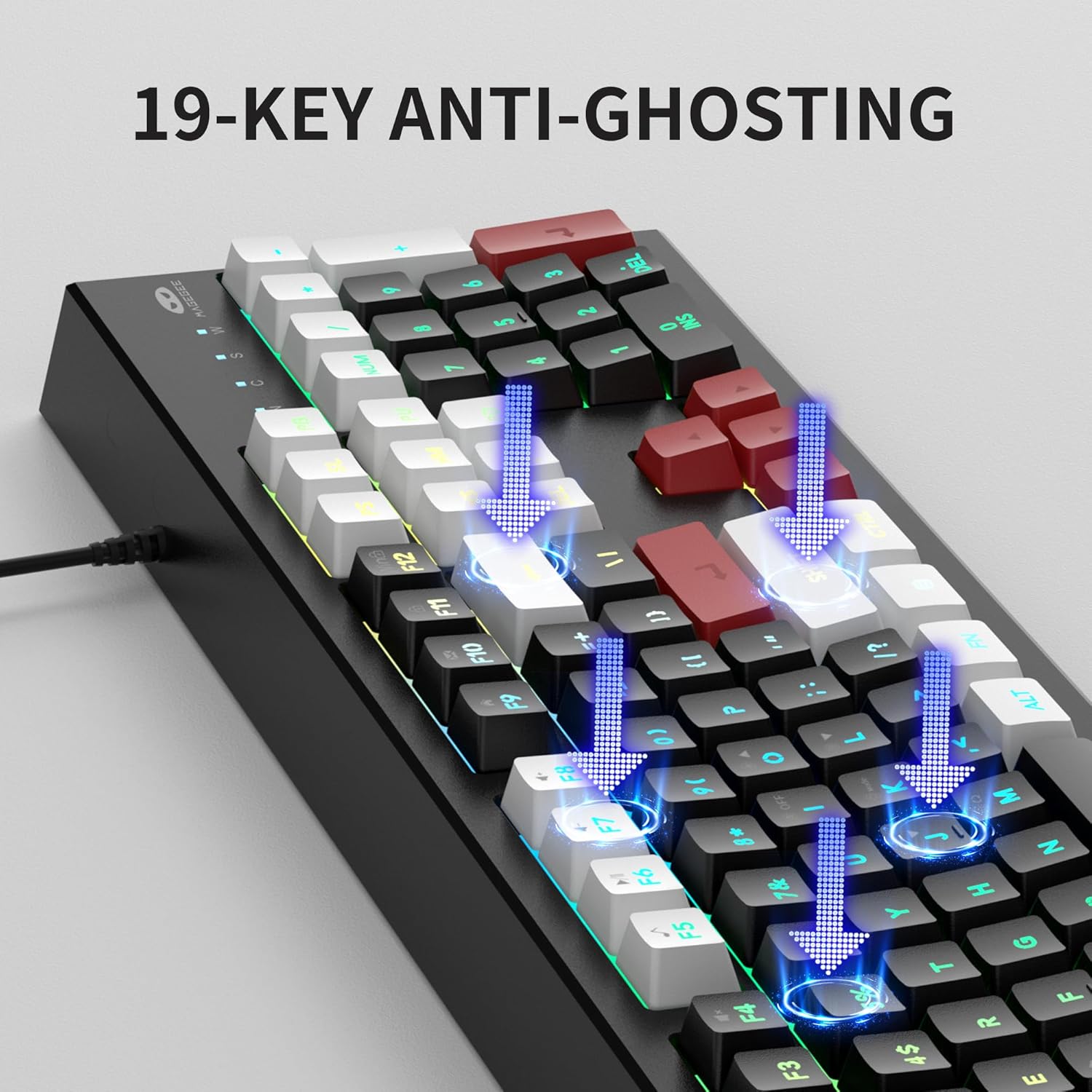
Image: Illustration of 19-key anti-ghosting functionality on the MageGee K2 Keyboard.
4.4 Disinn Ergonomiku
The keyboard is designed with carefully crafted high and low keys and a stepped layout to provide an ergonomic angle, reducing strain during long typing sessions and promoting comfortable finger movement.
5. Manutenzjoni
5.1 Tindif tat-Tastiera
- Skonnettja t-tastiera mill-kompjuter tiegħek qabel ma tnaddafha.
- Uża artab, damp cloth to wipe the surface of the keyboard. Avoid using harsh chemicals or abrasive materials.
- Għat-tindif bejn il-keycaps, uża arja kkompressata biex tneħħi t-trab u l-fdalijiet.
5.2 Kura Ġenerali
- Avoid exposing the keyboard to extreme temperatures, direct sunlight, or high humidity.
- While the keyboard is designed to be waterproof, avoid submerging it in liquids. In case of accidental spills, disconnect immediately and allow it to dry completely before reconnecting.
- Tippruvax tiżżarma t-tastiera, għax dan jista' jannulla l-garanzija.
6 Issolvi l-problemi
6.1 It-Tastiera Ma Tirrispondix
- Kun żgur li l-kejbil USB huwa mdaħħal sew kemm fit-tastiera kif ukoll fil-kompjuter.
- Ipprova qabbad it-tastiera ma' port USB differenti fuq il-kompjuter tiegħek.
- Ibda mill-ġdid il-kompjuter tiegħek.
- Ittestja t-tastiera fuq kompjuter ieħor biex tiddetermina jekk il-problema hijiex fit-tastiera jew fil-kompjuter oriġinali.
6.2 Id-Dawl ta' Wara Ma Jaħdimx jew Mhux Korrett
- Kun żgur li d-dawl ta' wara jkun mixgħul billi tuża FN + I.
- Adjust the brightness using FN + L (żieda) u FN + J (tnaqqis).
- Cycle through different modes using FN + K u FN + M.
6.3 Ċwievet Mhux qed Jirreġistraw jew Jittajpjaw Darbtejn
- Clean the keyboard as described in the Maintenance section to remove any debris under the keycaps.
- Ensure the keyboard is connected directly to the computer and not through a USB hub, which can sometimes cause power or signal issues.
7. Speċifikazzjonijiet
| Karatteristika | Dettall |
|---|---|
| Brand | MageGee |
| Mudell | K2 |
| Kulur | Knight Red |
| Teknoloġija tal-Konnettività | USB bil-fili |
| Deskrizzjoni tat-Tastiera | Ergonomic, 104 Keys |
| Karatteristiċi Speċjali | RGB Backlighting, Foldable Bracket, 19-Key Anti-Ghosting, Multimedia Shortcuts |
| Apparati Kompatibbli | Gaming Console, Laptop, PC (Win2000, XP, ME, Vista, Win7, Win8, Win10, Android, Linux, Mac) |
| Materjal | Plastik |
| Piż tal-oġġett | 2.07 liri |
| Dimensjonijiet tal-Pakkett | 17.68 x 7.09 x 1.93 pulzieri |
| Manifattur | MAGEGEE |

Image: Detailed dimensions of the MageGee K2 Keyboard.
8. Vidjo Uffiċjali tal-Prodott
Vidjo: Wirja uffiċjali tal-vidjo tal-prodottasing the MageGee K2 PC Gaming Keyboard features and RGB lighting.
9. Garanzija u Appoġġ
MageGee products are designed for reliability and performance. For any issues or inquiries, please refer to the following information:
- After-Sales System: The product is supported by MageGee's after-sales system. For specific warranty details or technical support, please contact the retailer or visit the official MageGee websit.
- Politika ta' Ritorn: This product typically comes with a 30-day return policy. Please check with your point of purchase for exact return terms.