
BLACK+DECKER 50-inch A1 Series 4K Ultra HD LED Smart Google TV User Manual
Model: BXTVGU50UD2875ATIN
Introduzzjoni
This manual provides essential information for setting up, operating, and maintaining your BLACK+DECKER 50-inch A1 Series 4K Ultra HD LED Smart Google TV. Please read these instructions carefully before use to ensure proper functionality and longevity of your television.
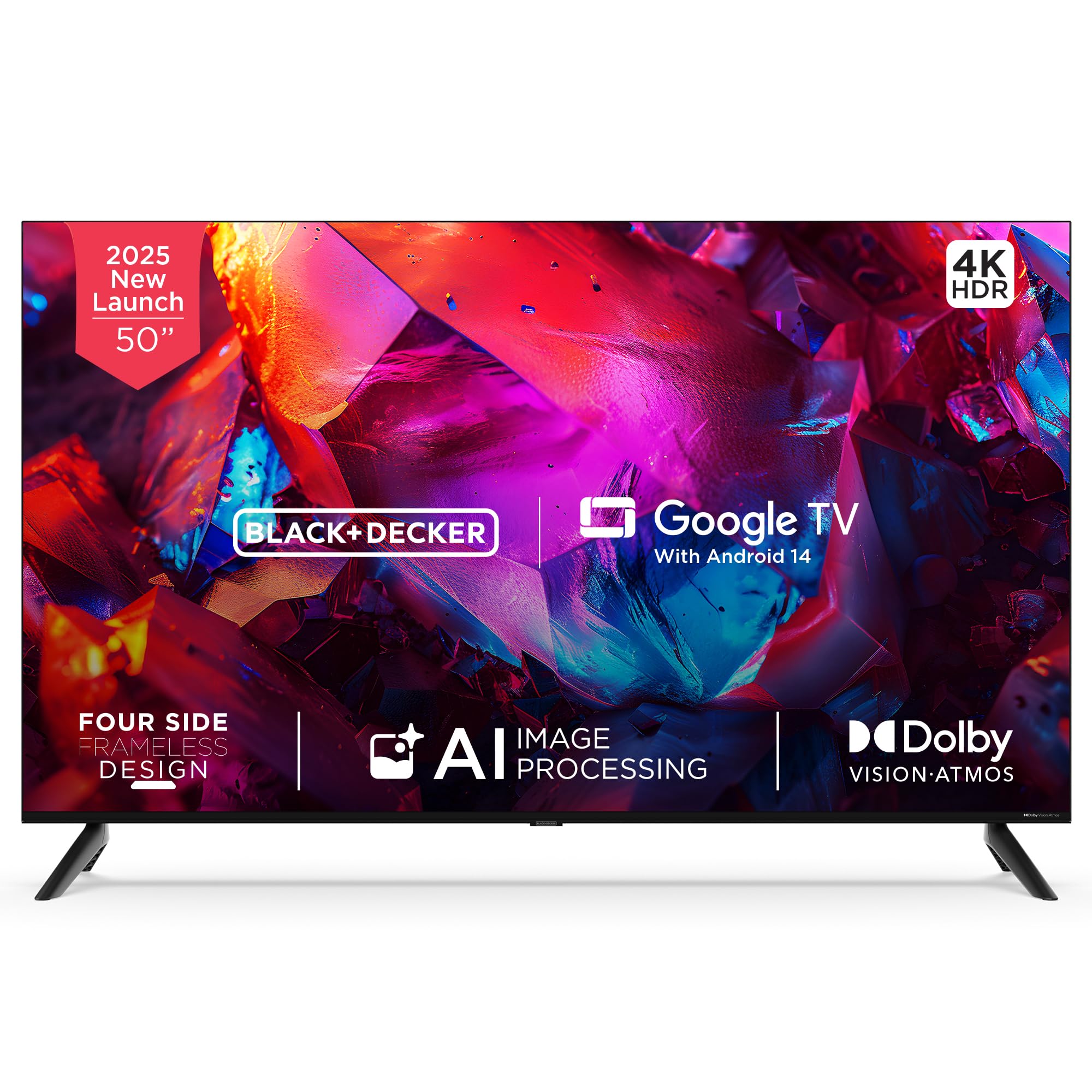
Immaġni: Quddiem view of the BLACK+DECKER 50-inch A1 Series 4K Ultra HD LED Smart Google TV.
X'hemm fil-Kaxxa
Ivverifika li l-komponenti kollha huma preżenti fl-imballaġġ:
- 1 LED TV
- 2 Bażijiet tal-Stand tal-Mejda
- 1 Manwal għall-Utent
- 1 Karta ta' Garanzija
- 1 Kontroll mill-Bogħod
- 1 Korda tal-Enerġija
- 2 Batteriji AAA
- 4 Screws (for stand/mounting)
- 1 Mini AV Cable

Image: All included accessories and mounting hardware for the television.
Setup
Segwi dawn il-passi biex twaqqaf it-televixin tiegħek:
- Spakkjar: Oħroġ it-TV u l-aċċessorji kollha mill-imballaġġ bir-reqqa.
- Installazzjoni tal-istand: Attach the two table stand bases to the bottom of the TV using the provided screws. Ensure they are securely fastened. Alternatively, if wall-mounting, follow the instructions provided with your wall-mount kit (sold separately).
- Konnessjoni tal-Enerġija: Qabbad il-korda tal-enerġija mad-dħul tal-enerġija tat-TV u mbagħad ma' sokit tal-ħajt.
- L-Ewwel Tixgħil: Press the power button on the TV or the remote control to turn on the TV. Follow the on-screen instructions for initial setup, including language selection, network connection, and Google TV account login.

Image: Product dimensions illustrating the TV's width, height, and depth.
Istruzzjonijiet Operattivi
Familiarize yourself with the remote control and basic TV functions:
- Kontroll mill-bogħod: The included remote control features dedicated buttons for power, volume, channel, navigation, and quick access to popular streaming services like Netflix, Prime Video, YouTube, and Disney+Hotstar.
- Assistent tal-Vuċi: Utilize the built-in Google Assistant by pressing the dedicated voice button on your remote. Speak commands to search for content, control smart home devices, or get information.
- Navigazzjoni: Use the directional pad and 'OK' button to navigate through menus and select options on the Google TV interface.

Image: The smart remote control, highlighting its intuitive design and voice-enabled interaction.

Image: Illustration of using voice assistance with the remote for a hands-free experience.
Konnettività
It-TV tiegħek joffri diversi għażliet ta’ konnettività:
- Portijiet HDMI: Three HDMI 2.1 ports (one with eARC support) for connecting devices like gaming consoles, set-top boxes, and laptops.
- Portijiet USB: One USB 2.0 and one USB 3.0 port for connecting hard drives or other USB devices.
- Konnettività Wireless: Dual-band Wi-Fi for internet access and 2-way Bluetooth 5.2 for connecting wireless accessories.
- Portijiet oħra: AV, RF, Ethernet, and headphone output.
- Googlecast: Built-in Chromecast allows you to cast content from your compatible mobile devices directly to the TV.

Immaġni: Ġenb view of the television displaying the various input and output ports.

Image: Illustration of seamless connectivity with HDMI 2.1, Bluetooth 5.2, dual-band Wi-Fi, and USB.

Image: A user casting content from a smartphone to the TV using built-in Chromecast.
Karatteristiċi tal-Wiri
Experience superior visual quality with these display technologies:
- 4K Ultra HD: Enjoy stunning clarity with a resolution of 3840 x 2160 pixels.
- Dolby Vision u HDR10: Enhanced contrast, brightness, and color accuracy for a more lifelike viewing esperjenza.
- MEMC (Stima tal-Mozzjoni, Kumpens tal-Mozzjoni): Ensures smooth motion in fast-paced scenes.
- 120Hz VRR (Variable Refresh Rate) & ALLM (Auto Low Latency Mode): Optimized for gaming, providing ultra-responsive visuals and reduced input lag.
- AI Picture Optimization: Lifelike clarity and precision brought to every scene.
- Gamma wiesgħa tal-Kulur: Displays 1.07 billion vibrant colors with stunning depth.
- Super Brightness & Black Level Augmentation: Delivers bright whites and deep blacks.
- 178-grad Wide ViewIng Angolu: Consistent picture quality from various positions.
- 4-Side Frameless Design: Timmassimizza l-ispazju tal-iskrin għal ambjent immersiv viewing esperjenza.

Image: A television screen displaying vibrant colors, illustrating the benefits of Dolby Vision for richer colors and contrast.

Immaġni: Eksample of 4K upscaling with HDR10+ and HLG, enhancing image realism.

Image: Multiple images displayed on the TV, demonstrating lifelike clarity and precision through AI picture optimization.

Image: Birds in flight on the TV screen, illustrating how MEMC technology makes fast-paced scenes sharper and smoother.
Karatteristiċi Awdjo
Enjoy rich and immersive sound with your TV's audio capabilities:
- PRO Tuned Speakers: Delivers clear and balanced audio.
- Qawwa tal-Ħruġ ta' 36 Watt: Powerful sound for an engaging experience.
- Dolby Atmos: Provides multidimensional sound that moves around you.
- 5 Preset Smart Equalizer: Customize your audio experience for different content types.

Image: A living room scene with sound waves emanating from the TV, symbolizing immersive Dolby Atmos audio and superior fidelity speakers.
Karatteristiċi tat-TV Smart
Your BLACK+DECKER TV comes equipped with advanced smart features:
- Google TV with Android 14: Access a vast library of apps, movies, and shows with a personalized interface.
- DUAL AI Processor Architecture (A75x2 + A55x2): Ensures smooth performance and efficient multitasking.
- 2GB RAM & 16GB Storage: Ample memory and storage for apps and system operations.
- Rakkomandazzjonijiet tal-Kontenut: Suġġerimenti personalizzati bbażati fuq tiegħek viewdrawwiet.
- Personal & Kids Profiles: Create customized profiles for different users, including a safe environment for children.
- Google Assistent: Integrated voice control for easy navigation and smart home integration.

Image: The Google TV interface with Android 14, showcasing tailored content and seamless navigation.

Image: A stylized circuit board representing the dual AI CPU architecture, designed for flawless multitasking and speed.
Issolvi l-problemi
Jekk tiltaqa' ma' problemi bit-TV tiegħek, irreferi għas-soluzzjonijiet komuni li ġejjin:
- Ebda Qawwa: Ensure the power cord is securely connected to both the TV and a working power outlet. Check if the outlet is functional by plugging in another device.
- Ebda Stampa/Ħoss: Verify that the correct input source is selected. Check all cable connections (HDMI, AV) for secure fit.
- Remote Mhux Taħdem: Ibdel il-batteriji AAA fir-remote control. Kun żgur li m'hemm l-ebda ostaklu bejn ir-remote u s-sensor IR tat-TV.
- Kwistjonijiet ta' Konnessjoni man-Netwerk: Restart your Wi-Fi router. Go to the TV's network settings to reconnect to your Wi-Fi network or try a wired Ethernet connection.
- Kwistjonijiet ta' Kwalità tal-Istampa: Adjust picture settings (brightness, contrast, color) in the TV's menu. Ensure the content source is of high quality (e.g., 4K content for 4K display).
- Distorsjoni tal-ħoss: Check audio settings and ensure external audio devices (soundbars, home theater systems) are correctly connected and configured.
Għal aktar soluzzjoni ta' problemi dettaljata jew kwistjonijiet persistenti, jekk jogħġbok ikkuntattja l-appoġġ għall-klijenti.
Speċifikazzjonijiet
| Karatteristika | Dettall |
|---|---|
| Mudell | BXTVGU50UD2875ATIN |
| Daqs tal-Iskrin | 50 Pulzier (126 ċm) |
| Riżoluzzjoni | 4K Ultra HD (3840 x 2160) |
| Riffriskar Rata | 60 Hz (120Hz VRR) |
| Sistema Operattiva | Google TV with Android 14 |
| Proċessur | DUAL AI Processor Architecture A75x2 + A55x2 |
| RAM | 2 GB |
| Ħażna | 16 GB |
| Konnettività | Dual-band Wi-Fi, Bluetooth 5.2, HDMI 2.1 x 3 (1 eARC), USB 2.0 x 1, USB 3.0 x 1, AV, RF, Ethernet, Headphone |
| Output Awdjo | 36 Watts, Dolby Atmos |
| ViewIng Angolu | 178 Grad |
| Dimensjonijiet tal-Prodott (P x W x H) | 8.9D x 112W x 64.8H Ċentimetri |
| Piż tal-oġġett | 8 kg |
Garanzija u Appoġġ
Your BLACK+DECKER television comes with a 1-year comprehensive warranty from the date of purchase, covering manufacturing defects. Please refer to the included warranty card for full terms and conditions.
For technical assistance, service requests, or warranty claims, please contact customer support:
- Telefon: 18002034255
- Email: bdcare@indkal.com

Image: Warranty details including contact information for support.