
1. Introduzzjoni
Grazzi tax-xiriasing the KTC 24-inch WQHD 100Hz IPS Monitor. This manual provides essential information for the safe and efficient use of your new monitor. Please read it thoroughly before use and keep it for future reference.
This monitor features a 24-inch IPS panel with WQHD (2560x1440) resolution, offering stunning visual clarity and vibrant colors with 122% sRGB coverage. A 100Hz refresh rate and FreeSync & G-Sync compatibility ensure smooth, tear-free visuals, ideal for both office work and casual gaming. Advanced eye care technologies, including blue light reduction and flicker-free operation, provide a comfortable viewing experience even during extended use. The monitor also supports HDR10 for enhanced dynamic range and features flexible connectivity options with HDMI and DisplayPort.
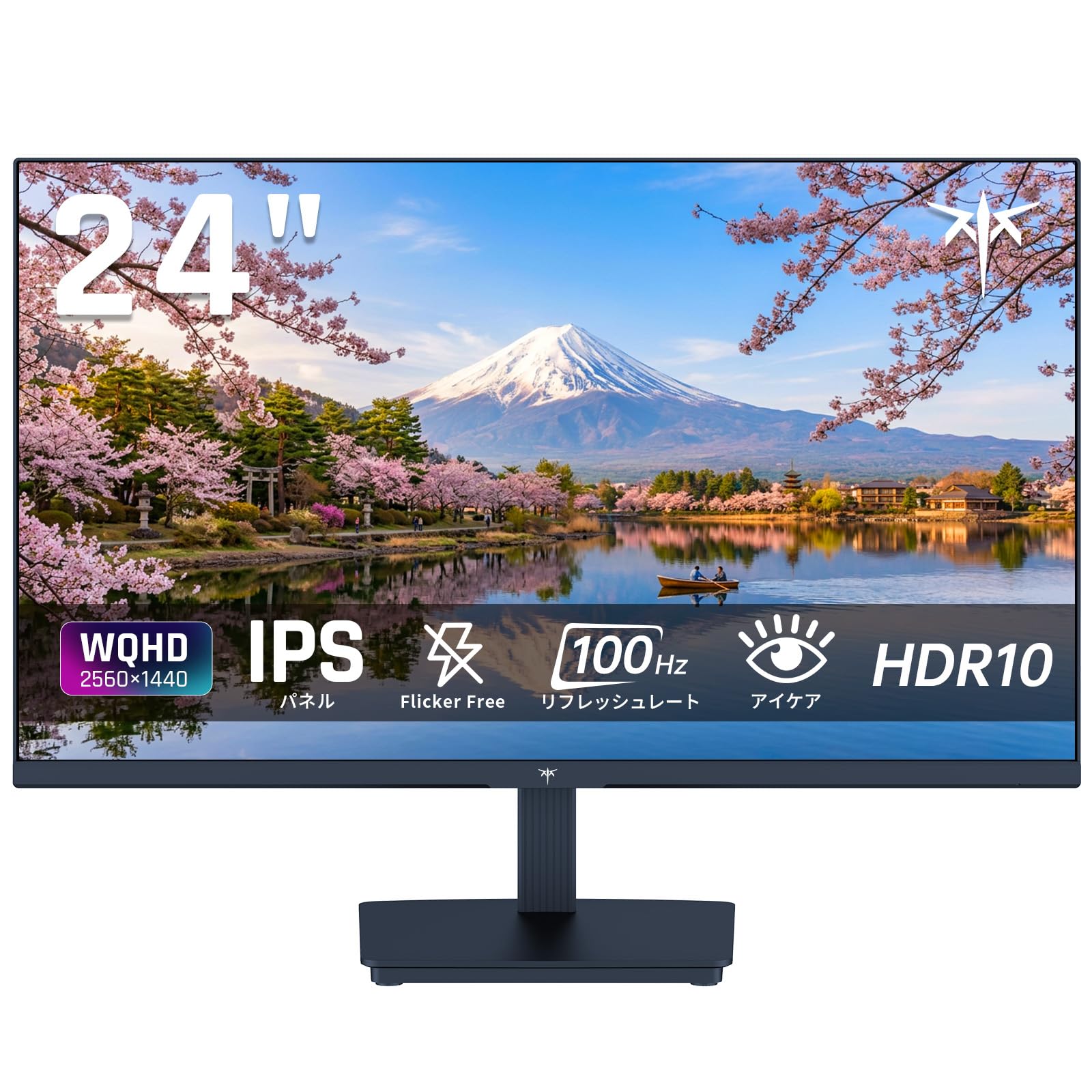
Image: KTC 24-inch WQHD 100Hz IPS Monitor.
2. Informazzjoni dwar is-Sigurtà
Please observe the following safety precautions to prevent damage to the monitor or injury to yourself or others:
- Tesponix il-monitor għax-xita, umdità, jew temperaturi estremi.
- Żgura ventilazzjoni xierqa madwar il-monitor biex tevita sħana żejda.
- Uża biss l-adapter tal-enerġija li jiġi mal-monitor.
- Evita li tpoġġi oġġetti tqal fuq il-korda tal-enerġija jew fuq il-monitor.
- Do not attempt to disassemble or repair the monitor yourself. Contact qualified service personnel.
- Żomm il-monitor 'il bogħod minn kampi manjetiċi qawwija.
3. Kontenut tal-Pakkett
Ivverifika li l-oġġetti kollha huma preżenti fil-pakkett:
- KTC 24-inch WQHD 100Hz IPS Monitor (H24T27)
- Monitor Bażi
- Cable HDMI
- Adapter tal-Enerġija
- Manwal għall-Utent
4. Setup
4.1 Armar tal-Istand
- Carefully remove the monitor and base from the packaging.
- Waħħal l-għonq tal-istand mal-pannell tal-monitor.
- Secure the base to the stand neck using the provided screws.
4.2 Konnessjoni tal-Monitor
Qabbad il-monitor mal-kompjuter tiegħek jew apparat ieħor billi tuża l-kejbils xierqa.
- Konnessjoni tal-Enerġija: Qabbad l-adapter tal-enerġija mad-dħul tad-DC tal-monitor u mbagħad daħħalh f'sokit tal-enerġija.
- Konnessjoni tal-vidjo: Use the supplied HDMI cable or a DisplayPort cable to connect your computer's video output to the corresponding port on the monitor.
- Output Awdjo: If desired, connect headphones or external speakers to the 3.5mm audio output jack.

Image: Close-up of the KTC monitor's rear ports, including DC power, HDMI, DisplayPort, and audio out.
5. Istruzzjonijiet Operattivi
5.1 Power On/Off
Agħfas il-buttuna tal-qawwa li tinsab fuq il-monitor biex tixgħelu jew titfih.
5.2 Menù tal-Wiri fuq l-Iskrin (OSD)
Il-menù tal-OSD jippermettilek taġġusta diversi settings tal-monitor. Uża l-buttuni tal-kontroll (ġeneralment jinsabu fuq wara jew fil-qiegħ tal-monitor) biex tinnaviga l-menù u tagħmel għażliet.
5.3 Settings tal-wiri
- Riżoluzzjoni: The monitor supports WQHD (2560x1440) resolution for sharp and detailed images. Ensure your graphics card is set to this resolution for optimal display.
- Rata ta' Aġġornar: Enjoy smooth visuals with a 100Hz refresh rate. This can be configured in your operating system's display settings.
- Gamut tal-Kulur: The monitor offers 122% sRGB coverage for rich and accurate colors.

Image: KTC monitor highlighting key features like IPS panel, 100Hz, WQHD, 24-inch, Adaptive Sync, and blue light reduction.

Image: Comparison of WQHD (2560x1440) and FHD (1920x1080) resolutions, demonstrating enhanced detail with WQHD.

Image: Comparison of 100Hz and 60Hz refresh rates, showing smoother motion with 100Hz.
5.4 Adaptive Sync (FreeSync & G-Sync)
The monitor supports both FreeSync and G-Sync technologies to eliminate screen tearing and stuttering, providing a fluid gaming experience. Ensure this feature is enabled in your graphics card settings and the monitor's OSD.

Image: Monitor display showing HDR10 content on one side and standard HDR on the other, along with FreeSync & G-Sync comparison (ON/OFF).
5.5 Karatteristiċi tal-Kura tal-Għajnejn
The monitor includes Flicker-Free technology and a Blue Light Reduction mode to minimize eye strain during prolonged use. These settings can be adjusted via the OSD menu.

Image: KTC monitor displaying eye care features: Low Blue Light (ON/OFF) and Flicker-Free (ON/OFF).
Appoġġ għal 5.6 HDR10
This monitor supports HDR10, providing a wider range of colors and contrasts for a more immersive viewing experience. Ensure HDR is enabled in your device's display settings for compatible content.
5.7 Stand aġġustabbli
The monitor stand allows for tilt adjustment from -5° to 15°, enabling you to find the most comfortable viewangolu tal-ing.

Immaġni: Ġenb view of the KTC monitor demonstrating the tilt-adjustable stand (-5° to 15°).
5.8 Wiesgħa ViewIng Angolu
The IPS panel provides a wide 178-degree viewangolu ing, u jiżgura kwalità konsistenti tal-kulur u l-immaġni minn kważi kull perspettiva.

Image: KTC monitor showcasing a wide 178-degree viewing angle with consistent color.
6. Manutenzjoni
6.1 Tindif tal-Monitor
- Dejjem aqla l-monitor qabel it-tindif.
- Uża ċarruta ratba u mingħajr ħelu dampMaħsul bl-ilma jew b'tindif tal-iskrin ħafif u mhux abrażiv.
- Tisprejjax it-tindif direttament fuq l-iskrin.
- Evita li tuża kimiċi ħarxa jew materjali li joborxu.
6.2 Kura Ġenerali
- Keep the monitor in a clean, dry environment.
- Protect the screen from sharp objects.
- When moving the monitor, handle it carefully and avoid putting pressure on the screen.
7 Issolvi l-problemi
Jekk tiltaqa' ma' problemi bil-monitor tiegħek, irreferi għall-problemi u s-soluzzjonijiet komuni li ġejjin:
| Problema | Soluzzjoni Possibbli |
|---|---|
| L-ebda immaġni fuq l-iskrin | Check power connections. Ensure video cable is securely connected to both monitor and computer. Select correct input source via OSD. |
| L-immaġni hija mċajpra jew distorta | Ensure the display resolution is set to 2560x1440. Check video cable for damage. |
| Tiċrit jew tfixkil tal-iskrin | Verify FreeSync/G-Sync is enabled in both monitor OSD and graphics card settings. |
| L-ebda ħoss mill-headphones/speakers | Check audio cable connection. Ensure volume is not muted on monitor or computer. |
| Monitor not turning on | Check power outlet and power adapter connection. Try a different power outlet. |
If the problem persists after trying these solutions, please contact KTC customer support.
8. Speċifikazzjonijiet
Detailed technical specifications for the KTC H24T27 monitor:
| Karatteristika | Speċifikazzjoni |
|---|---|
| Brand | Estensjoni KTC |
| Numru tal-Mudell | H24T27 |
| Daqs tal-Iskrin | 24 pulzieri |
| Riżoluzzjoni | WQHD (2560 x 1440 pixels) |
| Proporzjon ta' l-aspett | 16:9 |
| Tip ta' Panel | IPS |
| Wiċċ tal-Iskrin | Mhux dija |
| Riffriskar Rata | 100 Hz |
| Ħin ta' Rispons | 7 ms |
| Proporzjon ta' Kuntrast | 1300:1 |
| Luminożità | 300 cd/m² |
| Gamut tal-Kulur | 122% sRGB |
| ViewIng Angolu | 178 grad |
| Teknoloġija HDR | HDR10 |
| Sinkronizzazzjoni Adattiva | FreeSync, G-Sync |
| Konnettività | 1x HDMI, 1x DisplayPort, Audio Out |
| Konsum tal-Enerġija | 12 Watts |
| Voltage | 100 Volts |
| Dimensjonijiet (D x W x H) | 18.3 x 54 x 40.5 ċm |
| Karatteristiċi Addizzjonali | Adaptive Sync, Eye Care, Flicker-Free, Blue Light Filter, Tilt Adjustment |
| Apparati Kompatibbli | Game Consoles, Laptops |
| Kulur | Iswed |
| Forma | Ċatt |
| Oriġini | Iċ-Ċina |
9. Garanzija u Appoġġ
9.1 Informazzjoni dwar Garanzija
Your KTC monitor comes with a Garanzija ta' 3 snin mill-manifattur. In the event of a product defect, a free replacement will be provided. Please note that this warranty does not cover loss or damage caused by customer negligence.

Image: KTC's 3-year free replacement warranty details and contact information.
9.2 Appoġġ għall-Klijent
For any inquiries or concerns, please feel free to contact us. We are committed to providing full support to ensure your satisfaction.
Telefon: 050-3606-8990
Email: support@ktcplay.com
You can also contact support through Amazon:

Image: Step-by-step guide on how to contact customer support via Amazon.
10. Prodott Aktarview Video
Ara dan il-filmat għal idea viżwali aktar 'il fuqview of the KTC QHD computer monitor and its features.
Video: This video showcases the KTC QHD computer monitor, highlighting its 2560x1440 (2K) resolution, 100Hz refresh rate, FreeSync and G-Sync compatibility, flicker-free and low blue light features, 8-bit & 116% sRGB color gamut, 3-side frameless design, -5° to 15° tilt adjustable stand, and available sizes (24, 27, 32 inches). It emphasizes its suitability for professional office use.