
1. Introduzzjoni
This manual provides essential instructions for the setup, operation, and maintenance of your SSK SD450 2TB Portable Solid State Drive. Please read this guide thoroughly before using the device to ensure optimal performance and longevity.
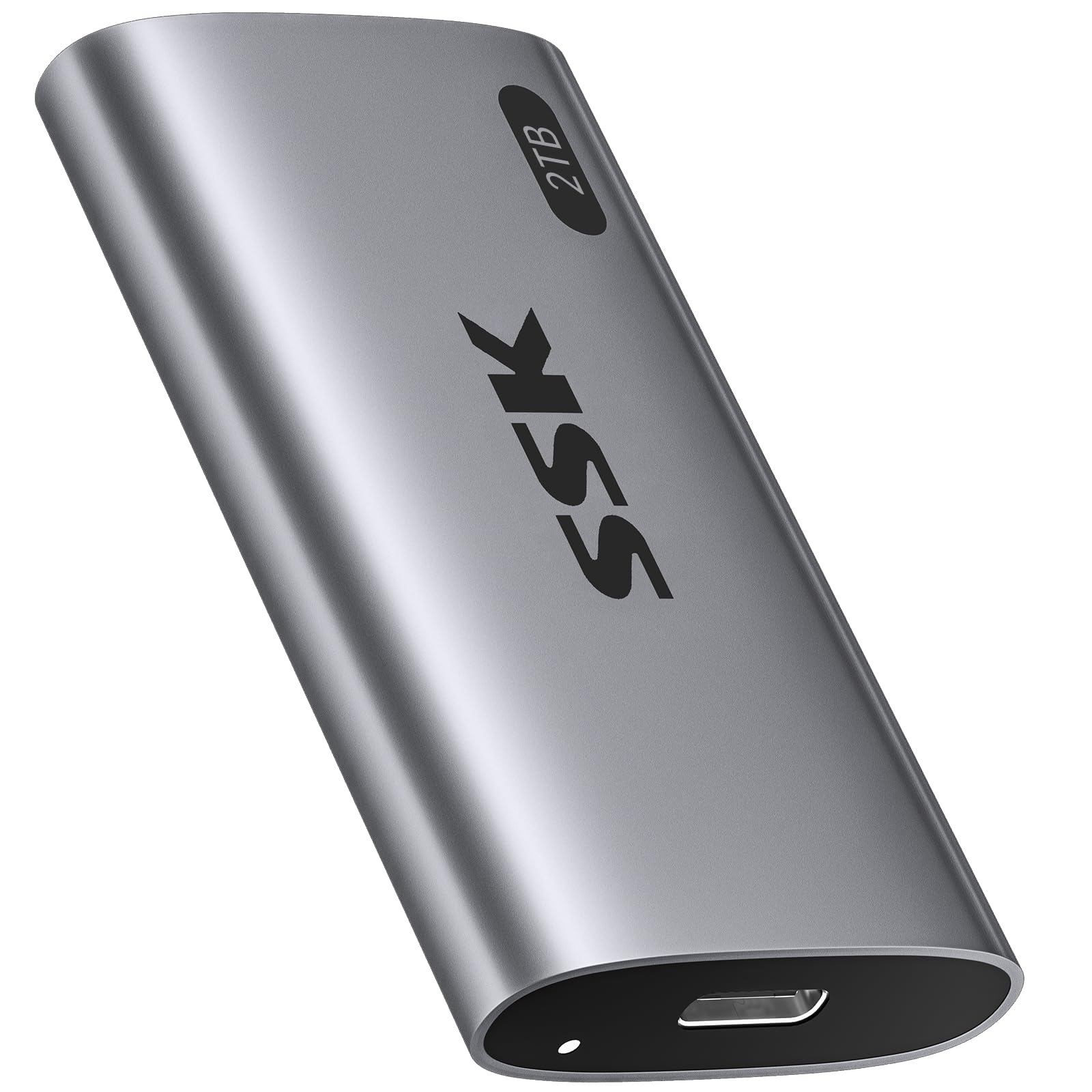
Image: The SSK SD450 2TB Portable SSD, a compact and lightweight external storage device.
2. Kontenut tal-Pakkett
Ivverifika li l-oġġetti kollha huma preżenti fil-pakkett:
- 1 x SSK SD450 2TB External SSD
- 1 x USB 3.2 Gen2 Type-C to Type-C Cable
- 1 x USB-A Adapter
3. Prodott Aktarview
The SSK SD450 is a high-speed portable SSD designed for efficient data transfer and reliable storage across multiple platforms. It features a durable aluminum alloy case for effective heat dissipation and includes advanced data management technologies.
Karatteristiċi ewlenin:
- Prestazzjoni ta' Veloċità Għolja: Up to 550MB/s read and write speeds via USB 3.2 Gen2 interface.
- Kostruzzjoni Durabbli: Thick aluminum alloy casing for superior heat dissipation and protection.
- Ġestjoni Avvanzata tad-Data: Supports S.M.A.R.T. monitoring for drive health and TRIM technology for consistent write speeds and extended longevity.
- Kompatibilità Wiesgħa: Works with Windows, Mac, Android, Linux, iOS, and devices like iPhone 15/Pro, laptops, desktops, and tablets.
- Funzjonalità tal-OTG: Supports On-The-Go (OTG) for direct connection to compatible mobile devices with low power consumption (less than 5 Watts).
- Disinn portabbli: Weighs only 43g with compact dimensions (2.5 x 1.3 x 0.4 inches).
- Indikatur LED: Provides visual feedback on device activity.

Image: The SSK SD450 Portable SSD connected to a laptop, illustrating its high-speed data transfer capabilities with read speeds up to 550MB/s and write speeds up to 500MB/s.

Image: The compact and lightweight design of the SSK SD450 Portable SSD, highlighting its dimensions and weight for easy portability.
4. Setup
The SSK SD450 Portable SSD is designed for plug-and-play operation. No drivers are typically required for most operating systems.
Konnessjoni ma' Apparat:
- Identify the appropriate cable for your device. Use the included USB-C to USB-C cable for USB-C ports or attach the USB-A adapter to the USB-C cable for USB-A ports.
- Connect one end of the cable to the USB-C port on the SSK SD450 SSD.
- Connect the other end of the cable (or adapter) to an available USB port on your computer, smartphone, or tablet.
- The LED indicator on the SSD will illuminate to show it is powered on and active.
For a visual guide on connecting and using the SSD, please refer to the video below:
Video: Demonstrates connecting the SSK Portable SSD to a smartphone and transferring files, highlighting its plug-and-play functionality and fast transfer speeds.
5. Istruzzjonijiet Operattivi
File Trasferiment:
Once connected, the SSK SD450 SSD will appear as an external drive on your device. You can drag and drop files, ikkopja u waħħal, jew uża s-sistema operattiva tiegħek file management tools to transfer data to and from the SSD.
- Windows/Mac: The drive will appear in 'This PC' (Windows) or 'Finder' (Mac).
- Android/iOS (iPhone 15/Pro with USB-C): The drive will be accessible through your device's file applikazzjoni tal-maniġer.
Funzjonalità tal-OTG:
The SSD supports OTG (On-The-Go) function, allowing direct connection to compatible mobile devices (e.g., iPhone 15/Pro, Android smartphones/tablets with USB-C). This enables direct file access and transfer without needing a computer. Ensure your mobile device supports OTG and has a USB-C port for direct connection.

Image: The SSK SD450 Portable SSD connected to a smartphone, demonstrating its OTG support for low power consumption and direct file aċċess.
6. Ġestjoni tad-Data
The SSK SD450 incorporates technologies to maintain data integrity and drive performance:
- S.M.A.R.T. (Self-Monitoring, Analysis and Reporting Technology): This feature allows you to monitor the health of your external solid state drive. Compatible software can provide alerts regarding potential drive issues, helping to prevent data loss.
- TRIM Technology: Ensures consistent write speeds and extends the longevity of the portable SSD by actively managing data blocks that are no longer in use.

Image: Icons representing UASP, S.M.A.R.T., TRIM, and Auto Sleep features, emphasizing the SSD's safe storage capabilities.
7. Kompatibilità
The SSK SD450 Portable SSD offers broad compatibility with various devices and operating systems:
- Sistemi Operattivi: Windows, macOS, iOS, Linux, Android.
- Apparati: Desktops, Laptops (MacBook Air/Pro, DELL XPS), Smartphones (iPhone 15/Pro, Samsung, Huawei Mate), Tablets (iPad Pro), Cameras, TV Boxes.
- Interface: USB 3.2 Gen2 (backward compatible with USB 3.1, 3.0, 2.0).
Note: Only newer iPhones with USB-C are supported. Older Lightning models do not qualify for direct connection.

Image: The SSK SD450 Portable SSD connected to a smartphone, demonstrating its use as mobile personal storage with 5W ultra-low power consumption for phone OTG and iPad.
8. Dissipazzjoni tas-Sħana
The SSK SD450 features a thick aluminum alloy case that provides superior heat dissipation. This design ensures reliable performance and prevents overheating, even during prolonged large file transfers, maintaining stable operation.

Image: A diagram illustrating the internal components and the aluminum alloy shell of the SSK SD450, alongside a graph showing its lower operating temperature compared to other SSDs.
9 Issolvi l-problemi
Sewqan Mhux Rilevat:
- Kun żgur li l-kejbil USB huwa konness sew kemm mal-SSD kif ukoll mat-tagħmir tiegħek.
- Try connecting the SSD to a different USB port on your device.
- Ittestja b'kejbil USB differenti jekk disponibbli.
- Erġa' ibda l-kompjuter jew l-apparat mobbli tiegħek.
- Check your device's Disk Management (Windows) or Disk Utility (Mac) to see if the drive is recognized but unformatted. If so, format the drive (this will erase all data).
Veloċitajiet ta' Trasferiment Baxxi:
- Ensure you are using a USB 3.2 Gen2 compatible port and cable for optimal performance. Older USB ports (e.g., USB 2.0) will result in significantly slower speeds.
- Agħlaq kwalunkwe applikazzjoni bla bżonn li tkun qed taħdem fl-isfond u li tista' tkun qed tikkonsma r-riżorsi tas-sistema.
- Verify that your device's drivers are up to date.
Is-sħana żejda:
- While the SSK SD450 is designed for efficient heat dissipation, prolonged heavy use in a poorly ventilated area can still cause warmth. Ensure adequate airflow around the device.
- Jekk l-apparat jisħon iżżejjed, skonnettjah u ħallih jiksaħ qabel ma terġa' tibda tużah.
10. Speċifikazzjonijiet
| Karatteristika | Dettall |
|---|---|
| Numru tal-Mudell | SD450 |
| Kapaċità tal-Ħażna Diġitali | 2 TB |
| Interface Hard Disk | Serjali ATA-600 |
| Teknoloġija tal-Konnettività | USB 3.2 Gen2 (6Gbps) |
| Veloċità tal-Qari (Massima) | Sa 550 MB/s |
| Karatteristiċi Speċjali | OTG Function, Portable, S.M.A.R.T., TRIM Support |
| Fattur tal-Formola tad-Disk Ribd | 2.5 Pulzier |
| Apparati Kompatibbli | Camera, Desktop, Laptop, Smartphone, Tablet |
| Tip ta' Installazzjoni | Hard Drive Estern |
| Kulur | Griż Spazjali |
| Piż tal-oġġett | 1.52 uqija (43g) |
| Dimensjonijiet tal-Prodott | 2.5 x 1.3 x 0.4 pulzieri |
11. Manutenzjoni
- Tneħħija Sikura: Always safely eject or unmount the SSD from your operating system before physically disconnecting it to prevent data corruption.
- Aġġornamenti tal-Firmware: Periodically check the SSK official websit għal kwalunkwe aġġornamenti tal-firmware disponibbli għall-mudell SSD tiegħek. L-aġġornamenti tal-firmware jistgħu jtejbu l-prestazzjoni, l-istabbiltà u l-kompatibilità.
- Kura Fiżika: Keep the SSD clean and free from dust. Avoid exposing it to extreme temperatures, moisture, or strong magnetic fields. Do not drop or subject the device to strong impacts.
- Backup tad-Data: While SSDs are reliable, it is always recommended to regularly back up important data to multiple storage locations to prevent unforeseen data loss.
12. Garanzija u Appoġġ
For warranty information, technical support, and service inquiries, please refer to the documentation included with your product or visit the official SSK website. Warranty terms and conditions may vary by region and product. Keep your purchase receipt as proof of purchase for warranty claims.
SSK may offer additional data recovery plans. Please check the manufacturer's website for details on available protection plans.