
1. Introduzzjoni
The Xigmatek Aqua V AIR is a high-performance mid-tower PC case designed for gaming enthusiasts. It features a spacious interior, optimized airflow, and tempered glass panels on the front and side to showcase your components. Equipped with seven 120mm ARGB fans, it supports graphics cards up to 410mm in length and is compatible with motherboards featuring hidden connectors for a clean build.
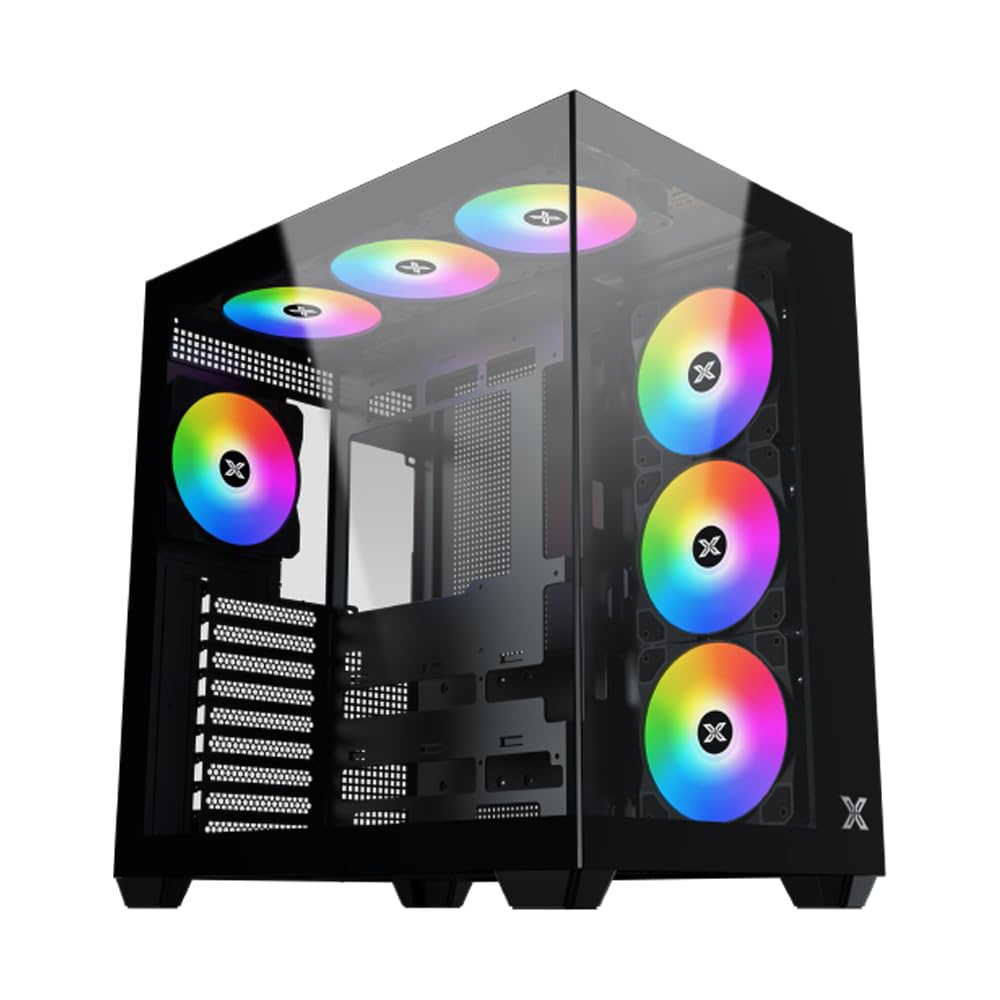
Figura 1: B'mod ġenerali view of the Xigmatek Aqua V AIR PC Case.
2. Karatteristiċi ewlenin
- Materjal: Constructed from high-quality steel for durability and reliability.
- Dimensjonijiet: 427 x 285 x 455 mm (L x W x H), offering a spacious interior.
- Sistema tat-tkessiħ: Supports up to three 120mm or two 140mm fans for optimal cooling performance.
- Appoġġ għar-radjatur: Compatible with 240/280/360mm radiators on the top, bottom, and rear for versatile cooling options.
- Panel I/O: Features 2x USB 3.0 ports, 1x USB-C port, and HD audio for convenient connectivity.
- Kompatibbiltà tal-motherboard: Supports ATX, Micro ATX, and Mini ITX motherboards, including those with hidden connectors.
- Tul tal-GPU: Jakkomoda karti grafiċi sa 410mm fit-tul.
- Appoġġ għall-ħażna: Jipprovdi ample space for multiple storage drives.
3. Speċifikazzjonijiet
| Karatteristika | Dettall |
|---|---|
| Brand | Xigmatek |
| Numru tal-Mudell | EN45820 |
| Serje | Aqua V AIR BLACK |
| Kulur | Iswed |
| Dimensjonijiet (L x W x H) | 42.7 x 28.5 x 45.5 ċm |
| Piż tal-Prodott | 8.8 Kilogrammi |
| Materjal | Azzar illigat, Ħġieġ ittemprat |
| Kompatibbiltà tal-motherboard | ATX, Mikro ATX, Mini ITX |
| Tip ta' Każ | Nofs it-Torri |
| Użi Rakkomandati | Gaming, High-Performance Computing |
| Portijiet USB 3.0 | 2 |
| Portijiet USB-C | 1 |
| Metodu tat-tkessiħ | Water (Liquid Cooling Support) |
| Daqs tal-fann | 120 Millimeters (Pre-installed ARGB fans) |
| Tip ta' Immuntar tal-PSU | Mount tal-qiegħ |
4. Setup u Installazzjoni
This section provides general guidance for installing components into your Xigmatek Aqua V AIR PC case. Always refer to the specific manuals for your motherboard, power supply, and other components for detailed instructions.
4.1 Tħejjija tal-Każ
- Iftaħ il-kaxxa tal-PC mill-pakkett u neħħi l-materjali kollha tal-ippakkjar.
- Carefully remove the tempered glass side panel(s) and front panel (if applicable) to access the interior. Store them safely to prevent damage.
- Identify the accessory box, which typically contains screws, cable ties, and other small parts.
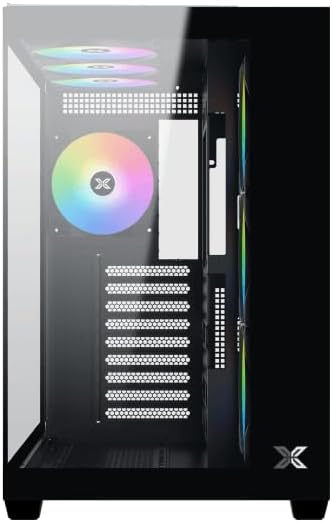
Figura 2: Intern view bil-pannell tal-ġenb imneħħi.
4.2 Installazzjoni tal-Motherboard
- Installa l-I/O shield (jekk mhux installat minn qabel fuq il-motherboard tiegħek) fil-ftuħ ta' wara tal-kaxxa.
- Align your ATX, Micro ATX, or Mini ITX motherboard with the standoffs inside the case. Ensure all standoffs match the screw holes on your motherboard.
- Secure the motherboard with the appropriate screws provided in the accessory kit.

Figure 3: Motherboard tray and cable management area.
4.3 Installazzjoni tal-Unità tal-Provvista tal-Enerġija (PSU).
- Sib iż-żona tal-immuntar tal-PSU fil-qiegħ ta' wara tal-kaxxa.
- Slide your PSU into position, ensuring the fan faces downwards (if the case has a bottom vent) or upwards.
- Waħħal il-PSU bil-viti minn wara tal-kaxxa.
4.4 Installazzjoni tad-Drive tal-Ħażna
The case supports various storage configurations. Refer to the case diagram for specific drive bay locations.
- Install 2.5" SSDs or 3.5" HDDs into the designated drive bays or mounting brackets.
- Secure the drives with screws.
4.5 Installazzjoni tal-Karta tal-Grafika (GPU)
- Neħħi l-għata meħtieġa tas-slott tal-PCIe minn wara tal-kaxxa.
- Daħħal il-karta grafika tiegħek fl-islott PCIe xieraq fuq il-motherboard.
- Waħħal il-karta grafika bil-viti.
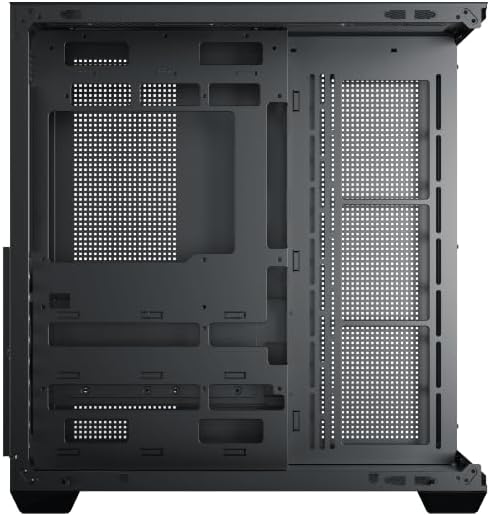
Figure 4: Components installed inside the case.
4.6 Ġestjoni tal-Cable
Uża l-qtugħ tar-rotta tal-kejbil u l-punti ta' rbit wara t-trej tal-motherboard biex timmaniġġja l-kejbils għal fluss tal-arja u estetika mtejba.
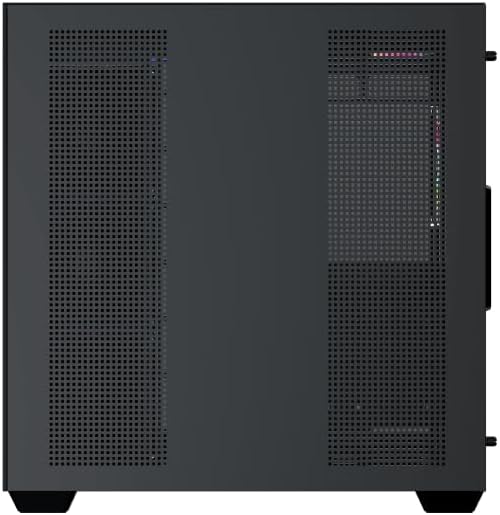
Figure 5: Top panel and I/O ports.
5. Istruzzjonijiet Operattivi
5.1 Tixgħel
Once all components are securely installed and connected, close the side panels. Connect your power cable to the PSU and press the power button on the case's front I/O panel.
5.2 Kontroll tal-Fann ARGB
The Xigmatek Aqua V AIR comes with pre-installed ARGB fans. These fans can typically be controlled via:
- Softwer tal-Motherboard: If your motherboard supports ARGB synchronization, connect the fan's ARGB cables to the motherboard's 3-pin 5V ARGB header and use the motherboard's software (e.g., ASUS Aura Sync, MSI Mystic Light, Gigabyte RGB Fusion) to customize lighting effects.
- Kontrollur Integrat: If your case includes a built-in ARGB controller, use the dedicated button on the I/O panel to cycle through various lighting modes and colors.
6. Manutenzjoni
Manutenzjoni regolari tgħin biex tiżgura prestazzjoni ottimali u lonġevità tal-komponenti tal-PC tiegħek.
6.1 Tindif tal-Filtru tat-Trab
The Xigmatek Aqua V AIR case is equipped with dust filters to prevent dust buildup. Locate and gently remove the dust filters (typically on the top, front, and bottom). Clean them with compressed air or by rinsing with water. Ensure they are completely dry before reattaching.
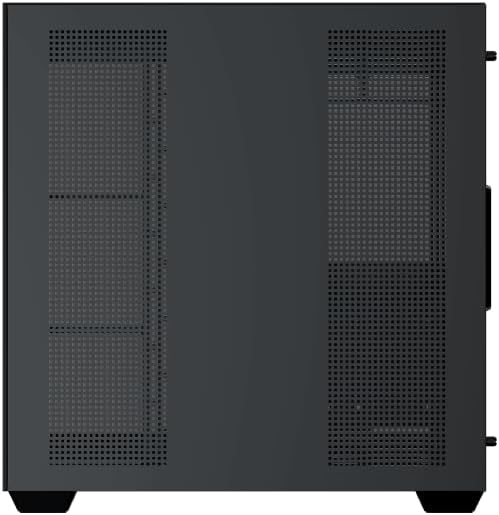
Figure 6: Bottom dust filter.
6.2 Tindif Ġenerali
Use a soft, dry cloth to wipe down the exterior of the case. For tempered glass panels, use a glass cleaner and a microfiber cloth to avoid streaks. Avoid using abrasive cleaners or solvents.
7 Issolvi l-problemi
Jekk tiltaqa' ma' problemi, ikkunsidra l-passi komuni li ġejjin għas-soluzzjoni tal-problemi:
- Ebda Qawwa:
- Ensure the PSU is switched on and properly connected to the wall outlet and motherboard.
- Check all power connections to components (motherboard, CPU, GPU, drives).
- Verify the front panel power switch cable is correctly connected to the motherboard.
- Il-Fannijiet Ma Jdurux / L-RGB Ma Jaħdimx:
- Check if fan power cables are securely connected to the motherboard or fan controller.
- Ensure ARGB cables are connected to the correct 3-pin 5V ARGB header (not 4-pin 12V RGB).
- If using a controller, ensure it has power and is functioning correctly.
- Is-sħana żejda:
- Ensure all fans are spinning and oriented correctly for optimal airflow (intake/exhaust).
- Naddaf il-filtri tat-trab u l-komponenti interni.
- Iċċekkja li l-cooler tas-CPU u l-cooler tal-GPU huma mqiegħda sew u jaħdmu sew.
8. Garanzija u Appoġġ
The Xigmatek Aqua V AIR PC Case comes with a Garanzija ta' 2 snin mill-manifattur. For technical support, warranty claims, or further assistance, please contact Xigmatek customer service or visit their official websit.
Jekk jogħġbok żomm il-prova tax-xiri tiegħek għal skopijiet ta' garanzija.