
1. Introduzzjoni
Thank you for choosing the KOORUI N07 27-inch 4K UHD Monitor. This monitor is designed to provide a superior visual experience with its 3840x2160 resolution, IPS panel, 60Hz refresh rate, HDR10 support, and Adaptive Sync technology. This manual provides essential information for setting up, operating, and maintaining your monitor to ensure optimal performance and longevity. Please read this manual thoroughly before using the product.
2. Informazzjoni dwar is-Sigurtà
- Dejjem poġġi l-monitor fuq wiċċ stabbli u ċatt.
- Twaqqafx il-fetħiet tal-ventilazzjoni.
- Uża biss l-adapter tal-enerġija pprovdut mill-manifattur.
- Żomm il-monitor 'il bogħod mill-ilma u l-umdità eċċessiva.
- Avoid exposing the monitor to direct sunlight or high temperatures.
- Skonnettja l-kejbil tal-enerġija waqt maltempati bis-sajjetti jew meta ma jintużax għal perjodi twal.
3. Kontenut tal-Pakkett
Jekk jogħġbok iċċekkja l-kontenut tal-pakkett malli tiftaħ. Jekk xi oġġetti huma nieqsa jew bil-ħsara, ikkuntattja lill-bejjiegħ tiegħek.
- KOORUI N07 27-inch 4K UHD Monitor
- Stand tal-Monitor (Bażi u Għonq)
- Adapter tal-Enerġija u Kejbil tal-Enerġija
- Cable HDMI
- DisplayPort Cable
- Manwal għall-Utent
4. Monitor Assembly and Setup
4.1 It-twaħħil tal-Istand
- Poġġi l-monitor b'wiċċu 'l isfel fuq drapp artab u nadif biex tevita l-grif.
- Attach the stand neck to the back of the monitor, aligning the mounting points.
- Waħħal l-għonq tal-istand bil-viti pprovduti.
- Attach the stand base to the stand neck and tighten the thumb screw.

Figura 4.1: Wara view of the monitor showing VESA mount and tilt adjustment.
4.2 Kejbils tal-Konnessjoni
The KOORUI N07 monitor offers versatile connectivity options. Ensure your computer is turned off before making any connections.
- Konnessjoni tal-Enerġija: Connect the power adapter to the monitor's DC input port, then plug the power cable into a power outlet.
- Konnessjoni tal-vidjo: Connect one end of the HDMI or DisplayPort cable to the corresponding port on your computer's graphics card and the other end to an HDMI (HDMI1 or HDMI2) or DisplayPort (DP) input on the monitor.
- Output Awdjo: If desired, connect external speakers or headphones to the 3.5mm audio output port on the monitor.

Figure 4.2: Connectivity options for the KOORUI N07 monitor.
4.3 Tixgħel
After connecting all necessary cables, press the power button on the monitor to turn it on. The monitor will automatically detect the active input source.
5. Istruzzjonijiet Operattivi
5.1 Menù tal-Wiri fuq l-Iskrin (OSD)
The OSD menu allows you to adjust various monitor settings. Use the buttons located on the bottom right of the monitor to navigate and select options.
- Buttuna tal-Qawwa: Ixgħel/itfi l-monitor.
- Buttuna tal-menu: Jiftaħ il-menu OSD.
- Buttuni tan-Navigazzjoni: Użat biex tiċċaqlaq bejn l-għażliet tal-menù u taġġusta l-valuri.
- Buttuna tal-Ħruġ: Joħroġ mill-menu OSD.
5.2 Issettjar Ewlenin tal-OSD
- Settings tal-Istampa: Aġġusta l-luminożità, il-kuntrast, in-nitidezza, u t-temperatura tal-kulur.
- Modi tal-Kulur: Select from various preset modes like Standard, Movie, Game, and Eye Care.
- Sors tad-dħul: Manually select between HDMI1, HDMI2, or DisplayPort inputs.
- Sinkronizzazzjoni Adattiva: Enable or disable Adaptive Sync for smoother gameplay.
- HDR10: Activate HDR10 for enhanced dynamic range with compatible content.
6. Karatteristiċi Overview
6.1 4K UHD Resolution (3840x2160)
Experience incredible detail and clarity with a resolution four times higher than Full HD. This monitor provides 8.3 million pixels for a sharper and more colorful image.

Figure 6.1: 4K UHD resolution detail comparison.
Teknoloġija tal-Panel IPS 6.2
The IPS panel offers a wide 178° viewing angle and vibrant color reproduction (90% DCI-P3, 99% sRGB), ensuring consistent image quality from almost any perspective. This is ideal for graphic designers, gamers, and movie enthusiasts.

Figure 6.2: IPS panel with 99% sRGB color accuracy.
Appoġġ għal 6.3 HDR10
Enjoy content with enhanced dynamic range. HDR10 provides brighter whites, deeper blacks, and more vivid colors, bringing your favorite movies and games to life with greater realism.

Figure 6.3: HDR10 technology for improved image quality.
6.4 Adaptive Sync Technology
Adaptive Sync eliminates screen tearing and stuttering, providing a smoother and more fluid visual experience, especially during fast-paced gaming or video playback.

Figure 6.4: Adaptive Sync in action, preventing screen tearing.
6.5 Teknoloġija tal-Kura tal-Għajnejn
The monitor features a Blue Light Filter and Flicker-Free technology to reduce eye strain during prolonged use. The Eye Care mode optimizes settings to minimize blue light emission, promoting visual comfort.
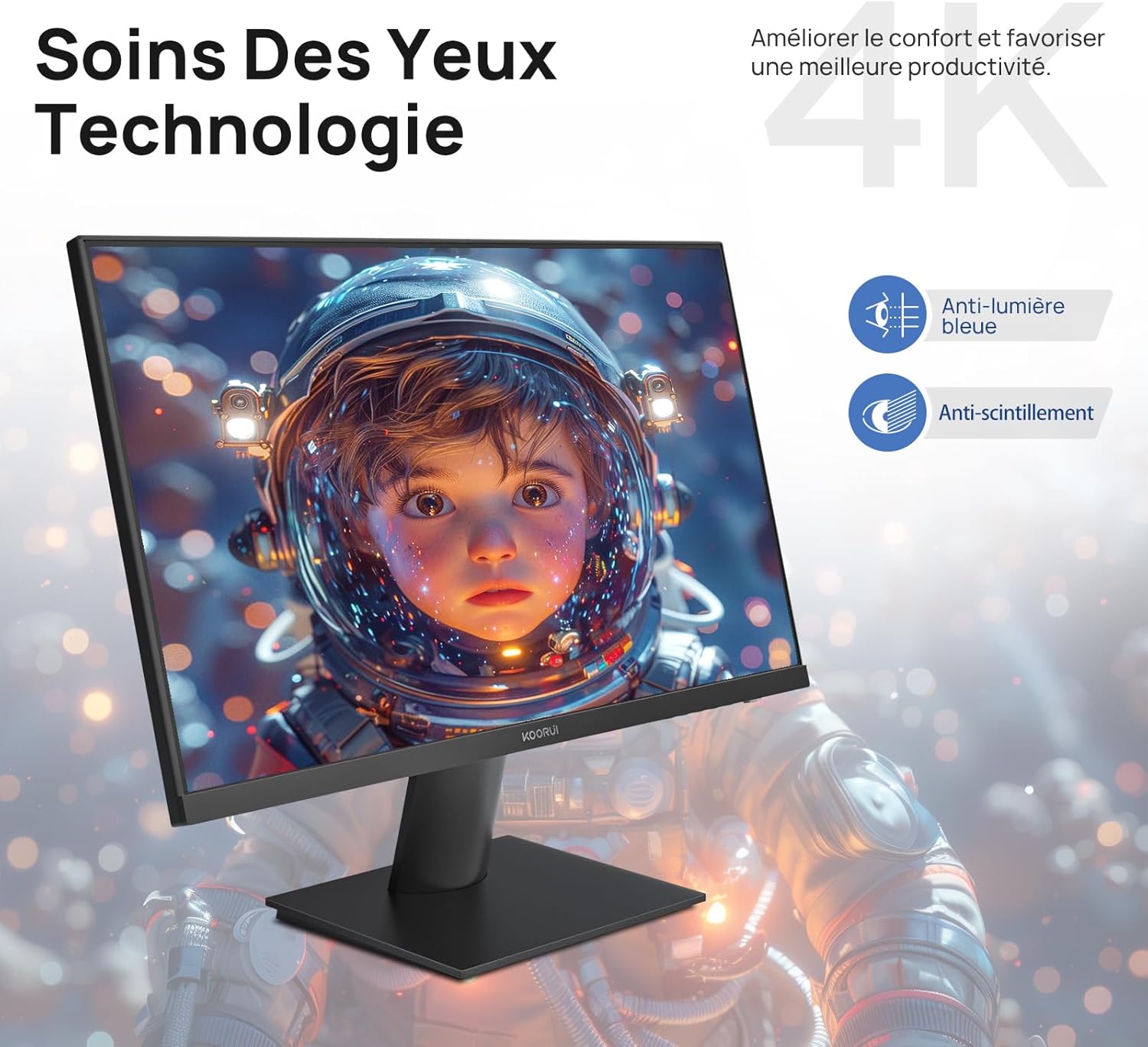
Figure 6.5: Eye Care technology for reduced eye strain.
6.6 Disinn Ergonomiku
The monitor stand allows for tilt adjustment from -5° to 20°, enabling you to find the most comfortable viewing angle for your posture.
6.7 Kompatibilità tal-Muntatura VESA
The KOORUI N07 supports 100x100mm VESA mounting, allowing you to easily attach it to a wall mount or an articulated monitor arm for a flexible and clutter-free workspace.

Figure 6.6: VESA mount compatibility for flexible setup.
7. Vidjo tal-Prodott Aktar minnview
Vidjo 7.1: Overview of the KOORUI N07 27-inch 4K UHD monitor, highlighting its key features such as 4K resolution, DCI-P3 color gamut, HDR10 support, versatile usage for creation, viewing, and gaming, adjustable tilt, and VESA mounting capabilities.
8 Issolvi l-problemi
Jekk tiltaqa' ma' problemi bil-monitor tiegħek, jekk jogħġbok irreferi għall-problemi u s-soluzzjonijiet komuni li ġejjin:
| Problema | Soluzzjoni Possibbli |
|---|---|
| L-ebda immaġni fuq l-iskrin | Ensure power cable is securely connected. Check video cable connection (HDMI/DP) to both monitor and computer. Verify correct input source is selected in OSD. |
| L-immaġni hija mċajpra jew distorta | Check display resolution settings on your computer. Ensure it is set to 3840x2160. Adjust sharpness in the OSD menu. |
| Il-kuluri jidhru mhux korretti | Adjust color temperature and color settings in the OSD menu. Try resetting picture settings to factory defaults. |
| Teptip tal-iskrin | Ensure the video cable is securely connected. Disable Adaptive Sync if enabled, or update your graphics card drivers. |
9. Speċifikazzjonijiet
| Karatteristika | Dettall |
|---|---|
| Brand | KOORUI |
| Numru tal-Mudell | N07 |
| Daqs tal-Iskrin | 27 Pulzier |
| Riżoluzzjoni | 4K UHD (3840 x 2160 Pixel) |
| Tip ta' Panel | IPS |
| Riffriskar Rata | 60 Hz |
| Ħin ta' Rispons | 4 millisekondi |
| Proporzjon ta' l-aspett | 16:9 |
| Proporzjon ta' Kuntrast | 1000:1 |
| Luminożità | 300 cd/m² |
| ViewIng Angolu | 178 Grad |
| Konnettività | 2x HDMI 2.0, 1x DisplayPort 1.4, 1x Ħruġ tal-Awdjo |
| Kompatibilità VESA | 100x100mm |
| Karatteristiċi Speċjali | Blue Light Filter, Tilt Adjustment, Frameless, Flicker-Free, Adaptive Sync, HDR10 |
| Dimensjonijiet (D x W x H) | 20.5P x 61l x 45H ċentimetri |
| Piż | 3 Kilogrammi |
10. Manutenzjoni
To ensure the longevity and optimal performance of your KOORUI N07 monitor, follow these maintenance guidelines:
- Tindif tal-Iskrin: Imsaħ l-iskrin bil-mod b'ċarruta ratba u mingħajr suf. Għal marki persistenti, dampen the cloth slightly with water or a specialized screen cleaner. Never spray liquid directly onto the screen.
- Tindif tas-Casing: Uża drapp artab u niexef biex tnaddaf il-monitor casing. Evita prodotti tat-tindif jew solventi li joborxu.
- Ventilazzjoni: Kun żgur li l-fetħiet tal-ventilazzjoni fuq il-monitor mhumiex imblukkati biex tevita li jisħon iżżejjed.
- Itfi: Turn off the monitor when not in use for extended periods.
11. Garanzija u Appoġġ
The KOORUI N07 monitor comes with a Garanzija ta' 2 snin mill-manifattur. This warranty covers defects in materials and workmanship under normal use. For warranty claims or technical support, please contact KOORUI customer service or your retailer with your proof of purchase.
For additional support, troubleshooting guides, and driver downloads, please visit the official KOORUI websit.