
Introduzzjoni
This manual provides detailed instructions for the setup, operation, maintenance, and troubleshooting of your KOORUI S2721XO 27-inch QD-OLED Gaming Monitor. Please read this manual thoroughly before using the product to ensure proper functionality and to prevent damage.

Image: KOORUI S2721XO 27-inch QD-OLED Gaming Monitor showcasing its main features like 240Hz refresh rate, 0.03ms response time, QHD resolution, QD-OLED panel, VESA compatibility, 99% DCI-P3 color gamut, Eye Care, and Adaptive Sync.
Kontenut tal-Pakkett
Ivverifika li l-komponenti kollha huma preżenti fil-pakkett:
- KOORUI S2721XO 27-inch QD-OLED Gaming Monitor
- Stand tal-Monitor (Bażi u Għonq)
- Kejbil tal-Enerġija
- Cable HDMI
- DisplayPort Cable
- Manwal għall-Utent (dan id-dokument)
- Karta tal-Garanzija (jekk applikabbli)
Setup Istruzzjonijiet
1. Armar tal-Istand
- Oħroġ il-monitor u l-komponenti tal-istand mill-imballaġġ bir-reqqa.
- Waħħal l-għonq tal-istand mal-pannell tal-monitor. Kun żgur li tikklikkja sew f'postu jew li jkun imwaħħal bil-viti kif indikat fil-gwida ta' bidu rapidu.
- Waħħal il-bażi tal-istand mal-għonq tal-istand, billi twaħħalha bil-vit provdut.
- Poġġi l-monitor immuntat fuq wiċċ stabbli u ċatt.
Alternatively, the monitor supports VESA 75mm x 75mm mounting for wall mounts or monitor arms. Ensure the VESA mount is rated for the monitor's weight (3 kg).

Image: Illustrations showing the monitor's ergonomic adjustments including height adjustment (110mm), tilt (-20° to 20°), 90° pivot for vertical viewing, and swivel (-5° to 20°).
2. Kejbils tal-Konnessjoni
Identify the ports on the back of your monitor and connect the necessary cables.

Immaġni: Wara view of the KOORUI S2721XO monitor showing the connectivity ports: 1. Power cable input, 2. HDMI 2.1, 3. HDMI 2.1, 4. DisplayPort 1.4, 5. Audio output interface. Also shows VESA 100x100mm mounting points.
- Cable tal-Enerġija: Qabbad tarf wieħed tal-kejbil tal-enerġija mad-dħul tal-enerġija tal-monitor u t-tarf l-ieħor ma' sokit tal-enerġija.
- Video Input:
- For HDMI connection, use the provided HDMI cable to connect your computer's HDMI output to one of the monitor's HDMI 2.1 ports.
- For DisplayPort connection, use the provided DisplayPort cable to connect your computer's DisplayPort output to the monitor's DisplayPort 1.4 port.
- Output Awdjo: If desired, connect external speakers or headphones to the audio output jack.
3. L-Ewwel Tixgħil
- Agħfas il-buttuna tal-qawwa fuq il-monitor.
- Ixgħel il-kompjuter tiegħek. Il-monitor għandu jiskopri s-sinjal tad-dħul awtomatikament. Jekk le, jista' jkollok bżonn tagħżel is-sors tad-dħul manwalment billi tuża l-menù OSD.
Istruzzjonijiet Operattivi
Menu tal-Wiri fuq l-Iskrin (OSD).
The OSD menu allows you to adjust various monitor settings. Typically, a joystick or a set of buttons located on the back or bottom of the monitor is used to navigate the OSD.
- Agħfas il-buttuna/joystick tal-OSD biex tiftaħ il-menù.
- Use the navigation controls to move through options.
- Agħfas il-buttuna tal-għażla biex tikkonferma għażla.
- Agħfas il-buttuna tal-ħruġ biex tagħlaq il-menù tal-OSD.
Settings tal-Istampa
- Luminożità/Kuntrast: Aġġusta dawn is-settings biex jaqblu tiegħek viewambjent.
- Temperatura tal-Kulur: Select from preset modes (e.g., Warm, Cool, User) or customize RGB values.
- HDR (Medda Dinamika Għolja): The monitor supports HDR 400. Enable HDR in your operating system and monitor settings for enhanced contrast and color detail.
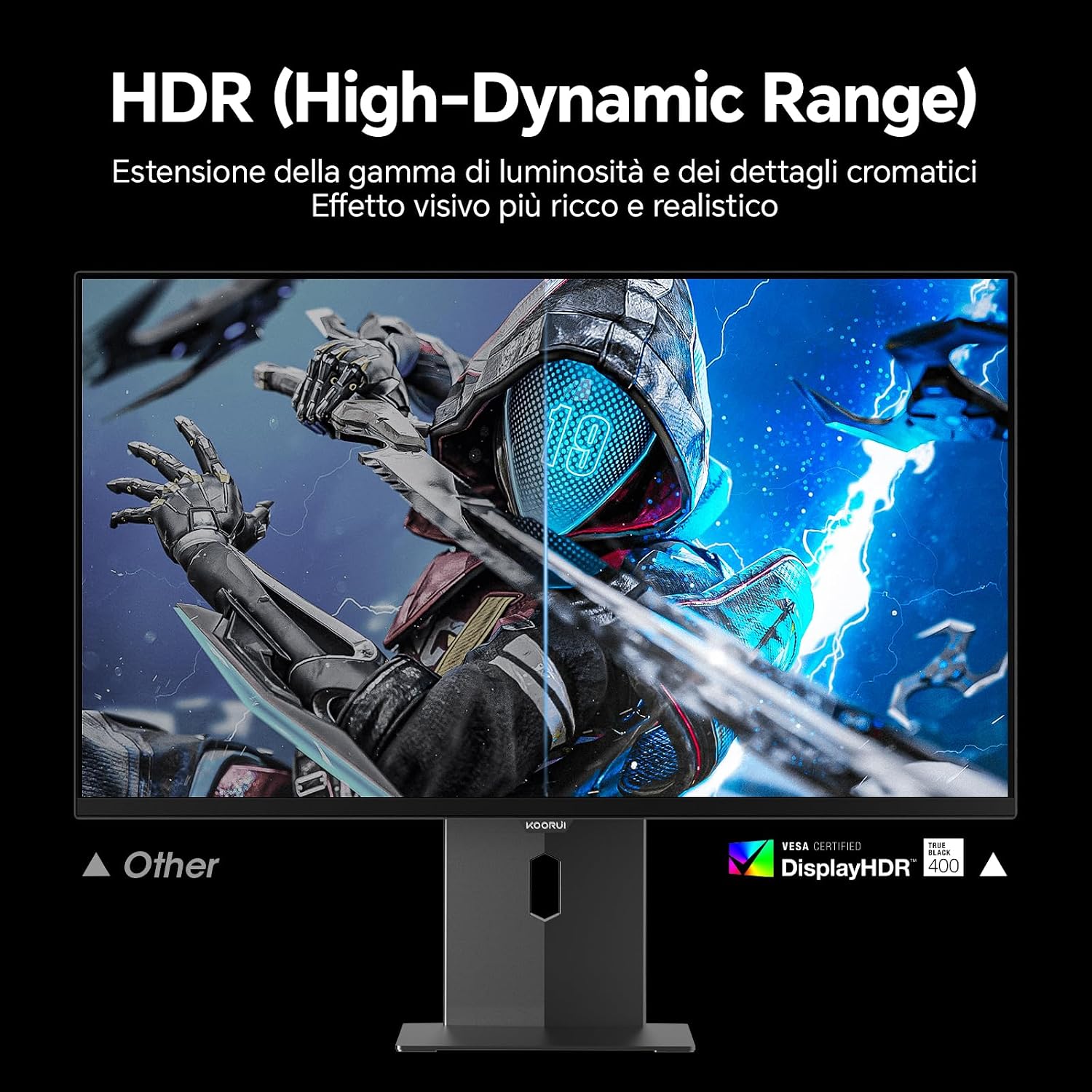
Image: Comparison of a standard display versus the KOORUI S2721XO monitor with HDR (High-Dynamic Range) enabled, showing richer visual effects and realistic details.
Karatteristiċi tal-Logħob
- Rata ta' Aġġornar: The monitor supports up to 240Hz. Ensure your graphics card and system settings are configured to utilize this refresh rate for smooth gameplay.
- Ħin ta' Rispons: With a 0.03ms response time, motion blur is significantly reduced.
- Sinkronizzazzjoni Adattiva: This technology synchronizes the monitor's refresh rate with your GPU's frame rate, eliminating screen tearing and stuttering. Enable Adaptive Sync in the OSD menu and your graphics card control panel.
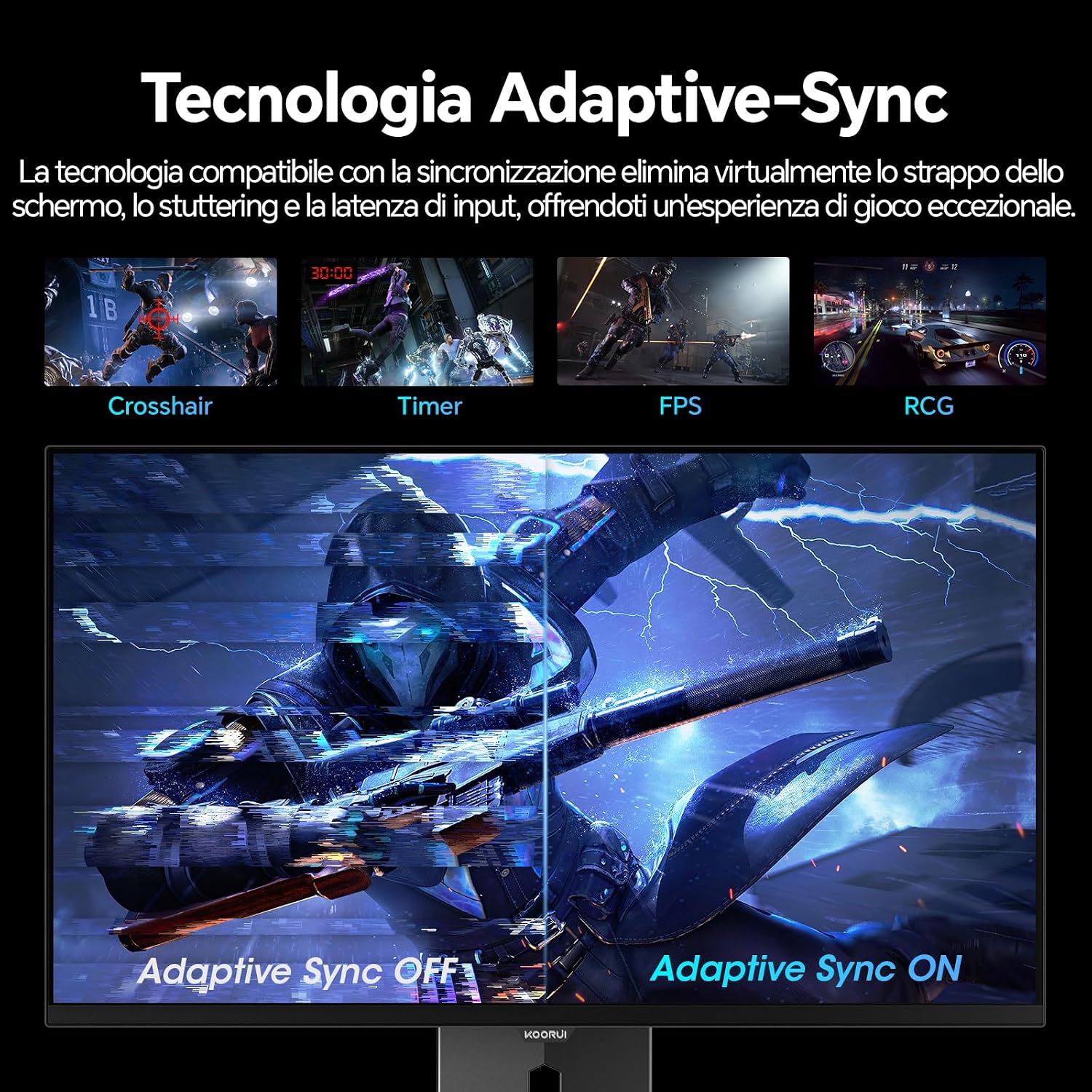
Image: A visual demonstration of Adaptive Sync technology, showing the difference between Adaptive Sync OFF (with screen tearing and stuttering) and Adaptive Sync ON (with smooth, tear-free visuals).

Image: A visual comparison illustrating the ultra-high refresh rate of 240Hz and 0.03ms response time, contrasting it with a 100Hz 5ms display to show the improved fluidity and reduced ghosting.
Mod tal-Kura tal-Għajnejn
The monitor includes features designed to reduce eye strain during extended use. Access the Eye Care settings in the OSD menu to enable modes that reduce blue light emission or adjust flicker-free settings.
Manutenzjoni
Tindif tal-Monitor
- Dejjem itfi l-monitor u aqla’ l-kejbil tal-enerġija qabel ma tnaddaf.
- Uża drapp ratba u mingħajr ħelu ftit dampmaħsul bl-ilma jew b'prodott speċjalizzat għat-tindif tal-iskrin.
- Tisprejjax it-tindif direttament fuq l-iskrin.
- Avoid using abrasive cleaners, waxes, or solvents as they can damage the screen surface.
- Imsaħ il-monitor casinNaddaf b'ċarruta ratba u niexfa.
Ħażna
When storing the monitor for an extended period, ensure it is powered off, unplugged, and stored in a cool, dry place away from direct sunlight and extreme temperatures. Use original packaging if available for best protection.
Issolvi l-problemi
| Problema | Kawża Possibbli | Soluzzjoni |
|---|---|---|
| Ebda qawwa | Kejbil tal-enerġija mhux imqabbad; Is-sokket tal-enerġija mhux qed jaħdem; Il-buttuna tal-enerġija tal-monitor mitfija. | Ensure power cable is securely connected. Test power outlet with another device. Press the monitor's power button. |
| L-ebda sinjal | Kejbil tal-vidjo mhux imqabbad; Sors tad-dħul mhux korrett magħżul; Il-kompjuter mhux mixgħul. | Check video cable connections (HDMI/DisplayPort). Select the correct input source via the OSD menu. Ensure your computer is powered on and outputting a signal. |
| Skrin li jteptep | Incorrect refresh rate; Faulty cable; Graphics card driver issues. | Adjust refresh rate in display settings. Try a different video cable. Update graphics card drivers. |
| Kwalità ta 'immaġni fqira | Incorrect resolution; Picture settings misconfigured; Dirty screen. | Set display resolution to 2560x1440. Adjust brightness, contrast, and color settings in the OSD. Clean the screen as per maintenance instructions. |
Speċifikazzjonijiet
| Brand | KOORUI |
| Numru tal-Mudell | S2721XO |
| Daqs tal-Iskrin | 27 pulzieri |
| Tip ta' Panel | QD-OLED |
| Riżoluzzjoni | QHD Wide 1440p (2560 x 1440) |
| Proporzjon ta' l-aspett | 16:9 |
| Riffriskar Rata | 240 Hz |
| Ħin ta' Rispons | 0.03 ms |
| Proporzjon ta' Kuntrast | 1,500,000:1 |
| Luminożità | 280 cd/m² |
| ViewIng Angolu | 178 Grad |
| Valur tal-Gamut tal-Kulur | 99% DCI-P3 (100% sRGB) |
| Konnettività | 2x HDMI 2.1, 1x DisplayPort 1.4, Ħruġ tal-Awdjo |
| Sinkronizzazzjoni Adattiva | FreeSync compatible |
| Karatteristiċi Speċjali | HDR 400, Eye Care, Height Adjustment, Tilt Adjustment, Swivel Adjustment, Pivot Adjustment |
| Kompatibilità VESA | 75mm x 75mm |
| Dimensjonijiet (W x H x D) | 610.11 mm x 521.84 mm x 215.82 mm (24.02 pulzieri x 20.54 pulzieri x 8.50 pulzieri) |
| Piż | 3 Kilogrammi |
Informazzjoni dwar Garanzija
The KOORUI S2721XO monitor comes with a garanzija ta 'sena from the date of purchase. This warranty covers manufacturing defects and malfunctions under normal use. Please retain your proof of purchase for warranty claims. For detailed terms and conditions, refer to the warranty card included in your package or visit the official KOORUI websit.
Appoġġ u Kuntatt
For further assistance, technical support, or customer service inquiries, please visit the official KOORUI website or contact their customer support team. You can also refer to the official PDF instructions for use: