
1. Introduzzjoni
The Audizio Avola is a comprehensive audio system designed to provide a wide range of listening options. It integrates Internet Radio, DAB+, FM radio, a CD player, and Bluetooth connectivity into a single, elegant unit. This manual will guide you through the setup, operation, and maintenance of your Avola system, ensuring you can fully utilize its features for an optimal audio experience.
2. Istruzzjonijiet tas-Sigurtà
- Provvista tal-Enerġija: Uża biss l-adapter tal-enerġija pprovdut. Kun żgur li l-volumtage jaqbel mar-rekwiżiti tar-reġjun tiegħek.
- Ilma u Umdità: Do not expose the unit to rain, moisture, or liquids. Avoid placing objects filled with liquids, such as vases, on the unit.
- Ventilazzjoni: Aċċerta ruħek li jkun hemm ventilazzjoni adegwata madwar l-unità. Timblokkax il-fetħiet tal-ventilazzjoni.
- Sorsi tas-Sħana: Żomm l-unità 'l bogħod minn sorsi ta' sħana bħal radjaturi, reġistri tas-sħana, stufi, jew apparat ieħor li jipproduċi sħana.
- Tindif: Disconnect the unit from the power supply before cleaning. Use a soft, dry cloth. Do not use liquid cleaners or aerosol cleaners.
- Servizzi: Tippruvax tagħmel manutenzjoni fuq l-unità int stess. Irreferi għal kull manutenzjoni għand persunal tas-servizz kwalifikat.
- CD Player: Do not insert foreign objects into the CD tray. Handle CDs by their edges to avoid scratches.
3. Kontenut tal-Pakkett
Iċċekkja li l-oġġetti kollha huma preżenti fl-imballaġġ:
- 1x Audizio Avola Internet Radio
- 1x Kontroll mill-bogħod
- 1x Adapter tal-Enerġija
- 1x User Manual (Quick Start Guide)

Image: Audizio Avola unit shown with its remote control and power adapter.
4. Prodott Aktarview
4.1 Panel ta 'Quddiem

Immaġni: Quddiem view of the Audizio Avola with the CD tray closed.
The front panel features the main display, control buttons, a CD tray, and input ports.
- Wiri: Color display for navigation and information.
- Buttuni tal-Kontroll: MENU, INFO, REC/DEL, PRESET/REPEAT, STANDBY, I/R, Play/Pause, Stop, Skip/Fast Forward/Rewind.
- Trej tas-CD: Għall-inseriment ta' CDs awdjo.
- TUNE/SELECT Knob: Rotate to navigate menus, press to select.
- Buttuna tal-VOLUM: Jaġġusta l-livell tal-ħruġ tal-awdjo.
- Port USB: Għall-konnessjoni ta' apparati tal-ħażna USB.
- Slot tal-Kard SD: Għall-inseriment ta' karti tal-memorja SD.
- Input AUX: Jack ta' 3.5mm għal sorsi awdjo esterni.
- Jack tal-headphone: Jack ta' 3.5mm għal smigħ privat.

Image: Close-up of the Audizio Avola front panel showing USB, SD, AUX, and headphone ports.
4.2 Panel ta 'wara
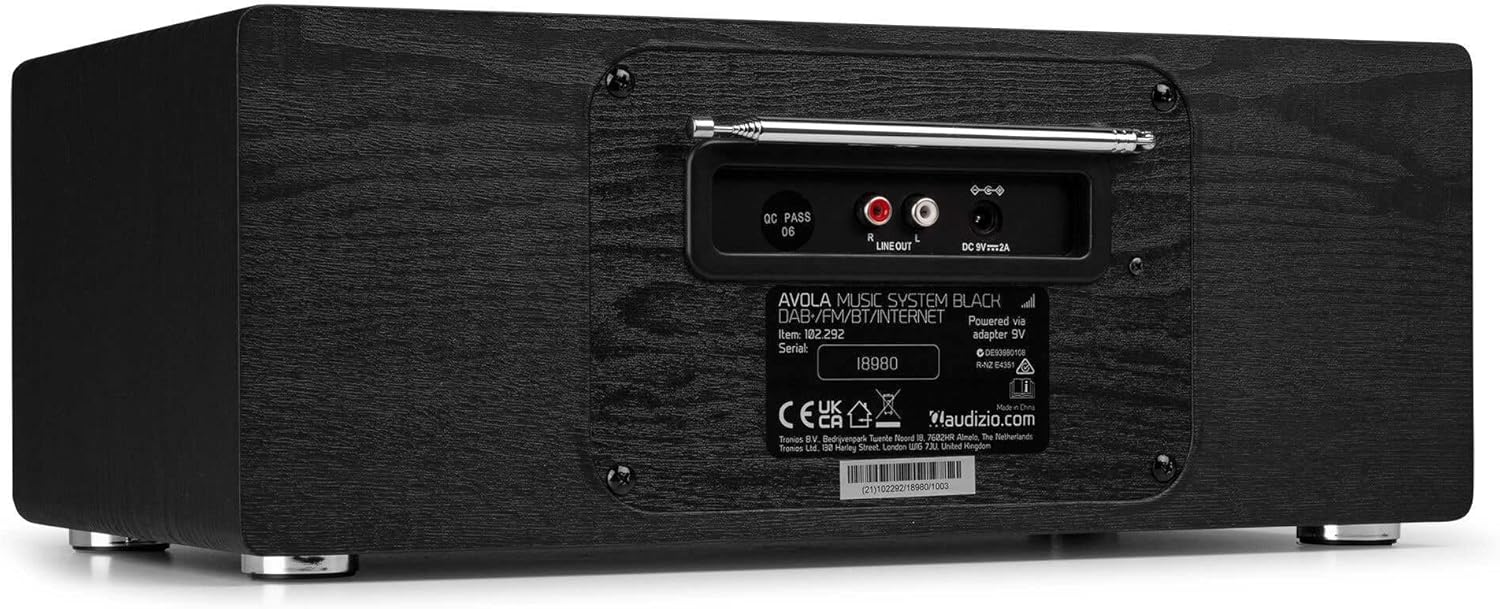
Immaġni: Wara view of the Audizio Avola, highlighting the antenna and connection ports.
The rear panel houses essential connections:
- Antenna teleskopika: For DAB+ and FM radio reception. Extend fully for best signal.
- ĦRUĠ TAL-LINJA (RCA): Għall-konnessjoni ma' apparat estern ampliifikaturi jew kelliema.
- DC 9V 2A Power Input: Għall-konnessjoni tal-adapter tal-enerġija.
5. Setup
5.1 Konnessjoni tal-Enerġija
- Connect the power adapter to the DC 9V 2A input on the rear of the Avola unit.
- Ipplaggja l-adapter tal-enerġija f'sokit tal-ħajt adattat.
- The unit will enter standby mode. Press the STANDBY button on the unit or remote control to power on.
5.2 Setup ta' l-antenna
For optimal DAB+ and FM radio reception, fully extend the telescopic antenna located on the rear panel. Adjust its position for the best signal quality.
5.3 Initial Setup (WLAN Connection)
To access Internet Radio features, the Avola must be connected to a Wi-Fi network.
- Upon first power-on, the unit may prompt you to set up the network connection. If not, press MENU, navigate to 'System Settings' and then 'Network'.
- Select 'Wi-Fi Network' and choose 'Scan' to find available networks.
- Agħżel in-netwerk Wi-Fi tiegħek mil-lista.
- Enter your Wi-Fi password using the TUNE/SELECT knob to navigate characters and press to confirm each character.
- Ladarba tkun konness, id-displej se juri ikona tal-Wi-Fi.
6. Modi Operattivi
6.1 Radju bl-Internet
Aċċessa eluf ta’ stazzjonijiet tar-radju madwar id-dinja permezz tal-konnessjoni Wi-Fi tiegħek.
- Press the MENU button and select 'Internet Radio'.
- Tista' tfittex l-istazzjonijiet skont il-post, il-ġeneru, jew tfittex stazzjonijiet speċifiċi.
- Use the TUNE/SELECT knob to navigate and select.
- To save a station as a preset, press and hold the PRESET/REPEAT button until the preset menu appears, then select a preset number.

Image: The Audizio Avola display showing the Internet Radio interface.
Radju 6.2 DAB+
Digital Audio Broadcasting Plus offers high-quality digital radio.
- Press the MENU button and select 'DAB Radio'.
- L-unità se tiskennja awtomatikament għal stazzjonijiet DAB+ disponibbli.
- Use the TUNE/SELECT knob to browse and select stations.
- Issejvja l-presets kif deskritt għar-Radju tal-Internet.
6.3 Radju FM
Listen to traditional analog FM radio broadcasts.
- Press the MENU button and select 'FM Radio'.
- Use the TUNE/SELECT knob to manually tune or press and hold to auto-scan for stations.
- Issejvja l-presets kif deskritt għar-Radju tal-Internet.
6.4 CD Player
Play your favorite audio CDs.
- Press the MENU button and select 'CD Player'.
- Press the 'Open' button next to the CD tray to open it.
- Carefully place an audio CD onto the tray with the label side facing up.
- Press the 'Open' button again to close the tray. The unit will begin playing the CD automatically.
- Use the Play/Pause, Stop, and Skip buttons for playback control.
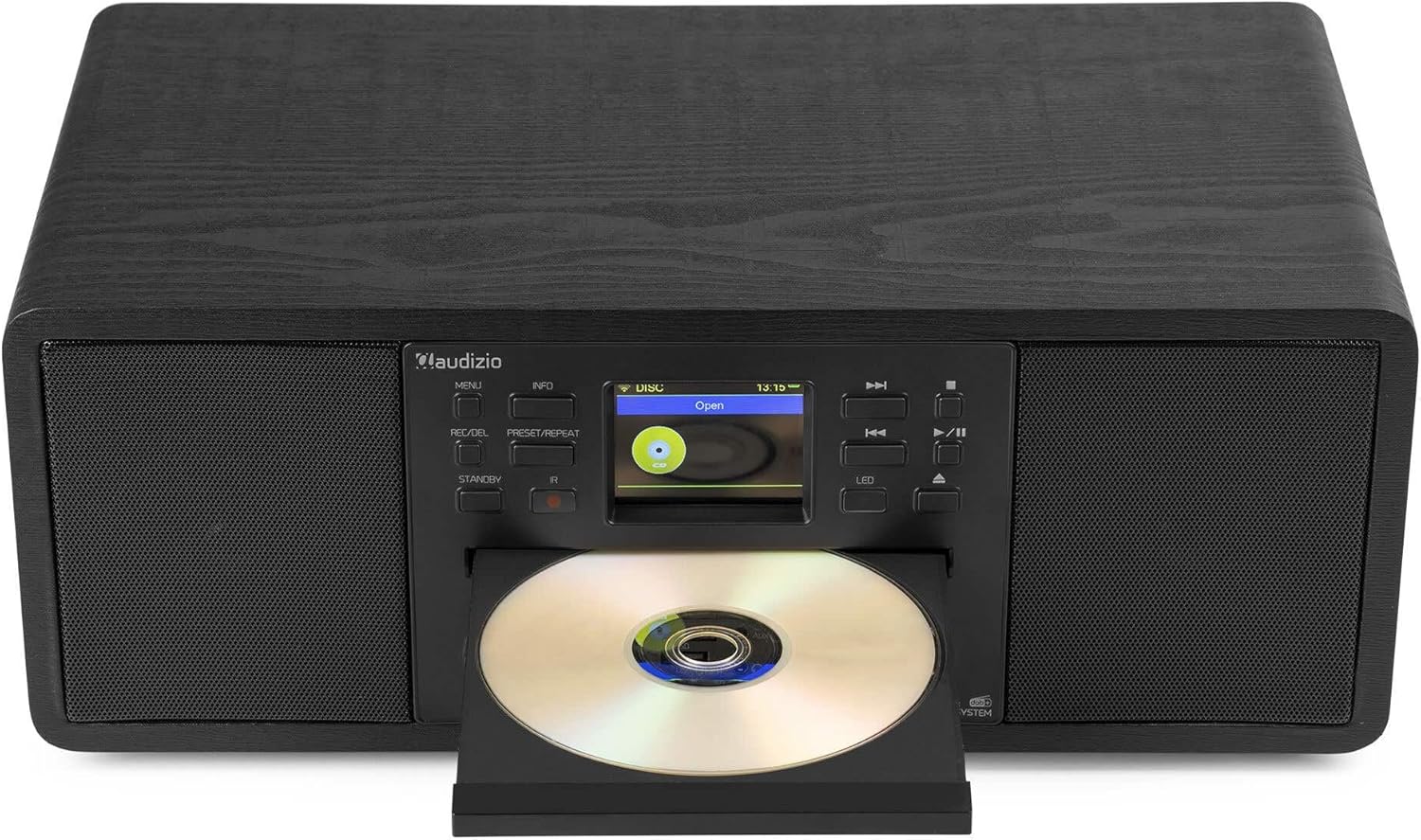
Image: The Audizio Avola with its CD tray open, ready for disc insertion.
6.5 Konnettività Bluetooth
Ixxandar l-awdjo mingħajr fili mill-ismartphone, it-tablet, jew apparati oħra li jaħdmu bil-Bluetooth tiegħek.
- Press the MENU button and select 'Bluetooth'.
- The Avola will enter pairing mode and become discoverable.
- On your Bluetooth device, search for 'Audizio Avola' in the Bluetooth settings and select it to pair.
- Once connected, the display will show 'BT Connected'. You can now play audio from your device through the Avola.

Image: The Audizio Avola display indicating a successful Bluetooth connection.
6.6 Daqq tal-USB/SD
Play awdjo files minn drives USB jew kards SD.
- Daħħal USB drive fil-port USB jew SD card fl-islott tal-SD card fuq il-pannell ta' quddiem.
- Press the MENU button and select 'USB' or 'SD' (the unit may automatically switch to the correct mode).
- Innaviga permezz tiegħek files and folders using the TUNE/SELECT knob.
- Press the TUNE/SELECT knob to play a selected track.
7. Manutenzjoni
- Tindif tal-Unità: Use a soft, dry, lint-free cloth to clean the exterior of the unit. Do not use abrasive cleaners, waxes, or solvents.
- Tindif tal-Lenti tas-CD: If CD playback becomes erratic, use a commercially available CD lens cleaner disc to clean the laser lens.
- Ħażna: Jekk se taħżen l-unità għal perjodu estiż, skonnettjaha mill-provvista tal-enerġija u aħżenha f'post frisk u niexef.
8 Issolvi l-problemi
| Problema | Kawża Possibbli | Soluzzjoni |
|---|---|---|
| Ebda qawwa | L-adapter tal-enerġija mhux imqabbad jew is-sokit difettuż. | Iċċekkja l-konnessjonijiet tal-enerġija. Ipprova sokit differenti. |
| L-ebda ħoss | Volum baxx wisq, mute attivat, jew sors mhux korrett magħżul. | Increase volume. Check if mute is active. Ensure correct input source is selected. |
| Ir-Radju tal-Internet mhux qed jikkonnettja | Incorrect Wi-Fi password, weak signal, or network issue. | Re-enter Wi-Fi password. Move unit closer to router. Check router status. |
| DAB+/FM reception poor | L-antenna mhux estiża jew is-sinjal fiż-żona huwa fqir. | Estendi u aġġusta l-antenna teleskopika għalkollox. Ipprova erġa' poġġi l-unità fil-pożizzjoni t-tajba. |
| Is-CD mhux qed idoqq | CD inserted incorrectly, dirty/scratched CD, or unsupported format. | Ensure CD is inserted label-side up. Clean or replace CD. Verify CD format (supports CD-DA, MP3). |
| Bluetooth mhux pairing | Device not in pairing mode, or Avola not discoverable. | Ensure both devices are in pairing mode. Check Bluetooth settings on your device. |
9. Speċifikazzjonijiet
| Karatteristika | Speċifikazzjoni |
|---|---|
| Isem tal-Mudell | Avola |
| Numru tal-Oġġett | 102.292 |
| Dimensjonijiet (LxWxH) | 45.8 x 25.8 x 19.7 ċm |
| Piż | 4 kg |
| Input tal-Enerġija | 220 Volt (via power adapter) |
| Speaker Output Power (Max) | 60 Watt |
| Modalità tal-Ħruġ tal-Awdjo | Stereo |
| Formati Awdjo Appoġġjati | CD-DA, MP3 |
| Teknoloġija tal-Konnettività | WLAN, Bluetooth, AUX, RCA |
| Apparati Kompatibbli | MP3 Player, PC, Smartphone, Tablet |
| Kulur | Iswed |
10. Garanzija u Appoġġ
Audizio products are designed and manufactured to the highest standards. In the unlikely event of a problem with your product, please contact your retailer for assistance. Keep your proof of purchase for warranty claims. For further support or inquiries, please refer to the official Audizio websit jew ikkuntattja lis-servizz tal-konsumatur tagħhom.