
1. Informazzjoni Importanti dwar is-Sigurtà
Please read all safety instructions carefully before using your COLORROOM A30 tablet. Keep this manual for future reference.
- Tesponix l-apparat għal temperaturi estremi, dawl tax-xemx dirett, jew umdità għolja.
- Evita li twaqqa’ jew li tissottometti t-tablet għal impatti qawwija.
- Uża biss ċarġers u aċċessorji approvati biex tevita l-ħsara u tiżgura s-sigurtà.
- Tippruvax iżarma jew isewwi l-apparat lilek innifsek. Ikkuntattja l-appoġġ tal-klijent għall-assistenza.
- Keep the tablet away from children and pets to prevent accidental ingestion of small parts.
2. Kontenut tal-Pakkett
Ivverifika li l-oġġetti kollha huma preżenti fil-pakkett:
- COLORROOM A30 Tablet
- Kejbil USB Type-C
- Power Adapter (18W PD compatible)
- Manwal għall-Utent
- Kawża Protettiva
- Protettur tal-Iskrin (applikat minn qabel jew inkluż)
- SIM Ejector Tool (SD pin)

Image: The COLORROOM A30 tablet and its included accessories, such as the USB-C cable, power adapter, and documentation, neatly arranged in the product box.
3. Device Overview
Familiarize yourself with the physical components of your COLORROOM A30 tablet.
- Kamera ta' quddiem: Jinsab fin-nofs ta' fuq meta jinżamm orizzontalment, jintuża għal sejħiet bil-vidjo u selfies.
- Wiri: 10.1-inch IPS screen for clear visuals.
- Buttuna tal-Qawwa: Tipikament fuq il-ġenb, użat biex jixgħel/jitfi l-apparat jew biex iqajjem/jorqod l-iskrin.
- Buttuni tal-Volum: Maġenb il-buttuna tal-qawwa, għall-aġġustament tal-livelli tal-awdjo.
- Port USB tat-Tip Ċ: Għall-iċċarġjar u t-trasferiment tad-dejta.
- Slott tal-Karta MicroSD: Għall-espansjoni tal-ħażna sa 2TB.
- Kamera ta' wara: Jinsab fuq wara, użat biex jieħu ritratti u vidjows.
- Kelliema: Kelliema doppji għal esperjenza awdjo mtejba.
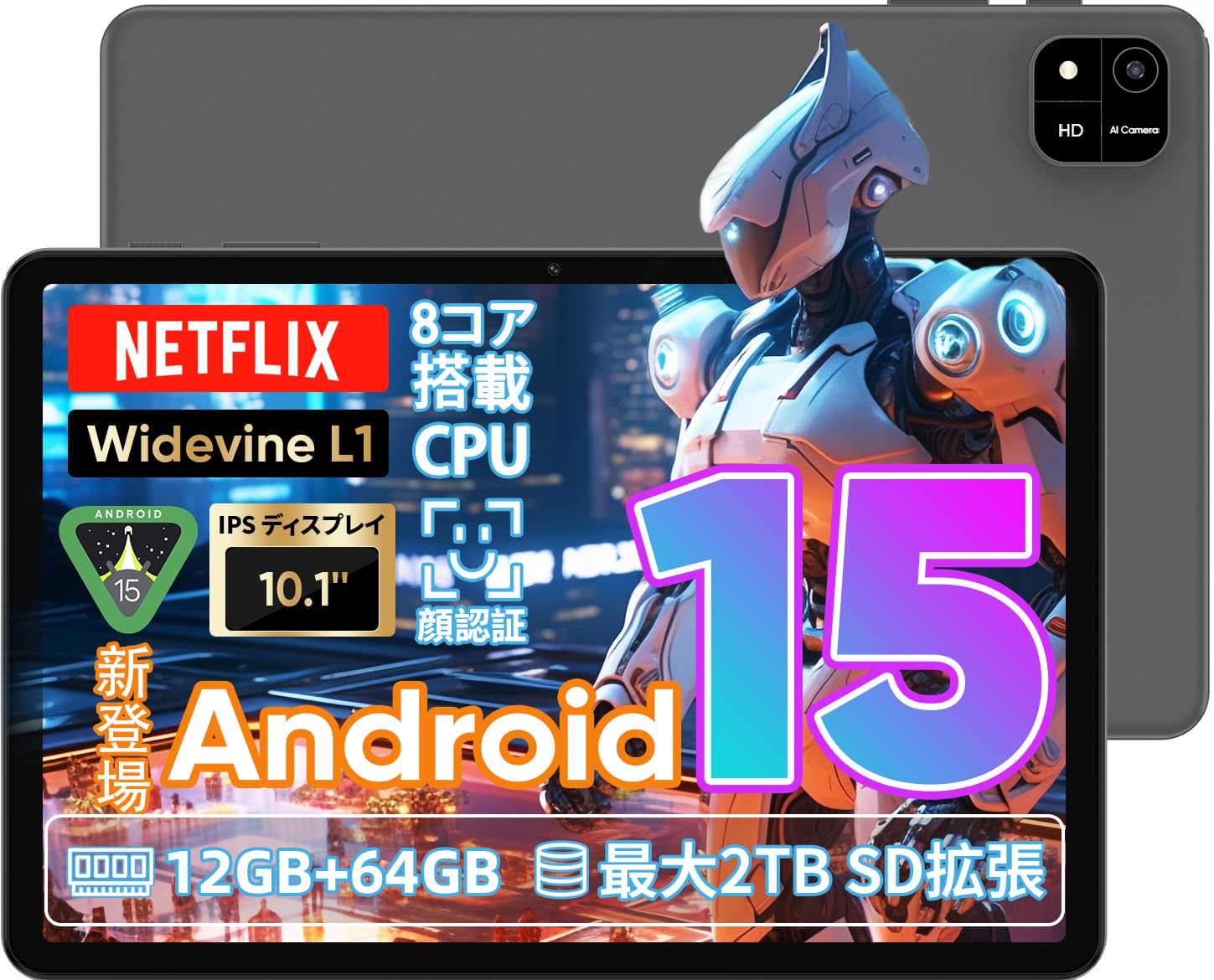
Image: A visual representation of the COLORROOM A30 tablet, highlighting its 10.1-inch display, Android 15 OS, T606 8-core CPU, 12GB RAM, 64GB ROM, 6000mAh battery, 5MP front camera, 8MP rear camera, 2.4G/5G WiFi, Bluetooth 5.0, GPS, and Widevine L1 support.
4. Setup
4.1 L-Ewwel Tixgħil u l-Għażla tal-Lingwa
- Press and hold the Power button until the COLORROOM logo appears.
- Follow the on-screen prompts to select your preferred language (e.g., Japanese).
- Tap 'Start' or 'Next' to proceed.
4.2 Konnessjoni Wi-Fi
- Agħżel in-netwerk Wi-Fi mixtieq tiegħek mil-lista.
- Daħħal il-password tal-Wi-Fi jekk tintalab.
- Tap 'Connect'.
4.3 Is-Setup tal-Kont tal-Google
- Idħol bil-kont tal-Google tiegħek jew oħloq wieħed ġdid. Dan huwa neċessarju biex tniżżel l-apps mill-Google Play Store.
- Review u aċċetta t-Termini ta' Servizz u l-Politika ta' Privatezza ta' Google.
4.4 Set Screen Lock (PIN/Pattern/Password)
- For security, set a screen lock method (PIN, pattern, or password). A 6-digit PIN is recommended.
- You may choose to skip this step, but it is not recommended for device security.
Video: This video demonstrates the initial setup process for an Android 15 tablet, including language selection, Wi-Fi connection, Google account setup, and setting a screen lock. While the video features an M30 tablet, the setup steps are generally applicable to the COLORROOM A30.
5. Istruzzjonijiet Operattivi
5.1 Operazzjonijiet Bażiċi
- widgets: Long-press on an empty area of the home screen to add widgets like a clock or calendar for quick access to information.
- Screen mixgħul/mitfi: The tablet can be configured to turn on the screen automatically when lifted, allowing you to quickly check notifications. This setting can be found under System > Gestures.
Video: This video illustrates basic Android tablet functions, including adding and removing widgets from the home screen, and enabling the 'lift to wake' feature for notifications. Although shown on an M30 tablet, these features are common to Android 15 devices like the COLORROOM A30.
5.2 Karatteristiċi tal-Wiri
The COLORROOM A30 features a 10.1-inch IPS display with 1280x800 resolution, offering clear and vibrant visuals for all your content. It supports Widevine L1, enabling high-definition streaming from platforms like Netflix and Hulu.

Image: The COLORROOM A30 tablet showcasing its 10.1-inch IPS display with vivid colors and sharp details, ideal for watching movies and reading e-books.
5.3 Prestazzjoni
Powered by an 8-core T606 CPU, the COLORROOM A30 delivers smooth performance for multitasking, gaming, and media consumption. It comes with 12GB (virtual) RAM and 64GB of internal storage, expandable up to 2TB via a TF (MicroSD) card.

Immaġni: Dettaljata view of the COLORROOM A30 tablet's internal components, emphasizing the T606 8-core CPU and the 6000mAh large-capacity battery, indicating high performance and extended usage.
5.4 Kamera
The tablet is equipped with an 8MP rear camera for capturing photos and videos, and a 5MP front camera for video calls and selfies. Face recognition is supported for convenient unlocking.

Image: The COLORROOM A30 tablet displayed from the front and back, showcasing its 8MP rear camera and 5MP front camera, designed for capturing moments and facilitating video communication.
5.5 Konnettività
Enjoy seamless connectivity with 2.4G/5G dual-band Wi-Fi, Bluetooth 5.0, and built-in GPS for navigation and location services.
5.6 Ġestjoni tal-batterija
The 6000mAh battery provides extended usage, and with Type-C and 18W PD fast charging, you can quickly recharge your device.
5.7 Kids Space
The tablet includes a Kids Space feature, offering a safe and curated environment for children. Parents can manage content, set usage limits, and monitor activities remotely.
Video: This video demonstrates the Kids Space feature on a tablet, showing how children can access age-appropriate content and how parents can manage settings like usage time and content restrictions remotely. While shown on a T10 tablet, the functionality is similar for the COLORROOM A30.
5.8 Multitasking u Skrin Maqsum
Android 15 enhances multitasking capabilities. You can use the split-screen feature to run two applications simultaneously, improving productivity. For example, watch a video while browsing the web.
Video: This video showcases the unboxing of an Android 15 tablet and demonstrates various features including reading comics, watching videos, using split-screen mode for multitasking, and taking screenshots. While the video features an AvidPad S60, the demonstrated features are applicable to the COLORROOM A30.
6. Manutenzjoni
- Tindif: Uża drapp artab u mingħajr suf biex tnaddaf l-iskrin u l-qafas tat-tablet. Evita li tuża kimiċi ħarxa jew materjali li joborxu.
- Aġġornamenti tas-Software: Iċċekkja u installa aġġornamenti tas-sistema regolarment biex tiżgura prestazzjoni ottimali, sigurtà, u aċċess għal karatteristiċi ġodda. Mur f'Settings > Sistema > Aġġornament tas-sistema.
- Ġestjoni tal-Ħażna: Neħħi perjodikament bla bżonn files u apps biex jilliberaw l-ispazju tal-ħażna u jżommu l-veloċità tal-apparat.
7 Issolvi l-problemi
| Problema | Soluzzjoni |
|---|---|
| It-tablet ma jixgħelx | Kun żgur li l-batterija hija ċċarġjata. Qabbad il-ċarġer u stenna ftit minuti qabel ma tipprova terġa' tixgħelha. Jekk ma tirrispondix, wettaq restart sfurzat billi żżomm il-buttuna tal-qawwa għal 10-15-il sekonda. |
| Kwistjonijiet ta 'konnessjoni Wi-Fi | Check if Wi-Fi is enabled in settings. Restart your router and the tablet. Ensure you are within range of the Wi-Fi signal. |
| L-apps qed jiġġarraf jew jiffriżaw | Close and reopen the app. Clear the app's cache (Settings > Apps > [App Name] > Storage > Clear cache). Ensure the app is updated to the latest version. Restart the tablet. |
| Prestazzjoni bil-mod | Agħlaq l-apps mhux użati. Neħħi l-cache u l-applikazzjonijiet temporanji files. Check for system updates. Consider a factory reset if the issue persists (backup data first). |
8. Speċifikazzjonijiet
| Karatteristika | Dettall |
|---|---|
| Brand | COLORROOM |
| Mudell | A30 |
| Sistema Operattiva | Android 15 |
| Proċessur | Unisoc T606 8-core CPU |
| RAM | 12GB (Virtual) |
| ROM | 64GB |
| Ħażna espansibbli | Up to 2TB via TF (MicroSD) card |
| Wiri | 10.1-inch IPS, 1280x800 resolution, Widevine L1 support |
| Kapaċità tal-batterija | 6000mAh |
| Iċċarġjar | Type-C, 18W PD |
| Kamera ta' wara | 8MP |
| Kamera ta' Quddiem | 5MP |
| Konnettività | 2.4G/5G WiFi, Bluetooth 5.0, GPS |
| Dimensjonijiet | 32.29 x 19.8 x 3.7 ċm (Daqs tal-Pakkett) |
| Piż | 1.04 kg (Piż tal-Pakkett) |
9. Garanzija u Appoġġ
Your COLORROOM A30 tablet comes with a manufacturer's warranty. Please refer to the warranty card included in your package for specific terms and conditions.
For technical support, troubleshooting, or warranty claims, please contact COLORROOM customer service through the retailer where you purchased the product or visit the official COLORROOM websit għal informazzjoni ta' kuntatt.
Always provide your product model (A30) and purchase details when seeking support.