
1. Introduzzjoni
The TELE System TS4020 PRO is an advanced and versatile digital decoder designed for receiving both terrestrial and satellite television broadcasts. It features dual DVB-T/T2 and DVB-S/S2 tuners, supporting HEVC HD, HDR10, and HLG for high-quality video. This device allows access to a wide range of free-to-air TV and radio channels without a subscription. Additionally, its USB port enables media playback of music, photos, and videos, transforming the decoder into a home entertainment hub.
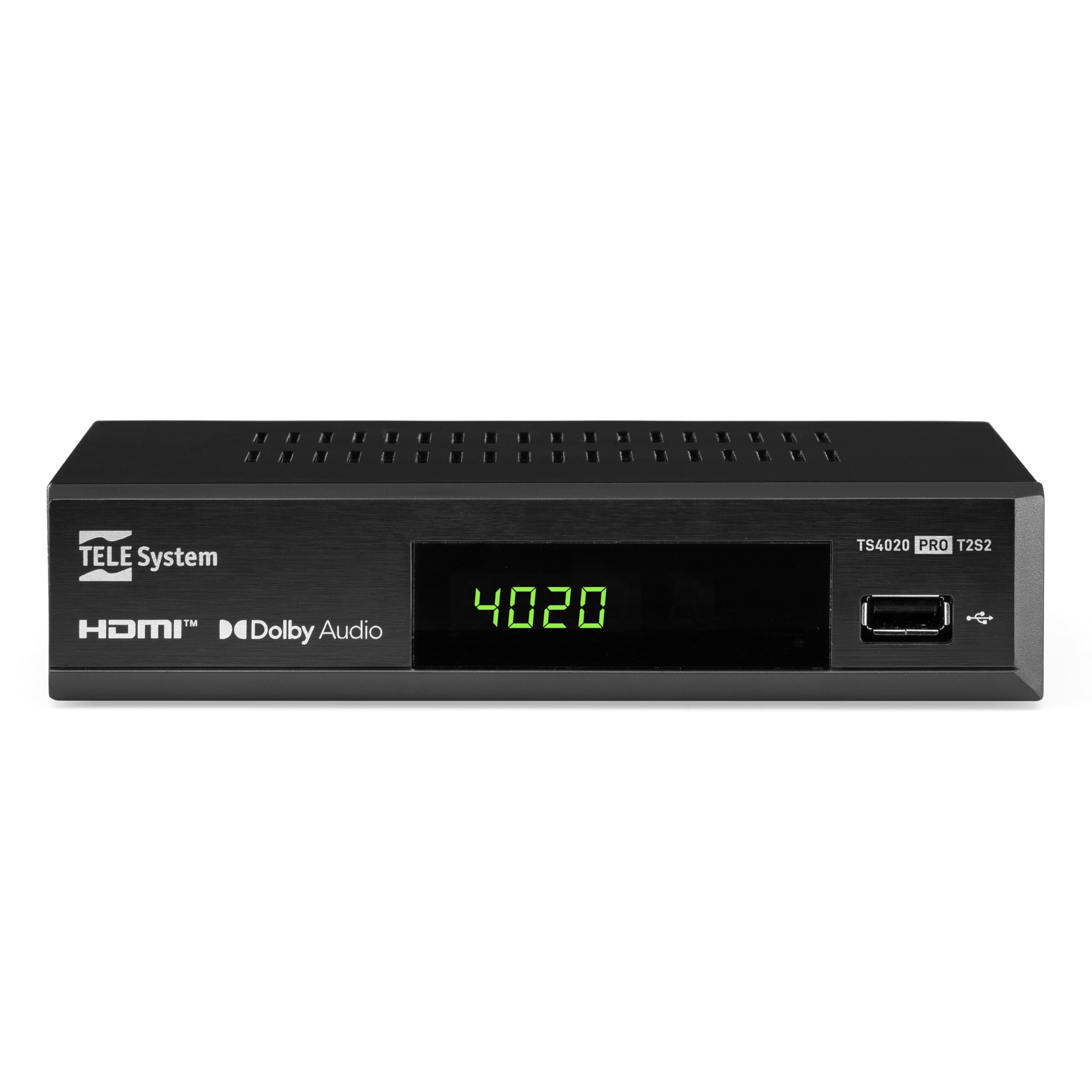
Figure 1: Tele System TS4020 PRO Decoder and included remote control.
2. Setup
2.1 Żpakkjar u Komponenti
Oħroġ l-oġġetti kollha mill-kaxxa bir-reqqa. Kun żgur li l-komponenti li ġejjin huma preżenti:
- Tele System TS4020 PRO Decoder
- Kontroll mill-bogħod
- Adapter tal-Enerġija Esterna
- Manwal għall-Utent (dan id-dokument)
2.2 Connecting the Decoder
Follow these steps to connect your decoder to your television and antenna/satellite dish.
- Konnessjoni tal-Enerġija: Connect the external power adapter to the DC 12V input on the back of the decoder, then plug it into a power outlet.
- Konnessjoni HDMI: Use an HDMI cable to connect the HDMI OUT port on the decoder to an available HDMI input on your television.
- Antenna Connection (for DVB-T/T2): Qabbad il-kejbil tal-antenna terrestri tiegħek mal- RF IN port on the back of the decoder.
- Satellite Connection (for DVB-S/S2): Connect your satellite dish cable to the SAT IN port on the back of the decoder.
- Konnessjonijiet Fakultattivi:
- SCART: For older televisions, connect a SCART cable from the TV SCART port on the decoder to your TV. Note that 4K resolution is not supported via SCART.
- Awdjo Koassjali: For digital audio output, connect a coaxial audio cable from the COAXIAL port to your audio receiver.
- USB: For media playback, insert a USB drive into the USB port on the front or back of the decoder.

Figure 2: Rear panel connections of the TS4020 PRO decoder, including SAT IN, RF IN, Coaxial, HDMI, and TV SCART ports.
2.3 Is-Setup Inizjali u l-Iskennjar tal-Kanali
After connecting the decoder, turn on your television and select the correct HDMI input. The decoder should power on automatically or can be turned on using the remote control.
- Segwi l-istruzzjonijiet fuq l-iskrin għas-setup inizjali.
- Agħżel il-lingwa u r-reġjun preferuti tiegħek.
- The decoder features an AUTOSCAN function for quick and easy automatic channel searching and sorting for both terrestrial and satellite channels. Initiate the scan when prompted.
- Once the scan is complete, your decoder is ready for use.
3. Istruzzjonijiet Operattivi
3.1 Funzjonijiet ta' Kontroll mill-bogħod
The TELE System TS4020 PRO comes with a unique remote control designed to manage both the decoder and your television. It features programmable keys for added convenience.

Figure 3: Layout of the TS4020 PRO remote control.
- Buttuna tal-Qawwa: Turns the decoder on/off.
- AV/TV: Switches TV input source.
- VOL+/VOL-: Jaġġusta l-volum.
- PROG+/PROG-: Tibdel il-kanali.
- DTT/SAT: Switches between terrestrial and satellite modes.
- MENU: Jaċċessa l-menu prinċipali.
- KOLLOX SEW: Jikkonferma l-għażla.
- Ċwievet tal-vleġeġ: Navigates menus and EPG.
- INFORMAZZJONI: Juri informazzjoni dwar il-programm.
- EPG: Gwida Elettronika tal-Programm.
- Kontrolli tal-Plejer tal-Midja: Play, Pause, Stop, Fast Forward, Rewind.
- Programmable TV Control Keys: These keys (usually at the top) can be programmed to control basic TV functions like power, volume, and input. Refer to the remote control section in the full manual for programming instructions.
3.2 Kanal Viewing and Selection
Uża l- PROG+ u PROG- buttons to navigate through channels. Press OK biex view the channel list and select a channel directly. Use the DTT/SAT button to switch between terrestrial (DVB-T/T2) and satellite (DVB-S/S2) channel lists.
3.3 Daqq tal-Midja permezz tal-USB
The decoder supports media playback from a USB storage device.
- Insert a USB flash drive or external hard drive into the USB port.
- Access the Media Player function from the main menu.
- Innaviga permezz tiegħek files to play music, view photos, or watch videos.
3.4 HDR Quality
The TS4020 PRO is compatible with HDR10 and HLG standards, providing enhanced image quality with improved color rendering and visual depth, especially for content with high dynamic range. Ensure your television also supports HDR10 or HLG for the best viewing esperjenza.
4. Manutenzjoni
- Tindif: Use a soft, dry cloth to clean the decoder's exterior. Do not use liquid cleaners or abrasive materials.
- Ventilazzjoni: Ensure the decoder has adequate ventilation. Do not block the ventilation openings.
- Aġġornamenti tas-Software: Periodically check for available software updates through the decoder's menu (if supported). Software updates can improve performance and add new features. Information regarding guaranteed software updates is not available.
- Ħażna: Jekk se taħżen l-apparat għal perjodu estiż, skonnettjah mill-elettriku u aħżnu f'post frisk u niexef.
5 Issolvi l-problemi
If you encounter issues with your Tele System TS4020 PRO, refer to the following common problems and solutions:
| Problema | Kawża Possibbli | Soluzzjoni |
|---|---|---|
| Ebda qawwa | L-adapter tal-enerġija mhux imqabbad jew is-sokit difettuż. | Ensure the power adapter is securely connected to the decoder and a working power outlet. |
| No picture/sound on TV | Incorrect TV input selected, loose HDMI/SCART cable. | Select the correct HDMI/AV input on your TV. Check that the HDMI or SCART cable is securely connected at both ends. |
| No channels found or poor signal | Antenna/satellite dish not connected, misaligned, or damaged. | Check antenna/satellite cable connections. Ensure your antenna/dish is properly aligned. Perform an AUTOSCAN again. |
| Il-kontroll mill-bogħod ma jaħdimx | Dead batteries, obstruction, or remote out of range. | Replace batteries. Ensure no obstructions between the remote and the decoder. Point the remote directly at the decoder. |
| HDMI output not compatible with TV | Specific TV model incompatibility. | If available, try using the SCART connection for video output. Note that 4K resolution is not supported via SCART. |
| Date resets to 1970 after reset | Internal clock issue or software bug. | Check for available software updates. If the issue persists, contact customer support. |
6. Speċifikazzjonijiet
| Numru tal-Mudell | 21005355 |
| Brand | Sistema TELE |
| Teknoloġija tal-Konnettività | USB, Power, HDMI, SCART, RF IN, SAT IN, Coaxial |
| Modalità tal-Ħruġ tal-Awdjo | Jdawru |
| Portijiet HDMI totali | 1 |
| Apparati Kompatibbli | Televiżjoni |
| Formati Awdjo Appoġġjati | Dolby Digital, DTS, AAC, MP3, PCM |
| Voltage | 12 Volts (DC) |
| Riżoluzzjoni tal-Ħruġ tal-Vidjo | 1080p |
| Standards Appoġġjati | DVB-T2, DVB-S2, H.265, HDR10, HLG, MP3, AAC |
| Proporzjon ta' l-aspett | 16:9 |
| Kulur | Iswed |
| Pajjiż ta' Oriġini | Iċ-Ċina |
7. Informazzjoni dwar Garanzija
The Tele System TS4020 PRO decoder comes with a Garanzija ta' 2 snin mill-manifattur. Please retain your proof of purchase for warranty claims. For specific terms and conditions, refer to the warranty card included with your product or contact Tele System customer support.
8. Appoġġ għall-Klijent
For further assistance, technical support, or inquiries regarding your Tele System TS4020 PRO decoder, please visit the official Tele System websit jew ikkuntattja lid-dipartiment tas-servizz tal-konsumatur tagħhom.
Note: Information regarding the availability of spare parts for this product is currently unavailable.