
Introduzzjoni
Grazzi tax-xiriasing the Andoer Digital Camera H12. This manual provides detailed instructions for the proper use and maintenance of your camera. Please read this manual thoroughly before using the camera to ensure optimal performance and longevity.
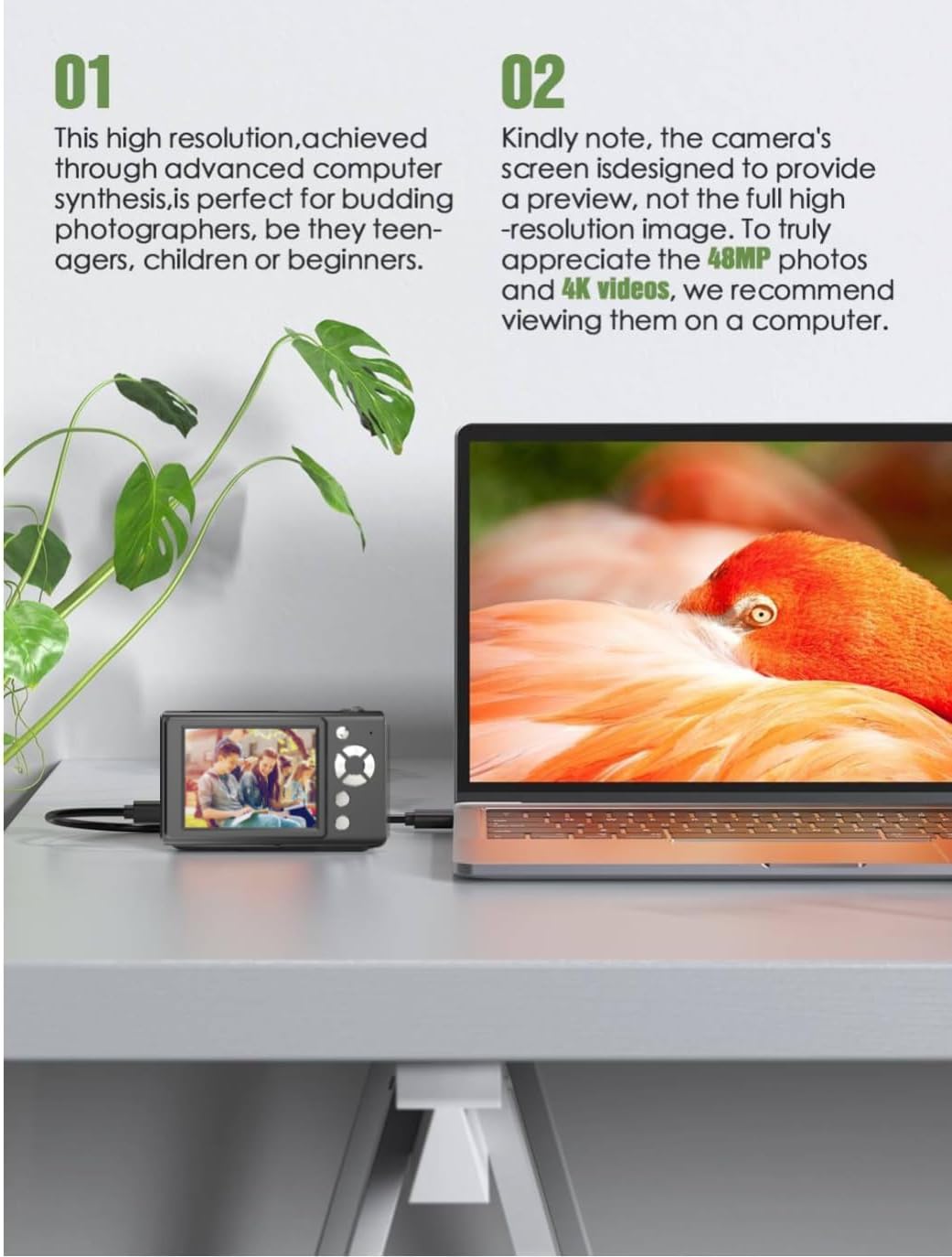
The Andoer H12 is a compact digital point-and-shoot camera featuring 1080P video recording, 48MP photo resolution, 16x digital zoom, autofocus, and an anti-shake function. It is designed for ease of use, making it suitable for various users.
Kontenut tal-Pakkett
Jekk jogħġbok iċċekkja l-kontenut tal-pakkett meta tiftaħ il-kaxxa biex tiżgura li l-oġġetti kollha huma preżenti:
- 1 x Andoer Digital Camera H12
- 1 x Kejbil USB (Tip Ċ)
- 1 x Strap tal-polz
- Karta tal-Memorja 1 x 32GB
- 1 x Qarrej tal-Karta
- 1 x Manwal għall-Utent
Setup
1. Iċċarġjar tal-batterija
The camera is equipped with a built-in 3.7V 700mAh lithium battery. Before first use, fully charge the battery.
- Connect the included Type-C USB cable to the camera's USB port.
- Qabbad it-tarf l-ieħor tal-kejbil USB ma' adapter tal-enerġija USB (mhux inkluż) jew mal-port USB tal-kompjuter.
- The charging indicator light will illuminate. Once charging is complete, the indicator light will change or turn off.
Nota: A full charge typically takes approximately 2-3 hours. Do not use the camera while it is charging.
2. Daħħal il-Kard tal-Memorja
The camera supports TF (MicroSD) cards up to 128GB. A 32GB memory card is included in the package.
- Sib l-islott tal-karta tal-memorja fuq in-naħa tal-kamera.
- Gently insert the TF card into the slot with the metal contacts facing the front of the camera until it clicks into place.
- To remove the card, gently push it in again until it springs out.

3. It-twaħħil taċ-Ċinga tal-Polz
Attach the included wrist strap to the camera for added security and to prevent accidental drops.
- Thread the thin loop of the wrist strap through the strap eyelet on the camera body.
- Pass the larger end of the strap through the thin loop and pull tight to secure it.
Istruzzjonijiet Operattivi
1. Power On/Off
- Biex tixgħel, agħfas u żomm il-buttuna tal-qawwa sakemm l-iskrin jixgħel.
- Biex titfi, agħfas u żomm il-buttuna tal-qawwa mill-ġdid sakemm l-iskrin jintefa.
- The camera features an auto power-off function (off/3 mins/5 mins) which can be configured in the settings.
2. Teħid tar-Ritratti
- Turn on the camera. The camera will typically start in photo mode.
- Ikkwadra r-ritratt tiegħek billi tuża d-displej IPS ta' 2.8 pulzieri.
- Press the shutter button halfway down to activate autofocus. The camera will recognize and track subjects.
- Once focus is achieved (indicated by a green frame), press the shutter button fully to take the picture.

3. Reġistrar Vidjows
- Switch to video mode (refer to the camera's on-screen interface for the mode switch button).
- Press the shutter button to start recording. A red indicator or timer will appear on the screen.
- Agħfas il-buttuna tax-shutter għal darb'oħra biex tieqaf tirrekordja.
The camera supports 1080P and 720P video resolutions in AVI format. Loop recording can be set for 3, 5, or 10 minutes.
4. Funzjoni taż-Żum
Use the zoom buttons (usually marked 'W' for Wide and 'T' for Telephoto) to adjust the 16x digital zoom. This allows you to magnify distant subjects.

5. LED Fill Light
The camera features a built-in ring LED fill light with three lighting modes to assist in low-light conditions.
- Dawl abjad: Bright, even, and soft illumination.
- Dawl abjad sħun: Pure natural light, soft and comfortable.
- Dawl Isfar: Warm color adjustment for a warm atmosphere.
Access and cycle through these modes via the camera's menu or a dedicated button (refer to the on-screen interface).

6. Funzjonijiet Oħra
- Selfie Timer: Options for off, 2s, 5s, or 10s delay before taking a photo.
- Sparar Kontinwu: Capture a series of photos rapidly.
- Kontra t-Tħawwad: Helps reduce blur caused by camera movement.
- Effetti tal-Filtru: Various built-in filters to enhance your photos.
- Logħob: Includes 4 simple games for entertainment.
- Daqq MP3: Download MP3 music to the memory card and play it through the camera.

Manutenzjoni
- Tindif tal-Korp tal-Kamera: Uża drapp artab u niexef biex timsaħ il-korp tal-kamera. Għal ħmieġ iebes, nixxef ftit.ampen the cloth with water and then wipe dry. Avoid using chemical cleaners.
- Tindif tal-Lenti u l-Iskrin: Use a specialized lens cleaning cloth or brush to gently remove dust and smudges. Do not use abrasive materials or excessive force.
- Ħażna: When not in use for extended periods, store the camera in a cool, dry place away from direct sunlight and extreme temperatures. Remove the memory card if not in use.
- Kura tal-batterija: Avoid fully discharging the battery frequently. Charge the battery regularly, even if the camera is not in use, to maintain battery health.
- Reżistenza għall-Ilma: Din il-kamera hija mhux reżistenti għall-ilma. Avoid exposure to water, rain, or high humidity.
Issolvi l-problemi
| Problema | Kawża Possibbli | Soluzzjoni |
|---|---|---|
| Il-kamera ma tixgħelx. | Il-batterija hija eżawrita jew mhux iċċarġjata. | Charge the camera battery fully using the provided USB cable. |
| Ma nistax nieħu ritratti/nirrekordja vidjows. | Il-karta tal-memorja hija mimlija, mhux imdaħħla sew, jew korrotta. | Check if the memory card is inserted correctly. Delete unnecessary files or replace the memory card. Format the card if necessary (this will erase all data). |
| L-immaġini huma mċajpra. | Autofocus failed, camera shake, or dirty lens. | Ensure autofocus is engaged. Hold the camera steady or use the anti-shake function. Clean the lens with a soft cloth. |
| L-iskrin huwa vojt jew iffriżat. | System error or temporary malfunction. | Press and hold the power button for 10 seconds to force a shutdown, then restart the camera. If the issue persists, contact customer support. |
| Ma jistax jittrasferixxi files għall-kompjuter. | Incorrect cable connection or driver issue. | Ensure the USB cable is securely connected. Try a different USB port or computer. Use the included card reader to transfer files direttament mill-karta tal-memorja. |
Speċifikazzjonijiet
| Karatteristika | Dettall |
|---|---|
| Isem tal-Mudell | H12 |
| Wiri | 2.8 pulzier IPS LCD |
| Riżoluzzjoni tar-Ritratti | Up to 48MP (48M, 40M, 24M, 20M, 18M, 16M, 12M, 10M, 8M, 5M, 3M, 2M, 1M) |
| Format tar-ritratti | JPG |
| Riżoluzzjoni tal-vidjo | 1080P, 720P |
| Format tal-vidjo | AVI |
| Zoom Diġitali | 16X |
| Autofocus | Yes (Contrast Detection, 9 points) |
| Stabbilizzazzjoni tal-Immaġni | Ottiċi |
| Tip tas-Sensor | CMOS (1/4 pulzier) |
| Ħażna | TF card, max. 128GB (32GB included) |
| Batterija | Built-in Lithium Battery (3.7V 700mAh) |
| Interface tal-iċċarġjar | USB Tip-Ċ |
| Selfie Timer | Off/ 2s/ 5s/ 10s |
| Auto Power Mitfi | Off/ 3 mins/ 5 mins |
| Loop Recording | 3 mins/ 5 mins/ 10 mins |
| Karatteristiċi Inkorporati | LED Fill Light (3 modes), Filter Effects, 4 Games, MP3 Playback |
| Daqs tal-Prodott | 103 x 31 x 65 mm |
| Piż tal-Prodott | 149g (camera body) / 260g (item weight including packaging/accessories) |
| Livell ta 'Reżistenza għall-Ilma | Mhux Reżistenti għall-Ilma |
Informazzjoni dwar Garanzija
The Andoer Digital Camera H12 comes with a garanzija ta 'sena from the date of purchase. This warranty covers manufacturing defects and malfunctions under normal use. It does not cover damage caused by misuse, accidents, unauthorized repairs, or natural disasters.
Jekk jogħġbok żomm il-prova tax-xiri tiegħek għal pretensjonijiet ta' garanzija.
Appoġġ għall-Klijent
If you encounter any issues or have questions not covered in this manual, please contact Andoer customer support. You can typically find support contact information on the official Andoer websit jew permezz tal-bejjiegħ bl-imnut tiegħek.
Għal aktar għajnuna, jekk jogħġbok żur il- Andoer Store on Amazon.