
ASUS FA401WV-WB94
Manwal tal-Utent tal-Laptop ASUS TUF Gaming A14
Model: FA401WV-WB94
1. Introduzzjoni
This manual provides essential information for setting up, operating, maintaining, and troubleshooting your ASUS TUF Gaming A14 laptop. Designed for high-performance gaming and demanding tasks, this laptop combines robust hardware with durable construction.
The ASUS TUF Gaming A14 features an AMD Ryzen AI 9 HX 370 processor, an NVIDIA GeForce RTX 4060 laptop GPU with a dedicated MUX switch, 16GB of LPDDR5X RAM, and a 1TB PCIe Gen 4 SSD. It is built to deliver peak performance and reliability, even under extreme conditions.
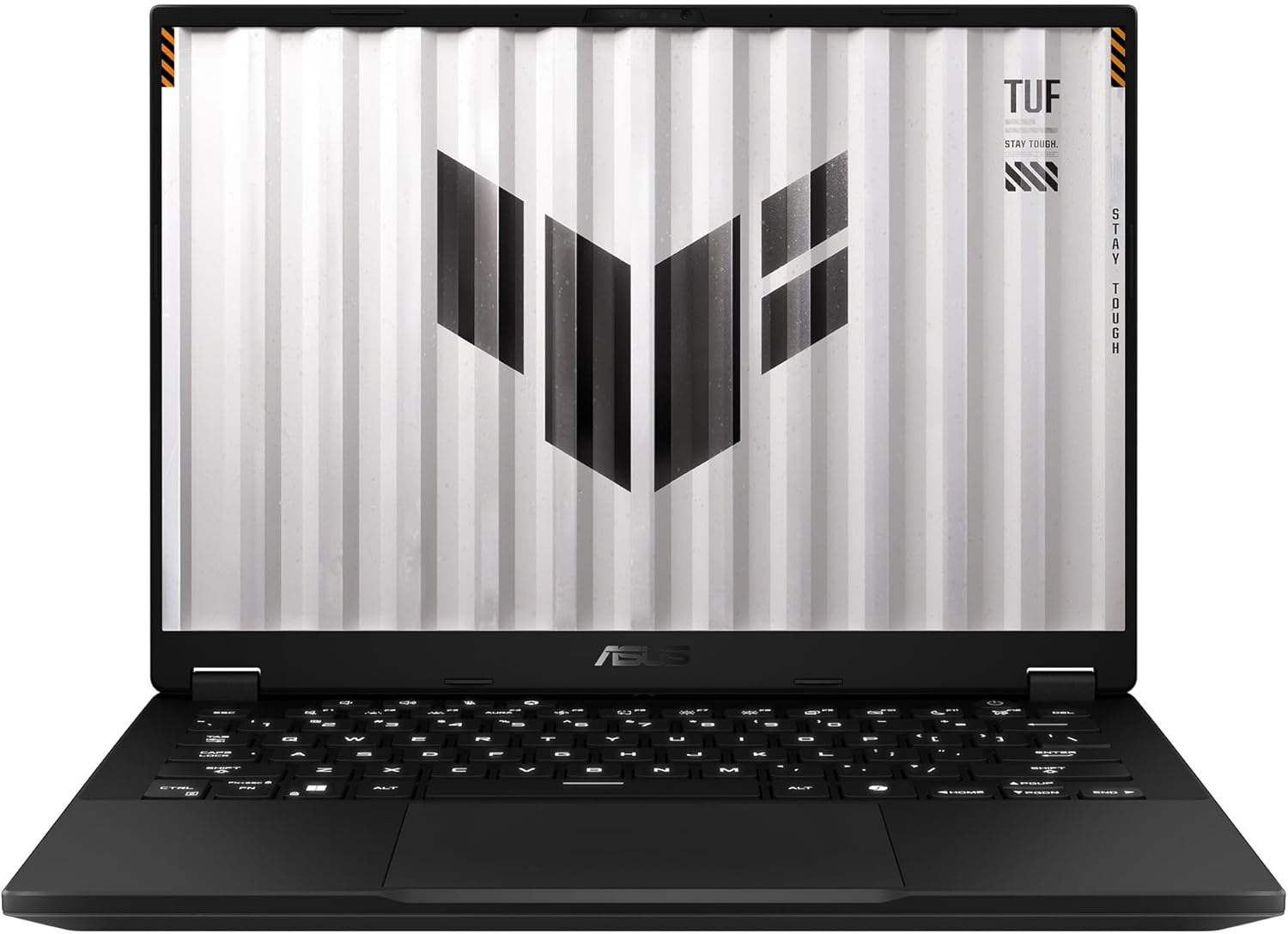
Figura 1.1: Quddiem view of the ASUS TUF Gaming A14 Laptop.
2. Setup Inizjali
Follow these steps to prepare your ASUS TUF Gaming A14 for first use:
- Unboxing: Oħroġ il-laptop u l-aċċessorji kollha mill-imballaġġ bir-reqqa. Kun żgur li l-komponenti kollha huma preżenti: laptop, adapter tal-enerġija, u dokumentazzjoni.
- Qabbad l-Enerġija: Plug the power adapter into the laptop's power port and then into a wall outlet. It is recommended to fully charge the battery before initial use.
- Qawwa Mixgħul: Iftaħ l-għatu tal-laptop u agħfas il-buttuna tal-qawwa, li tipikament tinsab fin-naħa ta' fuq tal-lemin tat-tastiera.
- Konfigurazzjoni Inizjali tal-Windows: Follow the on-screen prompts to complete the Windows 11 setup process. This includes selecting your region, language, connecting to a Wi-Fi network, and creating a user account.
- Aġġornamenti tas-Software: After Windows setup, connect to the internet and allow the system to download and install any pending updates for Windows and ASUS drivers.
Video 2.1: Initial unboxing and power-up sequence of an ASUS TUF Gaming laptop, demonstrating the first look and startup process.
3. Karatteristiċi ewlenin
The ASUS TUF Gaming A14 is engineered with several features to enhance your computing and gaming experience:
- High-Refresh Rate Display: Enjoy smooth visuals on the 14-inch Full HD (1920x1080) display with a 144Hz refresh rate and Adaptive Sync technology, minimizing lag and screen tearing.
- Prestazzjoni qawwija: Equipped with an AMD Ryzen AI 9 HX 370 processor and an NVIDIA GeForce RTX 4060 laptop GPU, providing robust performance for gaming and multitasking.
- Disinn Durabbli: Built to military-grade MIL-STD-810H standards, ensuring resilience against accidental bumps and knocks.
- Tkessiħ Effiċjenti: Features multiple heat pipes and three heat sinks to effectively dissipate heat, preventing overheating during extended use.
- Tastiera b'dawl minn wara RGB: A high-quality RGB backlit keyboard offers customizable lighting and comfortable typing.
- Konnettività: Includes USB 4.0, HDMI, and other essential ports for versatile connectivity.

Figura 3.1: Aktarview of key features and specifications of the ASUS TUF Gaming A14.
Video 3.2: A detailed look at the ASUS TUF Gaming A14, showcasing its display, robust build quality, efficient thermal design, and powerful components for gaming.
4. It-Tħaddim tal-Laptop Tiegħek
Here are some general guidelines for operating your ASUS TUF Gaming A14:
- Funzjonijiet tat-Tastiera: The keyboard features dedicated function keys (Fn) that, when pressed in combination with F1-F12, control various settings like volume, screen brightness, and keyboard backlighting. The WASD keys are highlighted for gaming.
- Touchpad Usage: The large glass touchpad supports multi-touch gestures for navigation. Refer to Windows settings for customizing touchpad gestures.
- Konnessjoni ta' Apparati Esterni: Use the available USB ports (including USB 4.0) to connect external devices such as mice, keyboards, and external storage. The HDMI port allows connection to external displays.
- Softwer tal-Kaxxa tal-Armerija: Utilize the pre-installed ASUS Armoury Crate software to monitor system performance, customize RGB lighting, adjust fan profiles, and optimize gaming settings.

Figure 4.1: The RGB backlit keyboard of the ASUS TUF Gaming A14.
5. Manutenzjoni u Kura
Manutenzjoni xierqa tiżgura l-lonġevità u l-prestazzjoni ottimali tal-laptop tiegħek:
- Tindif: Use a soft, lint-free cloth to clean the screen and chassis. For stubborn smudges, a slightly dampĊarruta mxarrba bl-ilma jew prodott speċjalizzat għat-tindif tal-iskrin jista' jintuża. Evita kimiċi ħarxa.
- Ventilazzjoni: Ensure the ventilation grilles (located on the sides and rear) are clear of obstructions to allow for proper airflow and prevent overheating. Regularly clean dust from the vents using compressed air.
- Kura tal-batterija: For optimal battery health, avoid consistently draining the battery to 0% or keeping it at 100% for extended periods. If storing the laptop for a long time, charge it to about 50-60%.
- Aġġornamenti tas-Software: Regularly update your operating system, drivers, and security software to ensure stability, performance, and protection against vulnerabilities.

Figura 5.1: Wara view of the ASUS TUF Gaming A14, highlighting the exhaust vents for cooling.
6 Issolvi l-problemi
If you encounter issues with your laptop, try these common solutions:
- Ebda Qawwa: Kun żgur li l-adapter tal-enerġija huwa konness sew kemm mal-laptop kif ukoll ma' sokit tal-enerġija li jaħdem. Iċċekkja jekk is-sokit tal-enerġija hux qed jaħdem.
- Kwistjonijiet tal-iskrin: If the screen is black, try connecting an external monitor to check if the display output is working. Adjust screen brightness using function keys.
- Prestazzjoni Lag: Close unnecessary applications, check for background processes consuming high resources, and ensure drivers are up to date. Verify cooling vents are clear.
- Konnettività Wi-Fi: Ensure Wi-Fi is enabled in Windows settings. Restart your router and modem. Try connecting to a different Wi-Fi network to isolate the issue.
- Problemi tal-awdjo: Check volume settings in Windows and ensure no external audio devices are interfering. Update audio drivers if necessary.
Għal kwistjonijiet aktar kumplessi, irreferi għall-appoġġ tal-ASUS websit jew ikkuntattja lis-servizz tal-konsumatur.
7. Speċifikazzjonijiet Tekniċi
| Karatteristika | Speċifikazzjoni |
|---|---|
| Isem tal-Mudell | ASUS TUF Gaming A14 (FA401WV-WB94) |
| Daqs tal-Wiri tal-Iskrin Permanenti | 14 Pulzier |
| Riżoluzzjoni Massima tal-Iskrin | 1920x1080 |
| Proċessur | AMD Ryzen AI 9 HX 370 |
| Daqs tal-Memorja RAM Installata | 16 GB LPDDR5X |
| Tip ta' Memorja tal-Kompjuter | RAM DDR5 |
| Daqs tal-Hard Disk | 1 TB |
| Deskrizzjoni Hard Disk | SSD PCIe Ġen 4 ta' 1TB |
| Deskrizzjoni tal-Kard Grafika | Dedicated NVIDIA GeForce RTX 4060 |
| Sistema Operattiva | Windows 11 |
| Piż tal-oġġett | 8 liri |
| Dimensjonijiet tal-Pakkett | 20 x 14 x 4 pulzieri |
8. Garanzija u Appoġġ
Your ASUS TUF Gaming A14 laptop comes with a standard manufacturer's warranty. Please refer to the warranty card included in your product packaging for specific terms and conditions, including coverage duration and service procedures.
Għal appoġġ tekniku, downloads ta' sewwieqa, FAQs, u informazzjoni addizzjonali dwar il-prodott, jekk jogħġbok żur is-sit uffiċjali tal-appoġġ tal-ASUS website. You can also find contact information for customer service in your region on the ASUS websit.
Appoġġ onlajn: www.asus.com/support/
Ask a question about this manual
Ask about setup, troubleshooting, compatibility, parts, safety, or missing instructions. Manuals+ will review the question and use this page’s manual context to help answer it.