
Introduzzjoni
Thank you for choosing the ToughTested ROC 5 Solar Power Bank. This rugged and reliable power bank is designed for outdoor and demanding environments, offering multiple charging options including MagSafe compatible wireless charging, USB-C Power Delivery, Quick Charge 3.0, and an emergency solar panel. This manual provides essential information for the safe and efficient use of your device.

Image: The ToughTested ROC 5 Solar Power Bank, a compact black and orange device with a solar panel, is shown attached magnetically to the back of a smartphone, illustrating its wireless charging capability. A hand holds the phone and power bank.
Prodott Overview
Karatteristiċi Ewlenin
- Kapaċità tal-batterija ta '5000mAh: Jipprovdi ħlasijiet multipli għal smartphones u apparati oħra.
- MagSafe & Qi-Compatible Wireless Charging: Supports MagSafe for compatible iPhones and universal Qi for other wireless charging devices.
- USB-C PD 20W & Quick Charge 3.0: Offers fast wired charging for various devices.
- Panel tal-Iċċarġjar Solari: Designed for emergency recharging in remote locations.
- Disinn reżistenti għat-temp IP54: Resistant to dust and splashing water.
- Torċa LED Integrata: Torċa b'ħafna modi għall-illuminazzjoni.
Komponenti
- Panew tal-Iċċarġjar Solari
- Wireless Charging Pad (Magnetic)
- USB-C Input/Output Port
- Port tal-Ħruġ USB-A
- Dwal tal-Indikatur tal-Batterija LED
- Buttuna tal-Qawwa
- Flashlight LED

Immaġni: Wirja grafikaasing the ToughTested ROC 5 Solar Power Bank with icons and text emphasizing its solar charging capability, IP54 waterproof design, and MagSafe compatibility. The power bank is depicted in an outdoor setting.
Setup
Iċċarġjar Inizjali tal-Power Bank
Before first use, fully charge your ROC 5 Power Bank using the USB-C port. Connect the included USB-A to USB-C cable to a compatible USB wall adapter (not included) and the USB-C port on the power bank. The LED indicator lights will illuminate to show charging progress and battery level. A full charge is indicated when all LED lights are solid.

Image: A visual representation of the ToughTested ROC 5 Power Bank simultaneously charging a smartwatch via USB-C, a smartphone via USB-A, and another smartphone wirelessly. This illustrates its multi-device charging capabilities.
Istruzzjonijiet Operattivi
Iċċarġjar bil-fili
- Connect your device's charging cable to either the USB-C (input/output) or USB-A (output) port on the power bank.
- Qabbad it-tarf l-ieħor tal-kejbil mat-tagħmir tiegħek.
- Press the power button on the power bank to initiate charging. The LED indicators will show the remaining battery level.
Wireless Charging (MagSafe & Qi Compatible)
- Ensure your device is wireless charging compatible (Qi-enabled or MagSafe compatible). For MagSafe, ensure your iPhone (17/16/15/14/13 series) has an official MagSafe case or no case for optimal magnetic alignment.
- Align your device with the wireless charging pad on the power bank. For MagSafe, the magnets will assist in proper alignment.
- Press the power button on the power bank to activate wireless charging. Your device should indicate that it is charging.
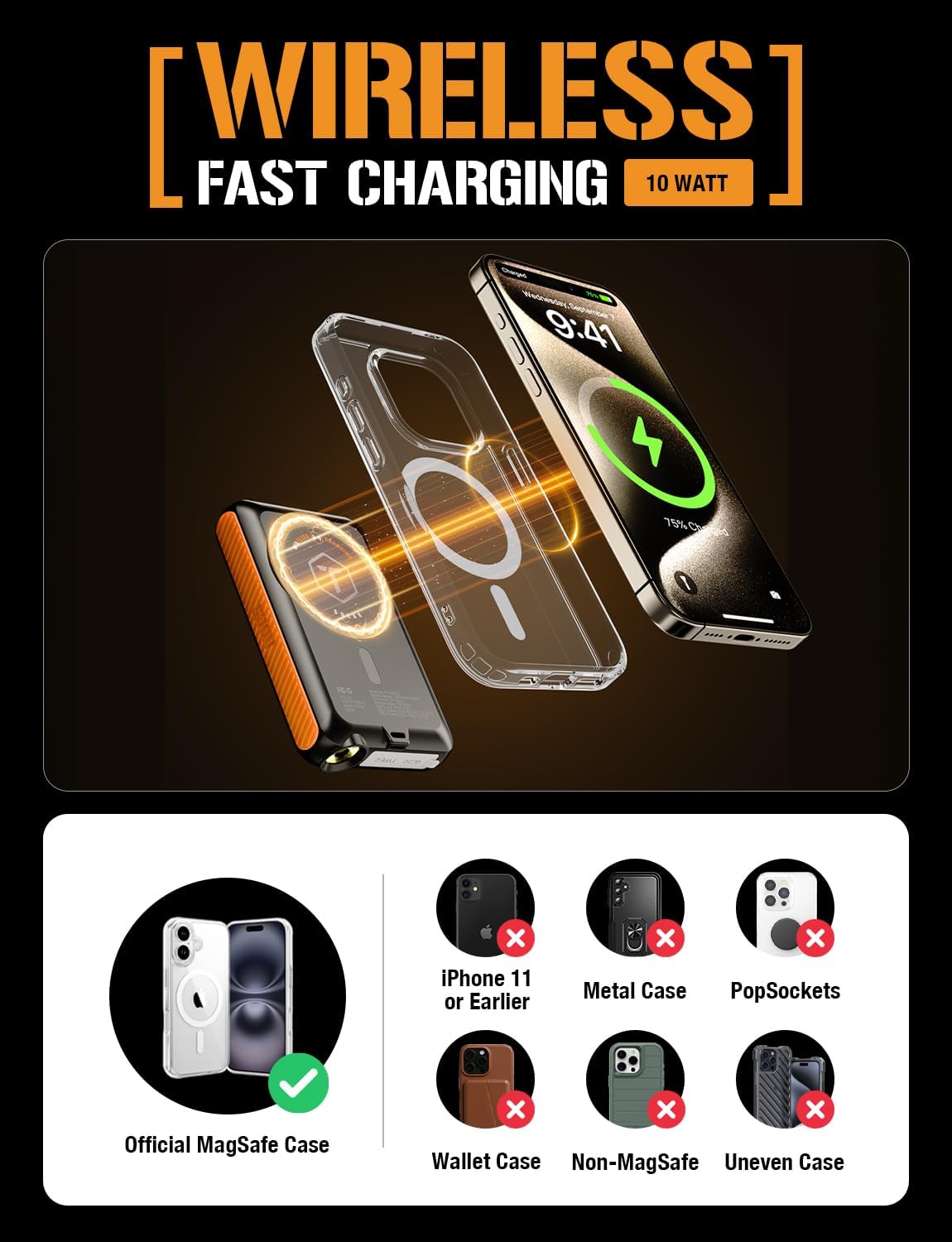
Image: A diagram showing the ToughTested ROC 5 Power Bank wirelessly charging an iPhone. It highlights the magnetic alignment for MagSafe compatibility and lists incompatible scenarios like metal cases or PopSockets.
Iċċarġjar Solari
The integrated solar panel is designed for emergency power replenishment and trickle charging in direct sunlight. It is not intended as a primary charging method due to its limited output (up to 100mA per hour). For daily use, recharge the power bank via its USB-C port.
- Place the solar panel directly facing strong sunlight.
- The LED indicators may show a slow charge, or the charge rate may be too low to register on the indicators if sunlight is not optimal.

Image: The ToughTested ROC 5 Solar Power Bank is shown attached to the side of a camouflage backpack, positioned to receive direct sunlight in a desert landscape, illustrating its use as an emergency solar reserve.
Flashlight LED
To activate the multi-mode LED flashlight:
- Ixgħel/Itfi: Agħfas darbtejn il-buttuna tal-qawwa.
- Modi taċ-ċiklu: Once the flashlight is on, single-press the power button to cycle through modes (e.g., constant light, strobe, SOS).
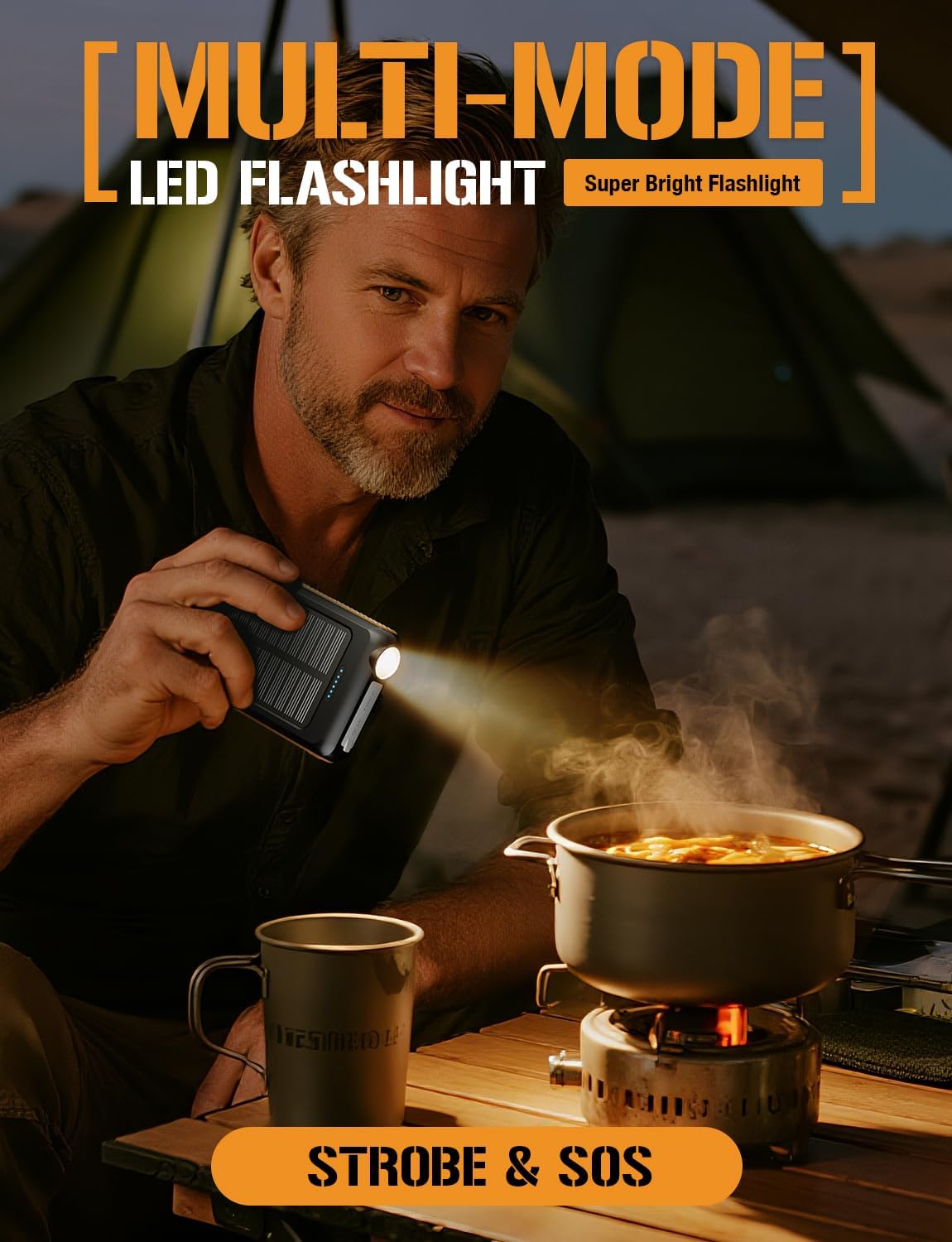
Image: A man is shown holding the ToughTested ROC 5 Power Bank, using its integrated LED flashlight to illuminate a cooking pot over a portable stove in a low-light outdoor setting, demonstrating its utility as a multi-mode flashlight.
Manutenzjoni
- Tindif: Wipe the power bank with a dry, soft cloth. Avoid using harsh chemicals or abrasive materials.
- Ħażna: Store the power bank in a cool, dry place away from direct sunlight and extreme temperatures. For long-term storage, ensure the battery is charged to approximately 50-75% to preserve battery health.
- Kura tal-batterija: To maximize battery lifespan, avoid fully discharging the power bank frequently. Recharge it regularly, even if not in active use.
Issolvi l-problemi
- Power Bank Mhux Iċċarġja: Ensure the USB-C cable is securely connected to both the power bank and a working power source. Try a different cable or wall adapter.
- Device Not Charging (Wired): Verify the cable connection to both the power bank and your device. Ensure the power bank has sufficient charge and the power button has been pressed.
- Device Not Charging (Wireless): Check for proper alignment of your device on the wireless charging pad. Remove any thick cases or metallic objects that may interfere with wireless charging. Ensure the power bank has sufficient charge and the power button has been pressed.
- Iċċarġjar Solari bil-mod: Solar charging is supplementary. Ensure the panel is in direct, strong sunlight. Cloud cover or indirect light will significantly reduce charging efficiency.
- Il-flashlight ma taħdimx: Double-press the power button to turn the flashlight on or off. Ensure the power bank has sufficient charge.
Speċifikazzjonijiet
| Numru tal-Mudell | TT-PBW-5C |
| Kapaċità tal-batterija | 5000 mAh |
| Dimensjonijiet tal-Prodott | 5.6 x 2.8 x 0.6 pulzieri |
| Piż tal-oġġett | 7.8 uqija |
| Tip ta' Konnettur | USB Tip A, USB Tip C |
| Ħruġ ta 'Iċċarġjar Bla Fili | MagSafe Compatible, Qi Compatible |
| Output USB-C | PD 20W |
| Output USB-A | QC 3.0 |
| Input tal-Iċċarġjar Solari | Up to 100mA (Emergency Reserve) |
| Reżistenza għat-temp | IP54 (Reżistenti għat-Trab u l-Isplash) |
Informazzjoni dwar is-Sigurtà
- Tesponix il-power bank għan-nar, l-ilma, jew temperaturi estremi.
- Tiżżarmax, tittaqqabx, jew timmodifikax l-apparat.
- Żomm fejn ma jintlaħaqx mit-tfal.
- Evita li twaqqa’ l-power bank jew li tissottomettih għal impatti qawwija.
- If the power bank swells, overheats, or emits an unusual odor, discontinue use immediately.
- Armi l-prodott b'mod responsabbli skont ir-regolamenti lokali.
Garanzija u Appoġġ
The ToughTested ROC 5 Solar Power Bank comes with a 5-Sena Garanzija, reflecting our commitment to quality and durability. For warranty claims, technical support, or further assistance, please visit the official ToughTested website or contact customer service through your retailer.

Image: The ToughTested ROC 5 Power Bank, its user guide, a USB cable, and a prominent '5 Year ToughCare' warranty badge are displayed together in a rugged outdoor environment, emphasizing the product's durability and extended support.