
Fosmon C-10825FCUS
Fosmon Minutes Countdown Plug-in Timer Outlet Instruction Manual
Model: C-10825FCUS | Brand: Fosmon
Introduzzjoni
The Fosmon Minutes Countdown Plug-in Timer Outlet provides precise control over your electrical appliances and lights. Designed for indoor use, this ETL-certified timer offers customizable countdown durations from 1 minute to 63 minutes, along with a convenient daily repeat function and multiple safety features. It is ideal for managing power to various devices, enhancing both convenience and energy efficiency in your home.
Prodott Overview
The Fosmon Countdown Timer features a compact design with intuitive controls. It includes six time-setting buttons, an On/Off button, and a Repeat button, along with two grounded outlets.

Image: Two Fosmon Minutes Countdown Plug-in Timer Outlets, showing the front panel with minute buttons and control buttons.
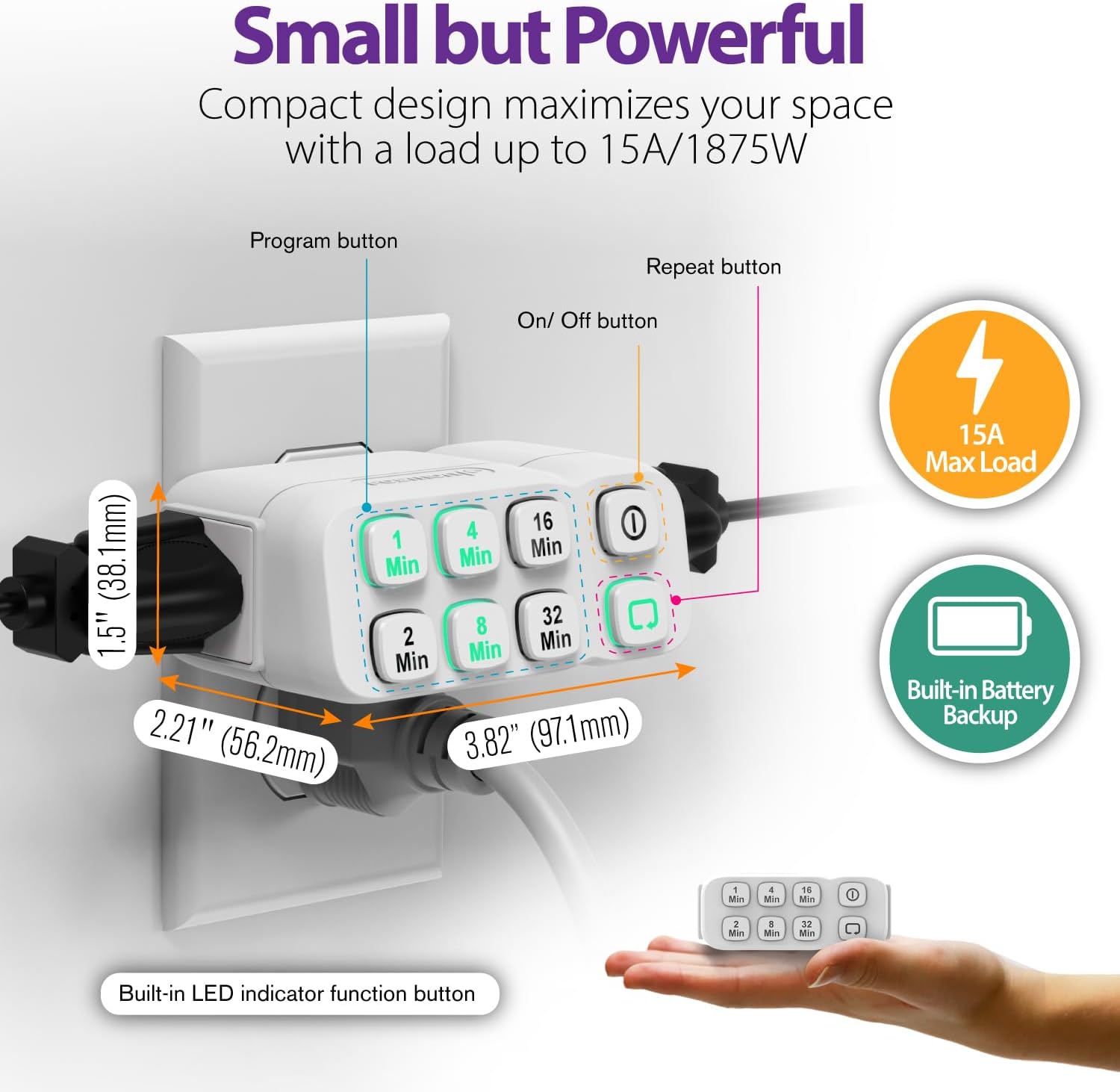
Image: A single Fosmon timer plugged into a wall outlet, with dimensions (3.82"D x 2.21"W x 1.5"H) and key features like 15A Max Load and Built-in Battery Backup highlighted.
Komponenti:
- Buttuni tal-Ħin: 1 Min, 2 Min, 4 Min, 8 Min, 16 Min, 32 Min. These buttons are used to set the desired countdown duration.
- Buttuna mixgħul/mitfi: Manually turns the connected device on or off instantly.
- Irrepeti l-buttuna: Activates the daily repeat function for the set countdown program.
- Ħwienet bl-art: Two outlets for connecting appliances.
Setup
- Ipplaggja t-Tajmer: Insert the Fosmon Countdown Timer into a standard 125V AC 60Hz wall outlet.
- Qabbad l-Apparat Tiegħek: Plug the appliance or light you wish to control into one of the grounded outlets on the timer.
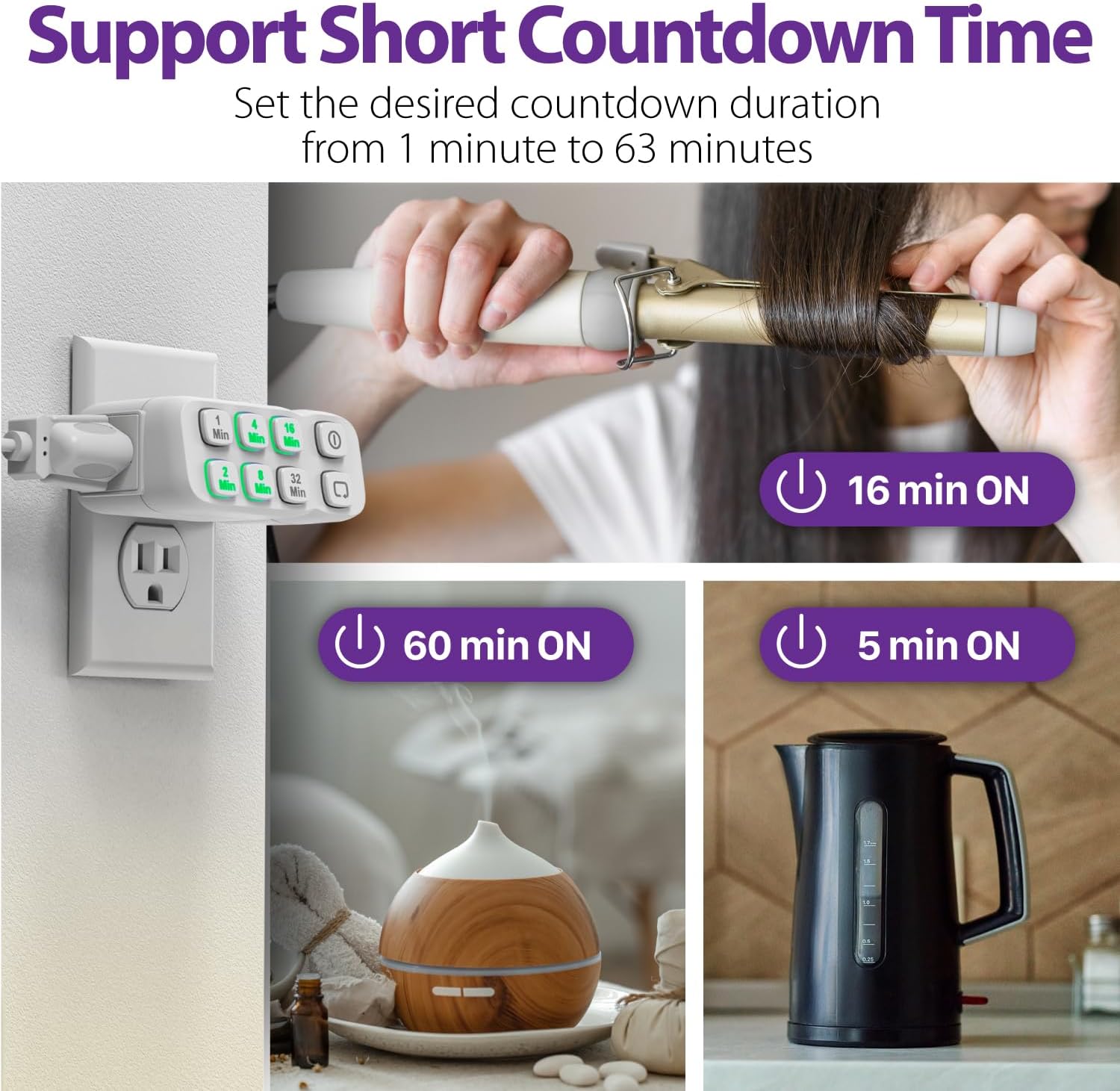
Image: The Fosmon timer plugged into a wall, demonstrating its use with a curling iron, diffuser, and kettle, highlighting its short countdown capabilities.
Qawwa Inizjali:
Upon plugging in, the timer is ready for use. The built-in battery backup ensures that your settings are retained even during power outages.
Istruzzjonijiet Operattivi
Setting a Countdown Program:
To set a specific countdown duration (from 1 to 63 minutes), press the desired minute buttons. You can combine multiple buttons to achieve the exact time. For example, to set a 20-minute countdown, press the 16-Min button and then the 4-Min button within 2 seconds.

Image: Visual guide showing how to combine minute buttons (e.g., 1+2=3 mins, 32+4+1=37 mins, 32+16+8+4+2+1=63 mins) to set various countdown durations.
Once the program is confirmed (indicated by the illuminated buttons), the timer will turn on the connected device for the set duration and then automatically turn it off.
Manwal mixgħul/mitfi:
Agħfas il- Mixgħul/Mitfi button to instantly turn the connected device on or off, bypassing any set countdown program.
Daily Repeat Function:
To have the timer repeat the same countdown program daily, set your desired countdown duration, then press the Irrepeti button. The timer will activate the program at the same time every 24 hours.
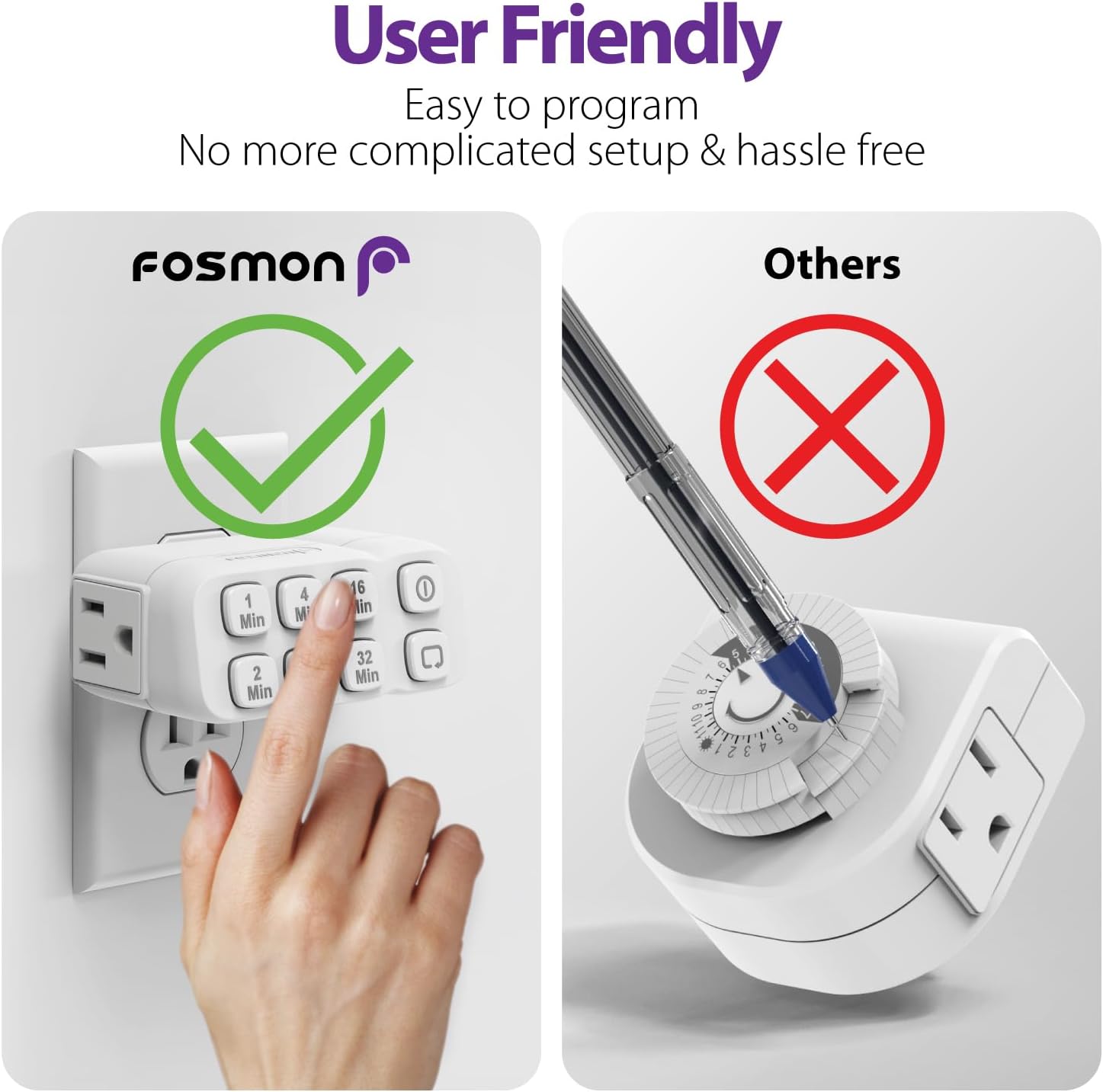
Image: The Fosmon timer plugged into a wall, with icons illustrating features like Built-in Battery Backup, Daily Repeat, 63 Countdown Program, Auto & Manual modes, and Sleep Friendly operation.
This feature is particularly useful for lights to deter break-ins or for daily routines like charging devices for a specific period.
Video: A setup guide for the Fosmon 63 Minute Plug-In Countdown Timer, demonstrating how to program and use its features, including the daily repeat function. This video is provided by the seller, SF Planet.
Vidjo: Preċedenza qasiraview of the setup guide for the Fosmon 63 Minute Plug-In Countdown Timer, demonstrating basic programming. This video is provided by the seller, SF Planet.
Applikazzjonijiet:
The timer is versatile and can be used for various indoor applications:
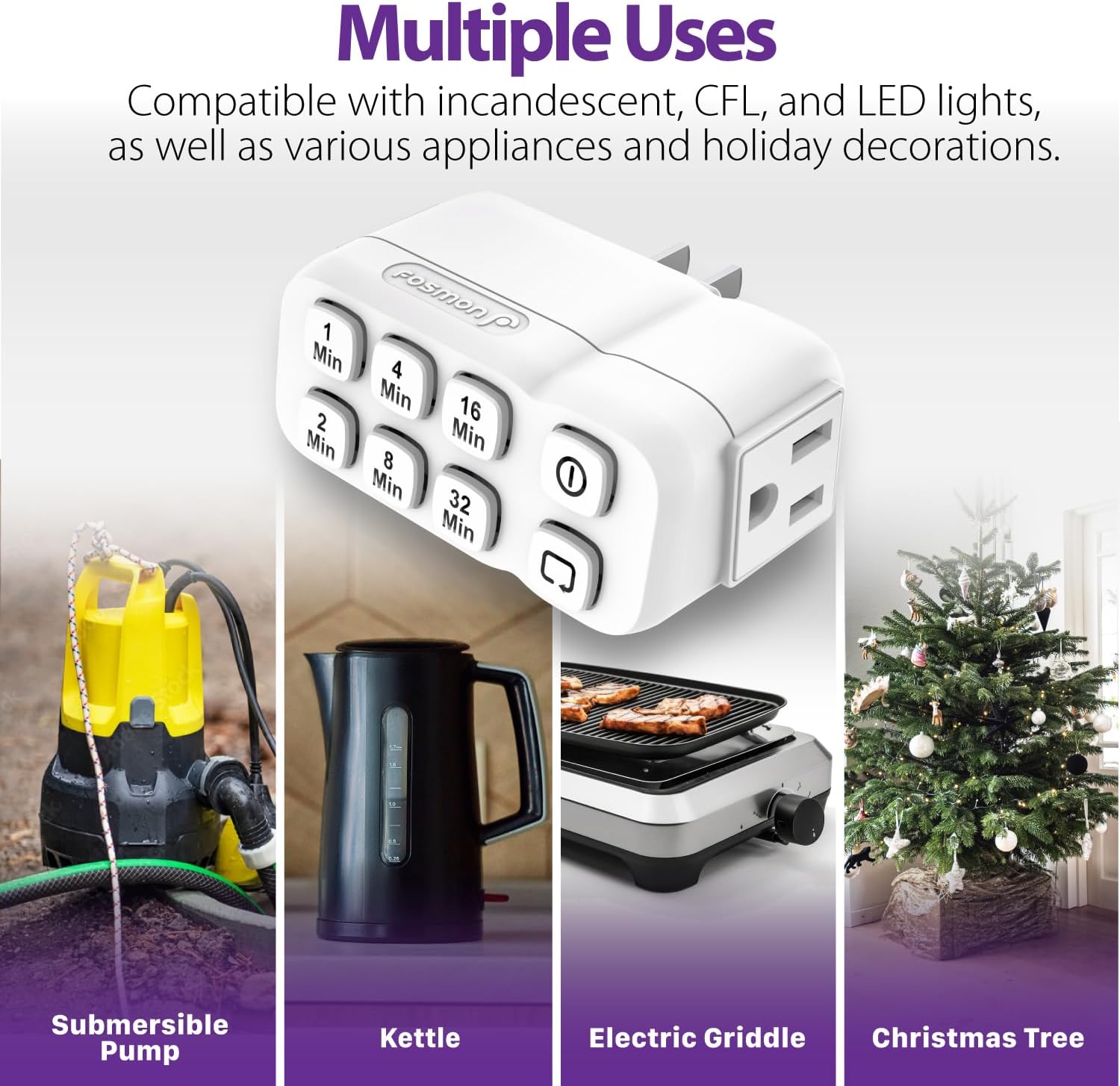
Image: The Fosmon timer shown with examples of its diverse applications, including a submersible pump, kettle, electric griddle, and Christmas tree lights.
- Lights (incandescent, CFL, LED)
- Fannijiet
- Kafè
- Pompi Żgħar
- Ktieli
- Tqanqil
- Jillixxa tax-xagħar
- Dekorazzjonijiet tal-vaganzi
Manutenzjoni
- Tindif: Disconnect the timer from the power outlet before cleaning. Wipe with a dry, soft cloth. Do not use liquid cleaners or abrasive materials.
- Ħażna: Store in a cool, dry place away from direct sunlight and moisture when not in use for extended periods.
Issolvi l-problemi
It-tajmer mhux qed jirrispondi:
- Ensure the timer is fully inserted into a working wall outlet.
- Check if the connected appliance is working by plugging it directly into a wall outlet.
- The internal battery backup may need to be reset if the timer behaves unexpectedly after a long period of no power. Unplug and replug the timer.
Countdown Not Activating/Repeating:
- Ensure you are pressing the minute buttons within 2 seconds of each other to combine times.
- For daily repeat, ensure the Repeat button was pressed after setting the desired countdown.
Speċifikazzjonijiet
| Karatteristika | Dettall |
|---|---|
| Qawwa | 125VAC 60Hz |
| Tagħbija Massima (Reżistiva) | 15A 1875W |
| Tagħbija Massima (Tungstenu) | 10A 1250W |
| Tagħbija bil-Mutur | 1 / 2 HP |
| Klassifikazzjoni tat-TV | TV-5 |
| Backup tal-batterija | NiMH 2.4V (> 100 Hours) |
| Temperatura operattiva | 32°F sa 104°F (0°C sa 40°C) |
| Materjal tal-Każ | Fire-Resistant V-0 |
| Dimensjonijiet tal-Prodott | 3.82"D x 2.21"W x 1.5"H |
| Kulur | Abjad |
Dokumenti Relatati - C-10825FCUS
 |
Fosmon C-10707US Manwal għall-Utent ta' Timer ta' Barra Mekkanika 1-Ħruġ Comprehensive user manual for the Fosmon C-10707US mechanical 1-outlet outdoor timer. Learn about its features, specifications, how to program schedules, set the time of day, and activate/deactivate the timer. Includes warranty and recycling information. |
 |
Manwal tal-Utent tat-Tajmer Mekkaniku ta' Barra b'2 Sokits Fosmon - Setup u Istruzzjonijiet Manwal komprensiv għall-utent għat-Tajmer ta' Barra Mekkaniku b'2 Sokits Fosmon. Tgħallem kif tipprogramma, tissettja l-ħin, u tuża t-tajmer ta' barra tiegħek. Jinkludi speċifikazzjonijiet, garanzija, u informazzjoni tal-FCC. |
 |
Manwal tal-Utent tat-Tajmer Mekkaniku tal-Outlet Fosmon C-10798FAUS ta' 24 Siegħa Manwal tal-utent għall-Fosmon C-10798FAUS Timer Mekkaniku tas-Sokit ta' 24 Siegħa li Jiffaċċja minn Quddiem, li jiddeskrivi s-setup, it-tħaddim, l-ispeċifikazzjonijiet, il-garanzija u l-appoġġ. |
 |
Manwal tal-Utent tat-Tajmer Mekkaniku ta' Barra b'2 Sokits Fosmon - Setup u Istruzzjonijiet Niżżel il-Manwal tal-Utent tat-Tajmer ta' Barra Mekkaniku b'2 Sokits Fosmon. Ikseb struzzjonijiet dettaljati dwar l-ipprogrammar, is-setup, l-ispeċifikazzjonijiet, u s-soluzzjoni tal-problemi għat-tajmer ta' barra Fosmon tiegħek. |
 |
Manwal tal-Utent Fosmon Mechanical 2 Outlet Timer C-10682 User manual for the Fosmon Mechanical 2 Outlet Timer (Model C-10682). Learn how to program the 48-button dial for 30-minute intervals, set the time of day, and activate the timer. Includes product support contact information. |
 |
Manwal tal-Utent tat-Tajmer Programmabbli ta' Kull Ġimgħa Fosmon C-10786US Manwal tal-utent għat-tajmer programmabbli ta' kull ġimgħa Fosmon C-10786US 125V/15A/60Hz. Tgħallem kif tissettja skedi, tuża modi ta' tajmer, countdown, u funzjonijiet każwali. Jinkludi speċifikazzjonijiet, twissijiet, u informazzjoni dwar il-konformità mal-FCC. |
Ask a question about this manual
Ask about setup, troubleshooting, compatibility, parts, safety, or missing instructions. Manuals+ will review the question and use this page’s manual context to help answer it.