
1. Introduzzjoni
Welcome to the user manual for your new FOREVER Kids Look Me! 3 KW-520 Smartwatch. This guide provides essential information for setting up, operating, and maintaining your device. Please read it carefully to ensure proper use and to maximize the benefits of all its features.
The FOREVER Kids Look Me! 3 KW-520 is designed to provide communication and safety features for children, offering GPS tracking, two-way calling, video calls, and an SOS function, all within a durable and child-friendly design.
2. Informazzjoni dwar is-Sigurtà
- Sigurtà tal-batterija: Do not attempt to replace the battery yourself. Use only the provided charging cable. Do not expose the watch to extreme temperatures or direct sunlight for prolonged periods.
- Reżistenza għall-Ilma: The watch is IP65 rated, meaning it is splash-proof and resistant to dust. It is not suitable for swimming, showering, or submersion in water. Avoid exposing it to high-pressure water.
- Periklu ta' fgar: Keep small parts, such as the SIM card, away from young children to prevent accidental ingestion.
- Rimi: Armi l-apparat u l-batterija tiegħu b'mod responsabbli skont ir-regolamenti lokali. Tarmix mal-iskart domestiku.
- Superviżjoni: Parental supervision is recommended during initial setup and to ensure safe usage of all features.
3. Kontenut tal-Pakkett
Jekk jogħġbok immarka l-kaxxa għall-oġġetti li ġejjin:
- FOREVER Kids Look Me! 3 KW-520 Smartwatch
- Cable tal-Iċċarġjar tal-USB
- Manwal għall-Utent (dan id-dokument)
Jekk xi oġġetti huma nieqsa jew bil-ħsara, jekk jogħġbok ikkuntattja lill-bejjiegħ tiegħek.
4. Device Overview
Familiarize yourself with the physical components of your smartwatch:

Figure 1: The FOREVER Kids Look Me! 3 KW-520 Smartwatch in pink, featuring a large display and a SIM card slot. A child is shown wearing the watch.

Figure 2: The smartwatch display showing the main interface with time, date, and feature icons.
- Wiri: Touchscreen ta' 1.85 pulzieri għall-interazzjoni.
- Power/SOS Button: Used to power on/off the device and activate the SOS function.
- Slot tal-Kard SIM: For inserting a Nano-SIM card.
- Kamera: Integrated camera for photos and video calls.
- Mikrofonu u Speaker: For calls and voice messages.
5. Setup
5.1 Installazzjoni tal-Karta SIM
- Kun żgur li l-ismartwatch ikun mitfi.
- Locate the SIM card slot on the side of the watch (refer to Figure 1).
- Carefully open the SIM card slot cover.
- Insert a Nano-SIM card with an active 4G data plan into the slot, ensuring the correct orientation.
- Close the SIM card slot cover securely to maintain water resistance.
- Power on the smartwatch. The network signal indicator should appear on the screen.
5.2 Installazzjoni u Tqabbil tal-App
To manage the smartwatch and access its full features, you need to install the companion application on a parent's smartphone.
- Download the 'FOREVER Kids' application from your smartphone's app store (Google Play Store for Android or Apple App Store for iOS).
- Iftaħ l-app u oħloq kont ġdid jew idħol jekk diġà għandek wieħed.
- Fl-app, agħżel l-għażla li żżid apparat ġdid.
- The app will prompt you to scan a QR code. On the smartwatch, navigate to the pairing menu to display its unique QR code.
- Skennja l-kodiċi QR bl-ismartphone tiegħek.
- Follow the on-screen instructions in the app to complete the pairing process and set up parental controls, contacts, and other settings.

Figura 3: Aktarview of the companion mobile application interface for managing the smartwatch.
6. Tħaddim tal-Ismartwatch
6.1 Navigazzjoni Bażika
- Touchscreen: Swipe left/right to navigate between main screens (e.g., clock, apps). Swipe up/down to access notifications or quick settings.
- Tektek: Tap an icon to open an application or select an option.
- Buttuna tal-Qawwa: A short press usually returns to the home screen. A long press powers the device on/off or activates the SOS function (if configured).
6.2 Nagħmlu Telefonati
The smartwatch supports two-way voice calls with pre-approved contacts. Parents can manage the contact list through the companion app.
- From the main screen, tap the 'Phone' or 'Contacts' icon.
- Agħżel il-kuntatt mixtieq mil-lista.
- Tektek l-ikona tas-sejħa biex tibda s-sejħa.
- To answer an incoming call, tap the green answer icon. To reject, tap the red reject icon.
6.3 Video Calls
The smartwatch allows for video calls with approved contacts, providing a visual connection.
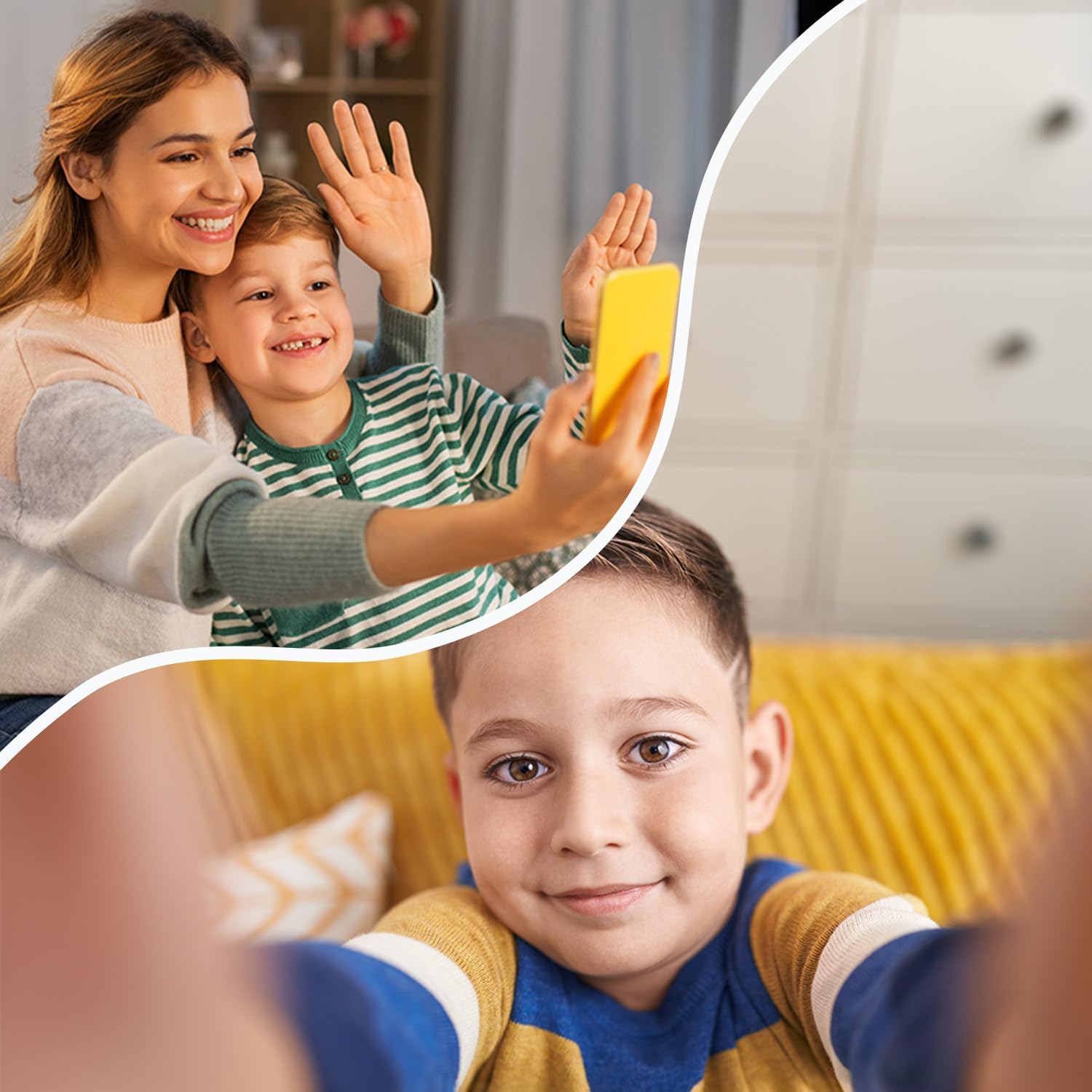
Figure 4: The video call feature allows children to connect visually with family members.
- Tap the 'Video Call' icon on the smartwatch.
- Select the contact you wish to video call.
- The call will connect, allowing for real-time video communication.
6.4 Messaġġi
Children can send and receive voice messages and text messages from approved contacts.
- Voice Messages: Tap the 'Chat' or 'Messages' icon, select a contact, and hold the microphone icon to record and send a voice message.
- Messaġġi Test The watch supports receiving text messages. Sending text messages may be limited to pre-defined quick replies or require a virtual keyboard, depending on the software version.
6.5 Location Tracking (GPS/LBS/Wi-Fi)
The smartwatch uses a combination of GPS, LBS (Location Based Service), and Wi-Fi positioning to provide accurate location tracking, visible through the companion app.
- GPS: Provides precise outdoor location data.
- LBS: Uses cellular network towers for location when GPS signal is weak or unavailable (e.g., indoors).
- Wi-Fi: Utilizes known Wi-Fi networks for improved indoor positioning accuracy.
6.6 Funzjoni SOS
In an emergency, the child can activate the SOS function to alert pre-set emergency contacts.
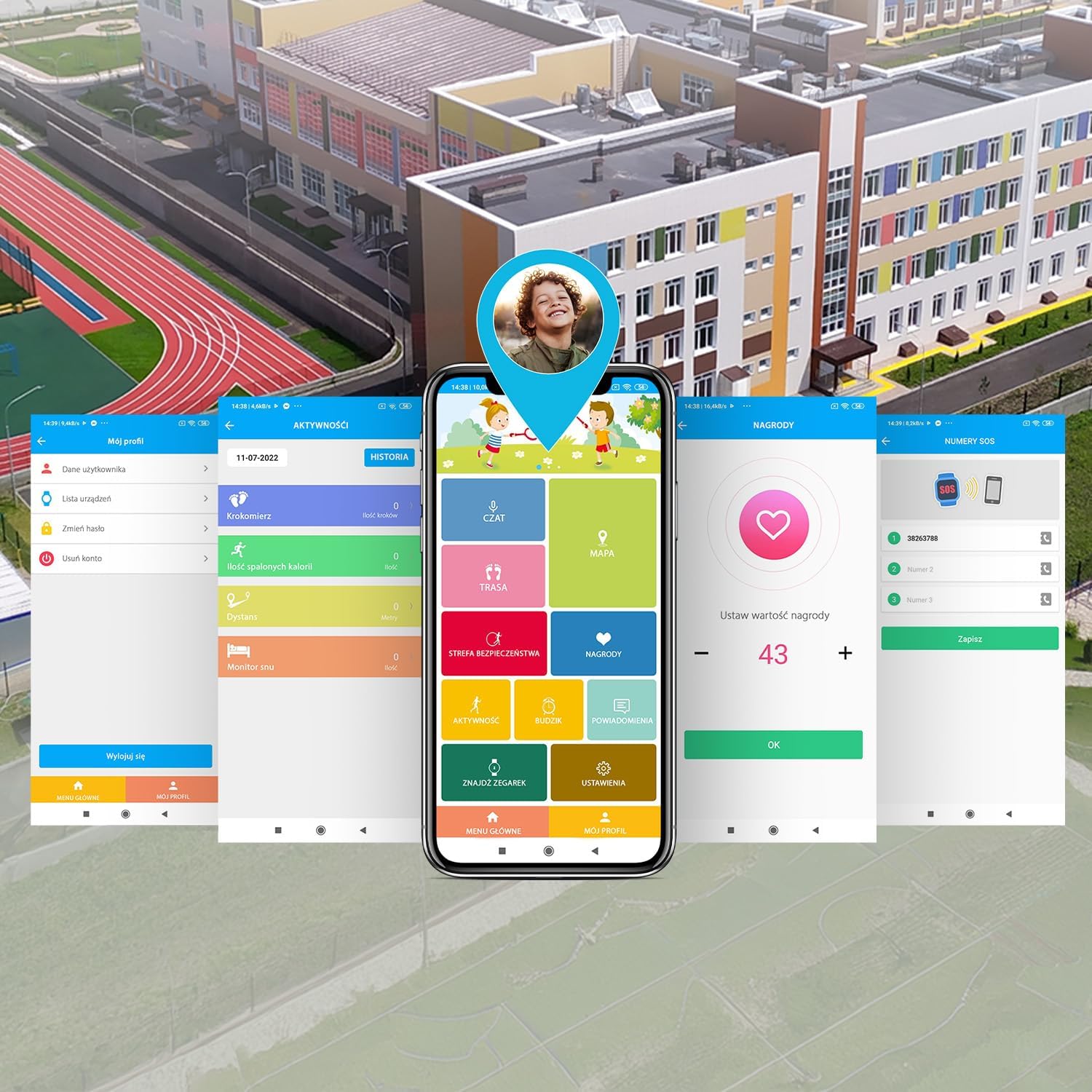
Figure 5: The SOS button provides a quick way for children to alert emergency contacts.
- To activate, press and hold the SOS button (usually the power button) for a few seconds.
- The watch will automatically call the emergency contacts in a pre-defined sequence until one answers.
- An alert message with the child's location will also be sent to the emergency contacts via the app.
6.7 Geofencing (Safety Zones)
Parents can set up virtual boundaries (geofences) in the companion app. You will receive notifications when the child enters or leaves these designated safe zones (e.g., home, school).
6.8 Games & Learning Apps
The smartwatch includes pre-installed games and learning applications to keep children engaged.

Figure 6: The smartwatch features educational and entertaining games.
- Tap the 'Games' icon on the watch screen.
- Agħżel logħba mil-lista biex tibda tilgħab.
6.9 Pedometru
The built-in pedometer tracks the child's steps throughout the day, promoting physical activity.
- Tap the 'Pedometer' or 'Activity' icon to view the daily step count.
- Activity data can also be viewfl-app li takkumpanja.
6.10 Kamera
The integrated camera allows children to take photos.
- Tap the 'Camera' icon.
- Tap the screen to take a photo.
- Ir-ritratti jistgħu jkunu viewed in the 'Gallery' and may be accessible via the companion app.
6.11 Face Unlock
The smartwatch supports face unlock for convenient and secure access.

Figure 7: The face unlock feature provides secure and easy access to the smartwatch.
- Navigate to 'Settings' on the smartwatch and find the 'Face Unlock' option.
- Follow the on-screen prompts to register the child's face.
- Once set up, the watch will unlock automatically when it recognizes the registered face.
7. Manutenzjoni
7.1 Iċċarġjar
Biex tiċċarġja l-ismartwatch:
- Connect the provided USB charging cable to the charging port on the watch.
- Qabbad it-tarf l-ieħor tal-kejbil USB ma' adapter tal-enerġija USB standard (mhux inkluż) jew mal-port USB tal-kompjuter.
- The watch screen will indicate that it is charging. A full charge typically takes approximately 2-3 hours.
- Skonnettja l-ċarġer ladarba l-batterija tkun mimlija biex ittawwal il-ħajja tal-batterija.
7.2 Reżistenza għall-Ilma (IP65)
The FOREVER Kids Look Me! 3 KW-520 Smartwatch has an IP65 rating, which means it is protected against dust ingress and low-pressure water jets from any direction. This makes it suitable for everyday use, such as splashes from handwashing or light rain.
- MA immerse the watch in water.
- MA wear the watch while swimming, showering, or bathing.
- Avoid exposing the watch to high-pressure water, such as from a faucet or hose.
- Ensure the SIM card slot cover is securely closed to maintain water resistance.
7.3 Tindif
To clean your smartwatch:
- Wipe the screen and body with a soft, dry, lint-free cloth.
- Għal marki iebsa, d ftitampLaħlaħ id-drapp bl-ilma. Tużax kimiċi ħarxa jew materjali li joborxu.
- Ensure the watch is completely dry before charging or using it again.
8 Issolvi l-problemi
Jekk tiltaqa' ma' problemi bl-ismartwatch tiegħek, irreferi għall-problemi u s-soluzzjonijiet komuni li ġejjin:
| Problema | Soluzzjoni Possibbli |
|---|---|
| L-għassa ma tixgħelx | Kun żgur li l-arloġġ ikun iċċarġjat kompletament. Agħfas u żomm il-buttuna tal-qawwa għal mill-inqas 10 sekondi. |
| L-ebda sinjal tan-netwerk | Check if the SIM card is correctly inserted and activated. Ensure the SIM card has an active 4G data plan. Move to an area with better network coverage. |
| Ma nistax nagħmel/nirċievi telefonati | Verify network signal. Check if the contact numbers are correctly saved in the companion app and synced to the watch. Ensure parental controls are not restricting calls. |
| Traċċar tal-post mhux preċiż | Kun żgur li l-arloġġ għandu viżibilità ċara view of the sky for GPS. Check if Wi-Fi is enabled on the watch for better indoor positioning. Update the location in the companion app. |
| Companion app cannot connect to watch | Ensure the watch has an active internet connection (via SIM card). Restart both the watch and the smartphone app. Re-pair the watch if necessary. |
| Il-batterija tiskula malajr | Reduce screen brightness. Close unused applications. Limit frequent location updates in the app settings. |
Jekk il-problema tippersisti, jekk jogħġbok ikkuntattja l-appoġġ għall-klijenti.
9. Speċifikazzjonijiet
Key technical specifications for the FOREVER Kids Look Me! 3 KW-520 Smartwatch:
| Karatteristika | Speċifikazzjoni |
|---|---|
| Brand | GĦAL DEJJEM |
| Numru tal-Mudell | ġimgħa 520 |
| Kulur | Rose |
| Sistema Operattiva | Ilbes OS 3.0 |
| Daqs tal-Iskrin | 1.85 Pulzier |
| Konnettività | Wi-Fi, Bluetooth, 4G (via SIM) |
| Karatteristiċi Speċjali | Advanced GPS/LBS/Wi-Fi location functions, SOS button, Video calls, Geofencing |
| Apparati Kompatibbli | Smartphone |
| Kompożizzjoni tal-batterija | Lithium-ion |
| Kapaċità tal-batterija | 850 mAh (estimated from '850 Modificateur inconnu') |
| Kapaċità tal-Ħżin tal-Memorja | 16 MB |
| Reżistenza għall-Ilma | IP65 |
10. Garanzija u Appoġġ
Your FOREVER Kids Look Me! 3 KW-520 Smartwatch is covered by a manufacturer's warranty. Please refer to the warranty card included in your package or visit the official FOREVER websit għal termini u kundizzjonijiet dettaljati tal-garanzija.
For technical support, troubleshooting assistance, or inquiries about your product, please contact the retailer where you purchased the device or visit the FOREVER customer support portal online.
Manifattur: TelForceOne